Repository navigation
Video Antennas VTX VRX

High-resolution antenna reference. Match frequency band, connector, polarization and antenna placement to the selected video system.

Product example: CADDXFPV / Walksnail Avatar VRX kit. Use the exact product compatibility list before buying.
Control: RadioMaster Pocket ELRS → 2.4 GHz (or other supported band) control link → receiver on aircraft → FC.
Video: FPV camera → VTX/air unit → video antenna → compatible VRX/goggles.
VTX means video transmitter, not your hand-held radio transmitter. VRX means video receiver. Your ELRS receiver and your goggles' video receiver are different pieces of equipment.
| Type | Pattern / practical use |
|---|---|
| Linear dipole / whip | Lightweight, common for control links and some video systems |
| T / folded dipole | Compact receiver antenna style, often used on small quads |
| Circular omni (cloverleaf / pagoda) | Broad coverage with circular polarization; common in analog FPV |
| Patch | Directional, higher gain toward the front; useful on goggles/ground receivers if aimed |
| Yagi / helical | More focused directional reception, requires aiming |
| Diversity VRX | Uses two antenna inputs with receiver logic; not a particular antenna shape by itself |
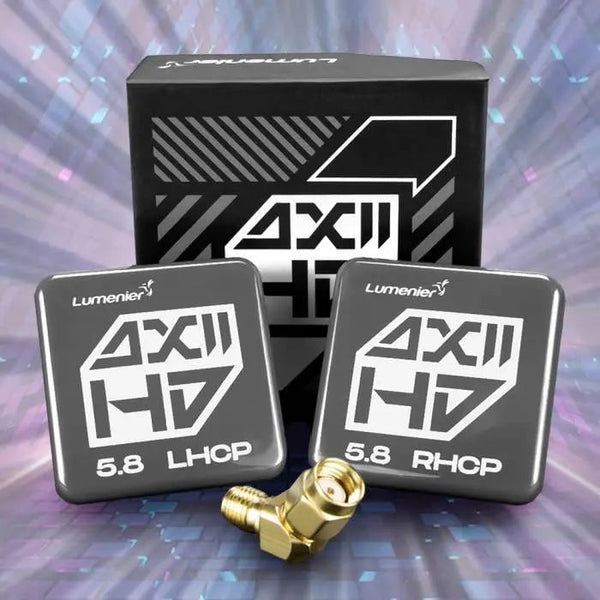
Circular-polarized antennas are right-hand (RHCP) or left-hand (LHCP). Match polarization at both ends for a good link. Mixing RHCP and LHCP can substantially reduce signal. Also verify connector type (SMA, RP-SMA, U.FL, MMCX, etc.) and frequency; an antenna that physically fits may still be wrong electrically.
Advertised ranges are not promises. Usable range depends on line of sight, antenna orientation, polarization, gain and pattern, receiver sensitivity, cable losses, interference, VTX power, video system and local EIRP/band limits. A directional patch improves reception only within its beam; it will not perform like an omni when the quad is behind the pilot.
- Analog 5.8 GHz: often low latency and accessible, with picture noise increasing as the link weakens.
- Digital systems (DJI, Walksnail, HDZero): each has its own compatible air unit and ground equipment. Compare exact generations, latency, image quality and supported antennas.
- The control link can fail separately from video. Test control failsafe and plan a conservative return/landing point; don't assume a picture means the radio link is healthy.
- Install the VTX antenna before powering the VTX unless the exact manufacturer's manual explicitly specifies otherwise.
- Keep within locally permitted frequencies and transmit power.
- Keep antennas clear of carbon fibre, batteries and noisy power wiring where practical.
- Check both ends use compatible polarization and connector.
- Test video at close range first; then learn your setup's real link margin in legal, safe conditions.