Repository navigation
Home
The warm table you don't want to leave.
Kotatsu is SillyTavern for writing. It has the same characters, presets, extensions and data folder, behind a calm, fast interface, with a guide who sets it up alongside you.
You bring a model (Claude, ChatGPT, an API key, or something running on your own computer). Kotatsu gives you the page: characters to write with, a persona to write as, and presets that shape how the model writes back.
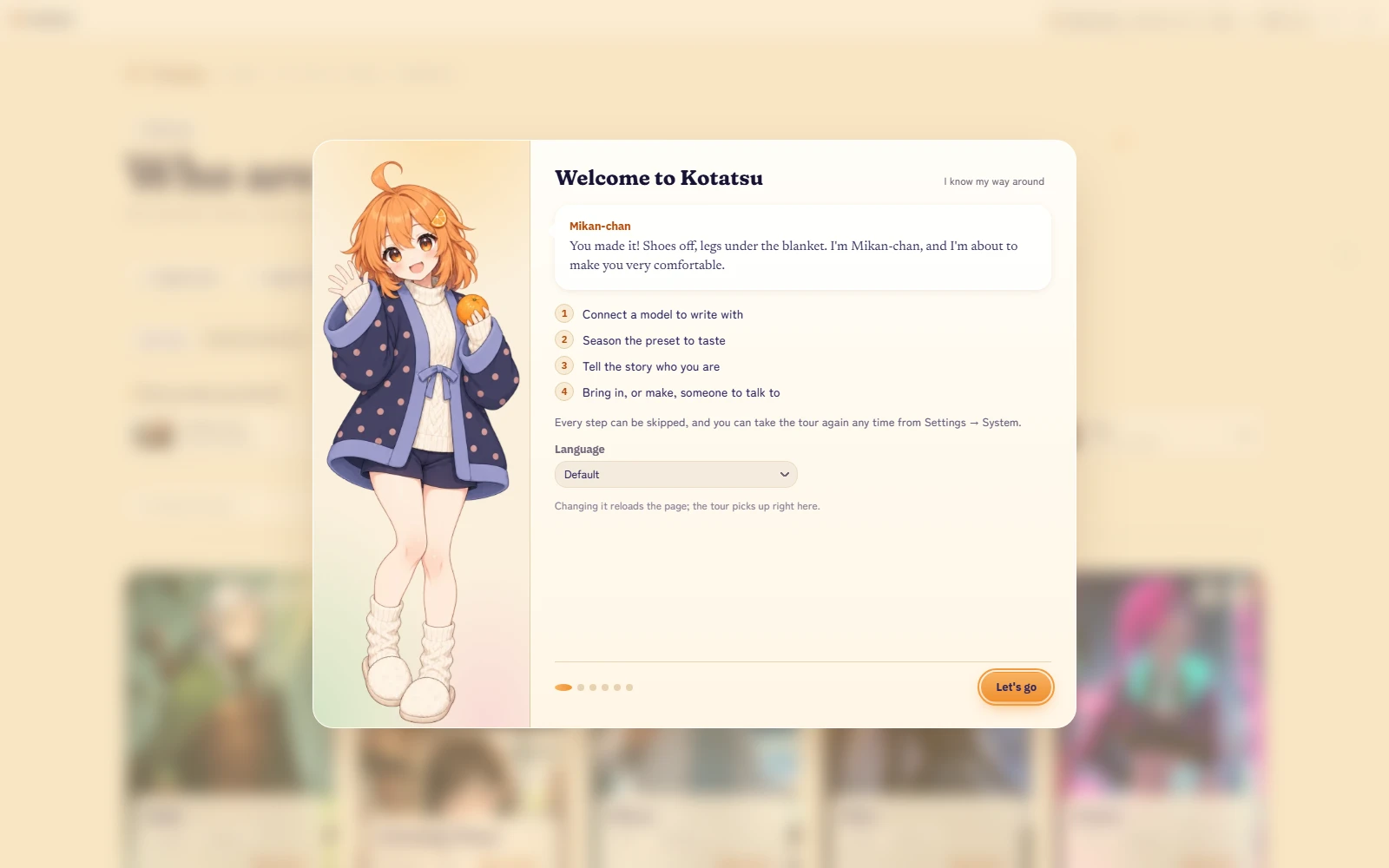
New to all of this?
- Install Kotatsu.
- Follow the welcome tour. The README section Warm from the first minute says what each step is for.
- If you are not sure what a card, persona, preset or lorebook is, the Glossary has four short answers.
Already use SillyTavern? Read Coming from SillyTavern. Your characters, chats, personas, presets and lorebooks carry over.
Want more than two at the table? Scenes puts several characters in one chat.
Want pictures in the story? Pictures draws a moment from the chat on your own ComfyUI, or with an OpenAI or Gemini key.
Want your characters on a stage? Sprites stands them beside the story, with a face for each feeling, and turns a phone into a visual novel. Bring your own set, or draw one on your ComfyUI.
Writing a character? Card Studio is a character page in chapters, with a Simple and an Advanced view.
Want it to look different? See Themes.
Writing a theme or an extension? Themes are data, with no code. Start with Themes and the theme authoring guide. For extensions, read the extension contract.
Want to help? See Contributing.
This wiki covers what Kotatsu adds or changes, and what you need to get running. For everything SillyTavern already does, we link to the SillyTavern documentation instead of copying it.
Pages in this wiki:
- Installing Kotatsu: the Windows installer, starting, stopping and updating, and running from source.
- Coming from SillyTavern: bring your data across and see what is different.
- Scenes: several characters in one chat, who speaks when, and the narrator.
- Pictures: drawing in the chat, your own ComfyUI, and drawing with an OpenAI or Gemini key.
- Sprites: the Sprite look on the desktop and on a phone, a background, bringing or generating a sprite set, and Touch-up.
- Card Studio: writing a character, chapter by chapter.
- Themes: pick, install, share and make a theme.
- Glossary: short definitions of the words you will meet.
- Release Notes: what changed in each version.
- Contributing: send feedback, report a bug or send a change.
The README covers the rest of Kotatsu for now, including the connection options, the phone, bundled presets and the engineering notes.
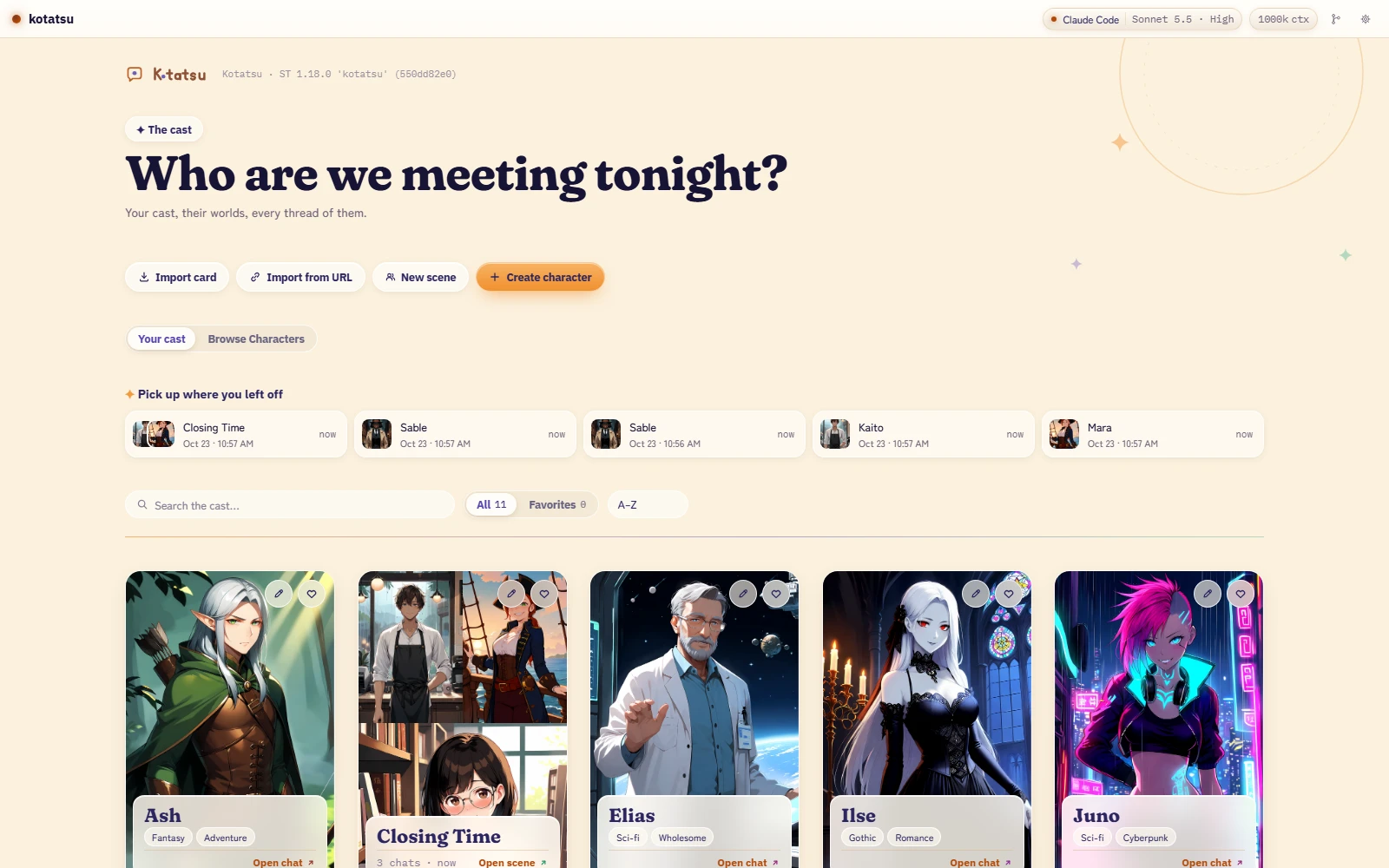
Kotatsu is not a game engine. It has no dice and no inventory screens. Those are good things, and other front-ends do them well. Kotatsu spends every pixel and millisecond on the page you are writing and the preset shaping it. Even the Sprite look, which stands your characters beside the story, keeps the page at the centre.
- Something is broken, or a page here is wrong: open an issue.
- What changed in each version: Release Notes, or Releases on GitHub.
- A thought, an idea or a problem: Settings, then System, then Send feedback. See Contributing.
- A 60-second look before you install: the trailer.