Releases: luminusOS/zaptide
Release list
ZapTide 0.4.0

ZapTide 0.4.0 groups photos sent together into albums, lets you stage attachments above the message box, and shows WhatsApp text formatting and business messages with web links. Chats reconnect after your computer wakes from sleep, and the chat filters and file-drop area have a clearer layout.
Download ZapTide: Flatpak (x86_64) · Flatpak (aarch64) · AppImage (x86_64) · AppImage (aarch64) · Linux archives
New
- Photos sent together appear in one album. Open its photos in the viewer with buttons or arrow keys. Albums with more than four photos show a
+Ncount and one download button for missing photos. By @leandromqrs. - Stage attachments above the message box. See each file, remove one or clear them all, and write a caption in the regular composer. You can drop files anywhere in the conversation; a card shows where they will go. By @leandromqrs.
- Read WhatsApp text formatting. Bold, italic, strikethrough, code, quotes and lists appear in messages, templates, buttons and lists. By @leandromqrs.
- Read business messages with website buttons. Templates that previously appeared as unsupported now show their text, footer and web links, including messages already in your archive. By @leandromqrs.
- See a reply before sending it. The composer shows who and what you are replying to. Chat filters now have labeled groups and icons. By @leandromqrs.
Fixed
- Chats reconnect after suspend. ZapTide resumes the connection when the computer wakes and shows a spinner while messages update. By @leandromqrs.
- Search no longer loses characters while you type. Sidebar updates cannot replace a fast-typed query with an older one. By @leandromqrs.
- Recently used stickers are yours. The picker no longer treats received stickers as your own recent stickers. By @leandromqrs.
- New messages settle into long conversations more smoothly. Loading pages avoids repeated scans, and arriving rows fade in while respecting reduced motion. By @leandromqrs.
Full changelog: v0.3.0...v0.4.0
Contributors

Assets 9
ZapTide 0.3.0
ZapTide 0.3.0 shows quick-reply buttons and single-select lists in chats and lets you answer them. Group mentions now show people by name, with a WhatsApp name on hover when you have not saved the contact. Replies and mention names also survive history replay and appear more consistently in copied text and screen readers.
Download ZapTide: Flatpak (x86_64) · Flatpak (aarch64) · AppImage (x86_64) · AppImage (aarch64) · Linux archives
New
- Answer quick-reply buttons in a message. Buttons show beneath the message; selecting one sends your choice as a reply. By @leandromqrs.
- Choose from single-select lists. Open the list, browse its sections and pick a row to reply. Long section titles can be read on hover. By @leandromqrs.
- See who a group mention refers to. ZapTide highlights mentioned people and shows a saved contact name instead of a numeric identifier. When no name is saved, hover to see the name they use on WhatsApp if available. By @leandromqrs.
Fixed
- Interactive replies survive history sync. Replies sent from ZapTide or another linked device keep their text and quoted message when WhatsApp replays them. Old archived buttons and lists are re-read from stored messages. By @leandromqrs.
- An interrupted answer does not leave the choice permanently disabled. Failed replies can be retried without a duplicate failed answer left in the chat. A server-confirmed reply remains selected even if a late send error arrives. By @leandromqrs.
- Mention names match what you read and copy. The transcript and screen-reader labels use the displayed contact name, update after contact changes, and avoid matching part of an email address or a longer mention-like token. By @leandromqrs.
Full changelog: v0.2.0...v0.3.0
Contributors
Assets 9
ZapTide 0.2.0
ZapTide 0.2.0 brings a better voice recorder, quicker ways to open chats, and a simpler attachment menu. You can now pick photos and videos from Gallery, send documents through Files, find people to mention in a group, and see more about a contact.
Download: Flatpak (x86_64) · Flatpak (aarch64) · AppImage (x86_64) · AppImage (aarch64) · Linux archives
New
- Links in messages are clickable. Web addresses open in your browser. Phone numbers and WhatsApp links take you to a chat in ZapTide. By @leandromqrs.
- Voice notes show a live waveform and timer while you record, with clear send and cancel buttons. By @leandromqrs.
- Gallery and Files have separate choices in the attachment menu. Pick photos and videos as media, or send any file as a document. Filenames appear before you send. By @leandromqrs.
- Polls can have up to 12 answers and allow people to select more than one. Press Enter to create one. By @leandromqrs.
- Group mentions are searchable. Find a member by name or number; their photos load without holding up the dialog in large groups. By @leandromqrs.
- Contact info has more detail: saved name, About, last seen, chat settings, and groups you share, including group photos when available. By @leandromqrs.
Fixed
- A failed send no longer loses your draft. ZapTide puts the unsent message back before any text you typed in the meantime. By @leandromqrs.
- Phone and web links end where they should. Nearby numbers and dates are left alone, and URLs with parentheses stay intact. By @leandromqrs.
- Chat settings display correctly when a chat changes or is muted indefinitely. Sending a file as a document in one chat no longer changes how that file is sent in another. By @leandromqrs.
- Voice recording controls have screen-reader labels for the recording indicator and send button. By @leandromqrs.
ZapTide is an unofficial WhatsApp client. Meta may restrict or ban accounts that use third-party clients. Use it at your own risk.
Thanks
Thanks @crmne and the ZapFast contributors for the project ZapTide grew from, and @oxidezap and the whatsapp-rust contributors for the protocol library.
Full changelog: v0.1.0...v0.2.0
Contributors


Assets 9
ZapTide 0.1.0
ZapTide 0.1.0 is the first release of the native GTK WhatsApp companion for Linux. Link your phone, read recent chats, send messages and attachments, and keep your message archive on this computer. Built by @leandromqrs from ZapFast by @crmne.
Download ZapTide: Flatpak (x86_64) · Flatpak (aarch64) · AppImage (x86_64) · AppImage (aarch64)
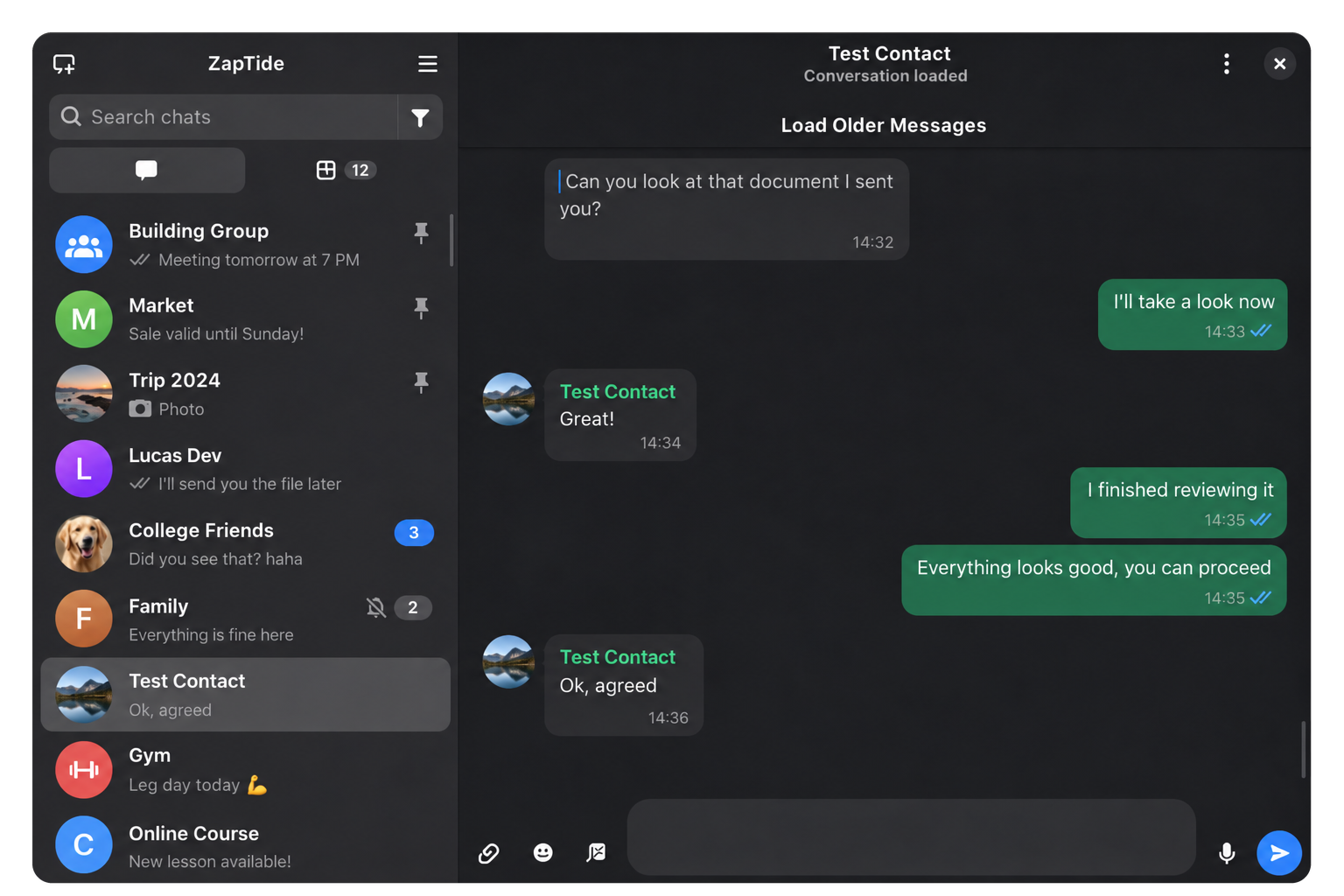
Illustration with sample conversations.
New
- A native chat window. Search chats and contacts, see replies, reactions, message status and group members, and load older messages from the local archive or your phone.
- Send more than text. Attach files, paste pictures, record voice notes, create and vote in polls, and use stickers and GIFs. By @leandromqrs, building on ZapFast's WhatsApp support.
- Flatpak and AppImage downloads. Both formats are available for x86_64 and aarch64. Linux tarballs are available for both architectures too. By @leandromqrs.
Fixed
- Messages stay in an encrypted archive. ZapTide stores the archive key in the OS keyring and keeps its data separate from ZapFast. A missing key stops connection rather than replacing the archive. By @leandromqrs.
- Read state and chat settings recover across devices. Pending reads, mute settings and locked chats survive reconnects and history replay. By @leandromqrs.
Known limitations
- Calls, status posts, communities and group administration are not supported. Newsletter channels are read-only. Disappearing messages remain in the local archive after they expire on your phone.
- The AppImage bundles linked GTK libraries but uses GStreamer plugins, glycin loaders and bubblewrap from the host. Keyboard and screen-reader support is still incomplete.
- ZapTide is an unofficial client and is not affiliated with WhatsApp or Meta.
Thanks
Thanks @crmne and the ZapFast contributors for the project ZapTide grew from, and @oxidezap and the whatsapp-rust contributors for the protocol library.
Full changelog: https://github.com/luminusOS/zaptide/commits/v0.1.0