The added model and collection classes contain duplicate names of the imported classes #437


Description

Describe the bug
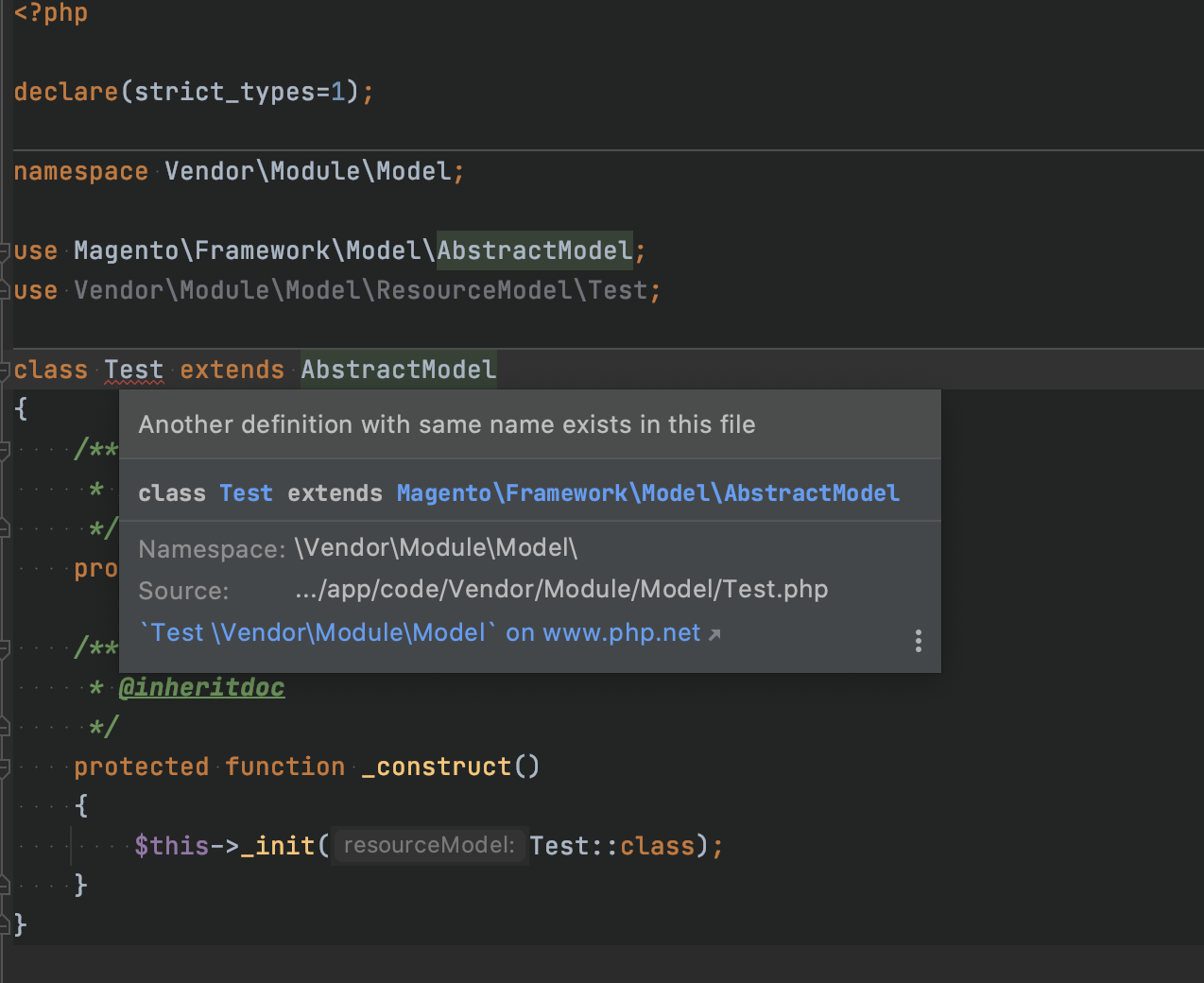
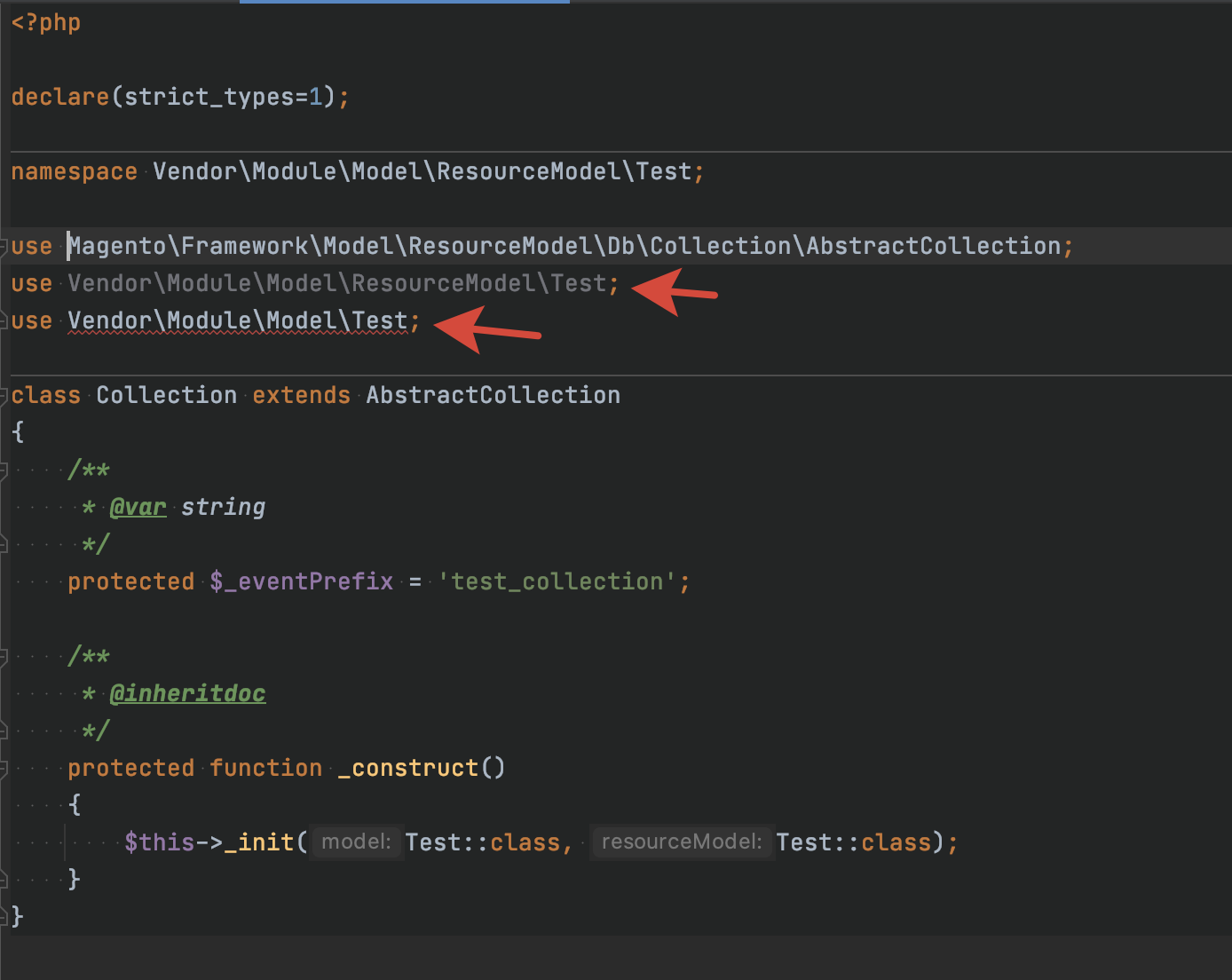
Add the model via the context menu on the module folder. After generating model classes, the generated code contains highlighted code sections.
To Reproduce
Steps to reproduce the behavior:
- Right clink on model dir
- Add new model
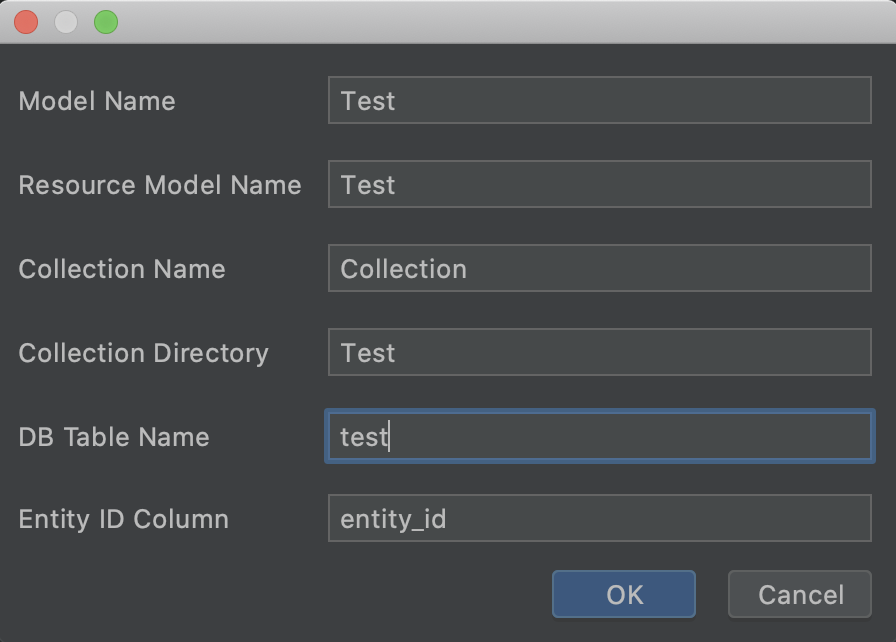
- Fill form with values
- Click Ok
- Open generated file and see highlighted errors
Expected behavior
The generated code does not contain highlighted code sections. You can import classes using aliases.
For example:
use Vendor\Module\Model\ResourceModel\Test as ResourceModel;
use Vendor\Module\Model\Test as DataModel;
Please complete the following information:
- OS: MacOS
- PhpStorm: PhpStorm 2020.3 Build #PS-203.5981.175, built on December 2, 2020
- Plugin Version: 3.0.2