An Arduino library for the DS3231 real-time clock (RTC).
The library provides easy-to-use methods to:
- set and read the current date and time;
- set, clear, and detect two, independent, Time-of-Day alarms;
- perform certain conversions and calculations with time data;
- manage certain hardware inside the DS3231 RTC module.
This document explains the installation and usage of the Library with the Arduino IDE.
You do have to install the Library in your Arduino IDE environment before you can use it. Installation instructions are provided, below.
After installing the Library in your Arduino IDE, using it in a program starts with three, simple steps:
- Import the Library into the program code:
#include <Wire.h>
#include <LiquidCrystal_I2C.h>
#include "RTClib.h"
- Declare DS3231 and LiquidCrystal_I2C object, for example:
RTC_DS3231 rtc;
LiquidCrystal_I2C lcd(0x27, 16, 2);
DS3231 is a low-cost integrated circuit (IC) providing a highly accurate, real-time clock for use with Arduino, Raspberry Pi, BBC micro: bit, and other popular small computing devices.
The IC is typically mounted on a circuit board or module, along with other hardware, such as header pins, supportive electrical components, and even EEPROM memory chips, for convenient attachment to a breadboard or an Arduino.
Several different modules are available from a number of competing vendors. This Library aspires to work with any DS3231 module that supports I2C communications with the IC.
DS3231 runs independently and can be kept running for a considerable length of time by a small, backup battery, even if power to the Arduino is turned off.
- Time
- Temperature
The temperature can be read from the DS3231 using a Library function. The data sheet declares it to be accurate to within 3 degrees, Celsius.
The DS3231 can run in a range between 2.3 volts and 5.5 volts. The device actually has two power supply pins: the primary source, VCC, and a secondary, backup source, VBAT.
Some popular modules mounting a DS3231 provide a receptacle for a coin battery, attaching it to the VBAT pin. If a sufficiently-charged battery is present, the DS3231 will switch automatically to the battery after detecting a drop in VCC voltage below a certain "power-fail" level.
It will switch back to VCC automatically, if and when that voltage rises back up above both the power-fail and the battery voltage level.
One point regarding the choice of the battery may deserve consideration: the question of whether to install a rechargeable coin battery or to disable a charging circuit if such a thing is provided on the module being used. The topic is controversial and the authors of this Library do not express any opinion about it. Readers may choose to search online for more information.
- In the Arduino IDE, navigate to Sketch > Include Library > Manage Libraries
- Then the Library Manager will open and you will find a list of libraries that are already installed or ready for installation.
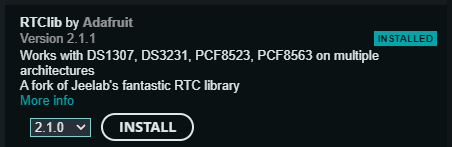
- Then search for RTClib(by Adafruit) using the search bar.
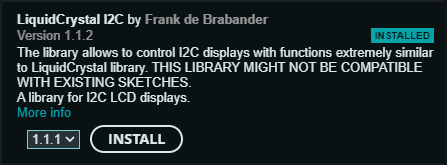
- Also search for LiquidCrystal I2C(by Frank de Brabander) using the search bar.
- Select the specific version and install those.
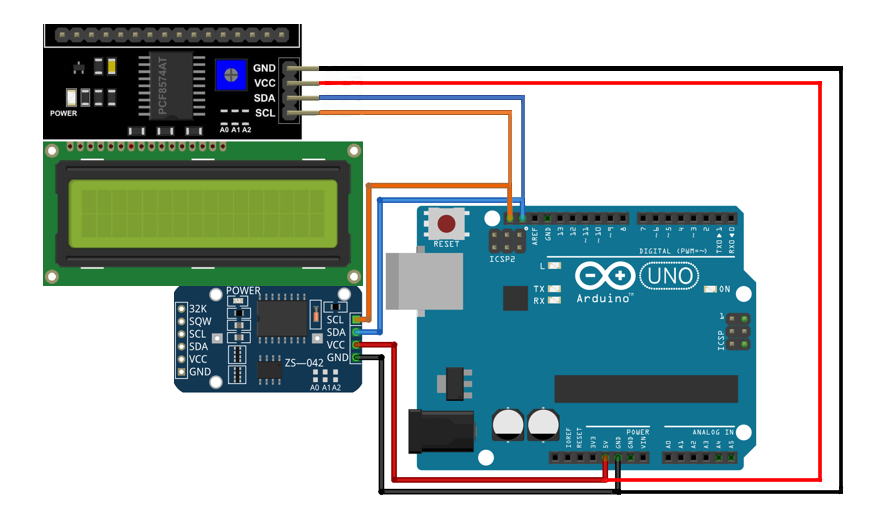
*Connect RTC module and 16x2 I2C display with the Arduino(follow the Image).
- Download the code from Git Hub.
- Upload the code into the Arduino.