Releases: martinalderson/gnome-device-manager
Release list
v0.2.0 — rich driver/module info

Every device-detail page now grows up to six new groups, closing most of the gap with Windows Device Manager's "Driver" tab — all from native modinfo + sysfs reads, no extra services required.
New on every device-detail page
| Group | Source |
|---|---|
| Driver — module + version + license + description + author | modinfo |
| Module file — filename, depends, used_by, signer + signing key | modinfo + /sys/module/<name>/holders/ |
| Module parameters — name → current runtime value (expander if >5) | /sys/module/<name>/parameters/ |
Required firmware — declared blobs the driver needs (expander if >5; amdgpu ships ~700) |
modinfo |
| Resources — IRQ + memory BARs + I/O port ranges | /sys/bus/pci/devices/<bdf>/{irq,resource} (PCI only) |
| Power management — runtime status pill + time active vs suspended | /sys/.../power/ |
Install
```sh
tar xzf gnome-device-manager-0.2.0-x86_64-linux.tar.gz
cd gnome-device-manager-0.2.0-x86_64-linux
./install.sh
```
Uninstall: `./install.sh --uninstall`.
Upgrade from v0.1.0
```sh
./install.sh # overwrites in place
```
No data migration, no config; everything is read-only enumeration.
What's still out
- Per-DIMM memory detail (needs root)
- v4l2 capability enumeration for webcams
- Live sensors view with sparklines
- SMART for storage drives
- Editable module parameters
- Interactive device-manager mode (disable / eject / rebind drivers)
v0.1.0 — initial release
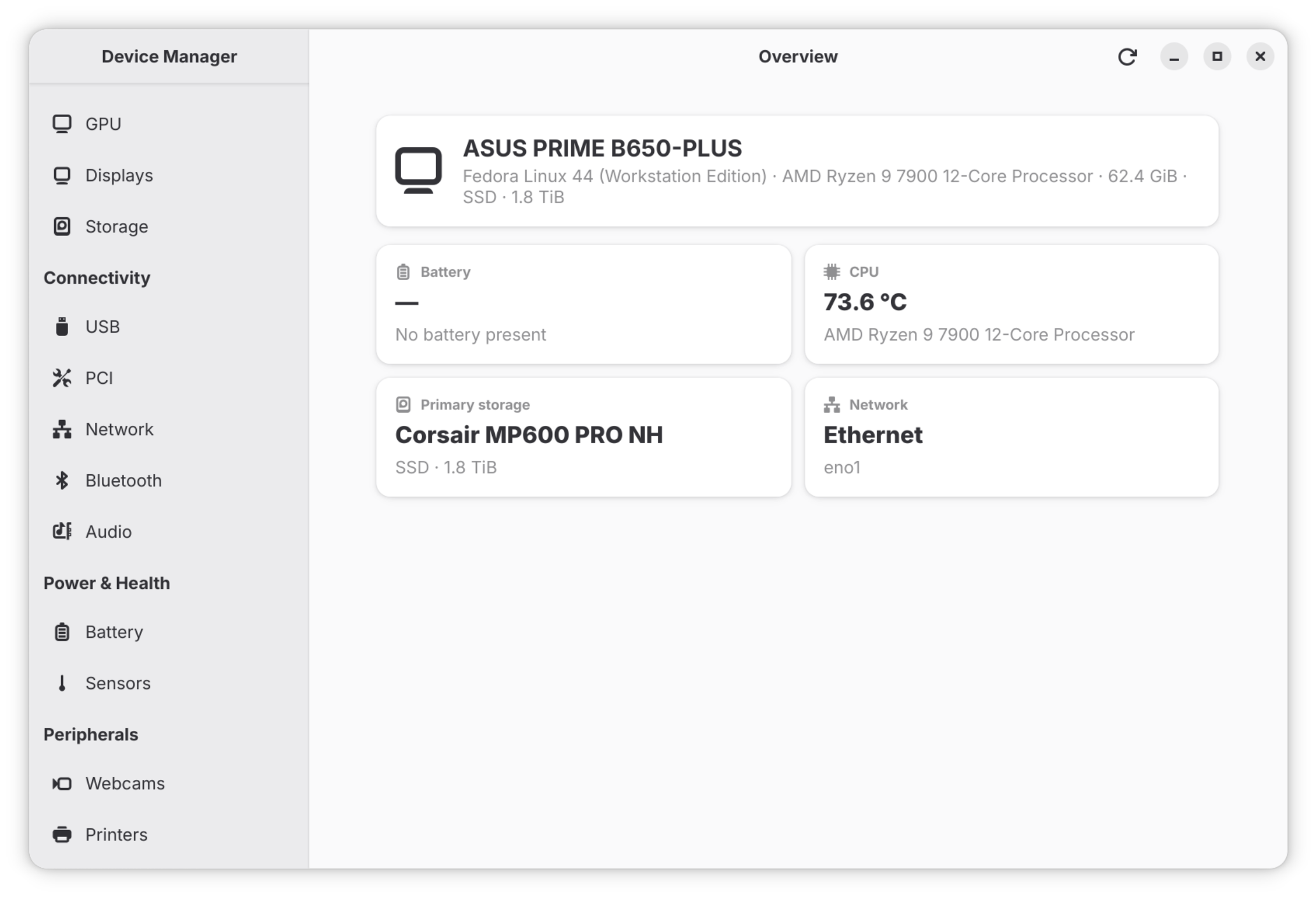
First release of GNOME Device Manager — a GTK4 + libadwaita hardware profiler for the GNOME desktop, in the spirit of macOS System Information.
What works
All 15 sidebar sections (Overview + 14 device domains): CPU, Memory, GPU, Displays, Storage, USB, PCI, Network, Bluetooth, Audio, Battery, Sensors, Webcams, Printers — each surfacing the kernel driver and (via fwupd) the firmware version.
Install
Download the tarball below, extract, and run `./install.sh` — installs to `~/.local` (no root needed) and registers the .desktop file so it shows up in your app grid as "Device Manager".
```sh
tar xzf gnome-device-manager-0.1.0-x86_64-linux.tar.gz
cd gnome-device-manager-0.1.0-x86_64-linux
./install.sh
```
Uninstall: `./install.sh --uninstall`.
System requirements
x86_64 Linux with GTK 4.10+, libadwaita 1.9+, glib 2.74+, libudev. Fedora 41+ / Ubuntu 24.10+ / Arch should already have everything. Older distros may need a rebuild from source — see the README.
Deferred
- Per-DIMM memory detail (needs root, planned via pkexec helper)
- v4l2 capability enumeration for webcams
- Live sensors view with sparklines
- SMART for storage drives
- Interactive device-manager mode (disable/eject/rebind) — the `gdm-actions` trait is the slot for this