Repository navigation
projects dashboard
Group disparate helper tasks into cohesive business projects and initiatives, observe project-level health and completion velocity, and detect blocked or stalled initiatives.
In the left menu, click Projects.
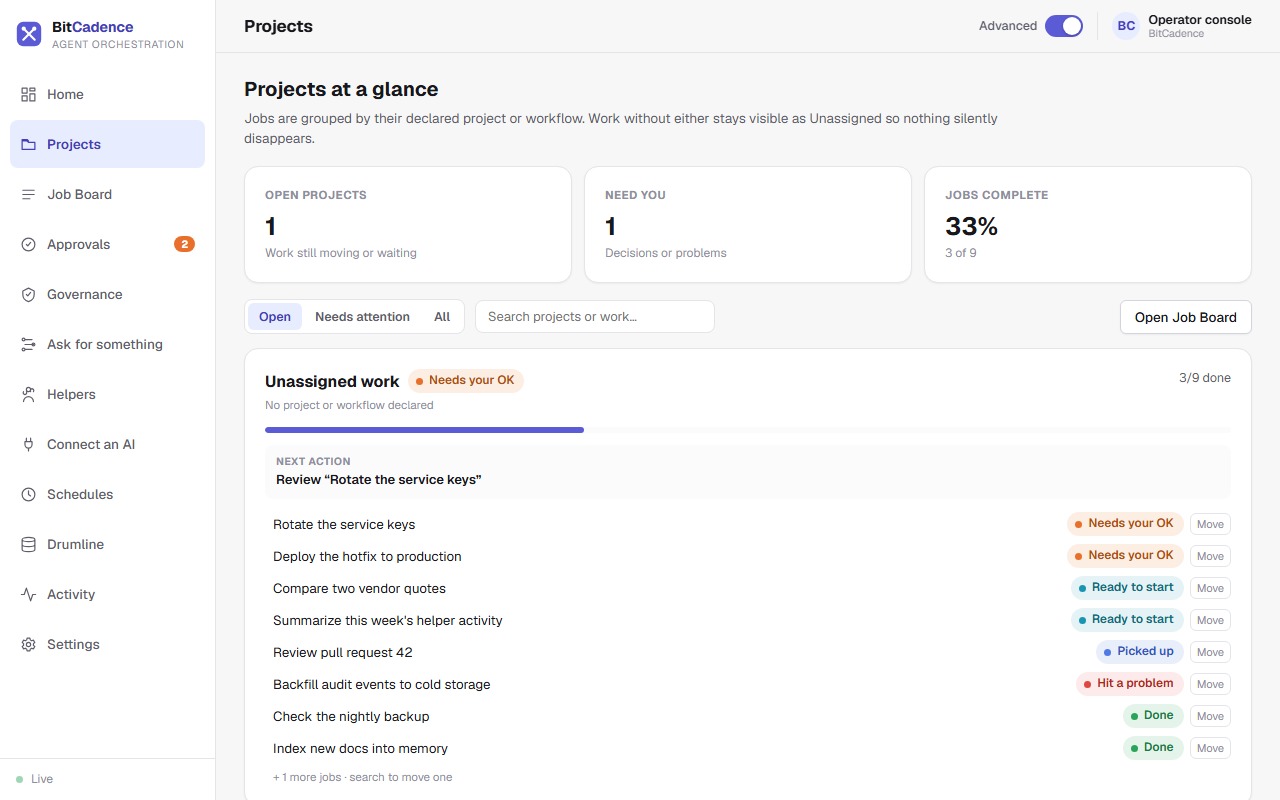
Projects at a glance groups jobs by their input_payload.project or workflow (for example gateway-reliability or release-2.4). Work with neither stays visible under Unassigned work, so nothing silently disappears.
- The three cards at the top show Open projects, Need you (decisions or problems) and Jobs complete.
- Use Open, Needs attention and All to choose which projects to list, or search by project or job name.
- Each project card shows:
- A state word: for example Needs your OK.
- A progress bar: how many jobs are done (for example 3/9).
- Next action: the one thing to do next.
- Its jobs, each with a status word and a Move button to put it in another project.
Click Open Job Board to see every job in the table.
When creating a job (via UI or CLI), attach project context inside the job metadata:
- In the New Job form, specify:
{
  "project": {
    "id": "gateway-reliability",
    "name": "Gateway Reliability"
  }
}
You can inspect and assign projects from the command line:
# Assign an existing job to a project
curl -X POST http://127.0.0.1:18789/api/jobs/<job-id>/project `
  -H "Authorization: Bearer $env:MCO_AGENT_TOKEN" `
  -H "Content-Type: application/json" `
  -d '{"project": "gateway-reliability"}'

# Fetch project-level aggregate view
curl http://127.0.0.1:18789/api/jobs/project-view `
-H "Authorization: Bearer $env:MCO_AGENT_TOKEN"- High-Level Rollup: Instead of scrolling through hundreds of granular helper tasks, you see 3–5 top-level project initiatives.
- Coverage Summary: The top header displays total managed project tasks, active count, and whether coverage is truncated (up to 5,000 tasks evaluated server-side).
-
Cause: Jobs were created without a
projectkey in theirinput_payload. -
Fix: Add
"project": "my-project-name"to the job creation payload or workflow YAML definition.
- Cause: A prerequisite job in a workflow failed or was rejected, stopping downstream dependent tasks.
- Fix: Click the project card to view the jobs, open the failed job, and either click Retry or Reassign to clear the block.