Repository navigation
settings and configuration
Configure gateway operational parameters, customize user interface preferences, inspect edition capabilities, and connect enterprise tools.
Click Settings at the bottom of the left menu. The top of the page has the everyday cards: Pause everything, Tell me on my phone and Memory. Everything else is under Show advanced (see Settings).
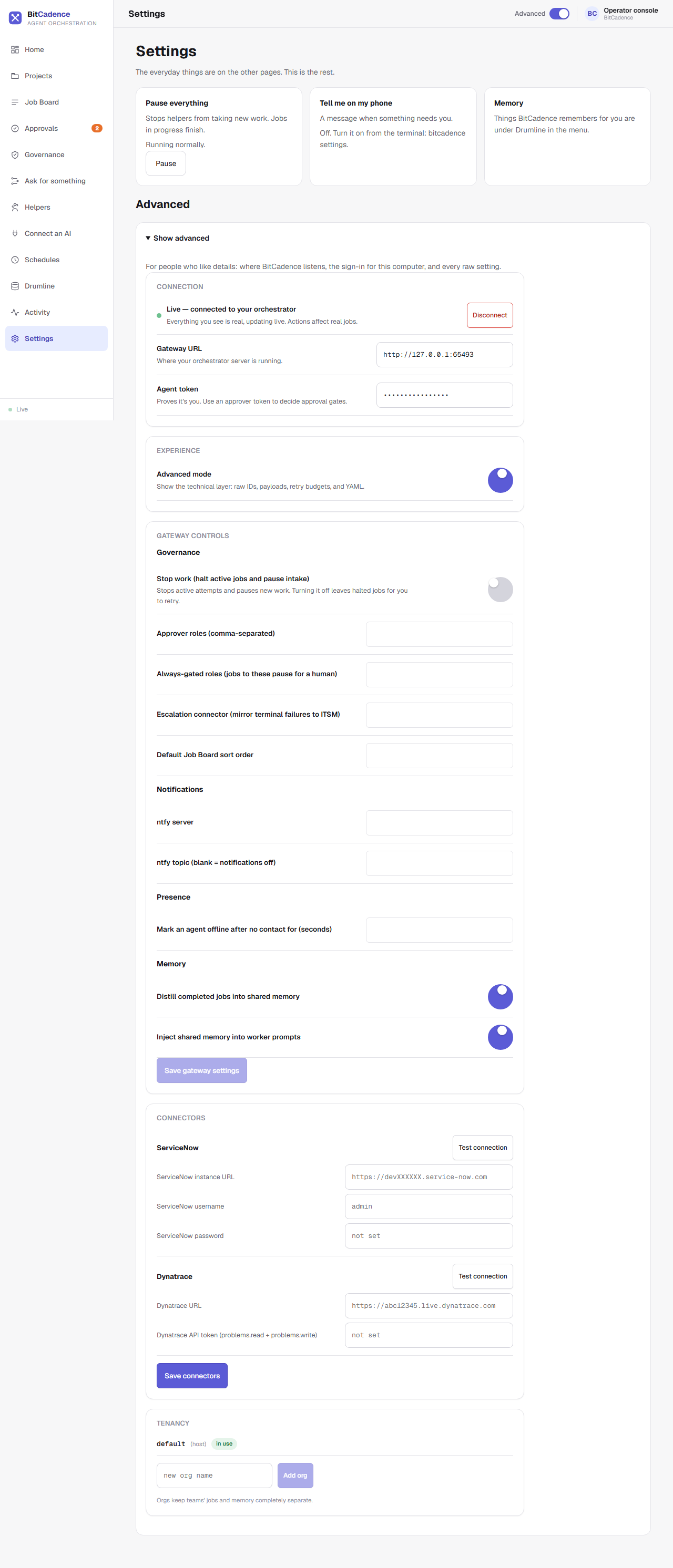
Under Show advanced → Experience, Advanced mode shows the technical layer: raw IDs, payloads, retry budgets and YAML. Leave it off for the plain wording used on every page of this wiki. The Advanced switch in the top bar does the same thing.
Under Show advanced → Gateway controls: stop work, approver roles, always-gated roles, the escalation connector, the default job board sort order, ntfy notifications, how long before a helper counts as offline, and the two Drumline memory switches. Click Save gateway settings to apply them.
-
Connectors holds the ServiceNow and Dynatrace connection details, each with Test connection. Passwords and tokens show as
not setor are masked, and are stored encrypted. -
Tenancy lists the organizations that keep teams' jobs and memory separate. The edition decides which of these you have: Core covers the job board, governance, workflows, Drumline memory, console and MCP server; Team adds shared gateway, multi-tenant orgs and RBAC; Enterprise adds connectors, SSO and audit export. Run
mco editionto see yours.
Manage configuration and secrets securely from your terminal:
# Interactive setup walkthrough or menu
mco setup

# Inspect current settings
mco settings

# Update a setting safely
mco settings MCO_DRUMLINE_DISTILL true

# Show active edition and feature availability
mco edition

# Run complete install diagnostics
mco doctor-
Automatic Secret Encryption: Whenever you set a sensitive key (such as
ANTHROPIC_API_KEYorSERVICENOW_TOKEN), BitCadence writesencrypted_in_secret_storeto.envand encrypts the real secret insidesecrets.enc. - Hot Reloading: Configuration changes made via the settings API take effect immediately in the running gateway process.
- Cause: On Linux headless servers, Windows Credential Manager is not present.
-
Fix: Set the master vault key in your environment:
export MCO_VAULT_MASTER_KEY="your-32-byte-hex-key"
-
Cause: Attempting to use a connector or multi-org tenancy while edition is set to
community. -
Fix: Pin the edition in your
.envor run:mco settings MCO_EDITION enterprise