Repository navigation
workflows and flow control
Run a multi-step pipeline from a saved YAML workflow file, with each step waiting for the one before it. For most work you don't need a file: say what you want on the Ask for something page and approve the plan it draws. See Ask.
The drag-and-drop workflow builder and the Flow Control page (
/flow) were removed from the console. Ask for something replaced them, and Home shows what is running. A workflow file is still the right tool when you want to keep a pipeline in version control and re-run it.
- In the left menu, click Ask for something.
- Type the request the way you'd tell a person, then click Draft a plan.
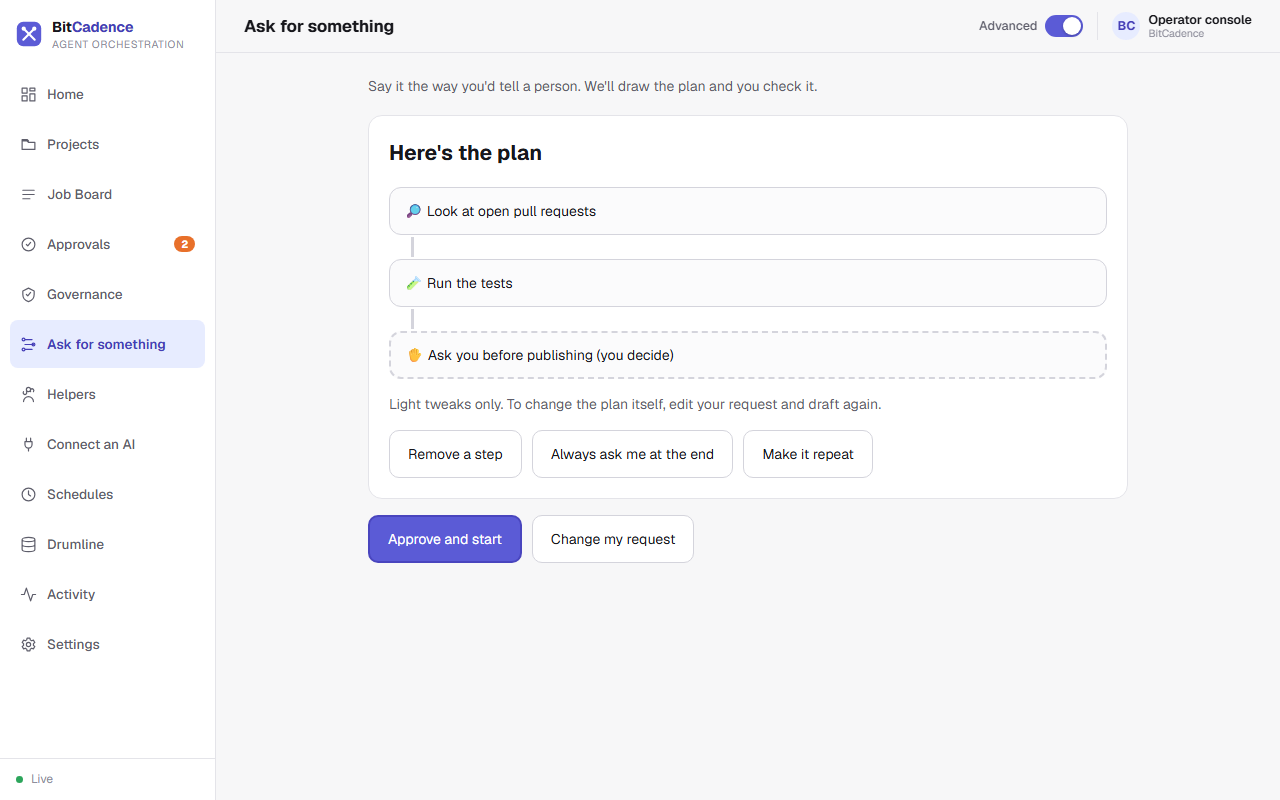
- Check the steps. Use Remove a step, Always ask me at the end or Make it repeat for light tweaks.
- Click Approve and start. The steps appear on the job board as linked jobs, and Home shows them under What's running.
Click Home. Steps that wait on an earlier step show Waiting, a step that needs you shows Needs you with an Approve button, and a step that failed shows up under What needs you.

A saved pipeline is a YAML file:
# pipeline.yaml
name: release-pipeline
steps:
  - id: research
    role: claude
    title: Research open bugs
    instructions: Identify critical bugs targeted for the v2.4 release.
  - id: fix
    role: codex
    title: Implement fixes
    instructions: Apply fixes identified in the research step.
    depends_on: [research]
  - id: ship
    role: codex
    title: Tag release
    instructions: Tag v2.4 release and publish artifacts.
    depends_on: [fix]
    requires_approval: true
Run the workflow:
mco workflow pipeline.yaml-
Automatic Context Threading (Drumline): When step 2 (
fix) executes, BitCadence automatically prefixes its prompt with the WORKFLOW THREAD block containing the verbatim decisions and files from step 1 (research). No context is lost between different models. -
Automatic Gating: When step 3 (
ship) is reached, it automatically stops atneeds_approvaland waits for human sign-off.
- Cause: Step A depends on Step B, and Step B depends on Step A.
- Fix: Remove the circular reference in the YAML file. Workflows must be strict Directed Acyclic Graphs (DAGs).
-
Cause: By default, dependent steps remain
waitingif an upstream parent fails. -
Fix: Open the failed parent job, click Retry, or use
mco retry <parent-id>. Once the parent succeeds, downstream steps unlock automatically.