Releases: matcool/draw-divide
Release list
[2.2] fix interlaced screens

now chooses correct refresh rate for interlaced monitors (yes thats really a thing)
these both should work on any 2.2 bugfix update (i can confirm it has worked through 2.200 - 2.204)
See readme for more information: https://github.com/matcool/draw-divide/blob/2.2/README.md
2.2 quick and dirty version
these both should work on any 2.2 bugfix update (i can confirm it has worked through 2.200 - 2.204)
[2.2] rewrite main logic, seems to be smoother

changed the way the main logic of the mod works. in my own tests this performs much better when your game is lagging.
if you feel like this new version is worse, you can always download the old one here: https://github.com/matcool/draw-divide/releases/tag/1.2.1
these both should work on any 2.2 bugfix update (i can confirm it has worked through 2.200 - 2.204)
See readme for more information: https://github.com/matcool/draw-divide/blob/2.2/README.md
To install this:
Download the xinput dll from here: https://github.com/adafcaefc/ProxyDllLoader/releases/tag/v1.0
Put this dll in your gd folder, and then create a folder named "adaf-dll". Inside this folder is where you should put the mods.
never go below 1, possibly fix startup issues
makes it so the draw rate fps can never be below 1, and also only enables the mod after the game is loaded
read https://github.com/matcool/draw-divide#usage for more info
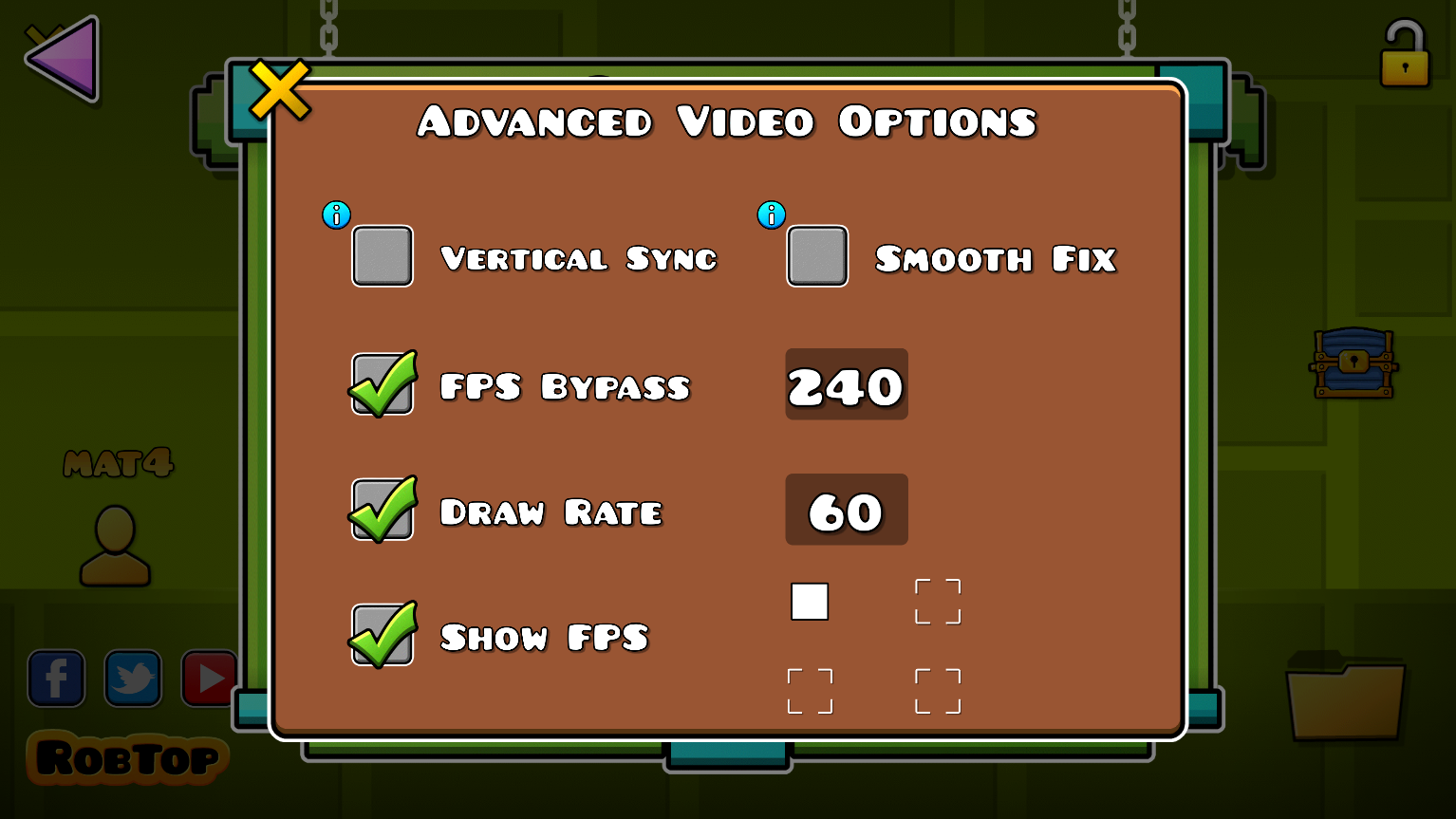
ingame ui
Open the advanced options in the graphics menu to configure the mod :-)
The show fps option will show the actual fps the game is running at, which differs from mega hack's since it uses a visual fps counter
(ps: you dont have to use the fps bypass in the menu, mega hack's works fine)
The FPS of your game (chosen through bypass, with VSync, or as 60 FPS) is the rate at which update functions are called (such as physics and input).
For example, at 240 FPS bypass with a rate of 60, the game will appear to be drawing at 60 FPS. However, physics will be running as if you are playing at 240 FPS. This can be verified using a physics-based FPS detector (such as the one at in-game ID 66886242) and a drawing-based FPS detector (such as the one built into MegaHack).