Releases: mateovalle/agent-campus
Release list
Agent Campus v0.3.0 — a campus that moves

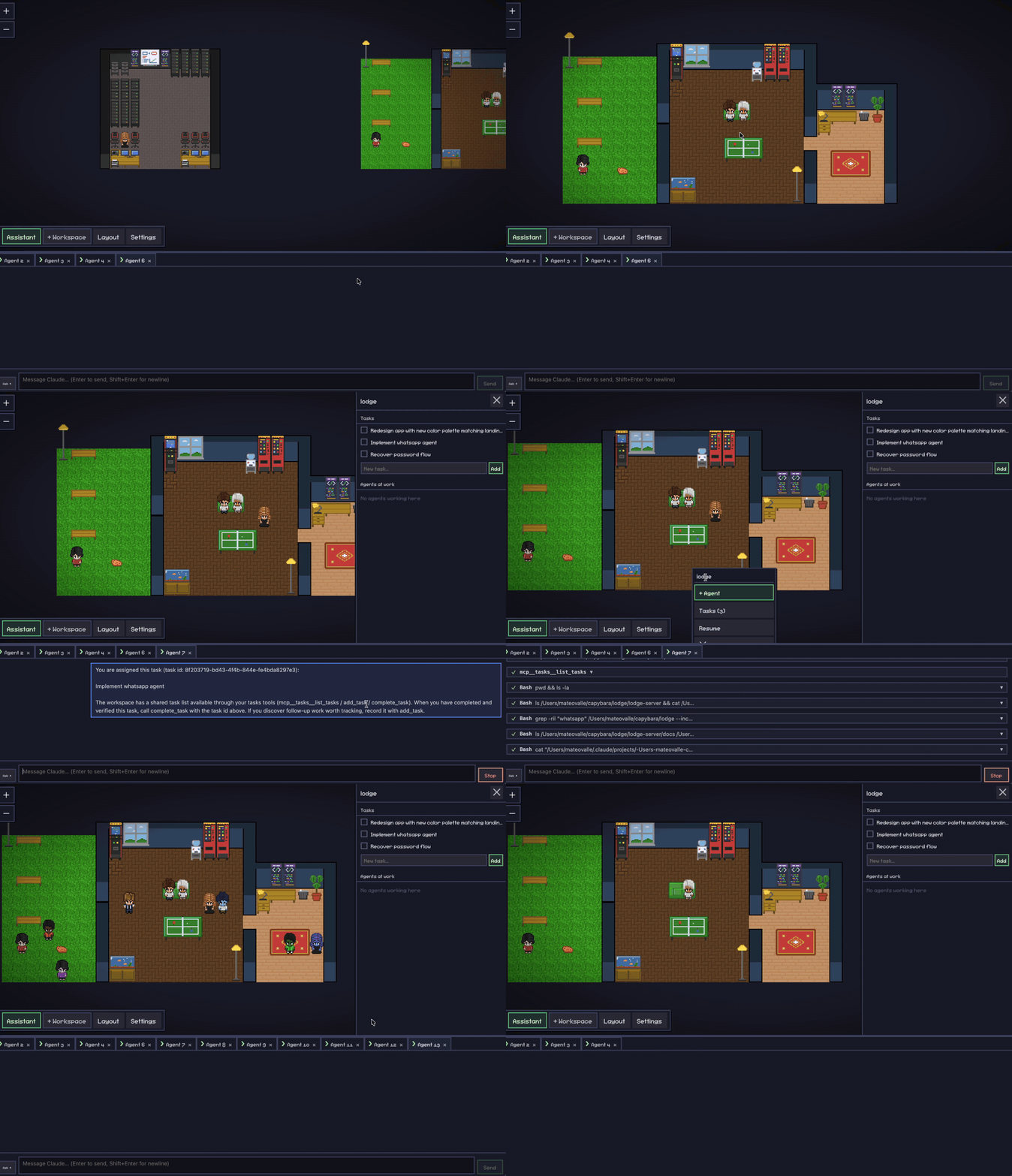
The campus grows up: more than twice the furniture, a place that moves, agents that take breaks, and notifications for when you're not looking.
What's new
A campus that moves
- Animated furniture — 46 pieces come alive: steam off mugs and the espresso bar, blinking server LEDs, a crackling campfire, koi and aquarium fish, screens, a cuckoo clock's pendulum, flickering neon, falling cherry petals.
- Agents take breaks — idle agents wander off to use the furniture: hands busy at the arcade, the pool table or the espresso bar; watching the fish tank, the whiteboard or the koi pond. The moment work arrives, they head back to their desk.
Build a better office
- 276 pieces of furniture (was 122): a café, a game room, a hardware lab and server room, plants and gardens, wall art and signage, a library — and a capybara hot spring.
- Ready-made rooms — the layout editor's new Rooms tool stamps a whole room in one click: Café, Game Room, Hardware Lab, Server Room, Meeting Room, Library, Lounge, Focus Row, Garden, Capybara Onsen. Place one past the edge and the floor plan grows to fit.
- 19 floors and 7 wall styles (was 7 and 1): parquet, hex and subway tiles, terrazzo, grass, gravel, decking, tatami… and brick, wood panelling, glass partitions, stone, concrete and cubicle half-walls, with a style picker in the wall tool.
- Searchable furniture palette — a grid with a search box across every category.
Know when you're needed
- Desktop notifications — an agent left waiting on a permission or a question for two minutes notifies you; click it to land on that agent. A finished turn notifies too when the app is in the background. Toggle under Settings → Desktop Notifications.
- Dock badge — the app icon counts the agents that need you (blocked, or finished and unread).
Chat & agents
- Per-session model picker in the chat composer (the list comes from your Claude Code install, so new models appear without an app update).
- Restore open agents — after a restart the app offers back the agents that were open when you quit.
- Predicted next prompt — the model's suggested follow-up appears above the composer (Tab to accept).
- Agent names and activity — characters show what they're doing, not just that they're busy.
First run
- Welcome panel when Claude Code isn't logged in, with a one-click login terminal.
- Watch a demo — logged out, pretend agents fill the office so you can see what it's for. Nothing runs and nothing is saved.
Fixes
- Usage spend no longer inflates (it was summing a running total).
- Sub-agents are recognised again (the tool is called
Agentnow, notTask). - Export Layout works again; one-tile wall decorations hang on the wall.
- The agent overlay no longer covers the bubble it reports on; the office popup stays on screen.
- Walls stepping down to a cubicle half-wall keep their outline.
Notes
- The project is now called Agent Campus (formerly Pixel Agents). Installer names changed accordingly; your offices, layouts and settings in
~/.pixel-agentscarry over. - macOS builds are arm64 and not code-signed yet — see the README for the one-time Gatekeeper step.
Full changelog: v0.2.0...v0.3.0
v0.2.0
Full Changelog: mateovalle/pixel-agents@v0.1.2...v0.2.0
Full Changelog: mateovalle/pixel-agents@v0.1.2...v0.2.0
Full Changelog: mateovalle/pixel-agents@v0.1.2...v0.2.0
v0.1.2
Critical fix for the packaged app: chat agents were dying silently on launch (character despawned instantly, chat tab went deaf). Two packaged-only bugs — a missing dependency and the Agent SDK trying to spawn its runtime from inside app.asar — plus proper error surfacing: if a session can't start, you now get a clear error card telling you what's missing.
Requires Claude Code installed and logged in.
⚠️ macOS: "Apple could not verify…"
The app is not code-signed yet, so Gatekeeper warns on first open. Expected — to open it:
- Click Done (not "Move to Trash")
- System Settings → Privacy & Security → scroll down → "Open Anyway"
- Or:
xattr -dr com.apple.quarantine "/Applications/Pixel Agents.app"
⚠️ Windows: SmartScreen
More info → Run anyway (no signing certificate yet — see #2).
Full Changelog: mateovalle/pixel-agents@v0.1.1...v0.1.2
v0.1.1
First public release of Pixel Agents — a pixel-art mission control for your Claude Code agents. 🦆
Install
| Platform | File |
|---|---|
| macOS | .dmg |
| Linux | .AppImage |
| Windows | .exe (NSIS installer) |
Requires Claude Code installed and logged in.
⚠️ macOS: "Apple could not verify…"
The app is not code-signed yet (no Apple Developer subscription), so Gatekeeper shows a warning. This is expected:
- Click Done (not "Move to Trash")
- System Settings → Privacy & Security → scroll down → "Open Anyway"
- Or from a terminal:
xattr -dr com.apple.quarantine "/Applications/Pixel Agents.app"
⚠️ Windows: SmartScreen
Click More info → Run anyway. Same reason — no signing certificate yet.
You can always build from source instead. Signing/notarization is on the roadmap.
Full Changelog: mateovalle/pixel-agents@v0.1.0...v0.1.1
v0.1.0
Full Changelog: https://github.com/mateovalle/pixel-agents/commits/v0.1.0
Full Changelog: https://github.com/mateovalle/pixel-agents/commits/v0.1.0