Repository navigation
Home
This utility lets you use the Pimax Foveated Rendering feature (aka "LibMagic") with games protected with Easy Anti-Cheat, such as VRChat.
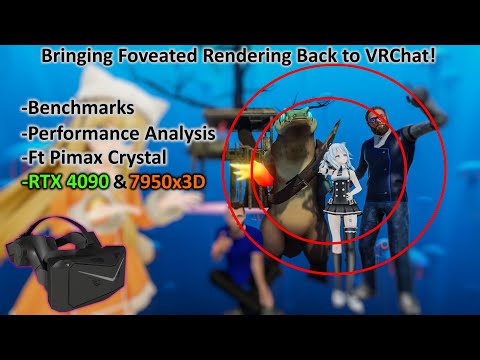
Here's a great video from Omniwhatever showing it in action:
PLEASE READ ALL THE INSTRUCTIONS BELOW CAREFULLY.
-
Install Pimax Play from the Pimax website and set it up for Eye Tracking and Foveated Rendering as usual.
-
Download the Pimax Magic Loader from the Releases page.
-
Locate the folder where SteamVR is installed. It typically is
C:\Program Files (x86)\Steam\steamapps\common\SteamVR. Go to thebinfolder under the SteamVR folder. You should see files namedvrclient.dllandvrclient_x64.dll(if not, then you are in the wrong folder).

- With SteamVR completely closed, unzip the Pimax Magic Loader (obtained in step 2) directly into the
binfolder from step 4).

- Run
install_pimaxmagic_loader.bat. The successful output will show:

To make the program inactive and uninstall it:
-
Locate the folder where SteamVR is installed. It typically is
C:\Program Files (x86)\Steam\steamapps\common\SteamVR. Go to thebinfolder under the SteamVR folder. -
With SteamVR completely closed, run
uninstall_pimaxmagic_loader.bat. The successful output will show:

After a SteamVR update, it is necessary to re-activate the software:
-
Locate the folder where SteamVR is installed. It typically is
C:\Program Files (x86)\Steam\steamapps\common\SteamVR. Go to thebinfolder under the SteamVR folder. -
With SteamVR completely closed, run
uninstall_pimaxmagic_loader.bat. The successful output will show:
Reverting to original vrclient_x64.dll...
Detected changes to vrclient_x64.dll... Assuming SteamVR was updated.
Press any key to continue . . .
- With SteamVR completely closed, run
install_pimaxmagic_loader.bat. The successful output will show:
Injecting PimaxMagic-Loader...
        1 file(s) copied.
Press any key to continue . . .
Q: Does it work with all games?
A: I don't know. This program does not affect Pimax foveated rendering solution. There are certain games that simply cannot do foveated rendering with Pimax. This tool was primarily developed to enable Pimax foveated rendering in VRChat and was only tested with VRChat.
Q: SteamVR does not start anymore.
A: Perhaps some files were corrupted. Try doing a repair/reinstall of SteamVR from Steam.
Q: Will this get me banned?
A: I can't answer that. The program is not doing anything malicious and the code is available online. All it does is giving you better performance in your game. If game developers are considering this cheating or illegal, maybe you should invest into other games then :D
The log files are in the %LocalAppData%\PimaxMagic-Loader folder.
Huge thanks to Omniwhatever for getting me to look into doing this and helping me brainstorming solutions and testing prerelease versions!
Very special thanks to Pimax for providing me with a Pimax Crystal for development.