UI Screenshot Gallery pt br
Generated from the local screenshot catalog. Screenshots follow the plugin's primary navigation flow first, then deeper modal states within each area.
Current walkthrough order: Manage Game -> Manage Configurations -> Compatibility Tools -> Logs -> Settings -> Issue Reporting -> About.
For planned screenshot additions and capture workflow notes, see the Developer Guide and On-Device Test Plan.
en | br | cn | cs | de | es | fr | it | jp | ko | nl | pl | ru | sv | th | tr | tw | uk | vi
Default loaded Manage Game view for a supported library title.

- Captured:
2026-04-27T18:16:16Z - Key:
manage-game/default
Manage Game detail view showing the selected report preview and actions.

- Captured:
2026-04-27T18:16:22Z - Key:
manage-game/report-detail
Side-by-side comparison between the report hardware and our current system.

- Captured:
2026-04-27T18:16:29Z - Key:
manage-game/hardware-compare
How Matching Works modal explaining relevance score and per-field comparison thresholds.

- Captured:
2026-04-27T18:16:34Z - Key:
manage-game/matching-guide
System Requirements modal showing parsed game requirements alongside the hardware comparison flow.

- Captured:
2026-04-27T18:16:39Z - Key:
manage-game/system-requirements
Edit modal used to change RAM, notes, and other report-derived launch settings.

- Captured:
2026-04-27T18:16:43Z - Key:
manage-game/edit-modal
Upload destination picker offering ProtonDB and Proton Pulse upload paths from the report detail view.

- Captured:
2026-04-27T18:16:48Z - Key:
manage-game/upload-destination
Conflict prompt shown when Steam already has launch options and Proton Pulse is about to apply a different configuration.

- Captured:
2026-04-27T18:17:42Z - Key:
manage-game/launch-option-conflict
Manage Configurations screen with profile controls and launch option toggles.

- Captured:
2026-04-27T18:16:52Z - Key:
manage-configurations/default
Config editor modal for building a reusable launch profile with filtered toggle sections.

- Captured:
2026-04-27T18:16:58Z - Key:
manage-configurations/config-editor
Config editor modal opened on an existing saved profile with launch options and toggles already populated.

- Captured:
2026-04-27T18:17:03Z - Key:
manage-configurations/config-editor-existing
Submit-to-ProtonDB modal with generated system information ready to copy.

- Captured:
2026-04-27T18:17:07Z - Key:
manage-configurations/protondb-submit
Native Proton Pulse report modal with hardware, launch options, and report fields filled in.

- Captured:
2026-04-27T18:17:11Z - Key:
manage-configurations/native-pulse-report
Apply preview modal showing the launch options and detected hardware before saving a configuration.

- Captured:
2026-04-27T18:17:15Z - Key:
manage-configurations/upload-preview
Custom toggle manager for per-game and global launch option snippets.

- Captured:
2026-04-27T18:17:19Z - Key:
manage-configurations/custom-toggle-manager
Compatibility tools screen showing discovered Proton versions and actions.

- Captured:
2026-04-27T18:17:23Z - Key:
compatibility-tools/tab
Compatibility tools picker focused on Proton release selection.

- Captured:
2026-04-27T18:17:28Z - Key:
compatibility-tools/release-picker
Archive installer modal for importing a custom compatibility tool from a local file.

- Captured:
2026-04-27T18:17:33Z - Key:
compatibility-tools/install-from-zip
Compatibility tools screen while a Proton-GE install is in progress with live progress stats visible.

- Captured:
2026-04-27T18:17:37Z - Key:
compatibility-tools/active-install
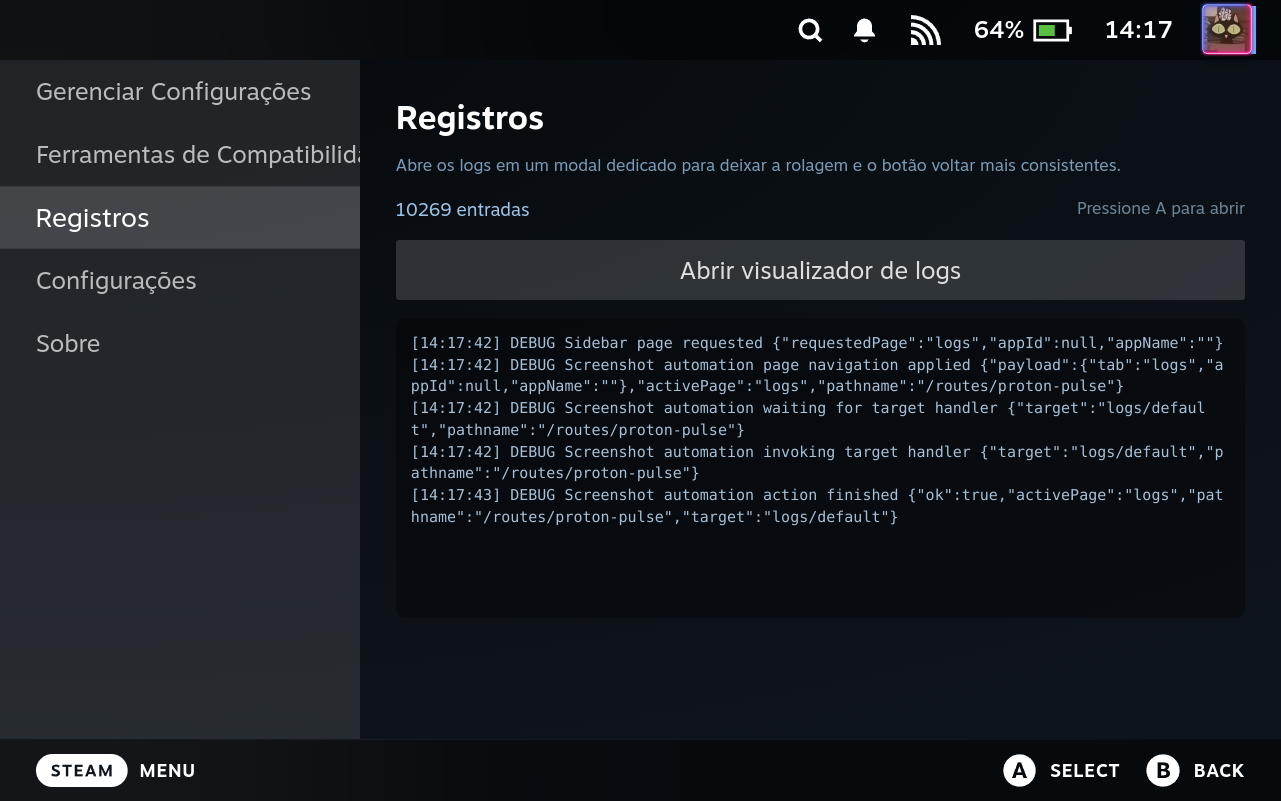
Logs tab overview with recent entries and the entry count before opening the full viewer.
- Captured:
2026-04-27T18:17:47Z - Key:
logs/default
Log viewer modal with scrolling content and actions visible.

- Captured:
2026-04-27T18:17:51Z - Key:
logs/tab
Main settings page showing the general configuration controls.

- Captured:
2026-04-27T18:17:56Z - Key:
settings/general
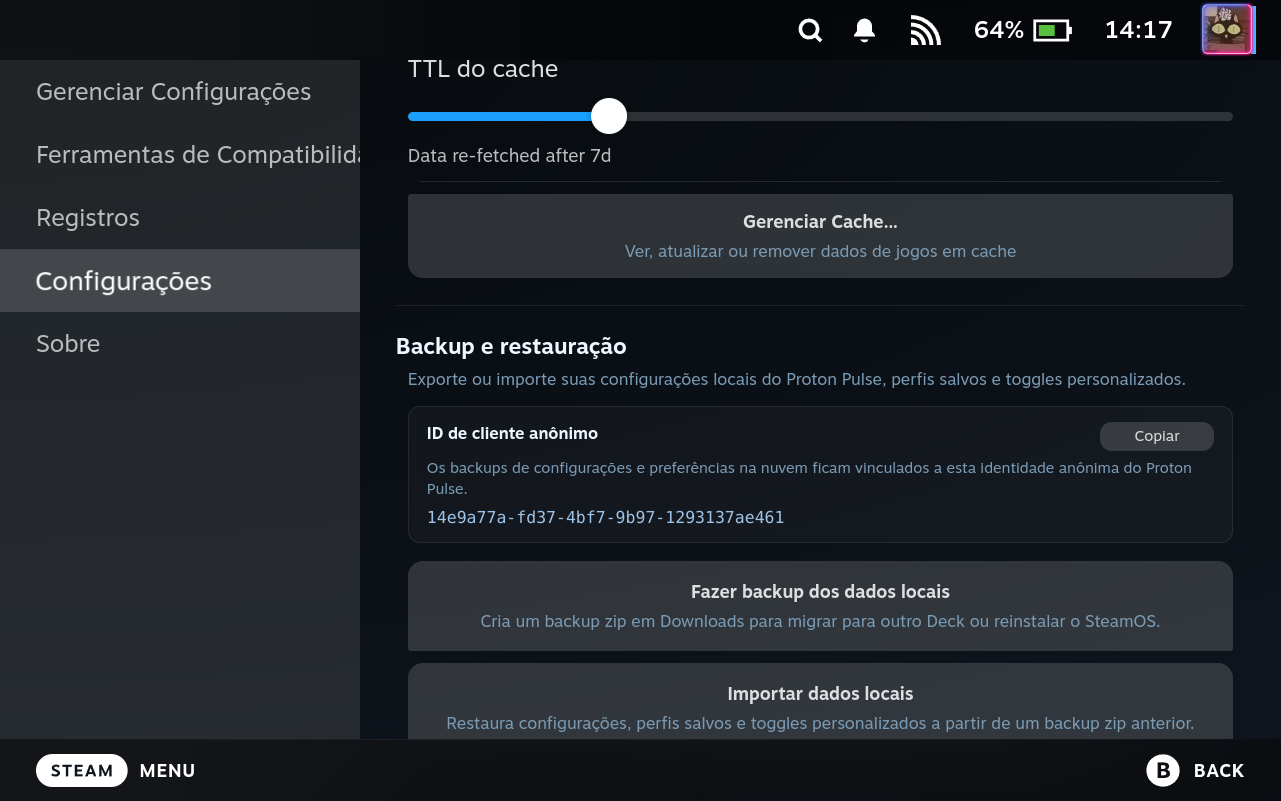
Advanced settings section for exporting and restoring local Proton Pulse data.
- Captured:
2026-04-27T18:18:01Z - Key:
settings/local-data
Account linking section with installation ID, link code, and profile actions.

- Captured:
2026-04-27T18:18:05Z - Key:
settings/account-linking
My Hardware settings section with view, upload, and profile actions.

- Captured:
2026-04-27T18:18:09Z - Key:
settings/my-hardware-section
Full-screen hardware information modal showing ProtonDB-compatible system details.

- Captured:
2026-04-27T18:18:13Z - Key:
settings/my-hardware-modal
Advanced settings controls for experimental shortcuts, CEF debugging, cache TTL, and diagnostics.

- Captured:
2026-04-27T18:18:17Z - Key:
settings/advanced
Cache manager modal used to inspect and clear plugin cache state.

- Captured:
2026-04-27T18:18:21Z - Key:
settings/cache-manager-modal
Settings flow while changing the plugin language and verifying translated UI.

- Captured:
2026-04-27T18:18:25Z - Key:
settings/language-selector
About page with the issue template selector opened for choosing the report type.

- Captured:
2026-04-27T18:18:29Z - Key:
issue-reporting/template-selector
About page with project summary and project links.

- Captured:
2026-04-27T18:18:33Z - Key:
about/tab