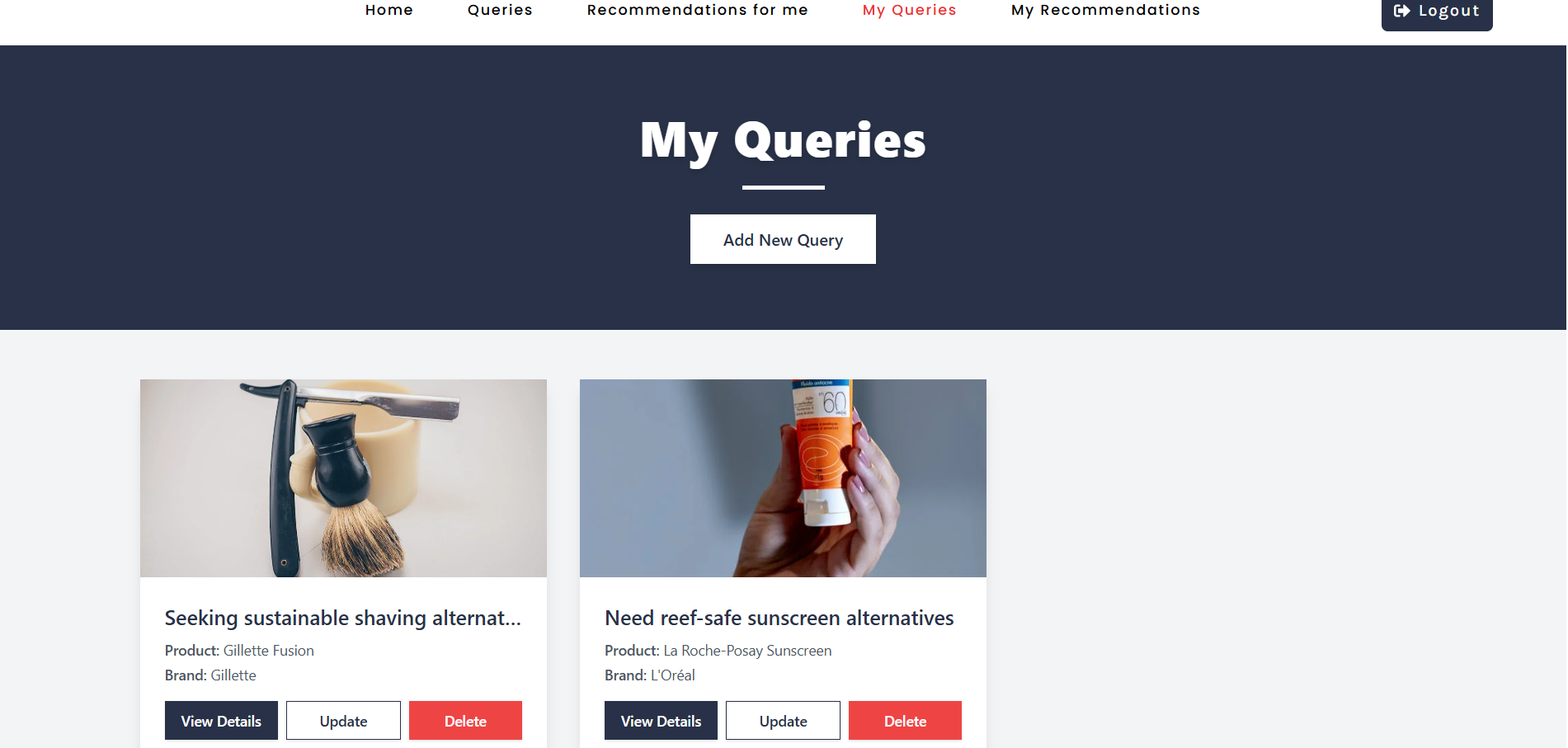
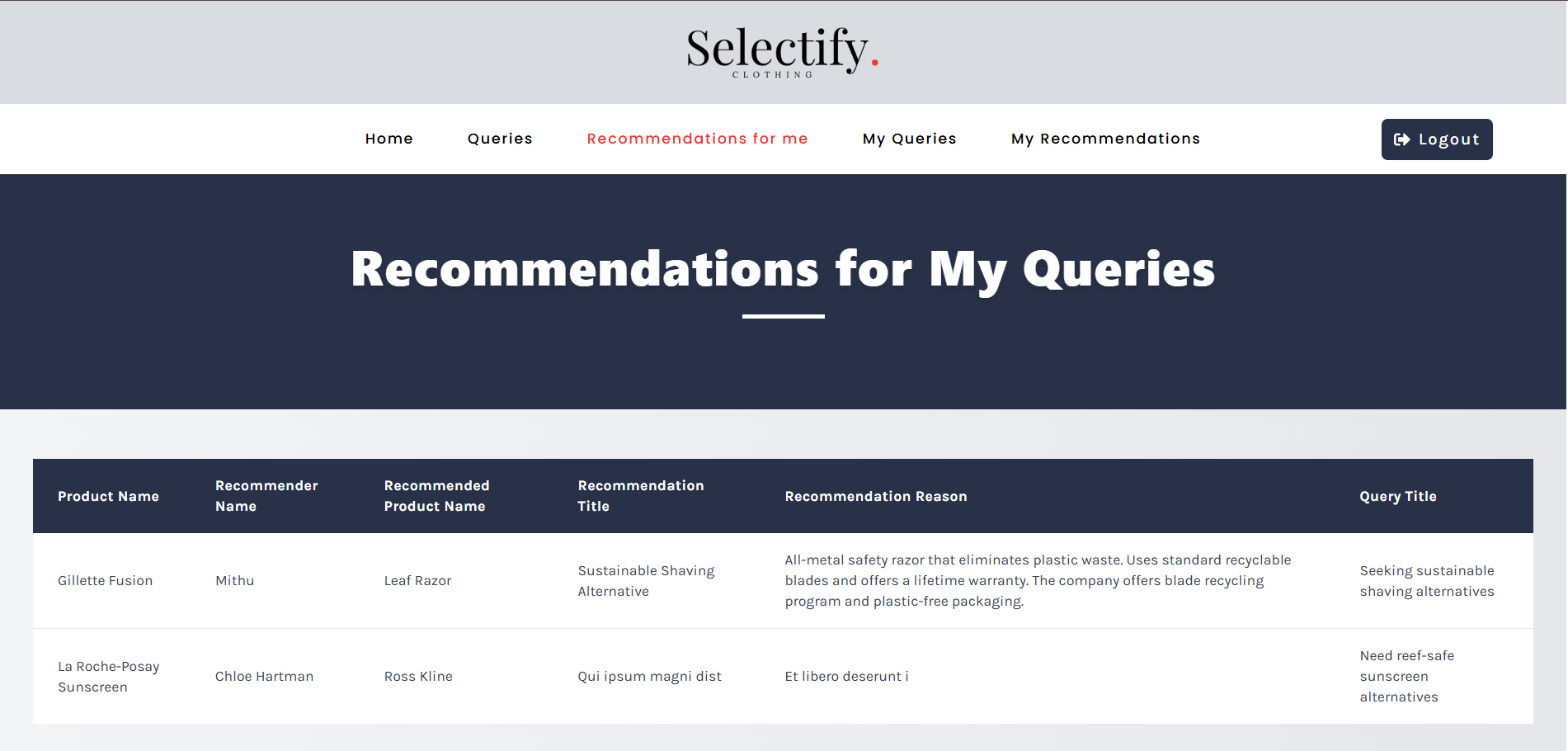
Selectify is a full-stack web application designed to help users share, explore, and recommend products. Users can add, update, and delete their queries about products, view other users' queries, and provide recommendations. The platform also allows users to manage their recommendations and comments. Built with a modern tech stack, the platform is fully responsive, secure, and user-friendly.

🌐 View Live Project: (https://selectify-28b2f.web.app/)
- Frontend: React.js, Tailwind CSS, React Router, Axios
- Backend: Node.js, Express.js, MongoDB
- Authentication: Firebase Authentication, JWT
- State Management: Context API
- Notifications: SweetAlert, Toast Notifications
- Deployment: Firebase (Frontend), Vercel (Backend)
- For All Users:
- Browse Queries: View all queries in descending order
- Search Functionality: Search queries by product name
- Delete Recommendations: Remove recommendations made by the user
- Add/Update/Delete Queries: Manage personal queries
- My Queries: View and manage all queries created by the user
- My Recommendations: View and delete recommendations made by the user
- Recommendations For Me: View recommendations made by others for the user's queries
- For Logged-In Users:
- Query Details: View detailed information about a query and its recommendations
- Add Recommendations: Provide recommendations for specific queries
- Accept or reject property offers
- Responsive UI: Fully optimized for mobile, tablet, and desktop
- Protected Routes: Users remain logged in after a page refresh
- Environment Variables: Secure handling of API keys and credentials
- React.js
- React Router
- TanStack Query
- Firebase
- Tailwind CSS
- Axios
- SweetAlert
- Node.js
- Express.js
- MongoDB & Mongoose
- JSON Web Token (JWT)
- Node.js and npm installed
- MongoDB set up (local or cloud)
- Firebase project configured
- Clone the repository:
git clone https://github.com/MDTAHSINURRAHMAN/Selectify.git cd Selectify - Set up environment variables
MONGO_URI=your_mongodb_uri
JWT_SECRET=your_jwt_secret
FIREBASE_API_KEY=your_firebase_api_key
FIREBASE_AUTH_DOMAIN=your_firebase_auth_domain
- Install dependencies:
# For backend
 cd server
 npm install
# For frontend
 cd client
 npm install
- Run the project:
# For backend
 cd server
 npm start
# For frontend
 cd client
 npm start