SdpTransform Getting Started
dotnet add package Utilme.SdpTransform
Requires .NET 10. No dependencies.
The library converts between three representations of a session description:
SDP text ⇄ Sdp object graph ⇄ JSON
using Utilme.SdpTransform;

Sdp? sdp = sdpText.ToSdp();

if (sdp is null)
    return;   // the text could not be parsed

Console.WriteLine(sdp.MediaDescriptions.Count);
Console.WriteLine(sdp.Attributes.Fingerprint!.HashFunction);
ToSdp returns null when parsing fails and tells you nothing more. When you need to know why, or
which lines were skipped, use ToSdpResult:
SdpParseResult result = sdpText.ToSdpResult();

if (!result.IsValid)
{
    foreach (var d in result.Diagnostics)
        _log.Error(d.ToString());     // "Error: FormatException: Timezones should be specified in pairs"
    return;
}

foreach (var d in result.Diagnostics)  // warnings, if any
    _log.Warn(d.ToString());           // "Warning (line 6): Unsupported session field: x=bad"

var sdp = result.Sdp!;
ToSdpResult never throws. Every diagnostic carries a severity, the 1-based line number in the
original text (blank lines counted), the offending line and a message.
Parsing is all-or-nothing: a line whose indicator is recognised but whose value does not parse
aborts the document and produces an Error. A line that is simply not recognised is skipped and
produces a Warning, and parsing continues.
string text = sdp.ToText();Output is byte-identical to what the same document parsed from, so a parse/write cycle is safe to run over a document you did not author.
Every field and attribute type also converts on its own, which is useful for building a document by hand or for testing one line at a time:
var origin = "o=- 1 1 IN IP4 127.0.0.1".ToOrigin();
string line = origin.ToText(); // "o=- 1 1 IN IP4 127.0.0.1\r\n"The object graph is a plain POCO tree, so System.Text.Json handles it directly. Ignore nulls, or
every optional SDP element appears in the output:
using System.Text.Json;
using System.Text.Json.Serialization;

var options = new JsonSerializerOptions
{
    DefaultIgnoreCondition = JsonIgnoreCondition.WhenWritingNull,
};

string json = JsonSerializer.Serialize(sdp, options);
Sdp? back = JsonSerializer.Deserialize<Sdp>(json, options);
Enums serialise to their SDP token — "IN", "IP4", "audio", "sha-512", "actpass" — not to
their C# member names.
The serialised document mirrors the object graph one-for-one:
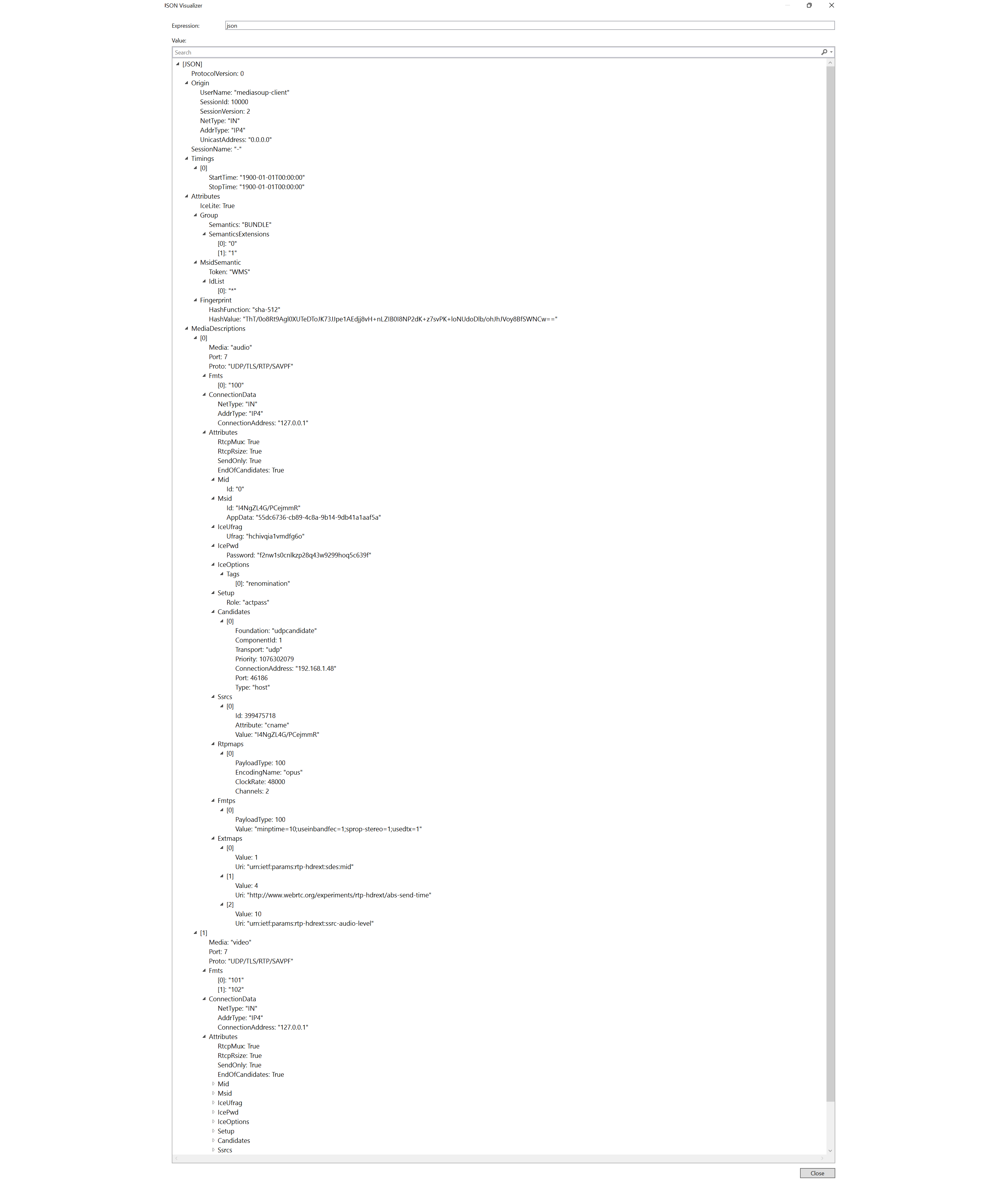
var sdp = new Sdp
{
    ProtocolVersion = 0,
    Origin = new Origin
    {
        UserName = Origin.DefaultUserName,        // "-"
        SessionId = 10000,
        SessionVersion = 2,
        NetType = NetType.Internet,
        AddrType = AddrType.Ip4,
        UnicastAddress = "0.0.0.0",
    },
    SessionName = Sdp.DefaultSessionName,         // "-"
    Timings = [new Timing { StartTime = new DateTime(1900, 1, 1), StopTime = new DateTime(1900, 1, 1) }],
    Attributes = new Attributes { IceLite = true },
};

string text = sdp.ToText();
Attributes and MediaDescriptions are optional — a document with neither writes correctly.
Origin, SessionName and Timings are mandatory in SDP and are not null-guarded, so a document
missing one of those throws on write rather than emitting invalid SDP.
Lenient on input:
- Enum tokens match ignoring case, so both
udp(RFC 8839) andUDP(RFC 5245) are accepted. - Whitespace-only lines are ignored.
- Unrecognised lines are skipped with a warning rather than aborting.
Strict on output: enums are always written in their canonical casing, whatever casing came in.
"c=in ip4 127.0.0.1".ToConnectionData().ToText(); // "c=IN IP4 127.0.0.1\r\n"-
Line endings must be CRLF.
ToSdpsplits onSdp.CRLFonly. Text with bare\narrives as a single token and parses as nothing. Build fixtures withstring.Join(Sdp.CRLF, lines)rather than a verbatim string in a source file that might be saved with LF. -
Valueon a failed parse.ToSdpreturnsnull, not an emptySdp— check before use. -
Attributes at session level. Since the symmetry fix, attributes valid at session level are
parsed there too. Reading
sdp.Attributes.Setupnow returns a value where older versions returnednull.