Data access
The weather forecast model output is available as NetCDF files on https://thredds.met.no/thredds/metno.html and the files follow the NetCDF/CF conventions. This page also documents how to navigate and access the data archived here. This page also documents how to access subsets of these files (So as to not have to download multiple GB of data)
Note also, that all communication to the thredds-server at Met requires a HTTPS connection, any HTTP-request reply with http error code 410: (410 Gone).
When accesing the Weather Forecasts directory, the following screen greets you:
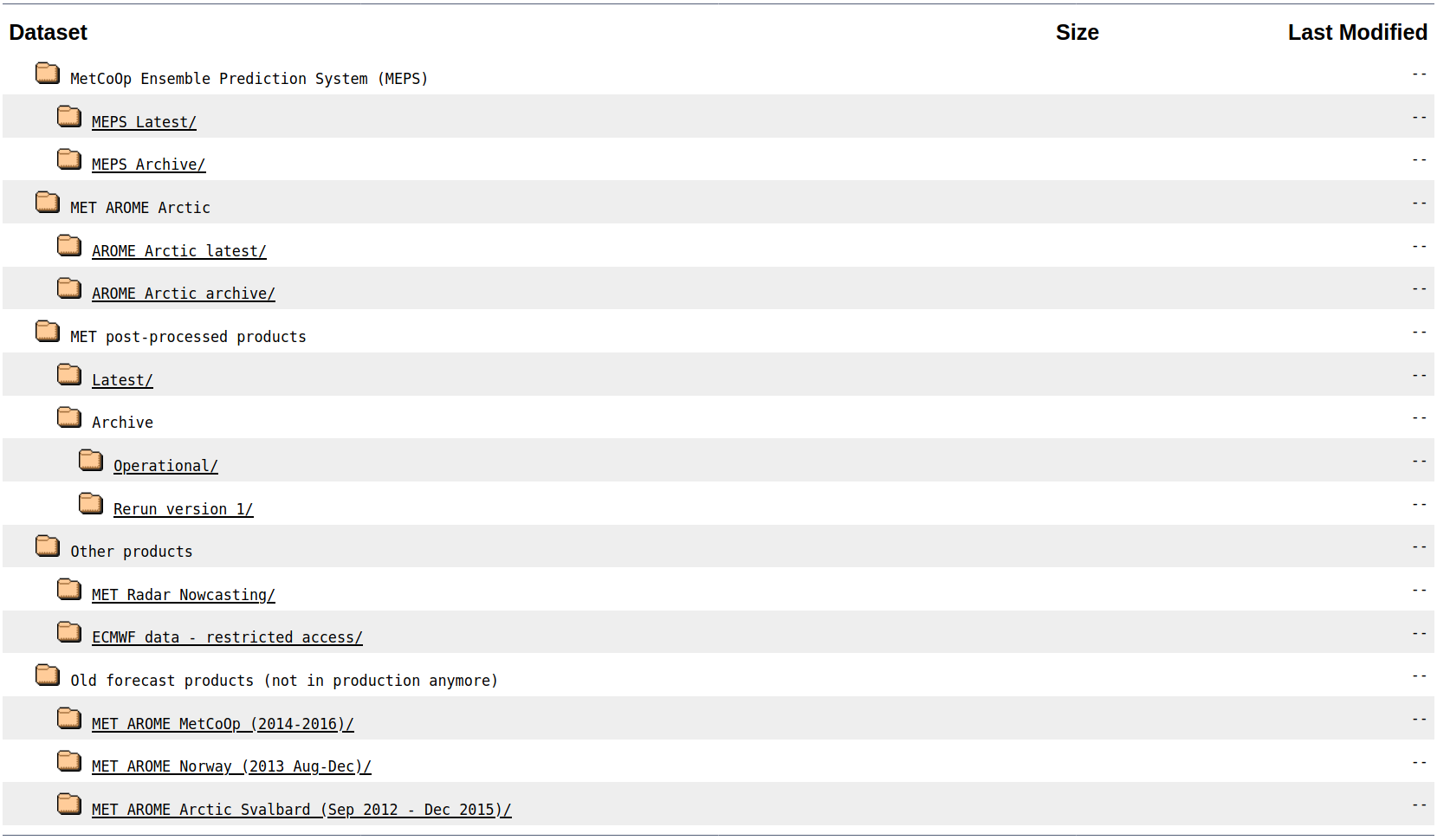
For how to access the file itself see Subsetting
This is the "main" weather forecasting product. The current domain covers Norway, Sweden, Finland, and Estonia. The model is run with 75 seconds timesteps for a total of 66 hours, with output saved for each hour. It has a horizontal grid of 2.5km. The current version is run as a 30-member ensemble valid each 6th hour (TODO: Describe this, and the timeshiftiness)
See MEPS description for more details and a domain map (TODO).
This is an arctic weather forecasting product. The current domain covers Northern Norway, Svalbard and other arctic islands (See domain map in the AA description). The model is run with 75 seconds timesteps for a total of 66 hours, with output saved for each hour. It has a horizontal grid of 2.5km. It is currently only run as a single member per 6. hour, but this is likely to change
See AA description for more details and a domain map (TODO).
Described somewhat in Post-processed products
This includes ocean-modeldata and others. Will be explained more (Currently explained on: https://drive.google.com/file/d/0B3vvF5TQcILySGZEX1ViY2VlYms/view)
The title says it all: these are products that were produced as part of the daily operation but now kept for archiving. Will be explained more (Currently explained on: https://drive.google.com/file/d/0B-SaEtrDE91WWDkzY3dpZlU1V00/view)
Following are some examples of how to access the files from the thredds-server using the OPeNDAP-protocol.
See Python, guides will be added for R and (maybe) a lower level (C-type) language
TODO