Repository navigation
Settings
Open the settings window with File > Settings or Ctrl+, (Cmd+, on Mac). The settings are grouped into categories, which you select on the left. Apply applies the changes and keeps the window open, OK applies them and closes it, Cancel discards them. If a setting has an invalid value, the field is highlighted and an error is shown.
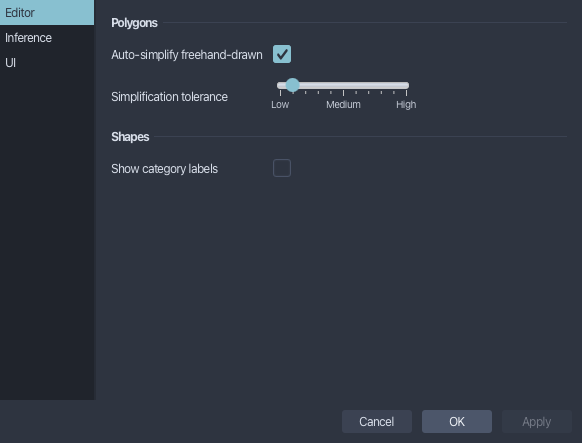
Editor settings
-
Auto-simplify freehand-drawn: simplifies polygons drawn in
Freehand Drawing-Modeautomatically when you finish drawing them (see Freehand Drawing-Mode). -
Simplification tolerance: how much the shape of a polygon may change when it is simplified, automatically or with
Simplify(see Modifying an existing polygonal box). - Show category labels: shows the name of its category at each bounding box in the main image panel, in the category's color (see Category labels). Off by default.
The connection to your inference server and the prediction settings, see Predictions.
-
Show object popover: shows a preview of an object's image region when you hover over its item in the
Objectstree (see Object preview).