Microsoft PowerToys version
0.67.0
Installation method
PowerToys auto-update
Running as admin
Yes
Area(s) with issue?
FancyZones
Steps to reproduce
-
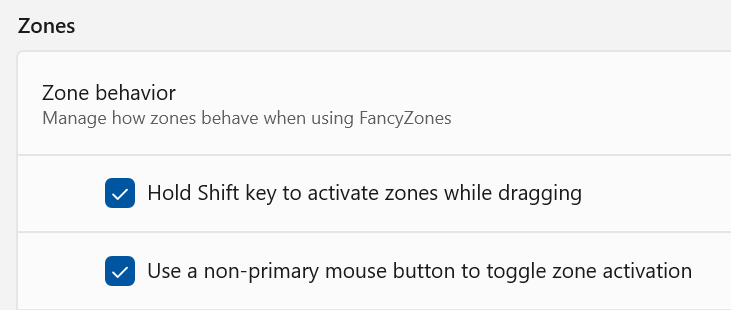
Have "Hold Shift key to activate zones while dragging" and "Use a non-primary mouse button to toggle zone activation" selected in settings:
-
Move window with mouse.
-
Stop moving window when in desired zone.
-
Use shift or non-primary mouse button to activate zones, only get light blue and zones do not activate. If I release the button now, the window does not snap as it did previously.
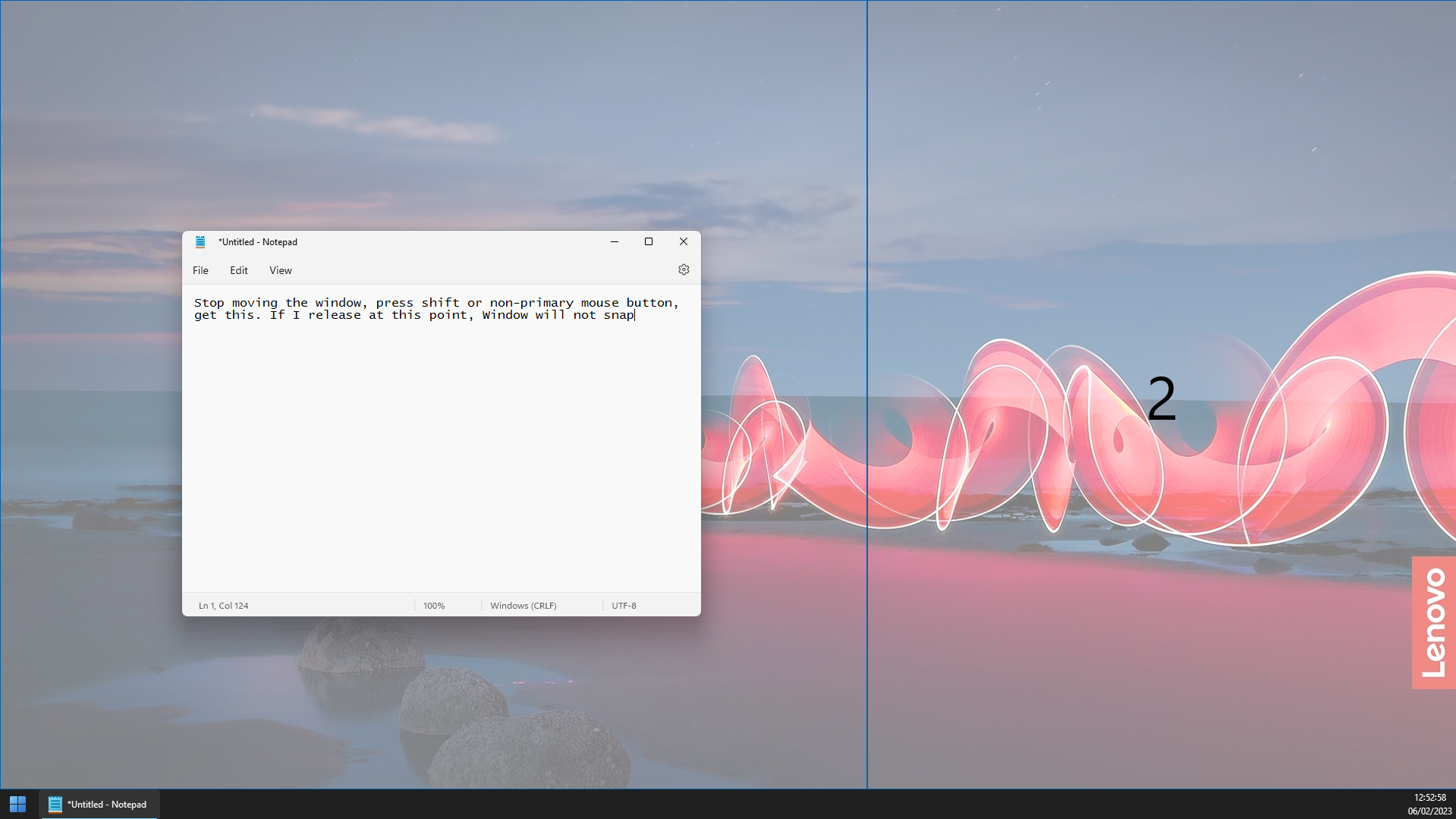
- I need to move the window AFTER shift/mouse button to get dark blue zone activation and have the window snap.
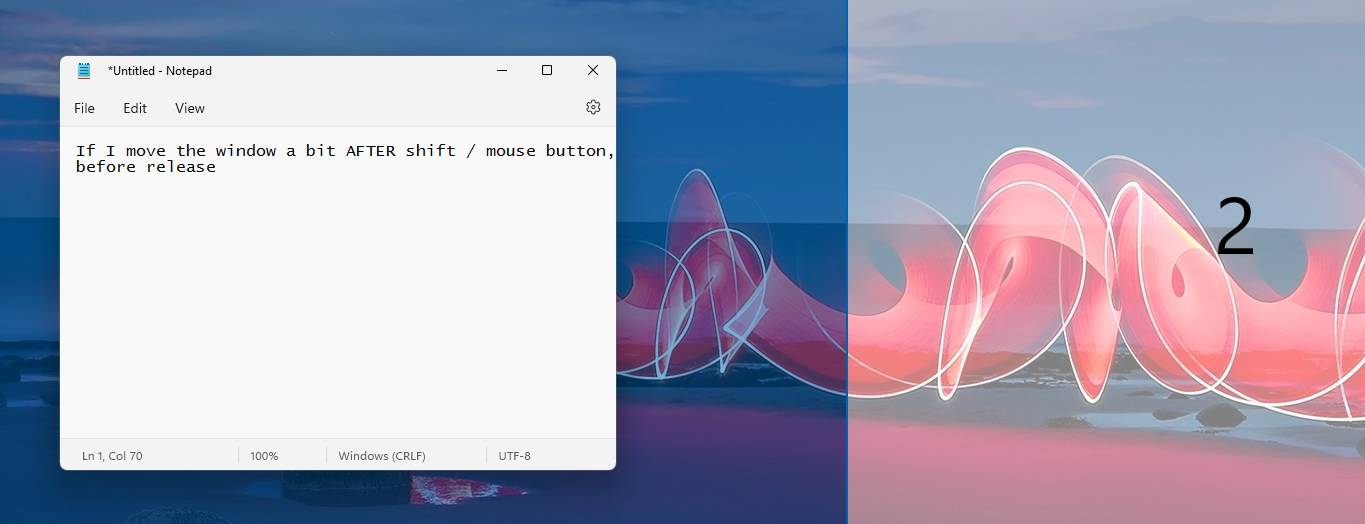
This is a change, I am not sure if it is intended. My previous muscle memory with this is I drag the window, stop, left click and expect it just to snap, but it doesn't. I get I can have it work if I change so I do the shift / left click before I stop moving the mouse, but at least for me, this is a negative change as it's one extra action now I need to remember to do (or need to remember to hold down the button before I stop dragging). If it is intentional, OK, but maybe it's not intentional- I don't see the value in shift/button showing the light grey zones but not working
✔️ Expected Behavior
Zones activate (dark blue) so that when shift / non-primary mouse button is released, the window snaps. This was the previous behavior.

❌ Actual Behavior
Zones appear in light blue and when shift / non-primary mouse button is released, the window does not snap. After use of shift / mouse button it is necessary to further move the mouse, BEFORE releasing the button- then the zones activate.

Other Software
No response
Microsoft PowerToys version
0.67.0
Installation method
PowerToys auto-update
Running as admin
Yes
Area(s) with issue?
FancyZones
Steps to reproduce
Have "Hold Shift key to activate zones while dragging" and "Use a non-primary mouse button to toggle zone activation" selected in settings:

Move window with mouse.
Stop moving window when in desired zone.
Use shift or non-primary mouse button to activate zones, only get light blue and zones do not activate. If I release the button now, the window does not snap as it did previously.
This is a change, I am not sure if it is intended. My previous muscle memory with this is I drag the window, stop, left click and expect it just to snap, but it doesn't. I get I can have it work if I change so I do the shift / left click before I stop moving the mouse, but at least for me, this is a negative change as it's one extra action now I need to remember to do (or need to remember to hold down the button before I stop dragging). If it is intentional, OK, but maybe it's not intentional- I don't see the value in shift/button showing the light grey zones but not working
✔️ Expected Behavior
Zones activate (dark blue) so that when shift / non-primary mouse button is released, the window snaps. This was the previous behavior.
❌ Actual Behavior
Zones appear in light blue and when shift / non-primary mouse button is released, the window does not snap. After use of shift / mouse button it is necessary to further move the mouse, BEFORE releasing the button- then the zones activate.
Other Software
No response