Flint 0.5: ThemeSpec

Flint 0.5 introduces ThemeSpec, a formal specification for applying a coherent design system across an entire chart library. Instead of requiring creators or agents to reproduce design guidance chart by chart, a ThemeSpec participates directly in compilation and adapts to the chart's semantics, data, cardinality, and available space.
A ThemeSpec shapes compilation in three stages. Using resolved semantic information, it:
- governs layout constraints and dynamics, including density, spacing, sizing, and stretch limits;
- conditionally resolves visual preferences for labels, legends, axes, annotations, and semantic roles; and
- supplies design fixtures such as typography, color, surfaces, mark geometry, and structural line styles to backend-specific code generation.
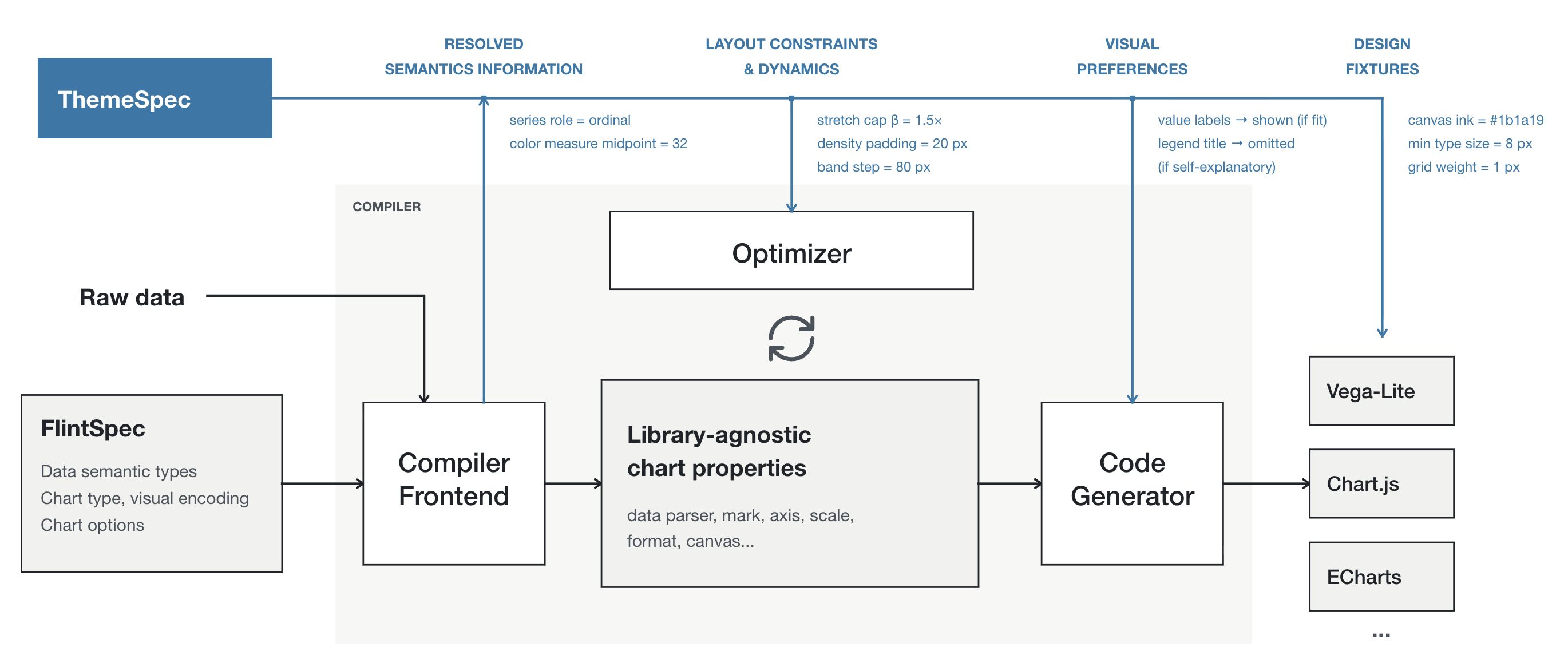
ThemeSpec participates throughout compilation, from resolved semantics and layout dynamics to conditional visual preferences and backend design fixtures.
This release also adds ten built-in themes, custom and inherited ThemeSpecs, public theme APIs, a visual-theme explorer and Theme Lab, plus theme discovery and authoring support in the Flint MCP server and MCP App.
Use a visual theme
Add theme_spec beside chart_spec. The chart spec continues to define what the chart means; the theme defines how that meaning is presented.
{
  "chart_spec": {
    "chartType": "Bar Chart",
    "encodings": {
      "x": { "field": "region" },
      "y": { "field": "revenue" }
    }
  },
  "theme_spec": "economist"
}
Ten built-in themes
Flint ships New York Times, Economist, Swiss, Nature, McKinsey, Datawrapper, Power BI, Power BI Light, Pop, and Cartoon presets. The visual-theme explorer applies each preset to the same set of charts for direct comparison.
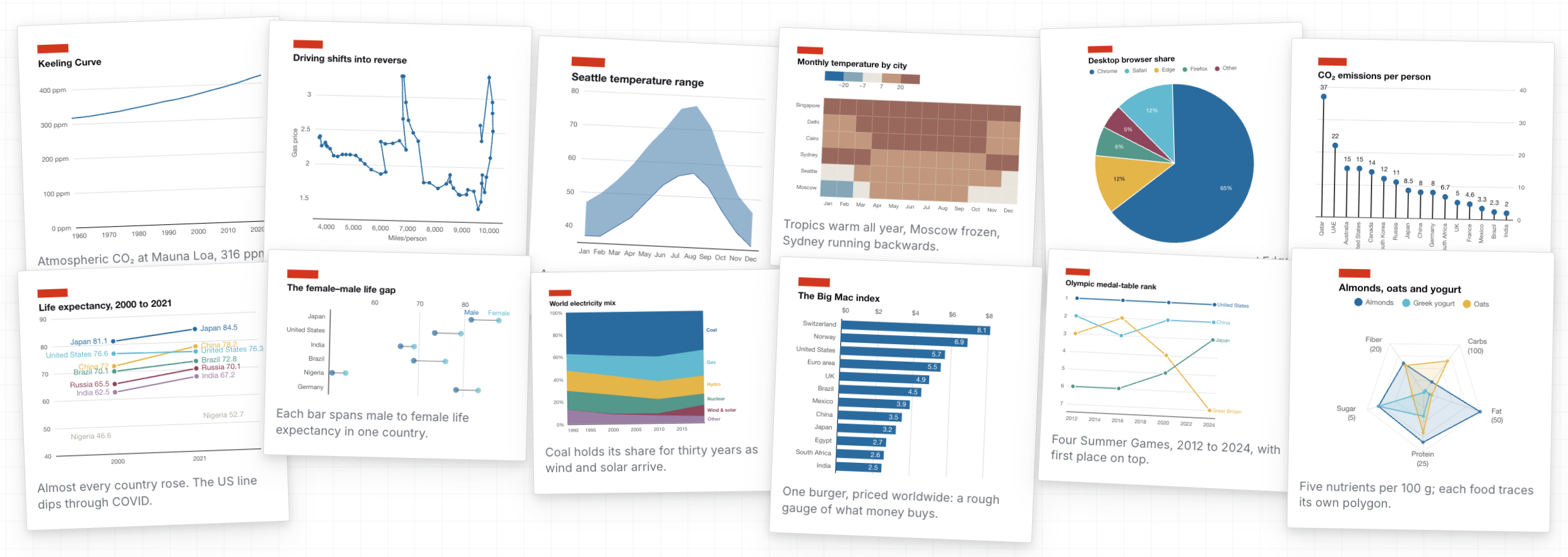
Economist — compact editorial graphics with a strong red accent.
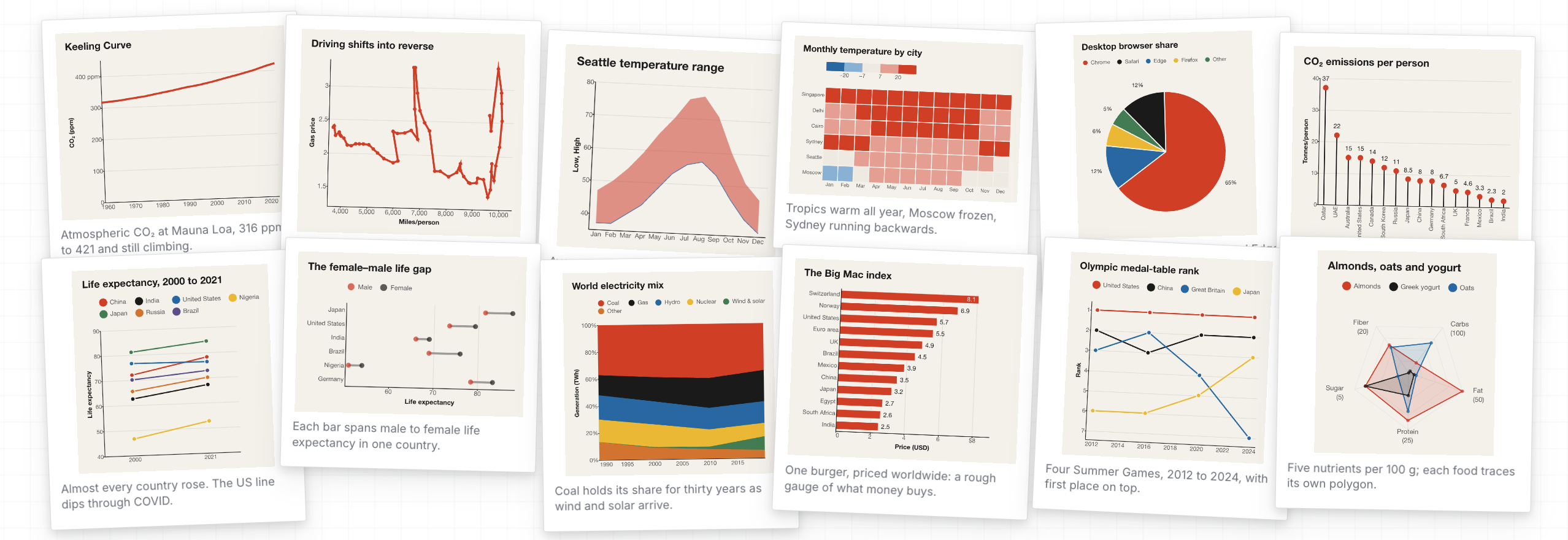
Swiss — typographic structure, restrained color, and a clear visual grid.
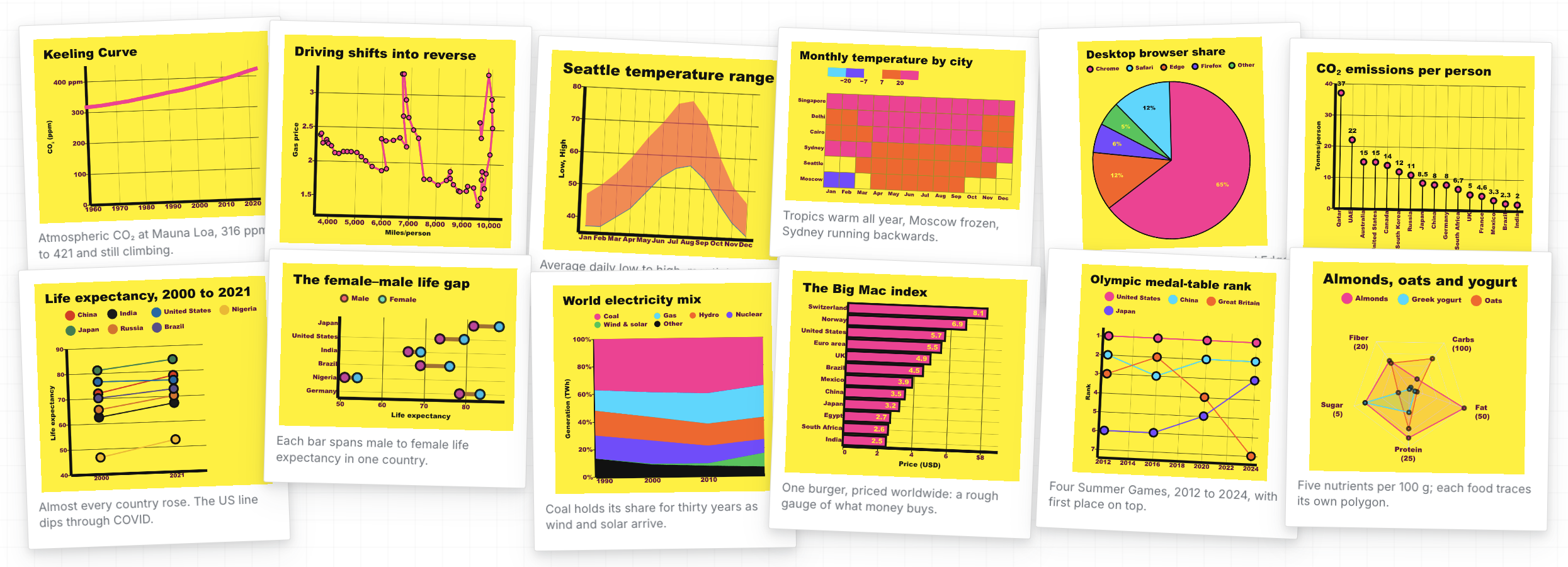
Pop — bold color, emphatic marks, and playful graphic contrast.
Create a brand theme
Pass a custom ThemeSpec, or inherit a built-in preset and override only the decisions that should differ:
{
  "theme_spec": {
    "extends": "economist",
    "id": "our-brand",
    "ink": {
      "series": {
        "single": "#6b3fa0"
      }
    }
  }
}
Nested objects merge; arrays and scalar values replace inherited values.
Tools and integrations
- The visual-theme explorer compares presets across the same chart wall.
- Theme Lab tests custom ThemeSpecs across chart types and data shapes.
- The MCP server and MCP App add theme discovery, preset selection, and custom ThemeSpec support through
list_themes. - The bundled
flint://theme-skillresource andauthor_flint_themeprompt help agents translate design guidance into reusable ThemeSpecs. - Public APIs include
ThemeSpec,ThemePreset,THEME_PRESETS,listThemePresets(), andresolveThemeSpec(). - The theme explorer, Theme Lab, and authoring guidance are available in English and Chinese.
The release also improves Vega-Lite logarithmic tick and grid spacing, line endpoint guides, and heatmap grid treatment.
ThemeSpec is currently realized by the Vega-Lite backend. Other backends still accept the shared Flint input but do not yet apply theme_spec. Existing inputs without a theme retain Flint's default behavior.
See Using themes for the complete vocabulary and examples.
See the changelog for the complete technical summary.
Full Changelog: 0.4.0...0.5.0