v0.1.4

vLLM Playground v0.1.4 - vLLM-Omni Multimodal
Release Date: February 2026
This release introduces vLLM-Omni integration for multimodal generation - create images, edit photos, generate speech, and produce music/sound effects, all from text prompts. The new unified Studio UI provides a polished experience with adaptive themes and a gallery for managing your creations.
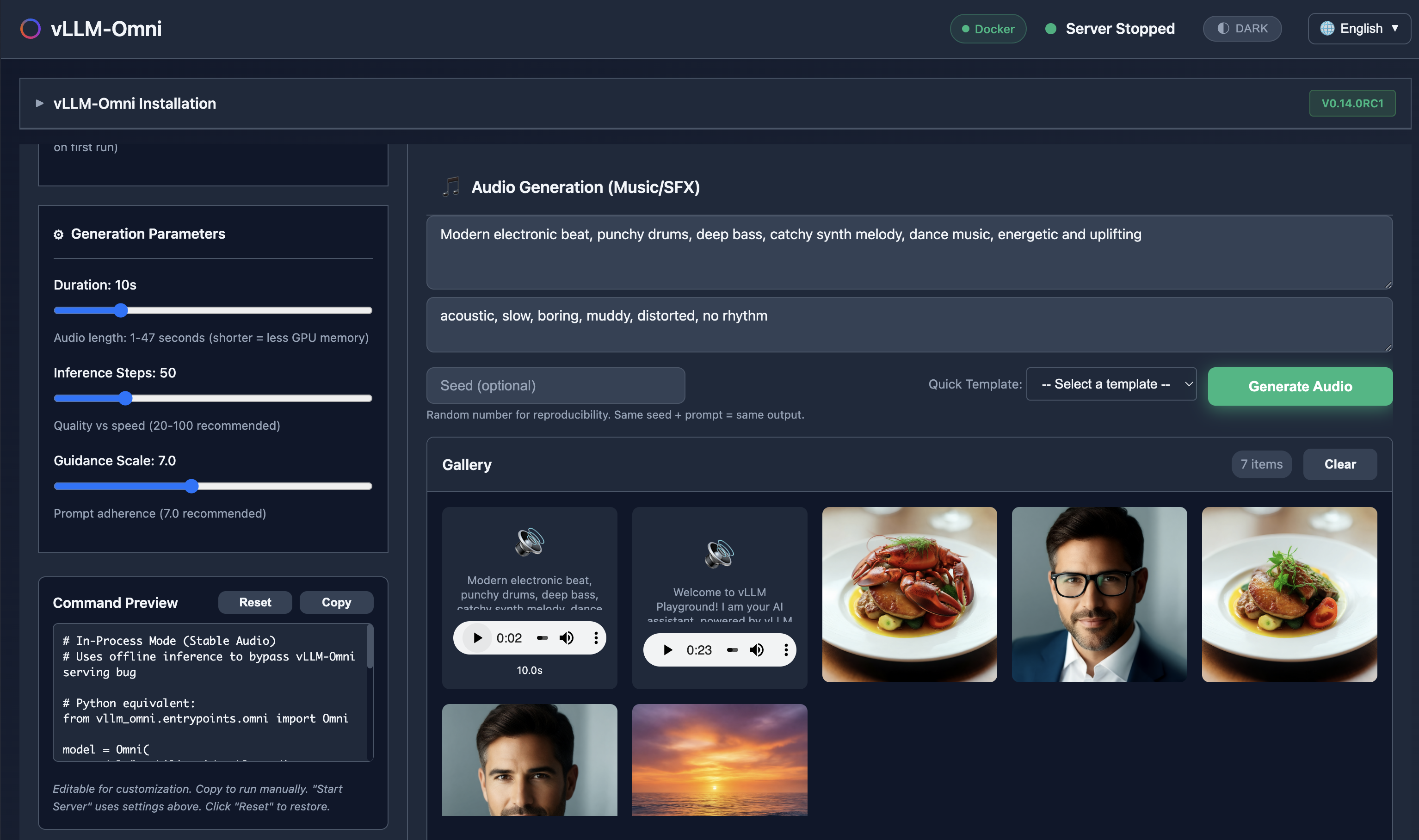
Generate images, edit photos, create speech, and produce music - all with vLLM-Omni.
Highlights
- vLLM-Omni Integration - Image generation, image editing, TTS, and audio generation
- Studio UI - Adaptive themes, unified gallery, built-in media players
- CLI Enhancement -
vllm-playground pull --omnifor vLLM-Omni container - Pre-commit Hooks - Ruff formatting and code quality checks
vLLM-Omni Integration
vLLM-Omni extends vLLM to support multimodal generation. Access it from the vLLM-Omni sidebar menu.
Model Types
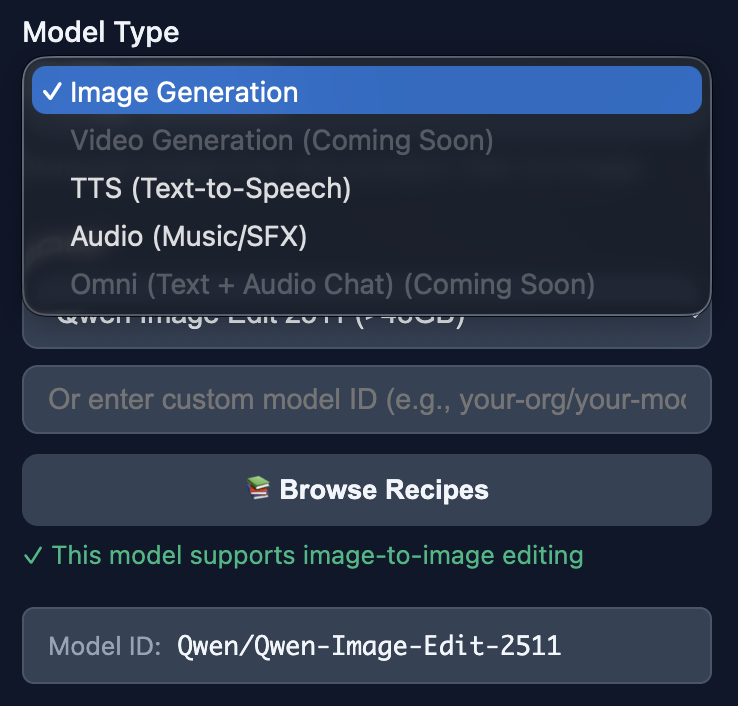
Select from Image, TTS, or Audio generation modes.
Image Generation (Text-to-Image)
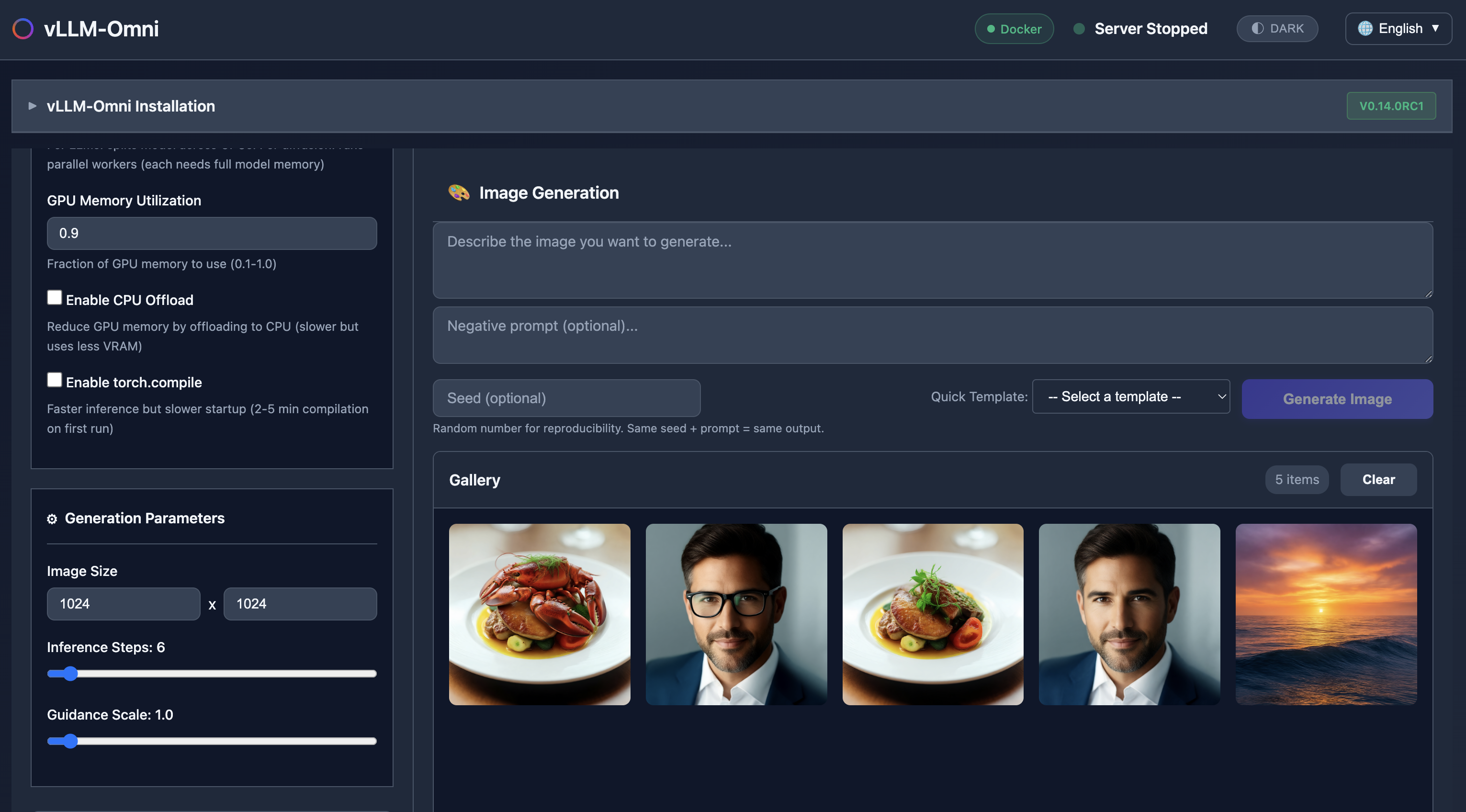
Generate images from text prompts using DiT (Diffusion Transformer) models:
| Model | VRAM | Description |
|---|---|---|
| Tongyi-MAI/Z-Image-Turbo | 16GB | Fast generation |
| Qwen/Qwen-Image | >48GB | High quality |
| Qwen/Qwen-Image-2512 | >48GB | Higher resolution (2512px) |
| Qwen/Qwen-Image-Layered | >48GB | Layered image generation |
| stabilityai/stable-diffusion-3-medium | 16GB | Stable Diffusion 3 |
Features:
- Prompt templates (Landscape, Portrait, Art/Abstract)
- Configurable image size, inference steps, guidance scale
- Seed control for reproducibility
Image Editing (Image-to-Image)
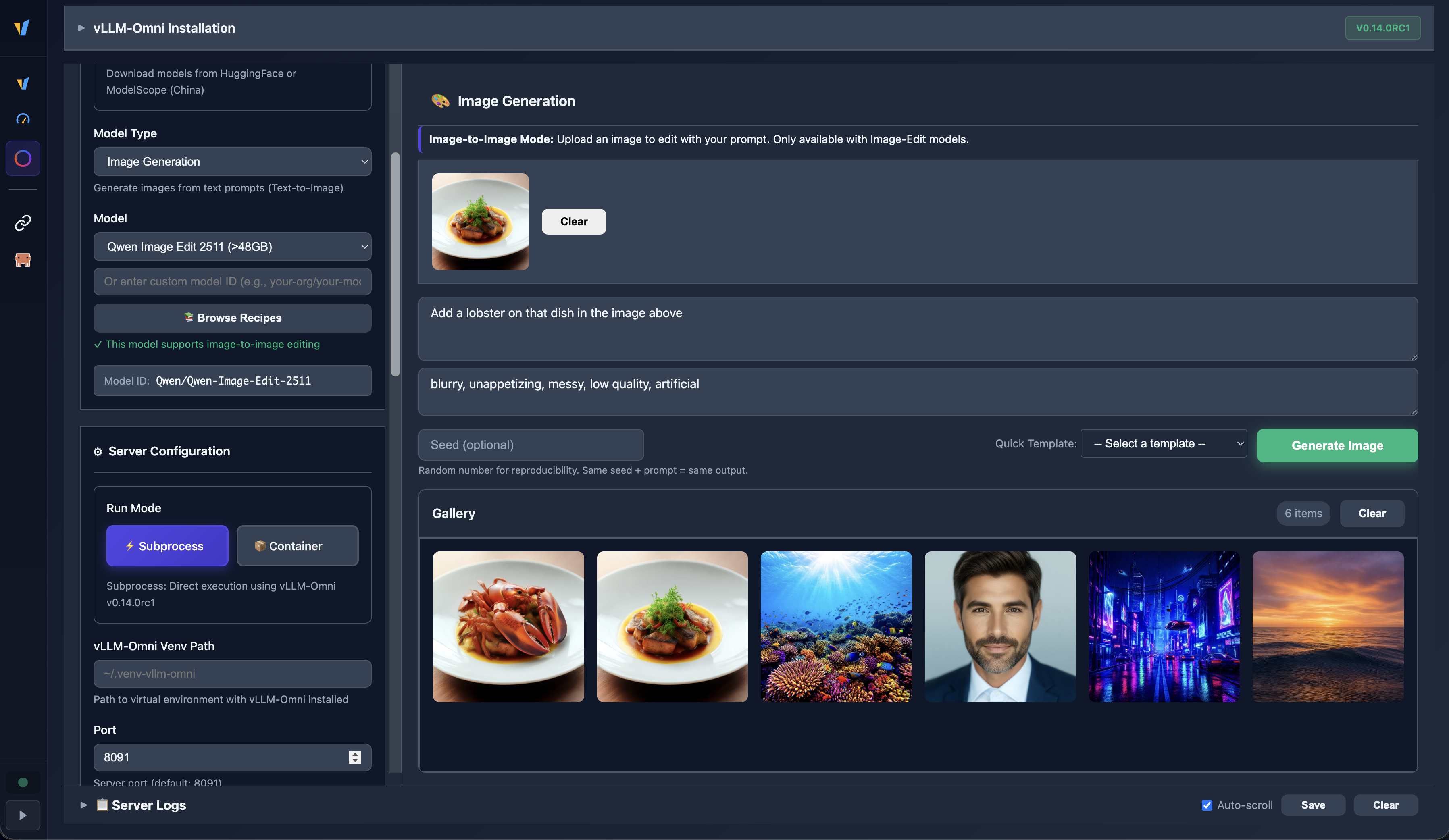
Upload an existing image and transform it with text prompts:
| Model | VRAM | Description |
|---|---|---|
| Qwen/Qwen-Image-Edit | >48GB | Image editing |
| Qwen/Qwen-Image-Edit-2509 | >48GB | Advanced editing |
| Qwen/Qwen-Image-Edit-2511 | >48GB | Latest editing |
| meituan-longcat/LongCat-Image-Edit | >48GB | Alternative editing model |
Features:
- Drag-and-drop image upload
- Transform photos with natural language descriptions
- Edit-capable models automatically show upload zone
TTS (Text-to-Speech)
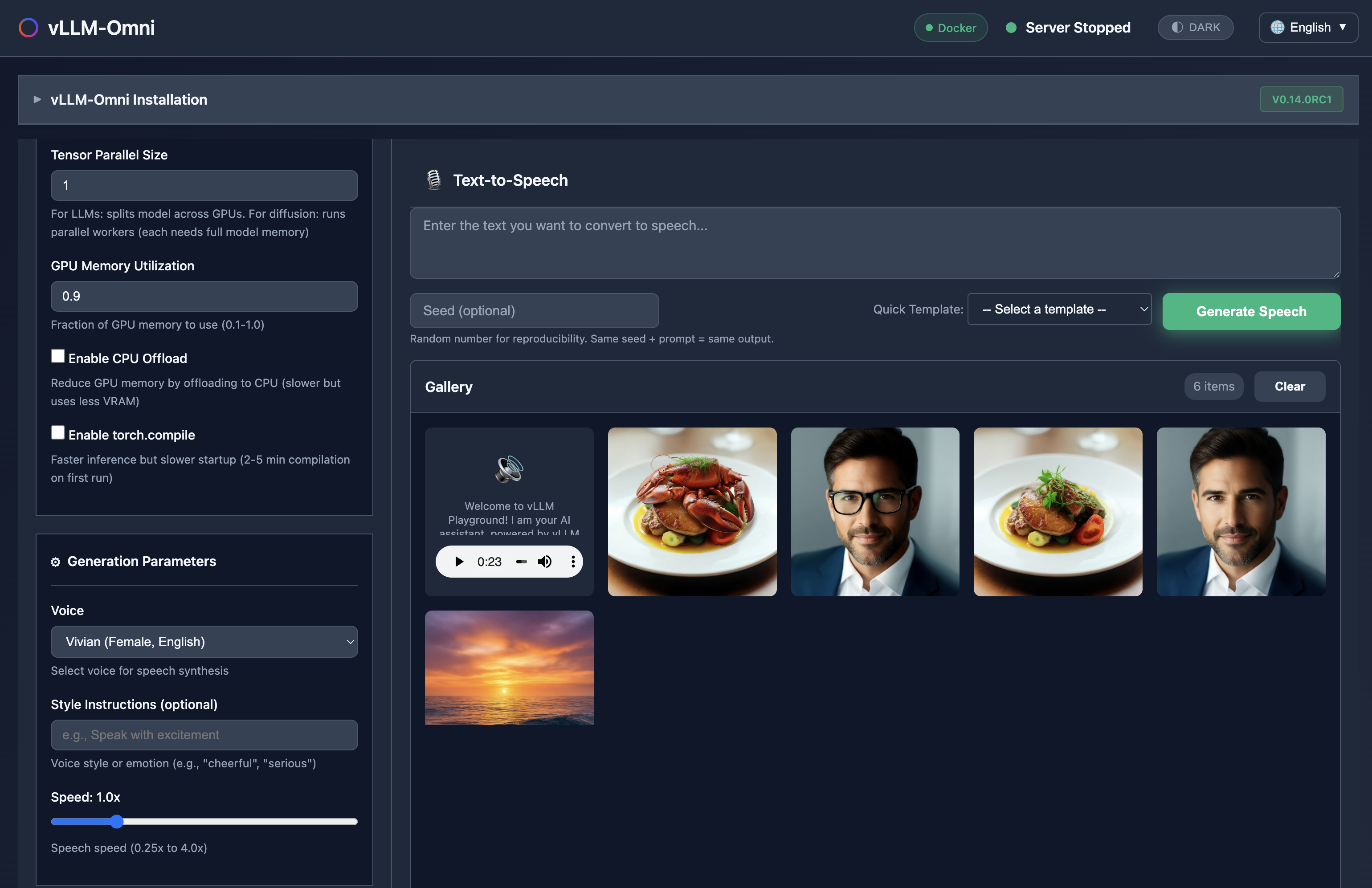
Generate natural-sounding speech from text:
| Model | VRAM | Description |
|---|---|---|
| Qwen/Qwen3-TTS-12Hz-0.6B-Base | 16GB | Lightweight TTS |
| Qwen/Qwen3-TTS-12Hz-1.7B-CustomVoice | 24GB | Custom voice cloning |
| Qwen/Qwen3-TTS-12Hz-1.7B-VoiceDesign | 24GB | Voice design capabilities |
Features:
- Prompt templates for common TTS scenarios
- Built-in audio player for playback
- Download generated audio files
Audio Generation (Music/SFX)
Generate music and sound effects using Stable Audio:
| Model | VRAM | Description |
|---|---|---|
| stabilityai/stable-audio-open-1.0 | 40GB+ | Up to 47s stereo at 44.1kHz |
Features:
- Duration control (1-47 seconds)
- Prompt templates for music genres and sound effects
- In-process mode for Stable Audio (bypasses serving limitations)
Preview: Video & Omni Chat (Coming Soon)
The UI includes placeholders for upcoming features:
- Video Generation - Text-to-video with Wan2.2 models
- Omni Chat - Multimodal chat with text and audio I/O (Qwen3-Omni)
These features are disabled in v0.1.4 and will be enabled in a future release.
Studio UI
Adaptive Themes
Each generation mode has its own color theme for visual distinction:
- Image - Default studio theme
- Image-Edit - Edit mode indicator
- TTS - Speech synthesis theme
- Audio - Music/SFX generation theme
Unified Gallery
All generated content appears in a unified gallery:
- Display - Lightbox viewer for images
- Download - Save any generated file
- Delete - Clear individual items or entire gallery
Built-in Media Players
Native playback for generated audio and video:
- Audio player with playback controls
- Video player (for future video generation)
Run Modes
Subprocess Mode
Install vLLM-Omni locally in a virtual environment:
# Create venv with Python 3.12
uv venv --python 3.12 --seed ~/.venv-vllm-omni
source ~/.venv-vllm-omni/bin/activate

# Install vLLM base (CUDA)
uv pip install vllm==0.14.0 --torch-backend=auto

# Clone and install vLLM-Omni
git clone https://github.com/vllm-project/vllm-omni.git
cd vllm-omni && uv pip install -e .

# For Qwen3-TTS models, also install:
uv pip install onnxruntime
Configure in the UI:
- Run Mode: Subprocess
- Venv Path:
~/.venv-vllm-omni
Container Mode
Use official vLLM-Omni container images:
| Platform | Image |
|---|---|
| NVIDIA (CUDA) | docker.io/vllm/vllm-omni:v0.14.0rc1 |
| AMD (ROCm) | docker.io/vllm/vllm-omni-rocm:v0.14.0rc1 |
Pre-download with:
vllm-playground pull --omniRecipes
New vLLM-Omni Audio Models recipe category:
| Recipe | Model | Description |
|---|---|---|
| Stable Audio Open 1.0 | stabilityai/stable-audio-open-1.0 | Music/SFX generation |
| Qwen3-TTS Custom Voice | Qwen/Qwen3-TTS-12Hz-1.7B-CustomVoice | Voice cloning TTS |
| Qwen3-TTS Voice Design | Qwen/Qwen3-TTS-12Hz-1.7B-VoiceDesign | Voice design TTS |
| Qwen3-TTS Base | Qwen/Qwen3-TTS-12Hz-0.6B-Base | Lightweight TTS |
Access via the Browse Recipes button in the vLLM-Omni configuration panel.
Developer Experience
Pre-commit Hooks
New .pre-commit-config.yaml for code quality:
repos:
  - repo: https://github.com/pre-commit/pre-commit-hooks
    rev: v5.0.0
    hooks:
      - id: trailing-whitespace
      - id: end-of-file-fixer
      - id: check-added-large-files
      - id: check-yaml

  - repo: https://github.com/astral-sh/ruff-pre-commit
    rev: v0.14.11
    hooks:
      - id: ruff-format
Install with:
pip install pre-commit
pre-commit install
API Endpoints
New vLLM-Omni API endpoints:
| Endpoint | Method | Description |
|---|---|---|
/api/omni/start |
POST | Start vLLM-Omni server |
/api/omni/stop |
POST | Stop vLLM-Omni server |
/api/omni/status |
GET | Get server status |
/api/omni/health |
GET | Health check |
/api/omni/generate |
POST | Generate image |
/api/omni/generate-tts |
POST | Generate speech |
/api/omni/generate-audio |
POST | Generate music/SFX |
/api/omni/models |
GET | List supported models |
Installation
Release Candidate (Testing)
pip install --pre vllm-playgroundStable Release
pip install vllm-playgroundPre-download vLLM-Omni Container
vllm-playground pull --omniDocumentation
- vLLM-Omni Guide - Full setup and usage guide
- Changelog - Version history
Acknowledgments
- The vLLM Project team
- The vLLM-Omni contributors
- The Stable Audio team at Stability AI
- The Qwen team at Alibaba
- Community contributors and testers
Links
- GitHub: https://github.com/micytao/vllm-playground
- PyPI: https://pypi.org/project/vllm-playground/
- vLLM-Omni: https://github.com/vllm-project/vllm-omni
- vLLM Docs: https://docs.vllm.ai
Made with ❤️ for the vLLM community