Repository navigation
Releases: mikedopp/Multi_Install_ISO
Release list
Multi Install ISO 0.9.1 (prerelease)

Docs and packaging release. The engine and the app behave as in 0.9.0.
- README: new "What it's for" and "How to use" sections, plus fresh Overview and Settings screenshots of the current build.
- The bundled Glimmer kit's VERSION.txt no longer names the folder it was installed from.
Status is unchanged: planning, validation, answer-media ISOs, install-ISO checks and the desktop app are proven offline on Windows. No VM has been built with this release; the vSphere and Hyper-V apply paths have not been run.
Download MultiInstallIso-0.9.1-win-x64.zip, extract it, and run MultiInstallIso.exe (Windows 10/11, PowerShell 7, WebView2 runtime). Check it against MultiInstallIso-0.9.1-win-x64-SHA256SUMS.txt.
Multi Install ISO 0.9.0 (prerelease)
Prerelease, and honest about it. Everything that can be proven on a Windows box without a hypervisor has been proven. No VM has been built with this release yet: the vSphere and Hyper-V apply paths, and Windows Setup or Anaconda actually eating the generated media, have not been run. Point it at non-production infrastructure. docs/EVALUATION.md has the receipts.
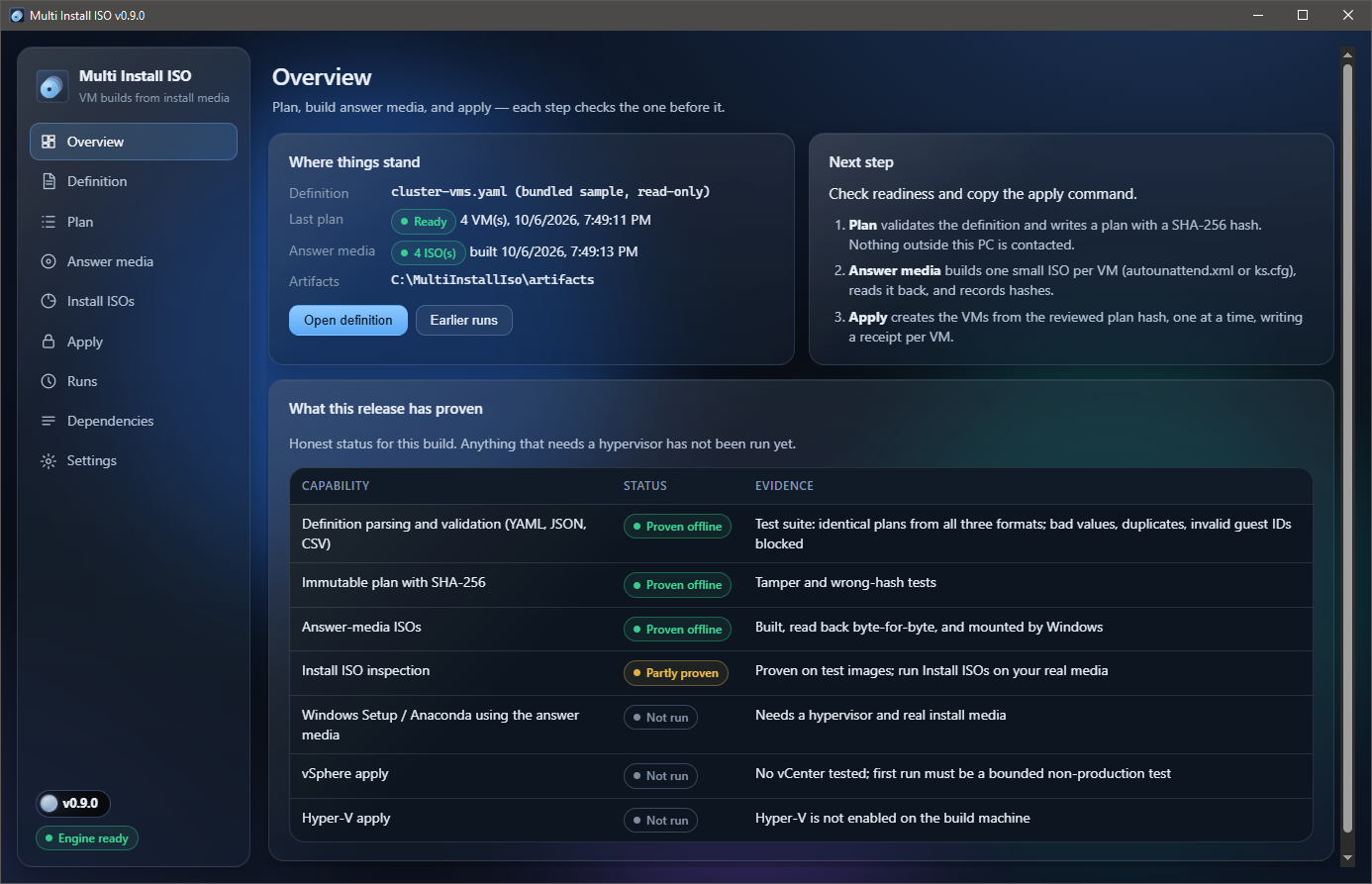
What changed (short version: almost everything)
- It actually checks your homework. Validation now catches invalid vSphere guest IDs (every previous sample used one, and nobody noticed for years), bad sizes, names, IPs, duplicates, and passwords pasted into definitions.
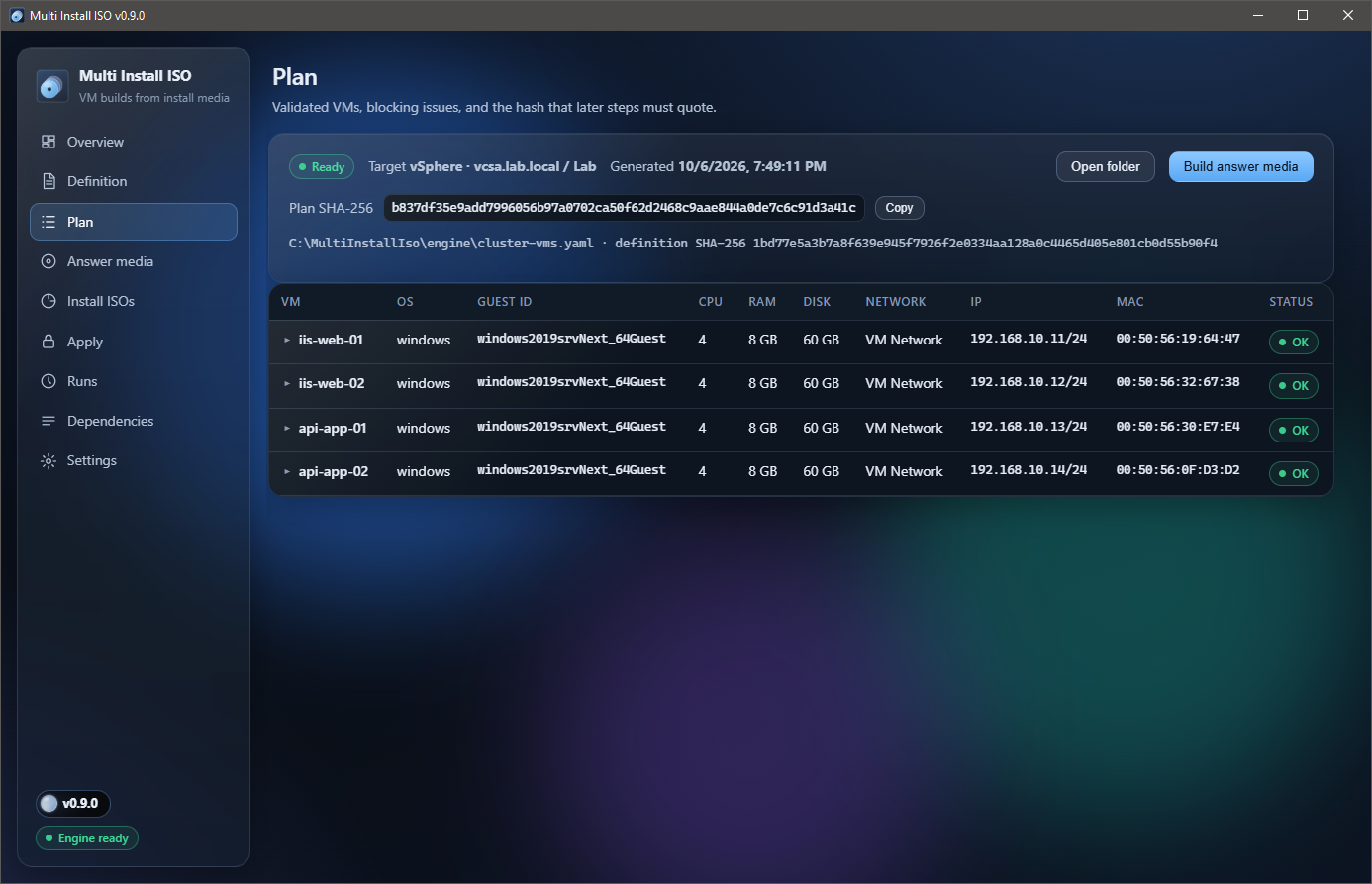
- Plans are written first, read-only, with a SHA-256 that every later step has to quote back.
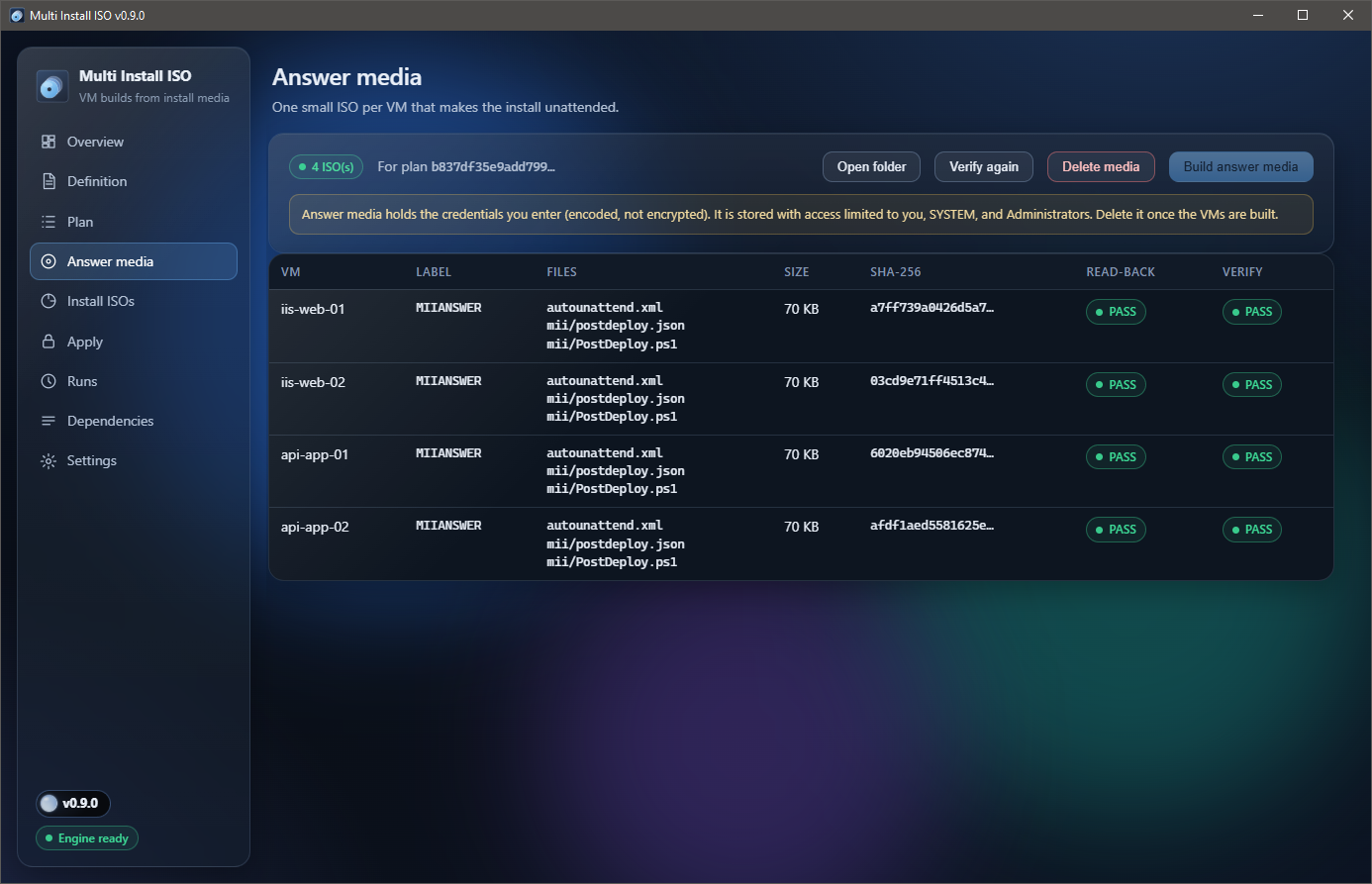
- Real answer media.
autounattend.xmlorks.cfgon a tiny ISO per VM, read back byte-for-byte, hashed, and locked down. Previously the Windows answer file could come out as a lovingly empty<unattend/>. - Install ISOs get checked against the publisher's SHA-256, and the Windows editions inside are listed before you bet your afternoon on them.
- Guarded apply for vSphere and Hyper-V: quote the hash, name the target, get a receipt for every step. It stops at the first failure and deletes nothing.
- No more surprise downloads. It no longer pulls scripts from GitHub
masterat runtime or installs modules behind your back. - A real app. .NET 10 WPF + WebView2 with glass (and a solid fallback), a tray icon, single instance, and a version orb that turns red when you deserve it.
| Plan | Answer media |
|---|---|
 |
 |
Verified for this build
- 33 of 33 offline tests (
tests/Run-Tests.ps1). MultiInstallIso.exe --smokeon the published exe: 17 of 17, including a real plan and four answer ISOs built and verified.- Live click-through: plan, credential dialog, media build and verification, close to tray, and second-launch restore.
Install
- Download
MultiInstallIso-0.9.0-win-x64.zipand check it againstMultiInstallIso-0.9.0-win-x64-SHA256SUMS.txt. - Unzip anywhere and run
MultiInstallIso.exe(self-contained, Windows 10/11 x64). - Needs PowerShell 7 (
pwsh) and the WebView2 Runtime. Apply also needs VMware PowerCLI or Hyper-V, which you install yourself, on purpose.
Not code-signed, so SmartScreen will make a face on first run.
MIT licensed. Third-party components and their license texts ship in the zip (THIRD_PARTY_NOTICES.md, licenses/).