Repository navigation
Releases: mikemich/minimide
Release list
Minimide 0.2.2 (security update)

Security update. Please update: Check for Updates… in the app menu, or rerun the install script.
Opening a folder no longer runs anything from it until you trust it
A downloaded repository could make Minimide run commands as soon as you opened it, or even one file from it. Git honors settings in a repo's own .git/config (like core.fsmonitor or a filter driver), and language servers can run a project's own TypeScript. Minimide now asks the first time you open a folder. Until you trust it, it stays in Restricted Mode: git, blame and language servers are off, and everything else works. Even in trusted folders, background git calls never run a repo's fsmonitor command.
A tighter sandbox for installed packages
- No permission can reach Minimide's own folder (
~/.minimide). Before, thefilespermission could be turned into full access through it. project-filesis now read-only. Writing needs the newproject-write, which never reaches.git/ornode_modules/.- Package stylesheets are reduced to visual properties, and can't load anything from the internet or draw fake prompts.
- Packages can no longer talk to each other through shared browser storage, and each one can only load its own files.
- Package names like
coreanduiare reserved. Prompts are labeled with the package's name. Calls and notifications are rate-limited. - The network permission can't reach your own machine, your local network or cloud metadata addresses.
Other hardening
- The Markdown preview's remote-image blocking can no longer be bypassed, and documents can't overlay fake UI.
- Stricter content security policy. Packaged builds refuse debugging switches. One more Electron fuse is off.
- Windows: commands are found through PATH only, never the current folder.
- The updater and install script refuse any file without a published checksum.
- Releases are now immutable on GitHub, so published files can't be swapped afterwards.
Thanks to everyone who tries Minimide. If you find a security problem, please report it privately through GitHub's security advisory form rather than a public issue.
New
scripts/vscode-theme.mjsconverts a VS Code color theme into a Minimide theme package.
Minimide 0.2.1
New
- The app icon matches your theme. The Dock icon (the taskbar icon on Windows and Linux) is drawn in the active theme's colors and editor font, and follows a custom accent color. It changes live as you preview themes. You can see it in Settings → Themes, and turn it off there with Themed App Icon (
ui.themedAppIcon). macOS only lets apps change the Dock icon, so Finder keeps the standard one.
Install
If you have 0.2.0, use Check for Updates… in the app menu. Otherwise:
curl -fsSL https://mikemich.github.io/minimide/install.sh | shOr download a build for your platform below. See the 0.2.0 notes for everything else.
Minimide 0.2.0
Minimide 0.2.0 makes packages shareable and safe, keeps itself up to date, and handles big projects.
Install
curl -fsSL https://mikemich.github.io/minimide/install.sh | shThe one-liner works on macOS and Linux, and checks each download's SHA-256. Or download:
| Platform | File |
|---|---|
| macOS, Apple Silicon | Minimide-0.2.0-arm64.dmg |
| macOS, Intel | Minimide-0.2.0.dmg |
| Windows | Minimide-Setup-0.2.0-x64.exe (or -arm64) |
| Linux | Minimide-0.2.0.AppImage |
The downloads aren't signed yet. On a Mac, open it once via System Settings → Privacy & Security → Open Anyway. On Windows, click More info → Run anyway. The install script avoids this.
From this version on, Minimide updates itself (Check for Updates… in the app menu). If you're on 0.1.0, reinstall once to get the updater.
New
- Share packages. Install from GitHub with Packages: Install Package… (
owner/repo), or browse Settings → Packages → Discover. To publish a package, add theminimide-packagetopic to its repository. - Sandboxed packages. Installed packages run in an isolated worker with no access to your files, programs or the internet. A package that needs more asks for specific permissions, and you see them before installing. A package that wants full access gets a clear warning. Packages you write yourself are trusted like the rest of your code. How it works
- Auto-update from GitHub releases. Each download is verified against its published checksum.
- 27 bundled fonts, 14 new themes and an accent color picker. See Settings → Fonts and Settings → Themes.
- Big projects:
- The file finder and search handle up to 250,000 files (the old limit was 50,000), and search reads files in parallel.
- Search keeps the results it already found if it hits its time limit.
- The file list updates as files change, without re-reading the project.
- On Linux, file watching skips ignored folders and respects the system's watch limit.
- Smaller downloads. Unused languages are stripped, and Windows gets one installer per architecture.
Fixed
- Error highlighting, hover and completions were missing in files opened after the language server had started.
- Quitting with a terminal open could crash.
- Building the macOS release in CI failed when no signing certificate was set.
- TypeScript 7 (now the default on npm) doesn't work with
typescript-language-server. Minimide now recommends TypeScript 5 and explains the problem when it happens:npm i -g typescript@5 typescript-language-server.
For contributors
npm test runs 11 end-to-end suites, and CI runs them on macOS and Linux.
Minimide 0.1.0
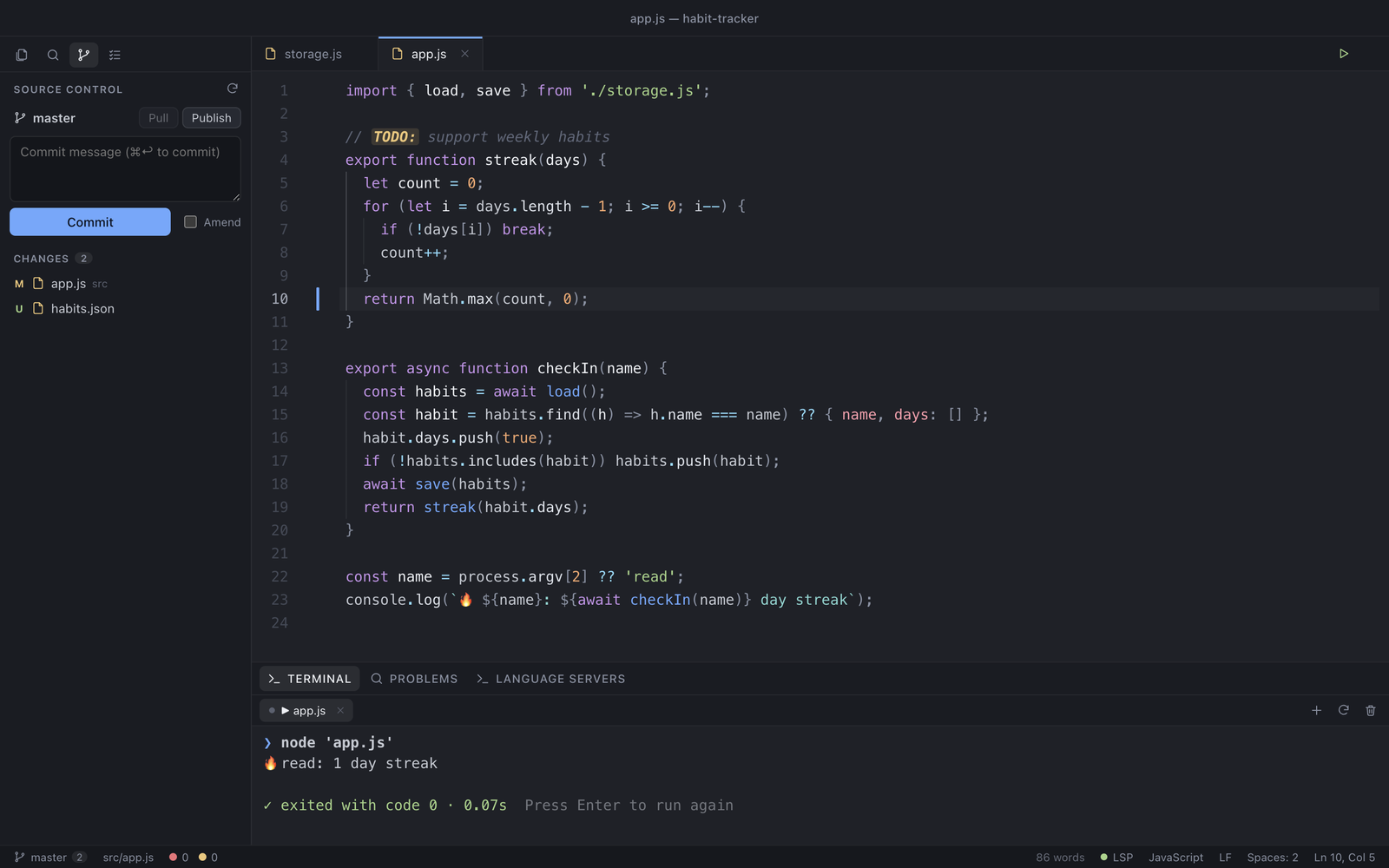
The first release of Minimide: a small, hackable code editor in the spirit of Atom. The core is about 4,000 lines of plain JavaScript, and every feature is a package you can open and change while it runs.
Download
| Mac | File |
|---|---|
| Apple Silicon (M1 and later) | Minimide-0.1.0-arm64.dmg |
| Intel | Minimide-0.1.0.dmg |
The builds aren't notarized yet. On first launch macOS will block it: open System Settings → Privacy & Security and click Open Anyway (or right-click the app and choose Open).
Windows and Linux: npm install && npm start from source.
What's in it
- 27 built-in packages: file tree, command palette, fuzzy finder, project search and replace, git panel with side-by-side diffs, git blame, terminal, code runner, language servers, markdown preview, Vim mode, minimap, sticky scroll, snippets, image viewer, settings UI and more
- Language servers: completions with auto-import, diagnostics, hover, go to definition, rename, code actions (TypeScript/JavaScript, Python, CSS, HTML, JSON, Rust, Go, C/C++ when the server is installed)
- Real terminal with clickable
file:lineoutput, and F5 to run the current file in about 25 languages - Five themes: Nightfall, Midnight, Fjord, Daylight, Dune. A theme is one CSS file of variables
- Hot-reloading packages: save a package and it's live, and it cleans up after itself when disabled
Write your first package: docs/PLUGINS.md