


MinatKu is an application created to fulfil the capstone project in the Bangkit programme. This project was composed by 7 participants from Bangkit 2023 Batch 2, with 3 from Machine Learning, 2 from Mobile Development, and 2 from Cloud Computing.
MinatKu addresses the issue of students in Indonesia often selecting college majors that do not align with their interests, as evidenced by the Indonesia Career Center Network (ICCN) reporting that 87% of students admitted to this misalignment in 2017. This mismatch between students and their chosen fields has significant adverse effects, including unfulfilled potential, financial burdens, motivation decline, increased stress, career delays, and job market incompatibility. Through a 5 whys analysis, we've identified that poor career guidance and a lack of self-evaluation resources are contributing factors. Additionally, limited facilities and resources hinder a comprehensive understanding of student interests, talents, and career goals.
Our team initiated this project in response to a pressing issue revealed by the Indonesia Career Center Network (ICCN), where 87% of students in Indonesia admitted to selecting college majors misaligned with their interests in 2017. Recognizing the significant impact this misalignment has on individuals and the country's economy. Through a 5 Whys analysis, we identified issues like poor career guidance, a lack of self-evaluation resources, and a misalignment of educational priorities favoring academic curricula over comprehensive career guidance. Our project stems from the desire to address these challenges and empower students to make informed choices for their future.
This is the machine learning part of CH2-PS229 capstone project called MinatKu. This application will help students to achieve improvement in the alignment between their majors and interests by creating an accessible online career guidance platform and personalized major recommendations from assessments test.
The initial step involves gathering data to create a dataset, which can be found in the "Data Cleaning and Preprocessing" folder.
Following data collection, we proceed to clean and process the raw data to generate a cleaned dataset.
Next, we attempt to create a random model using a Neural Network. However, the achieved accuracy falls short of expectations.
In response, efforts are made to enhance the model architecture, leading to improved accuracy that meets the desired standards.
Upon successful model creation, the model is deployed using a Flask API.
We built the model in Google Colab using the following libraries
For further information, kindly contact to :
- fhazzami@gmail.com (Fadhil Hadrian/fidelhadrian)
- andininurul83@gmail.com (Nurul Andini/nurandin)
- chinarasiwinugrahani@gmail.com (Chinara Siwi Nugrahani/chinarasiwinugrahani)
To run this notebook, we will need:
- Python environment
- Jupyter notebook or Google Colab
Install the necessary library using:
pip install pandas- Open the notebook in a Jupyter environment.
- Mount Google Drive to access the dataset.
- Execute each cell in sequence for data cleaning and preprocessing.
- Loading the Dataset
- Dropping Unnecessary Columns
- Renaming Columns
- Creating New Columns
- Mapping
- Dropping Original Question Columns
- Saving to CSV
The resulting CSV file (RIASEC10Q.csv) can be downloaded using the link provided or through the last cell in the notebook.
MinatKu is a model developed for predicting academic interests based on a dataset. It uses a neural network implemented with Keras and TensorFlow.
To use the MinatKu model, follow these steps:
-
Clone the repository or download the
Model MinatKu.ipynbfile. -
Open the notebook in a Jupyter environment or any compatible platform.
-
Run the notebook to load the required dependencies and train the model.
The MinatKu model can be used to predict academic interests based on input features. Here's a brief overview:
-
Load the notebook and execute the provided code cells.
-
The model is trained on a dataset (
RIASEC12Q.csv) containing academic interest labels. -
Example predictions are provided for three different academic interest categories: Science, Arts and Literature, and Technology.
The model is trained on the provided dataset with the following architecture:
- Input layer: Dense layer with 128 units and ReLU activation.
- Hidden layer: Dense layer with 64 units and ReLU activation.
- Dropout layer: Dropout with a rate of 0.6.
- Output layer: Dense layer with softmax activation.
- The model is compiled with categorical crossentropy loss and Adam optimizer.

Hello guys!! this is backend from application Minatku
This is the Cloud Computing part of CH2-PS229 capstone project called MinatKu. This application will help students to achieve improvement in the alignment between their majors and interests by creating an accessible online career guidance platform and personalized major recommendations from assessments test.
We built the model in Google Colab using the following libraries
What Services that we use in GCP?
| Google Cloud Services | Platform |
|---|---|
| Cloud App Engine | NodeJS (Backend) |
| Cloud Storage | Images |
| Cloud SQL | Database (MySQL) |
| Cloud Build | CI/CD |

For further information, kindly contact to :
- mrizki135790@gmail.com (Muhammad Rizki)
- labibhusain147@gmail.com (Mohammad Labib Husain)
For the documentation you can visit
Hello guys!! this is mobile app from application Minatku
This is the Mobile Development part of CH2-PS229 capstone project called MinatKu. This application will help students to achieve improvement in the alignment between their majors and interests by creating an accessible online career guidance platform and personalized major recommendations from assessments test.
We built the app in Android Studio with the following libraries
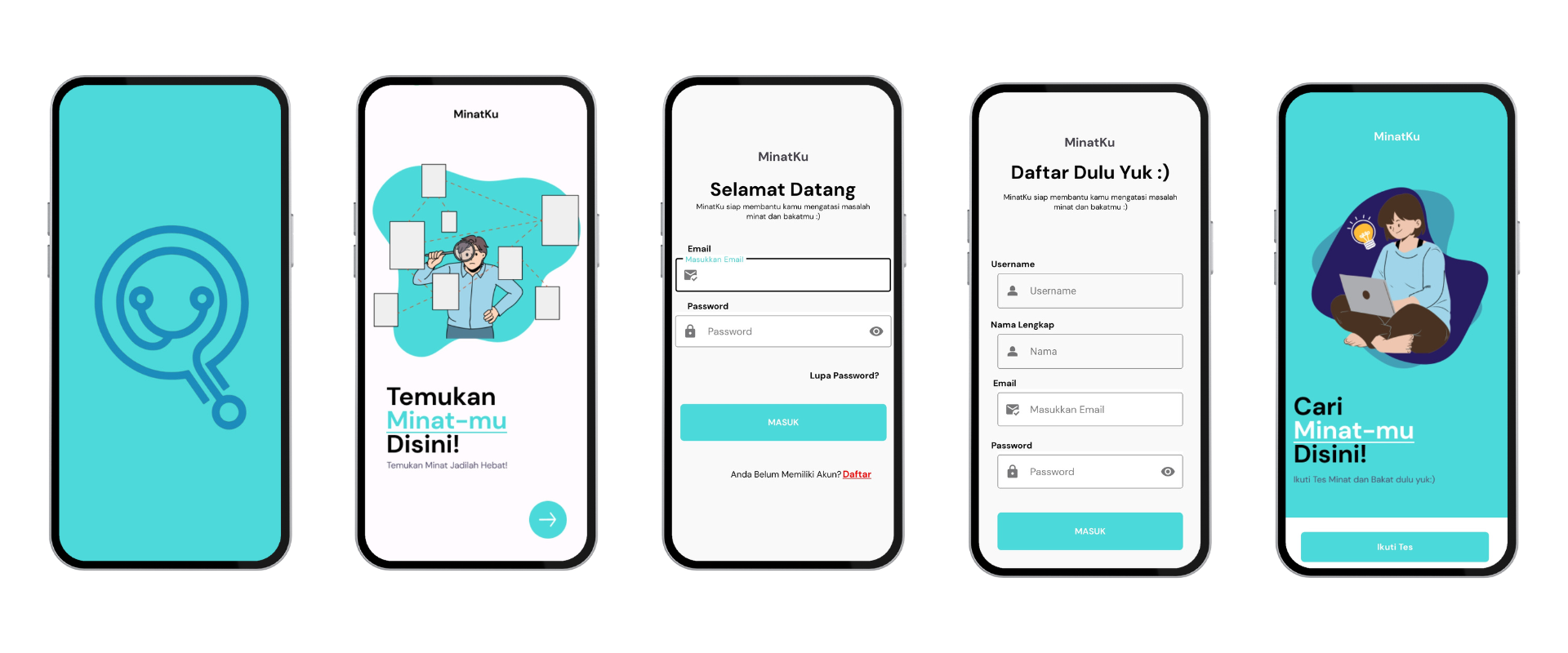
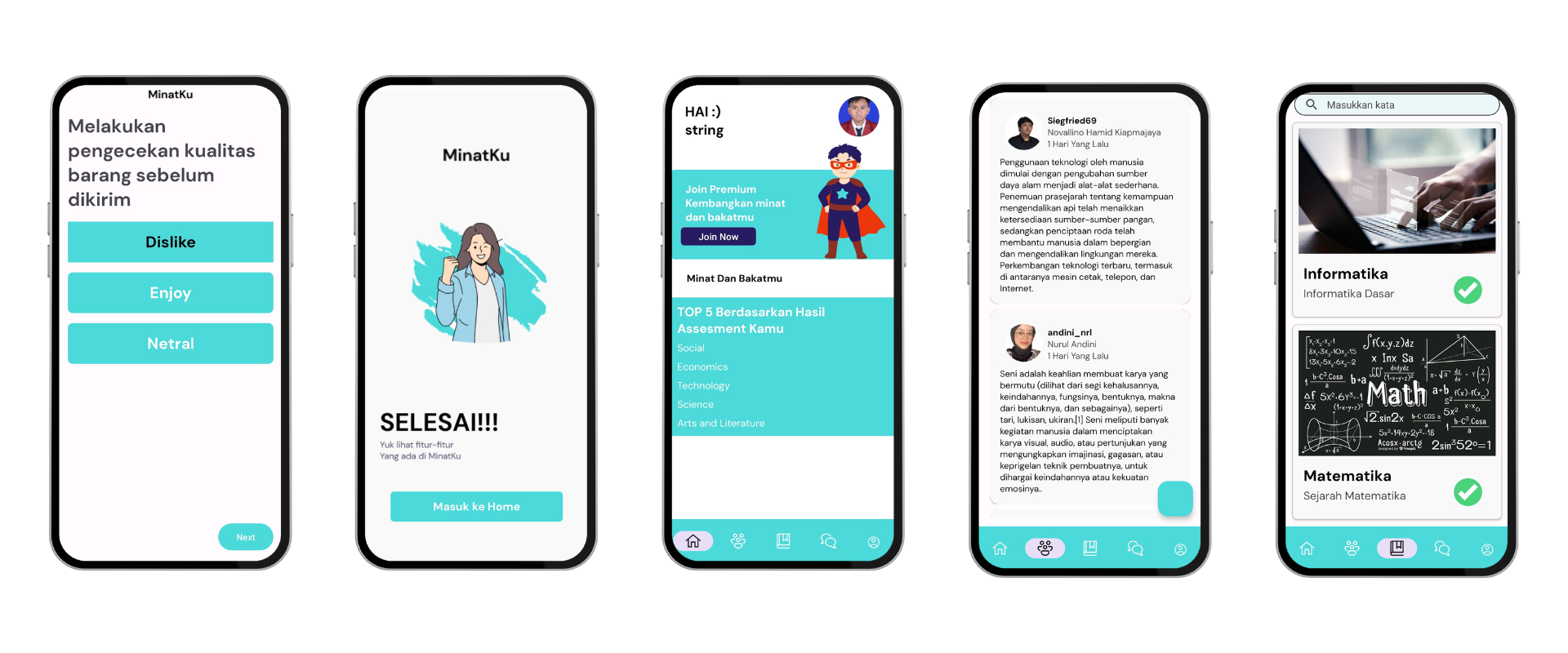
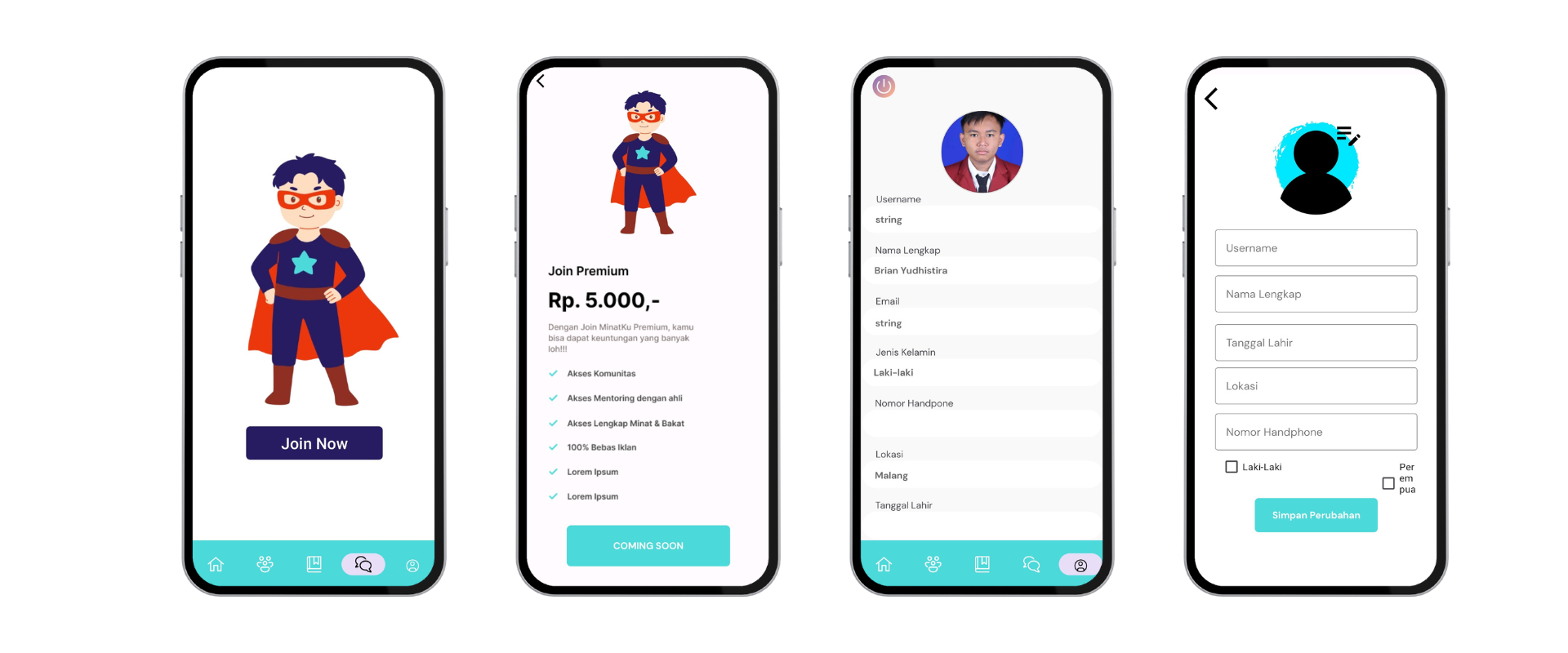
git clone https://github.com/minatku/minatku-Android.gitor you can use Android Studio
File > New > Project from Version Control ...
Open Android Studio and select open an existing project.
Wait for Gradle Build to Finish and finally press the Run > Run ‘app’. Now the app has been installed in your phone / emulator. Make sure that you have configured your android device or emulator
For further information, kindly contact to :
- novallinohmd@gmail.com (Novallino Hamid Kiapmajaya)
- brianyudhistira1@gmail.com (Brian Yudhistira)
For the documentation you can visit
https://www.figma.com/file/K9umFvy20iJPWf7dGJSJmu/MinatKu?type=design&node-id=0-1&mode=design
For the documentation you can visit
| Name | ID | University | Learning Path | LinkedIn Profile |
|---|---|---|---|---|
| Fadhil Hadrian Azzami | M200BSY1584 | Universitas Diponegoro | Machine Learning |  |
| Nurul Andini | M277BSX1256 | Universitas Negeri Jakarta | Machine Learning | |
| Chinara Siwi Nugrahani | M200BSX0115 | Universitas Diponegoro | Machine Learning | |
| Muhammad Rizki | C299BSY3985 | Universitas Pendidikan Indonesia | Cloud Computing | |
| Mohammad Labib Husain | C299BSY4160 | Universitas Pendidikan Indonesia | Cloud Computing | |
| Novallino Hamid Kiapmajaya | A277BSY2801 | Universitas Negeri Jakarta | Mobile Development | |
| Brian Yudhistira | A258BSY2836 | Universitas Muhammadiyah Malang | Mobile Development | |


