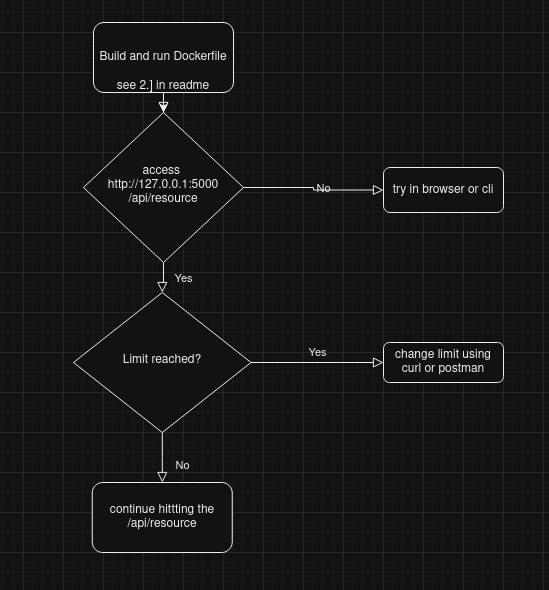
How to run the Api endpoint container
- 1.] git clone https://github.com/misua/api.git
+ download unzip the api.zip
2.] cd to api dir, and do a podman-compose up -d you can use docker-compose up if you wish
The expected output is
it should run the web api app(with filebeat-used to forward logs to kibana), separate container for both kibana,elasticsearch. filebeat had a basic filebeat.yml, but in no way tested to send logs to kibana. or configured other services to recieve.
To test the api
3.] Access the api at http://127.0.0.1:5000/api/resource - by default you are allowed to request 2 times in 60 seconds
To change rate limit to the api
4.] To Change the rate limit call http://127.0.0.1/api/limit by using curl(in cli) or postman
curl -X POST -H "Content-Type: application/json" -d '{"limit": 10, "window": 120}' http://localhost:5000/api/limit
this changes the rate limit to be 10 requests on a 2 minutes window.
Additional info
- i am just using a Dict to store the counters, and not a datastore like redis,memcache.
- i did NOT use ratelimiter library, i was considering Flask-limiter as its easier to integrate with redis if the needs would come up.
-
- Filebeat is installed on the same container where the rest python app is, it would recieve the flask_app.log(as configured in filebeat.yml) and later on send to a different docker container that runs kibana and elasticsearch.