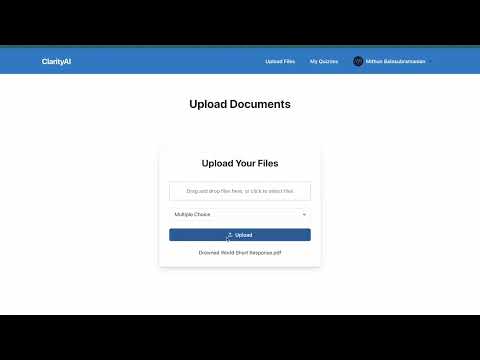
In order to run this project you need Python3 and NodeJS installed. For NodeJS, I personally recommend using NVM.
In the root folder of your project you need to create a .env file with the following contents. There should be a .env file in the server folder as well.
AWS_ACCESS_KEY_ID=
AWS_SECRET_ACCESS_KEY=
AWS_REGION=
AWS_S3_BUCKET_NAME=
OPENAI_API_KEY=
FLASK_API_URL=http://127.0.0.1:5000/
MONGODB_URI=
GOOGLE_CLIENT_ID=
GOOGLE_CLIENT_SECRET=
NEXTAUTH_URL=
NEXTAUTH_SECRET=
NEXT_PUBLIC_BASE_URL=
Then, run npm install to install all the dependencies.
After, installing the dependencies you can run npm run dev to start the project. You can then access the frontend Next.js project at localhost:3000
You will need to download ffmpeg, to do this, ensure Homebrew is installed:
MacOS:
brew install ffmpeg
Windows:
Download ffmpeg from gyan.dev. You can download ffmpeg-git-full.7z or ffmpeg-release-full.7z. After downloading, unzip the folder and place the extracted folder into the root of C: drive. Rename the folder to ffmpeg. Now run command prompt as administrator and enter:
setx /m PATH "C:\ffmpeg\bin;%PATH%"
It should return SUCCESS: Specified value was saved.
Navigate to the server folder of your project and create a virtualenv.
MacOS:
cd server
python3 -m venv venv
source venv/bin/activate
Windows:
cd server
python -m venv venv
.\venv\Scripts\activate
Then install the required dependencies with
pip3 install -r requirements.txt
or
pip install -r requirements.txt
Create a .env file with these values (should be stored at server/.env):
AWS_ACCESS_KEY_ID=
AWS_SECRET_ACCESS_KEY=
AWS_REGION=
AWS_S3_BUCKET_NAME=
Finally, make sure that the value of the FLASK_API_URL in the root .env points to the URL of the backend server and run it (while in the server directory) with:
python3 app.py
or
python app.py
In order to properly use the Pinecone database you must create an index called clarityai or change the name of the index used in the rag python module.
In order to properly use S3 you need to create an S3 bucket on AWS with the corresponding names and make sure the documents have public access allowed.
When updating, make sure you update the dependencies by running npm i in the root directory and running pip3 install -r requirements.txt or pip install -r requirements.txt based on your system in the server directory.