Repository navigation
1.4.0

Select all in menus and filters, file uploads in the MarkdownEditor
Highlights
ContextMenugetsshowSelectAllfor multiple selection, andListfilters offer "Select all" from six values on (#3274).MarkdownEditortakes files by drop, paste or a toolbar button and inserts them as markdown at the cursor (#3265).Imagehas rounded corners by default;withBorderonly draws the border now, in a quieter color (#3266).CopyButtongetsonCopy, called with the copied text once it is in the clipboard (#3282).Actionwith a barecloseOverlaycloses the overlay it sits in, whatever component that is (#3191).- The
upgradeandlistcommands of@mittwald/flow-codemodsreport which peer ranges the Flow packages ask for (#3204).
Select all in ContextMenu and List filters
Picking all but one value of a long filter used to mean clicking almost every option. With showSelectAll, a ContextMenu in selectionMode="multiple" starts with a "Select all" entry. It selects every enabled item, reads "Deselect all" once everything is selected, and shows as indeterminate for a partial selection. Each click fires onSelectionChange once with the full set.
List filters in some mode turn it on from six values on, both in the filter menu and in the all-filters modal. MenuItem gets an isIndeterminate prop for the same state. An older host ignores showSelectAll and shows no entry.
<ContextMenu selectionMode="multiple" showSelectAll>
  <MenuItem id="web">Webspace</MenuItem>
  <MenuItem id="mail">Mail</MenuItem>
  <MenuItem id="db">Database</MenuItem>
</ContextMenu>
File uploads in the MarkdownEditor
Pass uploadFile and the MarkdownEditor accepts files dropped onto it, pasted into it, or picked with the new attachment button in the toolbar. A placeholder goes to the cursor right away. When your promise resolves, it becomes an image embed or a link; when it rejects, the placeholder disappears. The upload itself stays with you — endpoint, auth and error handling — while Flow handles the interaction and the screen-reader announcements. It works in mStudio extensions too.
<MarkdownEditor
  accept="image/*"
  uploadFile={async (file) => ({ url: await upload(file) })}
>
  <Label>Message</Label>
</MarkdownEditor>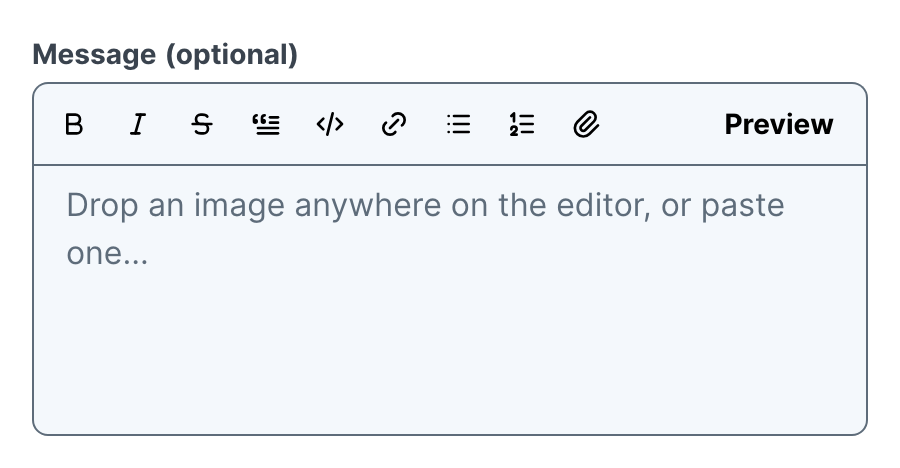
Image corners and borders
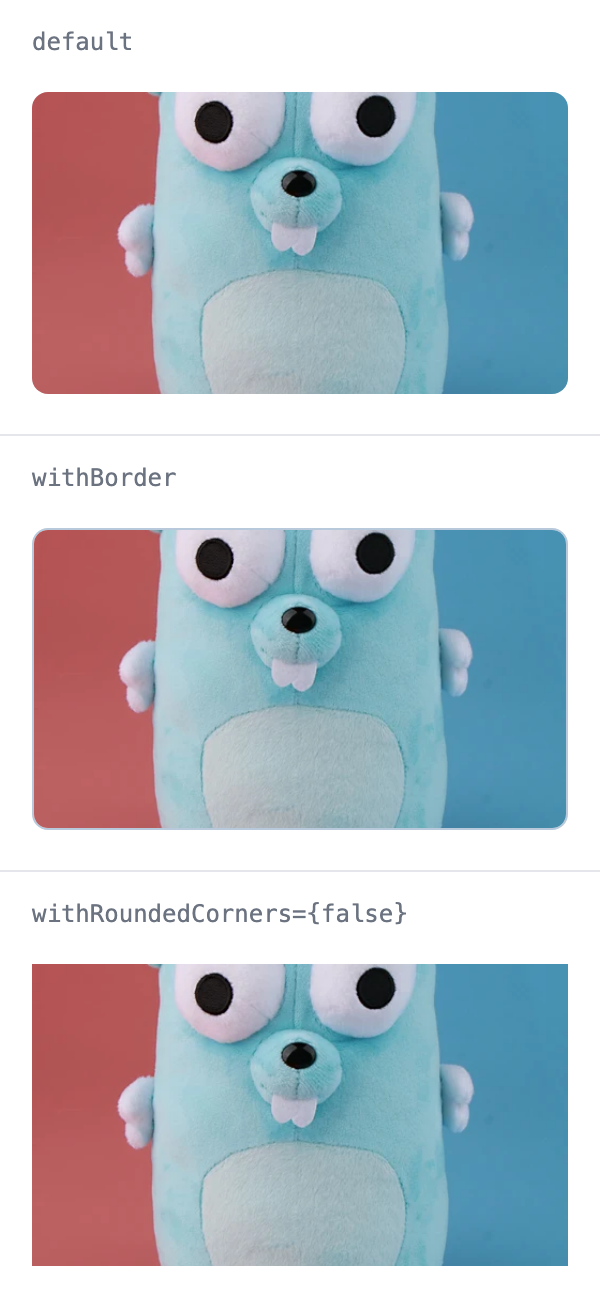
withBorder now only draws the border. The new withRoundedCorners prop (default true) controls the corner radius on its own, so every Image is rounded unless it opts out. The border uses the same color as Separator and no longer stands out in dark mode.
Smaller additions
CopyButtoncallsonCopy(text)after a successful copy and not when copying fails, so it counts copies, not clicks. It works in mStudio extensions as well.<Action closeOverlay>closes the nearest enclosing overlay. A dismiss action no longer has to name the surrounding component; an explicit name likecloseOverlay="Modal"still wins.- A new
AIHostingicon, for AI Hosting specifically.Sparklesstays the general AI icon. npx @mittwald/flow-codemods@latest upgradeandlist <revision>print the peer ranges of the Flow packages you use, marked required or optional, before the install.list --jsoncarries them aspeers.
Migrations
Image without withBorder is rounded now. To keep square corners, pass withRoundedCorners={false}. No other code change is required — see MIGRATION.md.
- <Image src={src} alt="" />
+ <Image src={src} alt="" withRoundedCorners={false} />