Repository navigation
1.5.0

Loading states from the real UI, grouped accordions, and Flow for Vue
Highlights
- SkeletonMode turns the real UI into its own loading skeleton, so a loading view no longer needs a second, hand-built tree.
- AccordionGroup stacks accordions as one compact block with separators. Collapsed accordion content is now found by find-in-page.
- Extensions can be written in Vue:
@mittwald/flow-remote-vue-componentsships as beta. - NumberField shows custom units that
Intl.NumberFormatdoes not know, like MiB or GiB. - CodeEditor supports
isDisabled.
Deprecations
Accordion'svariantprop is deprecated.variant="outline"no longer draws a frame, so the prop has no effect and warns when passed. Remove it withnpx @mittwald/flow-codemods@latest accordion-variant-deprecated src. Where several outlined accordions stood below each other, wrap them in anAccordionGroup. Where a single one has to stand apart, place it in aLayoutCard. See MIGRATION.md.
SkeletonMode (beta)
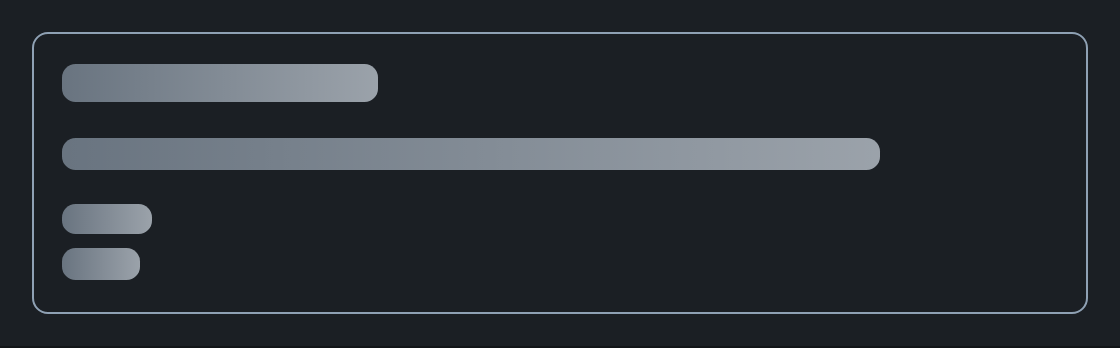
Wrap a view in <SkeletonMode isEnabled={isLoading}> and its real components render as skeleton while it loads. Everything inside is inert, and screen readers hear "Loading content" once. A nested isEnabled={false} shows the parts that are already loaded. Works in extensions as well. (#3317, #3320, #3321, #3322, #3324)
<SkeletonMode isEnabled={isLoading}>
  <Heading>Online shop relaunch</Heading>
  <Text>The project runs on server p-4711 and is backed up every night.</Text>
  <LabeledValue>
    <Label>Storage</Label>
    <Content>20 GB</Content>
  </LabeledValue>
</SkeletonMode>
While loading
Text becomes one bar per line, in the width the text will take.
When loaded
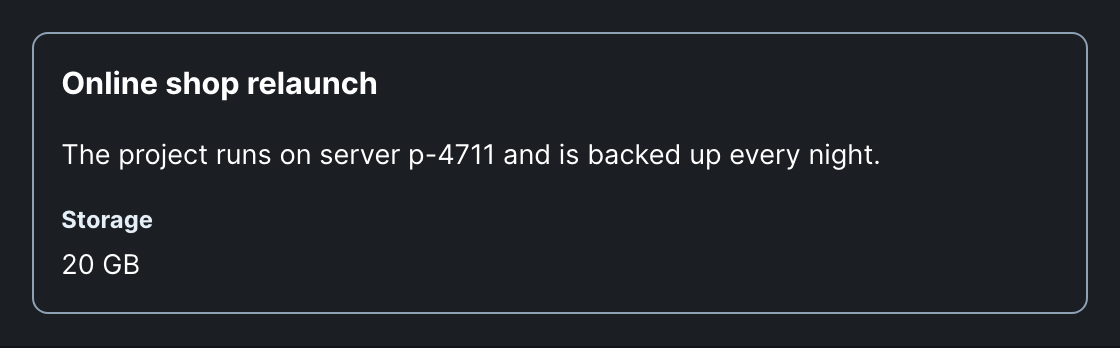
Avatars, icons, images, badges, buttons and form fields keep their real size as surfaces. Navigation, alerts, charts, editors and overlays follow the same rules.
AccordionGroup and accordion headers
AccordionGroup (beta)
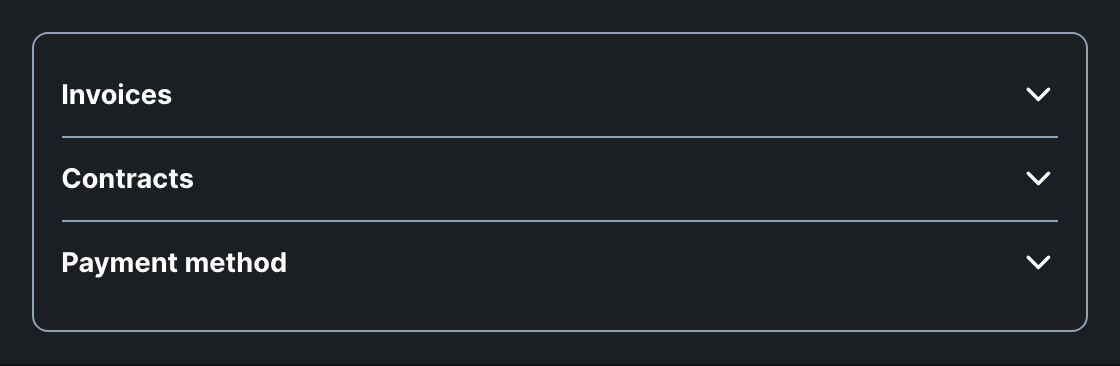
AccordionGroup renders its accordions as one block with separators, so the surrounding gap only applies around the group. Set allowsMultipleExpanded={false} to keep one accordion open at a time. expandedKeys, defaultExpandedKeys and onExpandedChange control it by the accordions' ids. (#3409)
Text headers
A Text header renders a plain toggle with a smaller chevron. A Heading header now renders an h3 by default and stays in the page outline.

Badges in the header
Badges now sit inside the header instead of breaking out of the toggle.

Find-in-page
Collapsed content is now searchable: the browser's find-in-page expands the accordion that holds a match.
Flow for Vue (beta)
@mittwald/flow-remote-vue-components lets you write an mStudio extension in Vue and still render real Flow components in mStudio. It is the Vue counterpart of @mittwald/flow-remote-react-components, including overlays and the List. The package is beta: build against it, but its API is exempt from Flow's breaking-change promise until the beta ends. See Installation. (#3179)
Props keep their Flow names and types. Events become Vue listeners, children become slots, and controllable props work with v-model:
<script setup lang="ts">
import { ref } from "vue";
import {
  Button,
  Heading,
  Section,
  Text,
} from "@mittwald/flow-remote-vue-components";

const backups = ref(3);
</script>

<template>
  <Section>
    <Heading>Backups</Heading>
    <Text>{{ backups }} backups available</Text>
    <Button color="secondary" @press="backups++">Create backup</Button>
  </Section>
</template>
Custom units in NumberField
The new unit prop shows units Intl.NumberFormat does not know, like MiB or GiB, right behind the number, exactly where formatOptions units appear. The label stays the plain field name, and the value stays a plain number. Screen readers get the unit as part of the field's name. (#3367)
<NumberField unit="MiB" defaultValue={512}>
  <Label>Memory</Label>
</NumberField>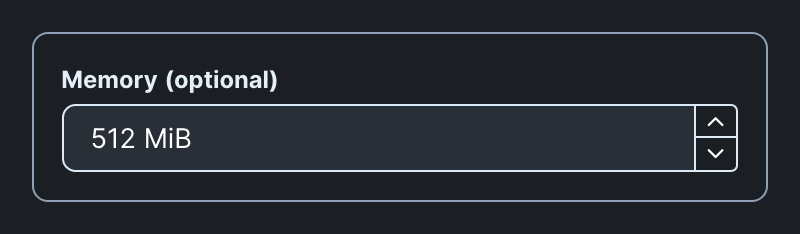
Disabled CodeEditor
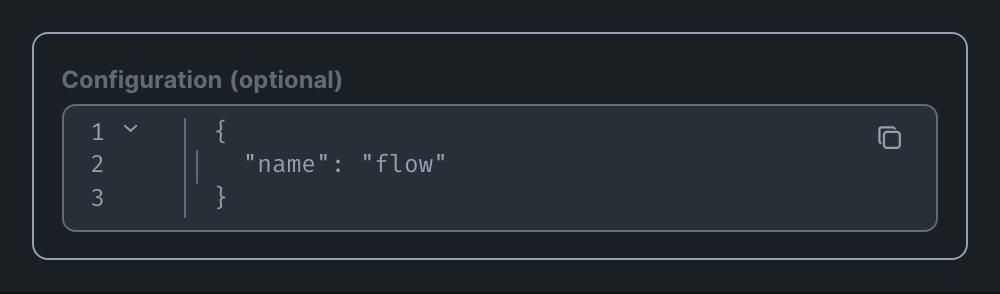
CodeEditor supports isDisabled. A disabled editor cannot be edited or focused, disables its copy button and drops syntax highlighting, so the code does not look editable. Use isReadOnly when the code must stay readable. Inside a react-hook-form Field, isDisabled now reaches the CodeEditor as well. (#3369, #3457)
Keyboard shortcuts in Combine
Combine now spaces Kbd next to Kbd and Kbd next to Text, so a shortcut legend like "↑ ↓ Select" needs no wrapper of its own. (#3381)

Smaller additions
CartesianChart.YAxistakeswidth(a number or"auto"). A category axis sizes itself to its longest label by default, so long names in a vertical bar chart no longer wrap. Number axes keep their 60px. (#3344)FormRootErroracceptschildrenthat replace the default alert. As a function, they receive the root error and can pick the content by itstype. (#3302)FlexgetspaddingBlockandpaddingInline. (#3329)