

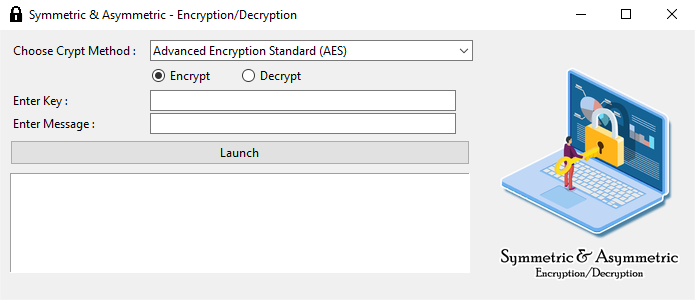
The GUI Tool for AES and RSA Encryption/Decryption is a user-friendly application that allows users to encrypt and decrypt data using the AES and RSA cryptographic algorithms. This markdown document provides a brief overview of the tool and instructions for downloading and running it.
To download and install the GUI Tool, follow these steps:
- Download the
main.pyfile, from this repo. - Save the
main.pyfile to your desired location on your computer.
To use the GUI Tool for AES and RSA Encryption/Decryption, follow these steps:
- Ensure you have Python installed on your computer.
- Run the
main.pyfile. - Select the encryption or decryption algorithm (AES or RSA) from the provided options.
- Choose encryption or decryption process.
- Enter the message (encrypted or normal).
- Enter key (if there).
- Click Launch.
- You will get the output in the text box (and the private/public keys if RSA).