The web panel
Served by the app itself at /. Native ES modules, no build step, no external
dependencies, strict CSP — all styling in css/styles.css, all logic in js/
modules.
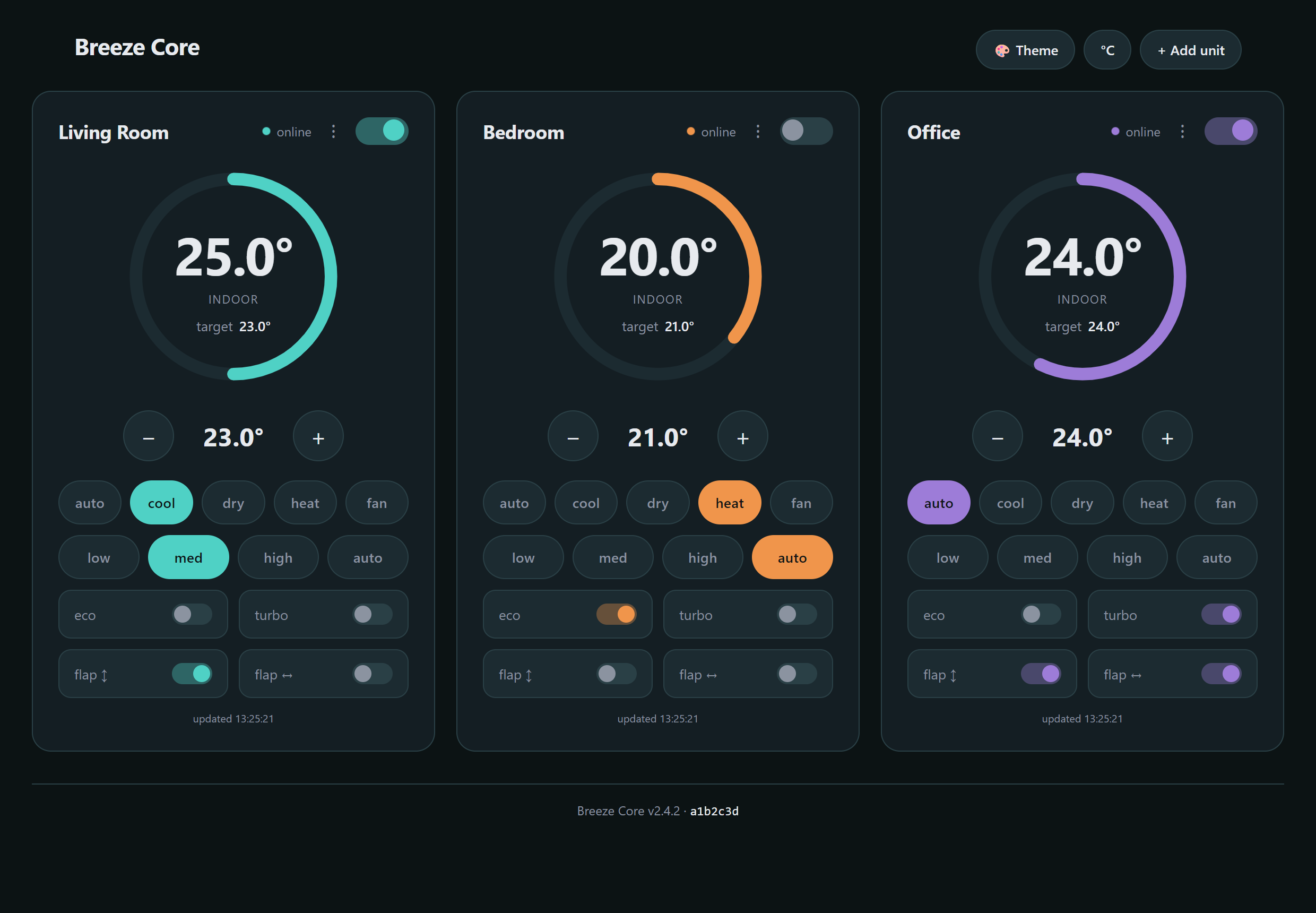
A live card per unit. Sample data.
- A card per unit — power, mode, setpoint, fan, swing, and the current indoor/outdoor readings.
- Live updates without polling. The panel holds a Server-Sent Events stream open, so a change made by a schedule, another browser, or the phone app appears here within seconds. Prior versions polled every five seconds; they no longer do.
- Optimistic controls. The UI moves the moment you touch it and reconciles when the unit answers, so the AC's own ~0.7 s response time stops feeling like lag.
- Unit management — add by scanning the network or by IP, rename, remove.
- °C / °F toggle, per browser.
- Six colour palettes (the 🎨 in the header), saved per browser.
- Programs — favourites, schedules and temperature curves. See Programs, schedules and curves.
- Beep — off by default. Turn it on if you want the unit to chirp when it accepts a command.
-
A Nerd panel — the whole deployment as the server sees it: OS, init system,
architecture, every dependency version, units, enrolled devices, scheduler
state, storage. The same data as
GET /api/system, and the same thing the Android app's Nerd screen shows. - A version footer — server version and build commit, so you can tell at a glance which build you are talking to.
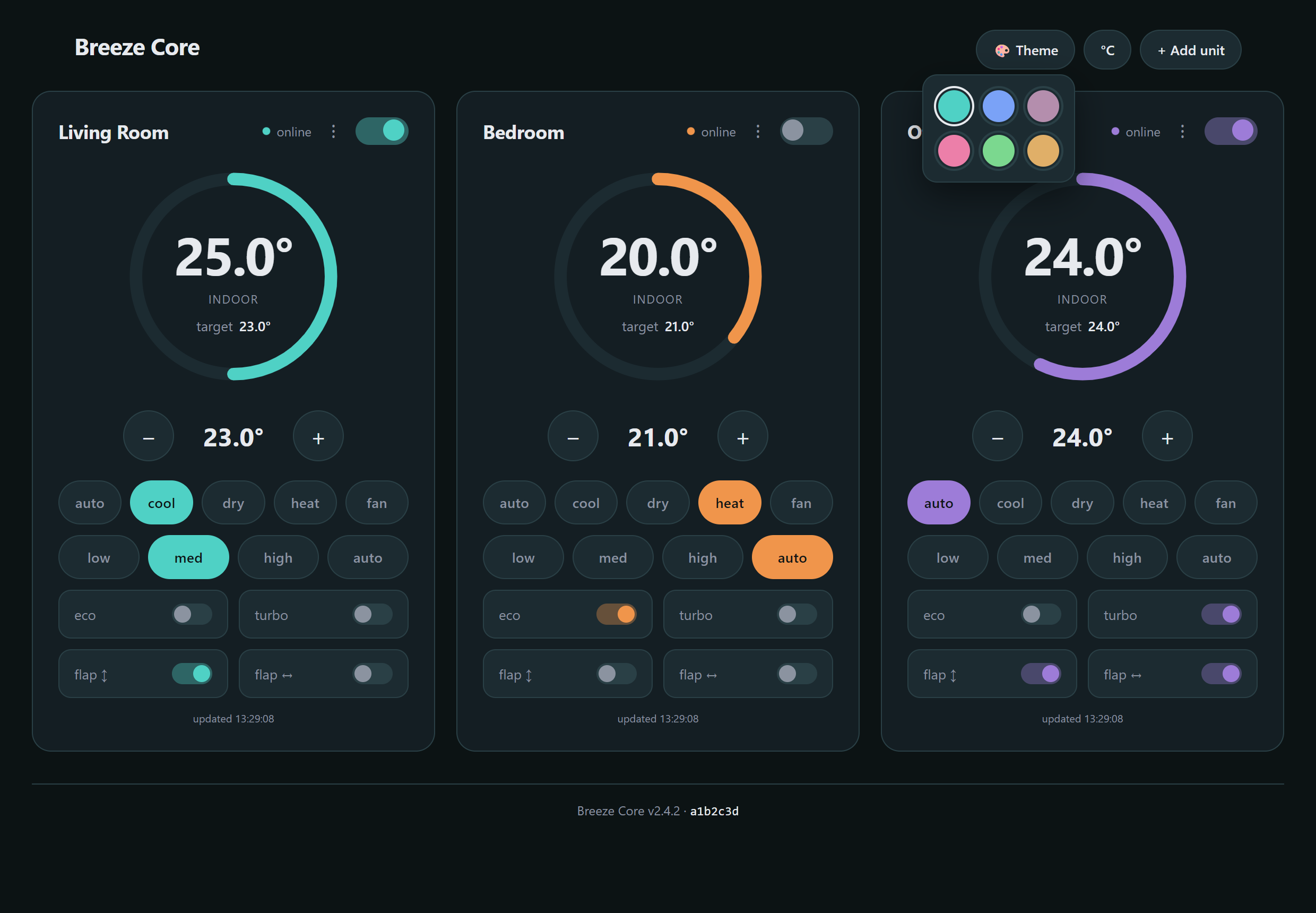
The palette picker. All data shown is a non-representative example.
Desktop puts the unit cards next to each other; phones stack them under each other. It is the same page — one layout that changes shape, not a separate mobile site.
On first load the panel asks for the API key and stores it in localStorage,
then runs the pairing flow: it shows a code, an admin approves it from the LAN,
and the browser receives its own credential. From then on every request carries
both. If the server ever answers 401, the panel clears the stored key and asks
again rather than silently failing.
That per-device credential is an Ed25519 key pair generated in the browser, whose private half is created non-extractable: WebCrypto signs with it and will not hand the bytes back to the page that made it. It lives in IndexedDB, and nothing secret crosses the wire in either direction — enrolment registers only the public key.
That is true from 3.2.0. In 3.1.0 and earlier the panel used
the legacy bearer token, which is why a server set to
AC_MIN_AUTH_VERSION=2 used to lock its own panel out. Browsers without Ed25519
still fall back to the bearer token. Details:
Authentication and pairing.
Anything current. The signed-auth path needs WebCrypto Ed25519, which is why the
package host serves a
one-page capability check
— open it on the device in question and it tells you what that browser can do.
A browser without it falls back to the legacy bearer credential, which still
works unless the server is set to AC_MIN_AUTH_VERSION=2.