Repository navigation
Home
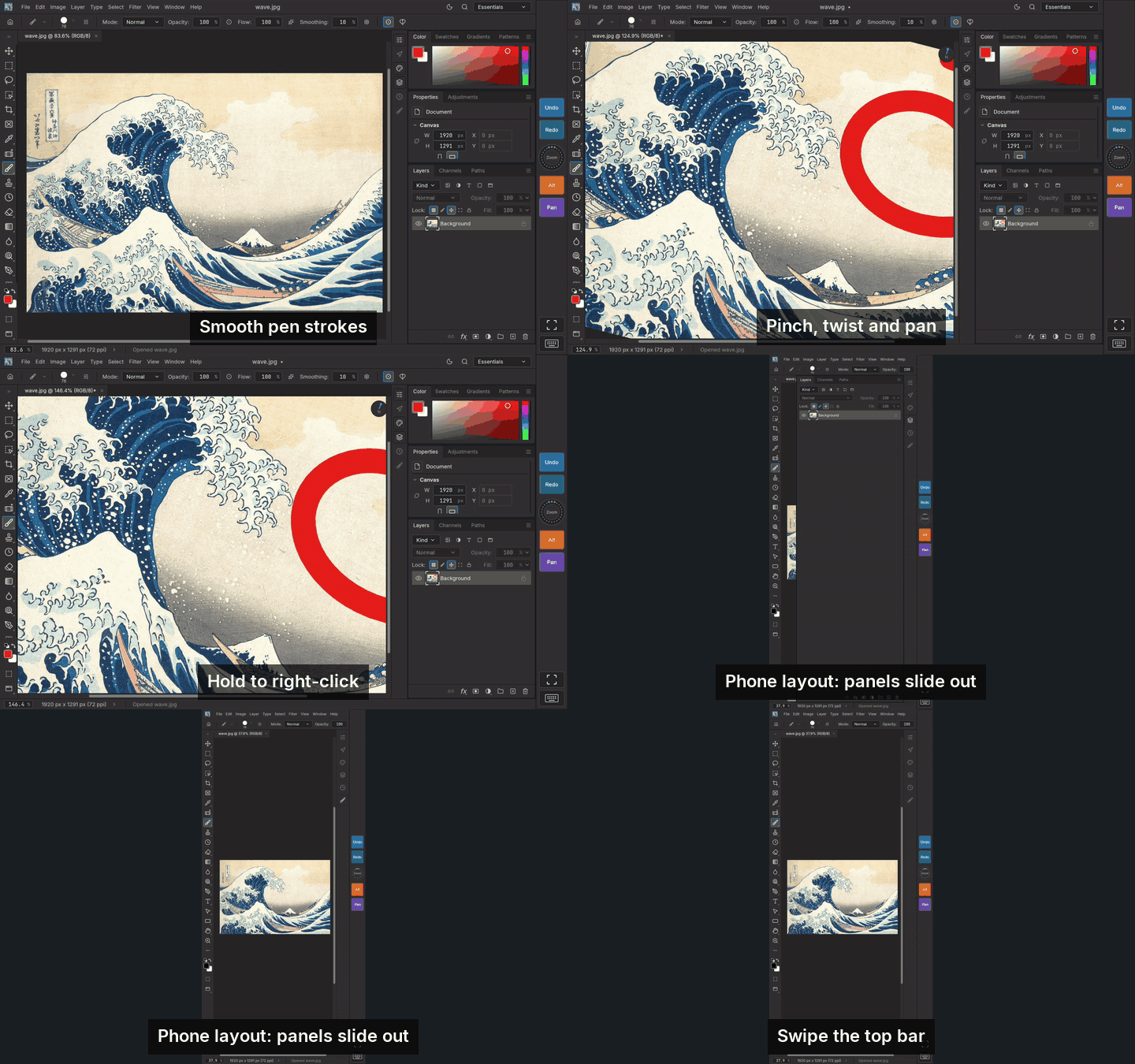
An unofficial community port of PhotoCraft, the open source desktop image editor, rebuilt for Android tablets and phones. It runs the full PhotoCraft engine and interface (layers, masks, adjustments, brushes, type, PSD files) and adds what a touch screen and a pen need.
- Installing and Updating: download the APK, install with Obtainium, and how the app updates itself.
| Feature | In short | Page |
|---|---|---|
| Shortcut Pad | Touch keys and a spin wheel on the screen edge, like a pen tablet's ExpressKeys | Shortcut Pad |
| Full screen | Three steps from the pad: keep the tool bars, canvas only, back | Full Screen |
| Touch input | Pinch, twist, pan, two- and three-finger taps, palm rejection, swipe scrolling | Touch Input |
| Trackpad cursor | Your finger moves an arrow like a laptop trackpad, so it never covers what you point at | Touch Input |
| Finger pressure | Experimental: press harder with a finger to paint heavier | Touch Input |
| Right-click | Hold a finger still, press a pen button, or use a mouse | Right-Click |
| Pen support | Pressure, tilt, eraser end, smooth curves, and settings for each pen button | Pen Support |
| Phone layout | Panels in an icon rail, dialogs that fit, a swipeable top bar | Phone Layout |
| Perspective ruler | 1-, 2- and 3-point perspective rulers that strokes snap to, like Clip Studio | Perspective Ruler |
| Keyboards | Hardware shortcuts and the on-screen keyboard | Keyboards |
| Files | Open, save, Open with and Share through Android's file picker | Files |
| Fonts | Your tablet's fonts, and importing your own | Fonts |
Something not working? See Troubleshooting or report a bug.
Most of what the port adds lives in a few places:
- Window › Shortcut Pad: show or hide the pad, choose its side, Shortcut Pad Settings…
- Window › Touch Input: what one finger does, the trackpad cursor, palm rejection, Touch Input Settings… (gestures, taps, trackpad speed, finger pressure, right-click and pen buttons)
- Window › Layout: Automatic, Phone or Tablet
- Type › Import Font…
- Edit › Preferences › Export Settings… / Import Settings…: save or load all your settings (Files)
- Help › Check for Updates… and Check for Updates at Startup
All of these are kept between launches.
- Android 8.0 or newer on a 64-bit ARM device (arm64-v8a), which covers nearly every tablet and phone from the last several years.
- A pen is optional. Wacom EMR (Samsung S Pen, Wacom Movink and others) and USI pens report pressure and tilt.
The port is a prototype signed with a debug key for sideloading; it is not on the Play Store. It is not made or supported by PhotoCraft's developers or ArtCraft.