Attach (recommended) or Link to PDF file here:
https://raw.githubusercontent.com/mozilla/pdf.js/ba2edeae/examples/learning/helloworld.pdf
Configuration:
- Web browser and its version: IE11
- Operating system and its version: Win10
- PDF.js version: 2.13.216
- Is a browser extension: no
Steps to reproduce the problem:
- rename the attached file as
index.html or copy the code at the bottom of this issue and save it as an HTML file
- open it in IE
- view the console
What is the expected behavior? (add screenshot)
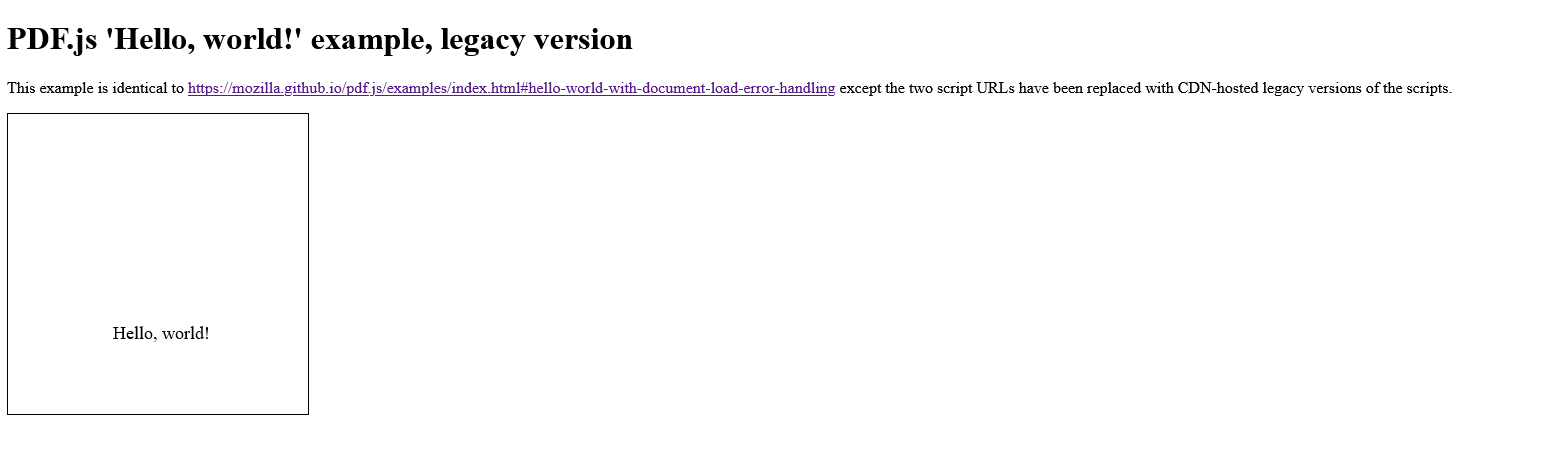
It should look like how it renders in any other browser. This screenshot is from Firefox:
What went wrong? (add screenshot)
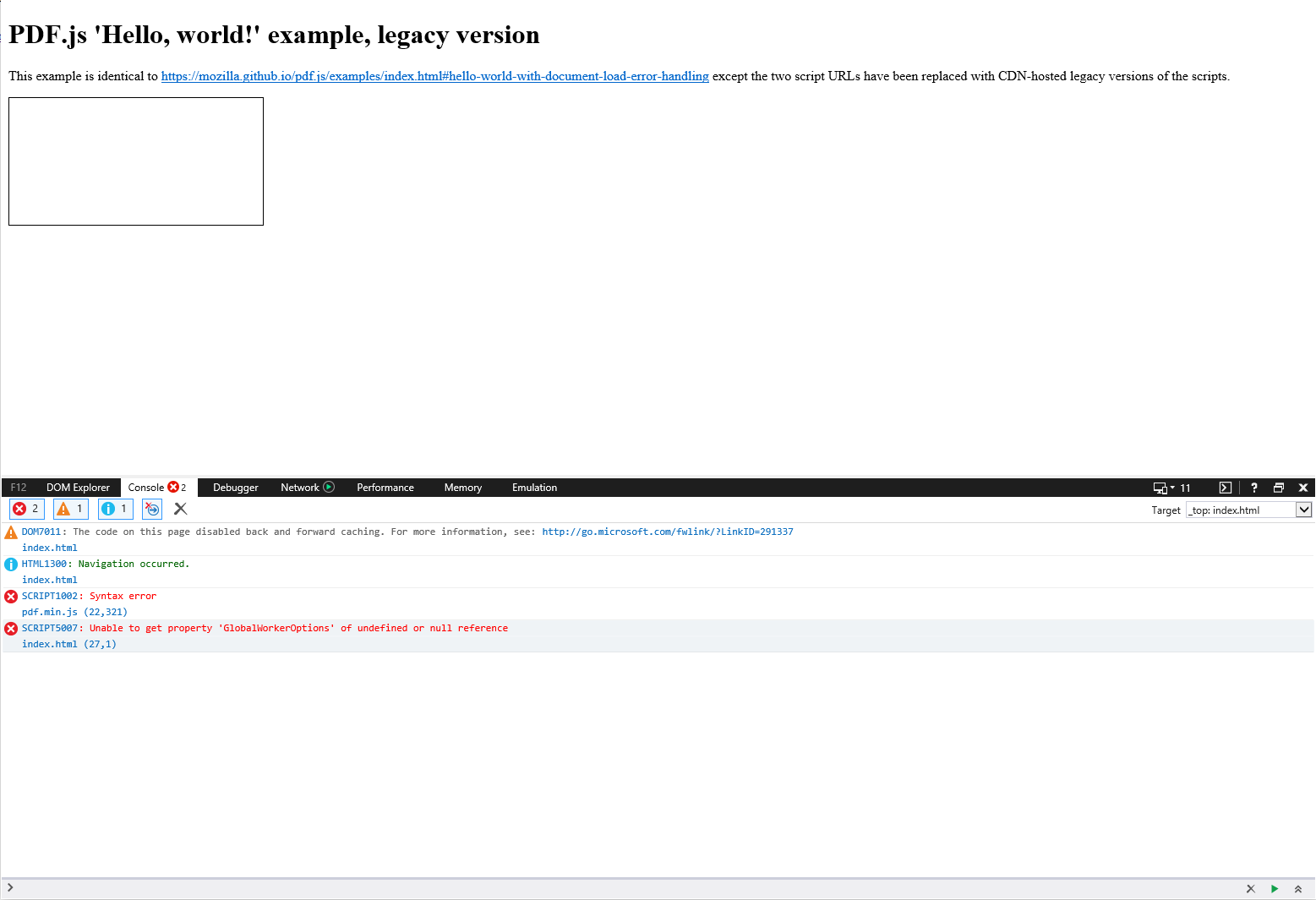
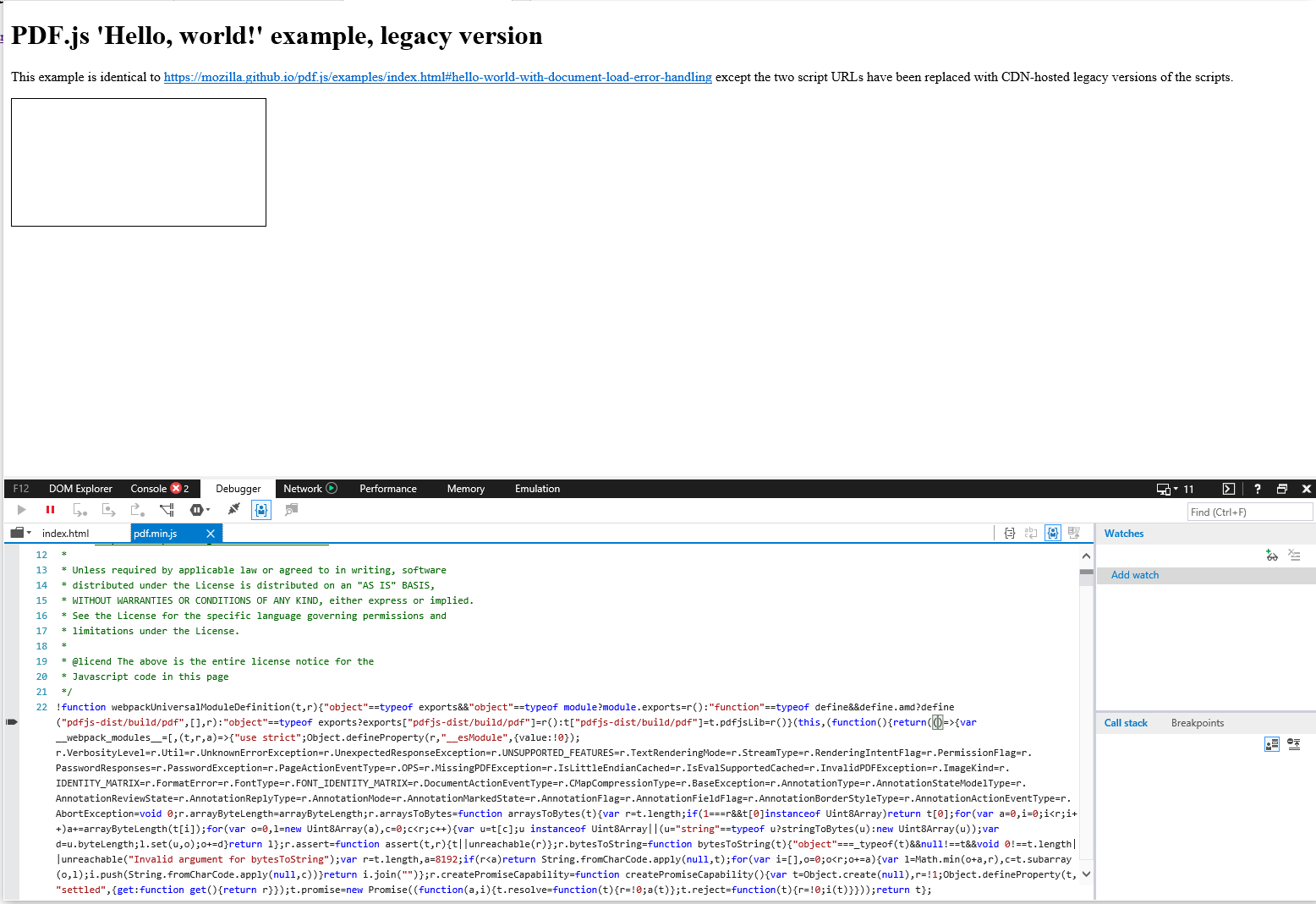
It won't render the PDF because the code hasn't been transpiled for IE and so IE can't parse it, regardless of whatever polyfills exist in the legacy version.
Link to a viewer (if hosted on a site other than mozilla.github.io/pdf.js or as Firefox/Chrome extension):
I've attached the file index.html.txt which is identical to https://mozilla.github.io/pdf.js/examples/index.html#hello-world-with-document-load-error-handling except the two script URLs have been changed to the latest CDN-hosted legacy version.
I've also pasted the file's contents here:
<!DOCTYPE html>
<html lang="en" >
<head>
<meta charset="UTF-8">
<title>PDF.js 'Hello, world!' example, legacy version</title>
<style>
#the-canvas {
border: 1px solid black;
direction: ltr;
}
</style>
</head>
<body>
<h1>PDF.js 'Hello, world!' example, legacy version</h1>
<p>This example is identical to <a href="https://mozilla.github.io/pdf.js/examples/index.html#hello-world-with-document-load-error-handling">https://mozilla.github.io/pdf.js/examples/index.html#hello-world-with-document-load-error-handling</a> except the two script URLs have been replaced with CDN-hosted legacy versions of the scripts.</p>
<canvas id="the-canvas"></canvas>
<script src="https://cdn.jsdelivr.net/npm/pdfjs-dist@2.13.216/legacy/build/pdf.min.js"></script>
<script>
// If absolute URL from the remote server is provided, configure the CORS
// header on that server.
var url = 'https://raw.githubusercontent.com/mozilla/pdf.js/ba2edeae/examples/learning/helloworld.pdf';
// Loaded via <script> tag, create shortcut to access PDF.js exports.
var pdfjsLib = window['pdfjs-dist/build/pdf'];
// The workerSrc property shall be specified.
pdfjsLib.GlobalWorkerOptions.workerSrc = 'https://cdn.jsdelivr.net/npm/pdfjs-dist@2.13.216/legacy/build/pdf.worker.min.js';
// Asynchronous download of PDF
var loadingTask = pdfjsLib.getDocument(url);
loadingTask.promise.then(function(pdf) {
console.log('PDF loaded');
// Fetch the first page
var pageNumber = 1;
pdf.getPage(pageNumber).then(function(page) {
console.log('Page loaded');
var scale = 1.5;
var viewport = page.getViewport({scale: scale});
// Prepare canvas using PDF page dimensions
var canvas = document.getElementById('the-canvas');
var context = canvas.getContext('2d');
canvas.height = viewport.height;
canvas.width = viewport.width;
// Render PDF page into canvas context
var renderContext = {
canvasContext: context,
viewport: viewport
};
var renderTask = page.render(renderContext);
renderTask.promise.then(function () {
console.log('Page rendered');
});
});
}, function (reason) {
// PDF loading error
console.error(reason);
});
</script>
</body>
</html>
Attach (recommended) or Link to PDF file here:
https://raw.githubusercontent.com/mozilla/pdf.js/ba2edeae/examples/learning/helloworld.pdf
Configuration:
- Web browser and its version: IE11
- Operating system and its version: Win10
- PDF.js version: 2.13.216
- Is a browser extension: no
Steps to reproduce the problem:
index.htmlor copy the code at the bottom of this issue and save it as an HTML fileWhat is the expected behavior? (add screenshot)

It should look like how it renders in any other browser. This screenshot is from Firefox:
What went wrong? (add screenshot)
It won't render the PDF because the code hasn't been transpiled for IE and so IE can't parse it, regardless of whatever polyfills exist in the legacy version.
Link to a viewer (if hosted on a site other than mozilla.github.io/pdf.js or as Firefox/Chrome extension):
I've attached the file index.html.txt which is identical to https://mozilla.github.io/pdf.js/examples/index.html#hello-world-with-document-load-error-handling except the two script URLs have been changed to the latest CDN-hosted legacy version.
I've also pasted the file's contents here: