


A terminal UI for managing Homebrew packages, built with Bubble Tea.
brew list dumps everything: your packages, their dependencies, transitive dependencies, all tangled together. There's no built-in way to see what you actually installed.
I knew the alternatives. Nix exists. There's even a Homebrew rewrite in Rust (zerobrew). I tried them, forgot about them, and went back to brew.
So I built this: show only user-installed packages, nothing else. I was also learning Go and needed a real project, not another todo app.
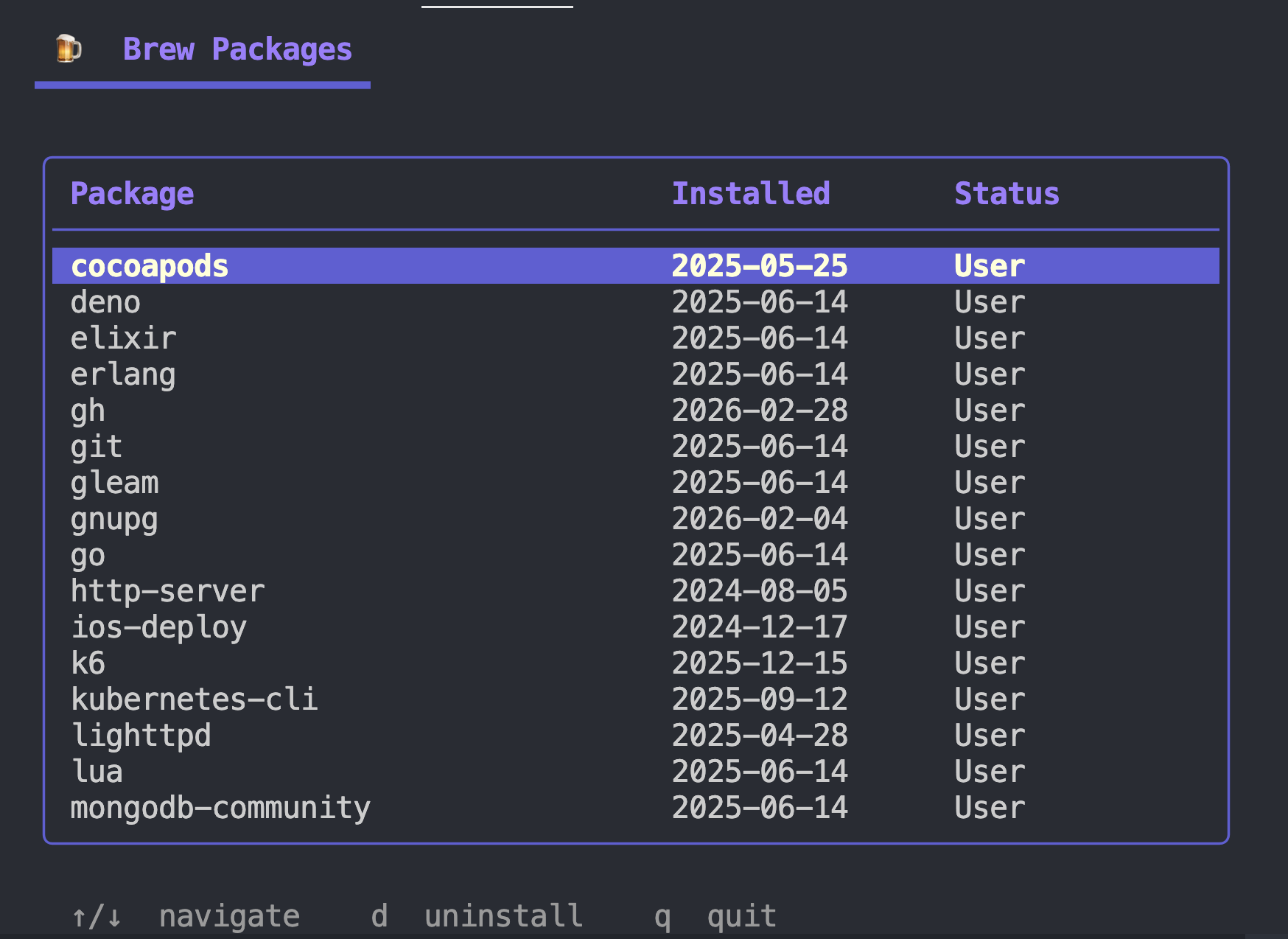
Full-screen TUI with a rounded table border and styled header and footer. Lists your user-installed Homebrew formulae with install dates. Uninstall runs async with a live spinner; the row turns red in place, no view flicker.
If brew isn't available, it tells you cleanly instead of dumping a stack trace on you.
| Library | Purpose |
|---|---|
| Bubble Tea | TUI framework (Elm architecture) |
| Bubbles | Table and spinner components |
| Lip Gloss | Styles and layout |
go mod tidy
go run .go build -o brew-potato .
./brew-potatobrew-ui/
├── main.go # entry point
├── internal/
│ ├── brew/
│ │ └── brew.go # brew CLI wrapper & data types
│ └── ui/
│ ├── model.go # Bubble Tea model, Init, Update
│ ├── view.go # View rendering
│ └── styles.go # lipgloss styles & table theme
├── go.mod
└── go.sum
GoReleaser can publish brew-potato as an actual Homebrew formula so anyone can install it with brew install. It handles cross-compilation, GitHub release assets, and writing the formula to a tap repo automatically.
| Key | Action |
|---|---|
↑ / ↓ |
Navigate packages |
d |
Uninstall selected |
? |
Show credits |
q |
Quit |
Do what every you want with it.