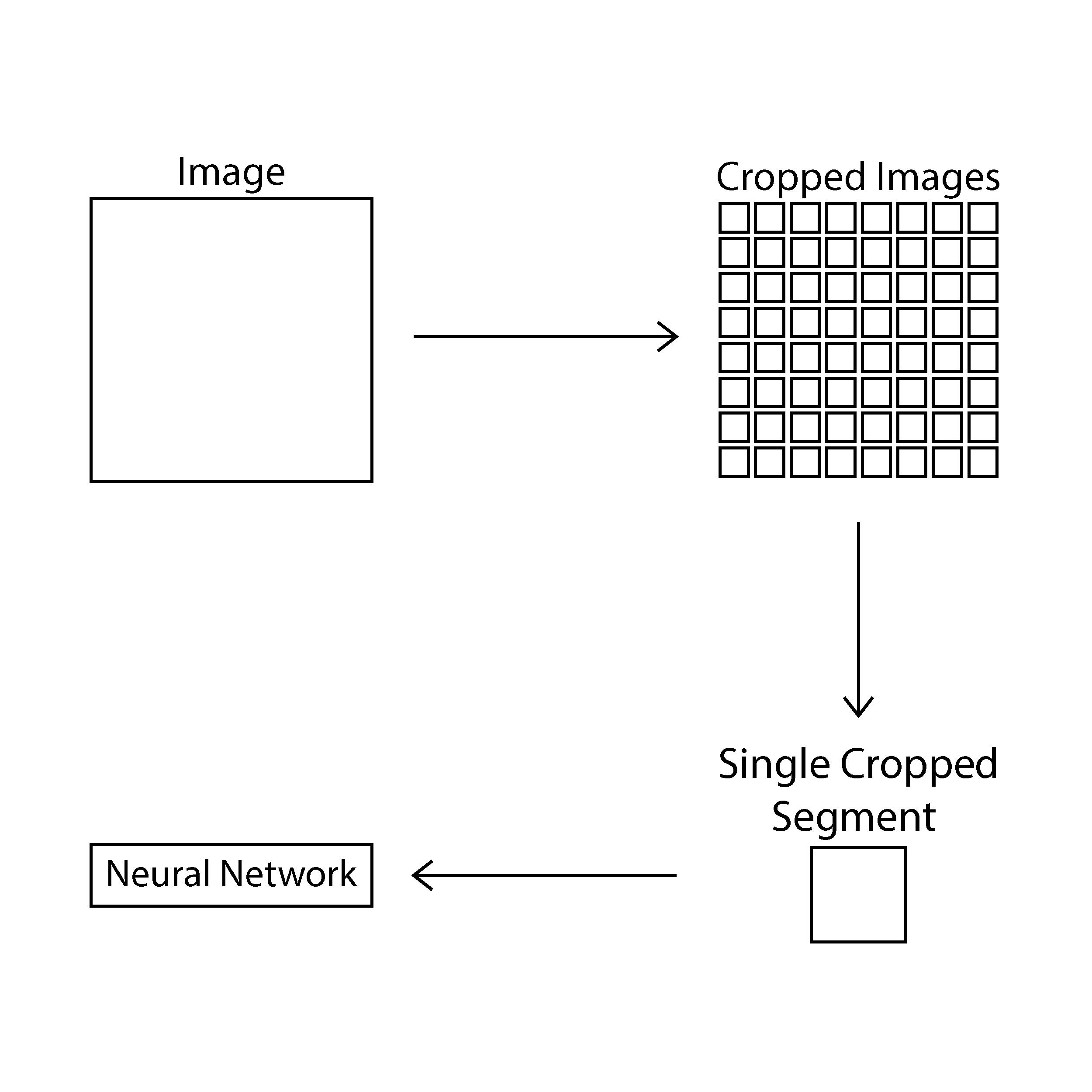
Image Processing
This piece of code serves as a part of the image pipleine used to prepare images for machine learning. The different functions of this script carry out varying image manipulation tasks in order to generate images with sufficient granularity. The use case of this code is specifically catering to the image processing of cancer biopsy images.
The problem at hand for us was to build a pipeline that randomly selects an image from a repository and randomly samples a defined number of sub-images from it. Here, we have defined our level of granularity at 580*580px in order to retain sufficient detail in the images. This value will wary depending on the stage of the study at which we are at as well as the type of image being used.
- imagecodecs
- tifffile
- cv2 (openCV)
- re
- os
- random
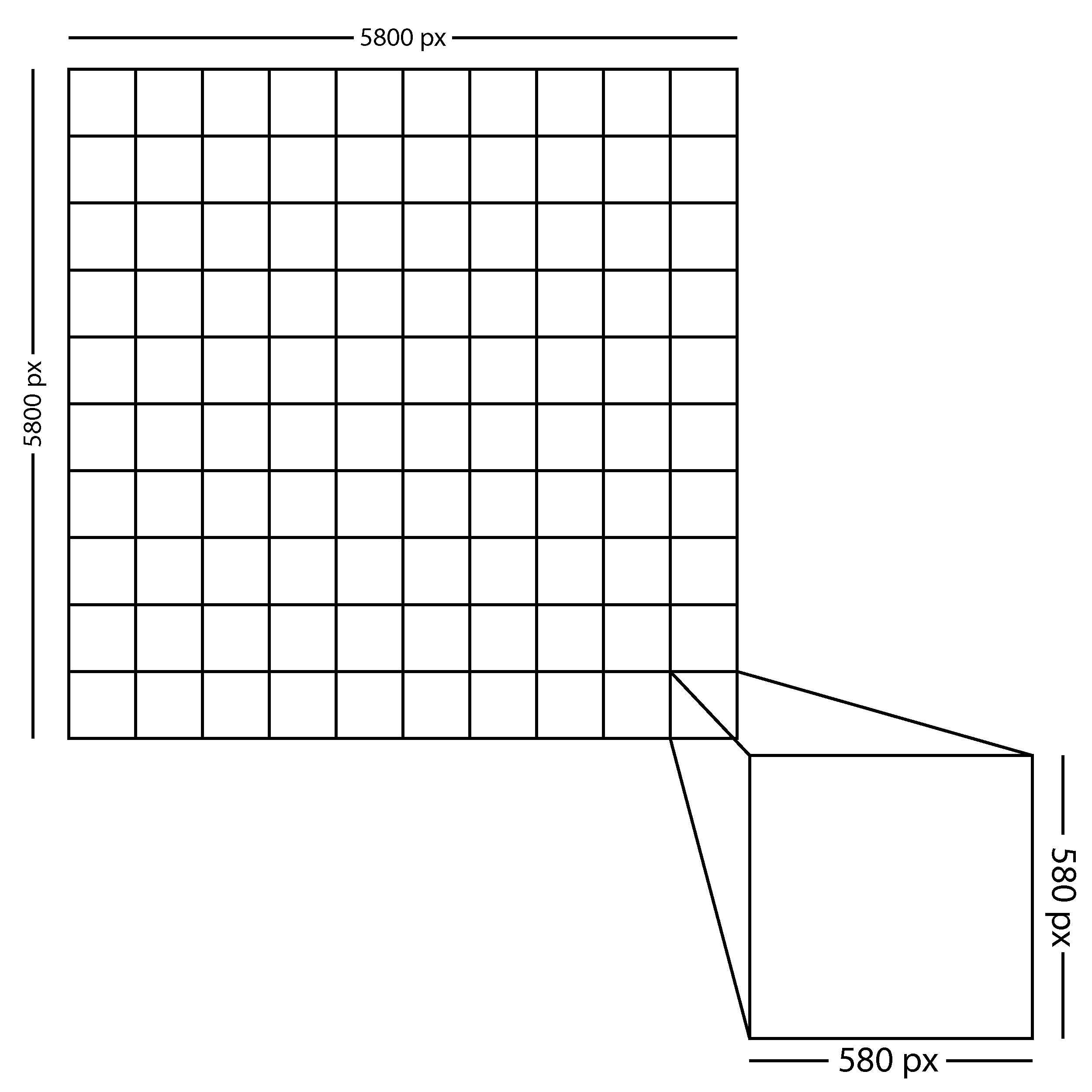
This function takes a path and a size. Upon opening the image at the defined path, it splits the entire image length and breath wise into successive components. The image below illustrates the number of splits:
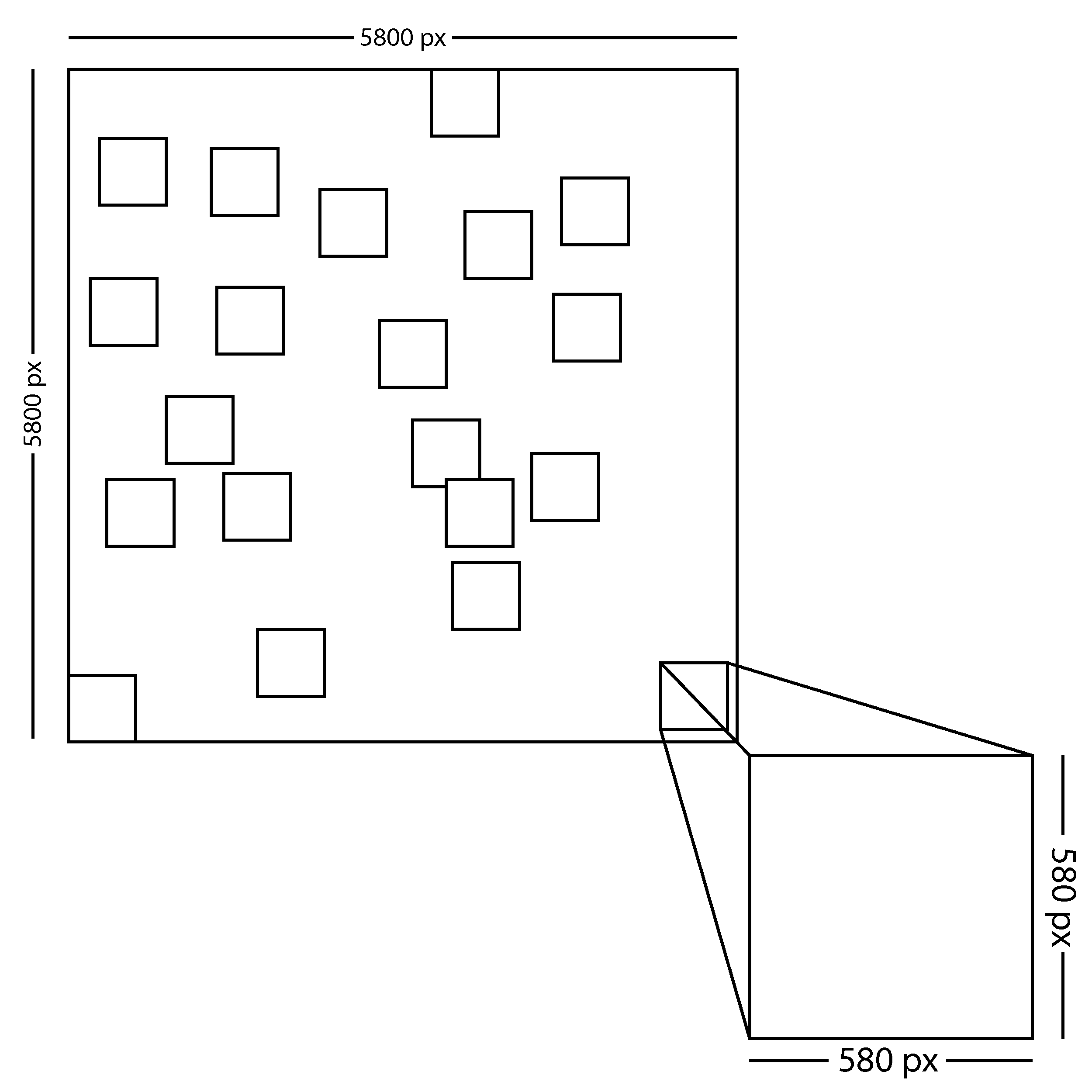
This function is responsible to pick randomised chunks of a given image. The path of the image is fed in through the function signature and is opened using tifffile's imread function. Using a simple for loop we then cut out randomised size*size sections of the image. We achieve randomization, or pseudo-randomization by using the randint function in the random package to generate random top-left coordinates for the chosen image. It then writes the generated with a custom name to a selected directory.
This function is designed to chose a random file from given repository. It uses the OS package to access the repository and save the name of a random (pseudo-random) file. It then returns a tuple with a path to this file as well as the file name itself.
For the purposes of modularity, this function is designed to call the randpath n times and at each iteration call randcrop on the given filepath.
For this project, we are dealing with only .tif images. Keeping this in mind, it was necessary for us to be able to find the tif images from our entire directory with images spanning across multiple directories. THis function walks from the root our any given directory and checks if every single file is a .tif and generates a path if-and-only-if the given file is a tif. The path can further be passed on to randcrop(), imgcrop(), or any other function.
Our project, at certain instances required the used of specific images, such as those of a slined stained with HnE, Vimentin, etc. This function takes a walk through the entire directory, from the root and checks if every single file is a .tif and contains the key as mentioend by the user. The function generates a path if-and-only-if the given file is a tif and the key is a substring of the filename. The path can further be passed on to randcrop(), imgcrop(), or any other function.
This function implements one of the random cropping approaches we thought about. During discussions about the aspects of our patch generation code we understood that while a certain amount of overlap is important within our sample of patches, it is also important for us to ensure that we have a series of code that has the capability to have non-overlapping cropped segments. This was achieved using the aforementioned function. This given function does precisely this where it divides a given WSI into 100 quadrants before randomly sampling a patch of a given size from a given quadrant.
These functions are designed to serve as a part of the image processing pipeline where we first run visit on n images. This will generate approximately n*500 cropped images. These images will then be fed into our desired model.