Releases: mriscoc/Sparrow-Extended-UI-for-RIGOL-DHO800_DHO900
DHOTools: Advanced Utility Suite for RIGOL DHO800/900 Oscilloscopes

DHOTools is an application designed to expand the capabilities of RIGOL oscilloscopes of the DHO800 and DHO900 series. It allows you to perform advanced analyses, such as FFT averaging, long-term data logging, and arbitrary zoom of a signal, from a PC with Windows or Linux, directly on the oscilloscope or from your mobile device (cell phone or tablet) via a network connection.
DHOTools.mp4


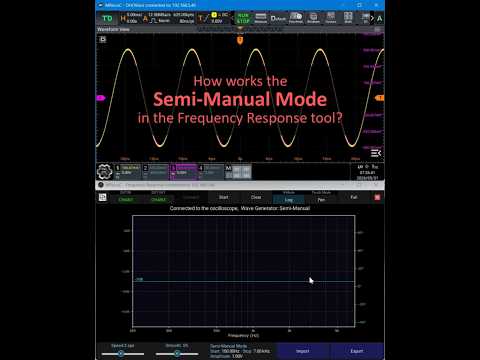
More info at the discussion page: #1
Note
This version only works if you have previously installed the Sparrow Extended UI 0.8.7+ update.
Connecting a DGE20XX to a DHO800/900 series Rigol oscilloscopes
Note
Due to poor performance and limited usability on Android versions, it is advisable to run the frequency response page of the DHOTools remotely on a PC.
The firmware built for the DHO devices does not include the correct library to enable a DGE20XX device to connect via USB. Therefore, a library has been compiled for this platform and needs to be installed in a system folder.
Decompress the library from the ZIP file:
Install this library in the DHO by using ADB:
  adb root
  adb remount
  adb push libusb-1.0.so /system/lib64/
  adb shell chmod 644 /system/lib64/libusb-1.0.so
Connect the DGE20XX to the USB port and reboot the DHO. Once the device has rebooted, change the permissions:
adb shell su -c "chmod 666 /dev/bus/usb/*/*"To avoid changing the permissions with each reboot, add the 'chmod' command to the startup script at '/Rigol/shell/start_rigol_app.sh'. Then install the DHOTools APK. The first launch will abort due to the time it takes for the application to decompress.
Donations
Thank you for your support, I receive donations through Patreon and Paypal

DHO Visor
Network visor for the Rigol's oscilloscopes DHO series.
Includes faster execution, scaling, full-screen and automatic reconnection.
Usage:
.\DHOvisor.exe --host 192.168.1.105
This visor only play the video stream provided by the Rigol WebControl, which can only serve one client at a time. Therefore, it is not possible to launch more than one client at a time (this includes the web browser client). Unfortunately, the stream quality is fixed in the original Rigol Webcontrol APK.
Version 1.5 changelog
- Remembers the window maximize state, size and position
- Remembers the last IP with successful connection
- Decoding optimisation
- Removed splash screen
In version 1.4, a splash screen is shown when the application connects to the device.

If the DHO device reboots or disconnects, a hidden secondary screen may sometimes be shown in the DHOVisor. Simply right-click on the client area of the DHOVisor to force a reconnect.

Donations
Thank you for your support, I receive donations through Patreon and Paypal
Disclaimer
THIS SOFTWARE AND ALL OTHER FILES IN THE DOWNLOAD ARE PROVIDED WITH NO WARRANTY OR GUARANTEE. SUPPORT IS NOT INCLUDED JUST BECAUSE YOU DOWNLOADED IT. WE ARE NOT LIABLE FOR ANY DAMAGE TO YOUR EQUIPMENT, PERSON, OR ANY OTHER PROPERTY DUE TO THE USE OF THIS SOFTWARE. IF YOU DO NOT AGREE TO THESE TERMS THEN DO NOT USE IT.
Sparrow Extended UI
Note
The versions released on this page do not have new features such as the full-screen option. These are test versions, provided so you can check whether you can change the default application before attempting to install the modified version.
Please use it only if you know that you are doing.
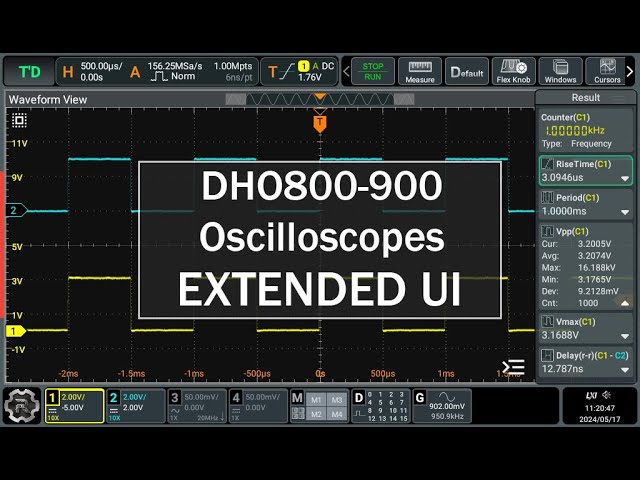
Get the latest version here: https://www.patreon.com/mriscoc/posts/141608043
Screeshot of version 0.7.1:

Warning
Be sure that you download the proper apk compatible with your firmware version 00.01.02, 00.01.03 or 00.01.04
Donations
Thank you for your support, I receive donations through Patreon and Paypal
Disclaimer
THIS SOFTWARE AND ALL OTHER FILES IN THE DOWNLOAD ARE PROVIDED WITH NO WARRANTY OR GUARANTEE. SUPPORT IS NOT INCLUDED JUST BECAUSE YOU DOWNLOADED IT. WE ARE NOT LIABLE FOR ANY DAMAGE TO YOUR EQUIPMENT, PERSON, OR ANY OTHER PROPERTY DUE TO THE USE OF THIS SOFTWARE. IF YOU DO NOT AGREE TO THESE TERMS THEN DO NOT USE IT.
Sparrow Extended UI
Note
The versions released on this page do not have new features such as the full-screen option. These are test versions, provided so you can check whether you can change the default application before attempting to install the modified version.
Please use it only if you know that you are doing.
Telegram DHO800/900 channel: https://t.me/S2084K/2
Warning
Be sure that you download the proper apk compatible with your firmware version.
Note
The installation instructions can be found here: #4.
Known issues:
- Without privileged system access the application can't take screenshots.
Donations
Thank you for your support, I receive donations through Patreon and Paypal
Disclaimer
THIS SOFTWARE AND ALL OTHER FILES IN THE DOWNLOAD ARE PROVIDED WITH NO WARRANTY OR GUARANTEE. SUPPORT IS NOT INCLUDED JUST BECAUSE YOU DOWNLOADED IT. WE ARE NOT LIABLE FOR ANY DAMAGE TO YOUR EQUIPMENT, PERSON, OR ANY OTHER PROPERTY DUE TO THE USE OF THIS SOFTWARE. IF YOU DO NOT AGREE TO THESE TERMS THEN DO NOT USE IT.
FFTAvg utility preview 0.3.3
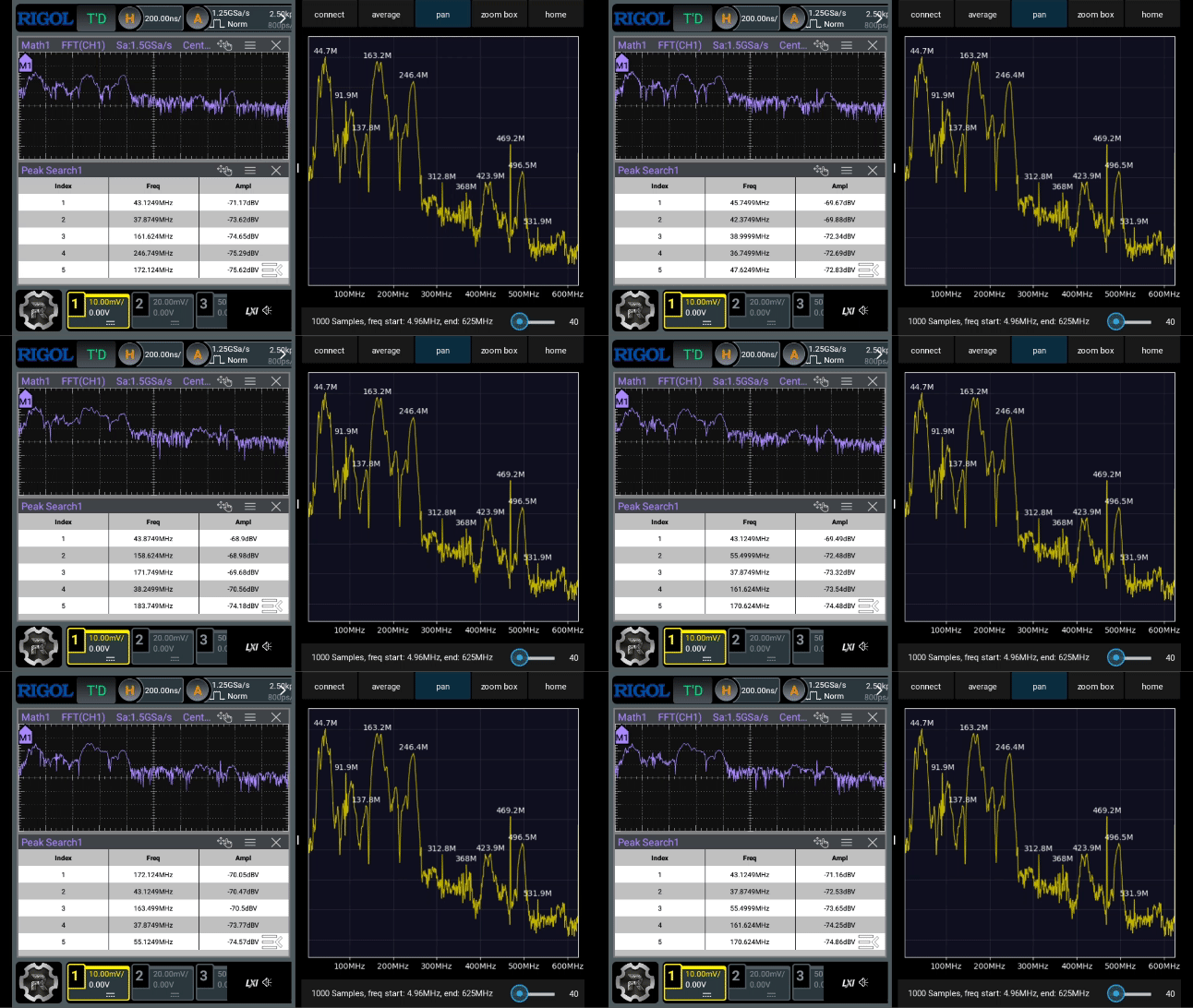
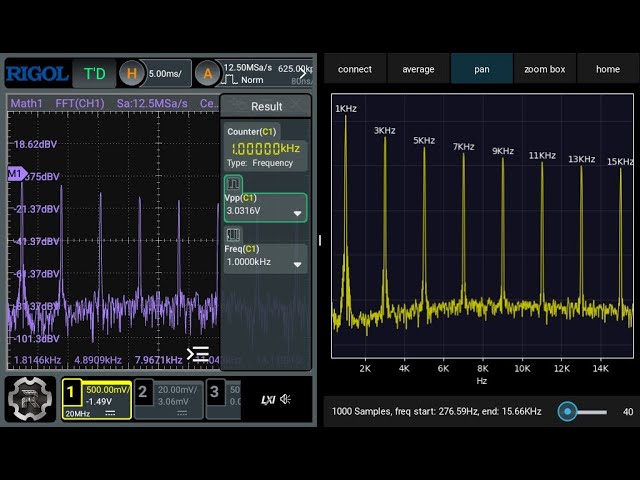
This special release includes the installable APK for the FFTAvg utility which allows to get a better FFT plot with configurable frame average and peak detection.
Important
Start the utility when the Math1:FFT is open in the oscilloscope application.
What's new in 0.3.3
Added "x log" button which allows toggle the X axis between linear and logarithmic scale
Added Y value to the peak annotation
How to install
Connect the Oscilloscope to the network and check its current IP. Copy the apk file to android-sdk\platform-tools on your PC, then execute this command inside of the platform-tools folder:
> adb connect [oscilloscope IP]:55555
connected to [oscilloscope IP]:55555
Uninstall previous version:
> adb uninstall org.mriscoc.fftavgInstall the utility using:
> adb install FFT.Avg_0.3.3.apk
Performing Streamed Install
Success
Start the application from the launcher or by using adb:
> adb shell monkey -p org.mriscoc.fftavg -c android.intent.category.LAUNCHER 1
Events injected: 1
## Network stats: elapsed time=36ms (0ms mobile, 0ms wifi, 36ms not connected)
Donations
Thank you for your support, I receive donations through Patreon and Paypal
FFTAvg utility preview 0.3.2
This is not the latest version, to get the updated version go here: https://github.com/mriscoc/RIGOL_DHO800_DHO900_GUI/releases/tag/FFTAVG0.3.3
First release
Donations
Thank you for your support, I receive donations through Patreon and Paypal