Eclipse IDE

Download the JDK, then install it


-
echo %JAVA_HOME%
-
java -version
-
javac -version
-
Eclipse - (Download Type for Windows OS 64 bits)
- Extract the downloaded
.zipfile, then open eclipse as below screenshot
- Clone this repository or download it, so you can start hands-on lessons
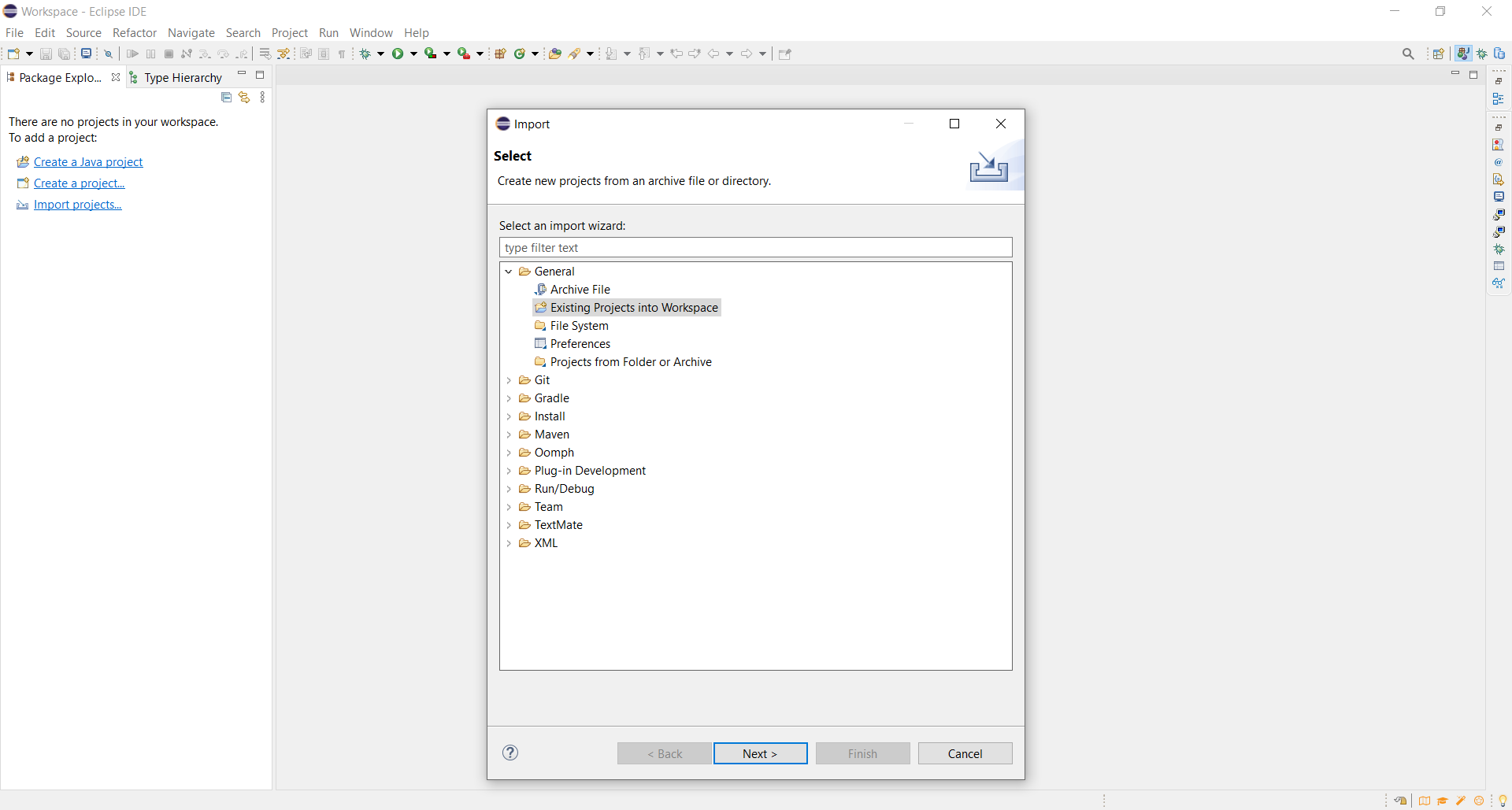
-
Import Projects=>General>Exciting Projects into Workspace=> Then select downloaded project's folder to be opened later in this IDE =>Finish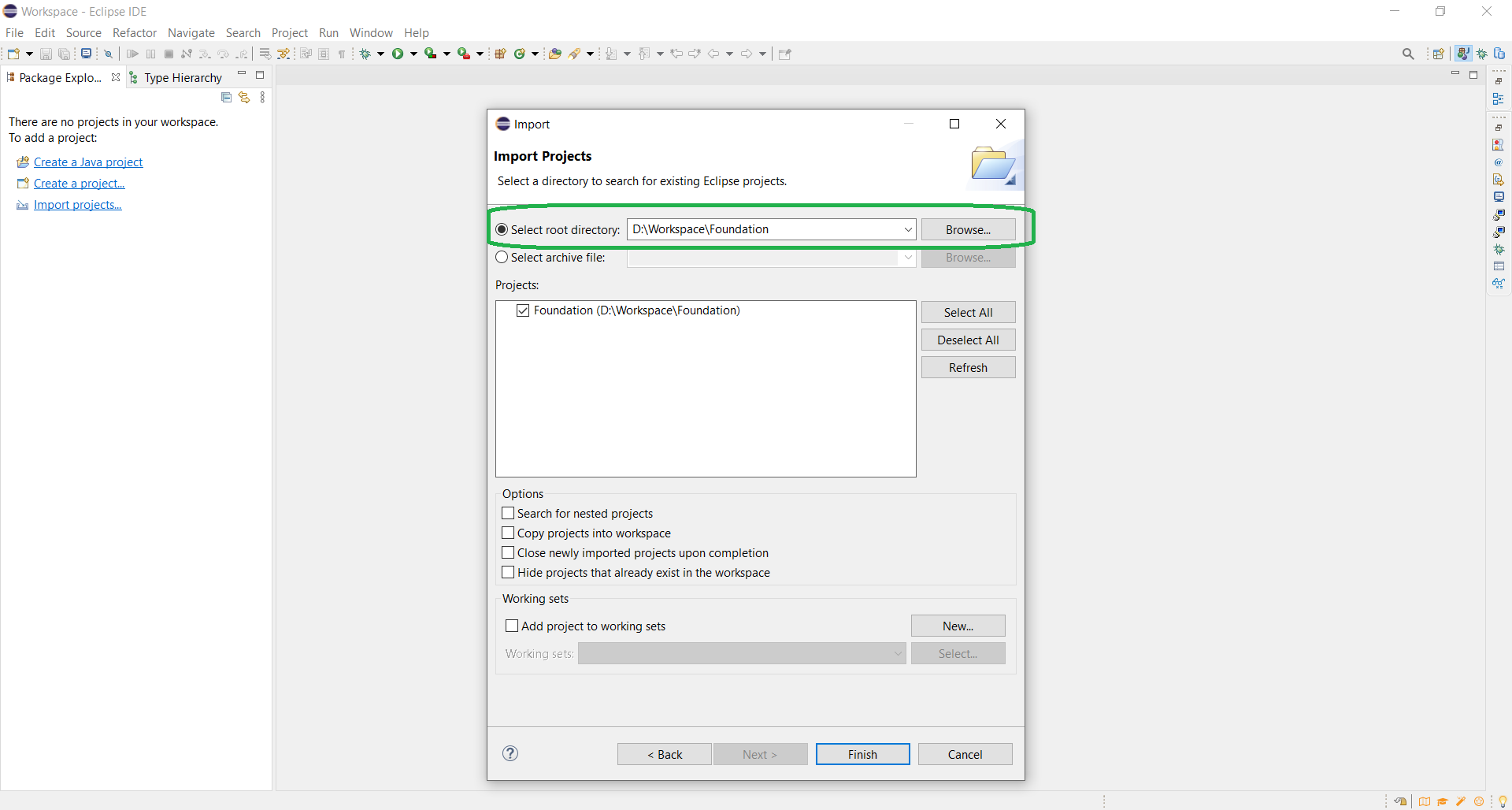
- Extract the downloaded