v1.5.0

Note
Documentation-site release. The participant packages are identical to v1.4.0 — there is no need to redistribute the zips.
Highlights
The docs site now loads zero external resources at runtime, the right-hand table of contents gains a reading-position indicator, and the Mac/Windows code tabs and home page get visual polish and fixes.
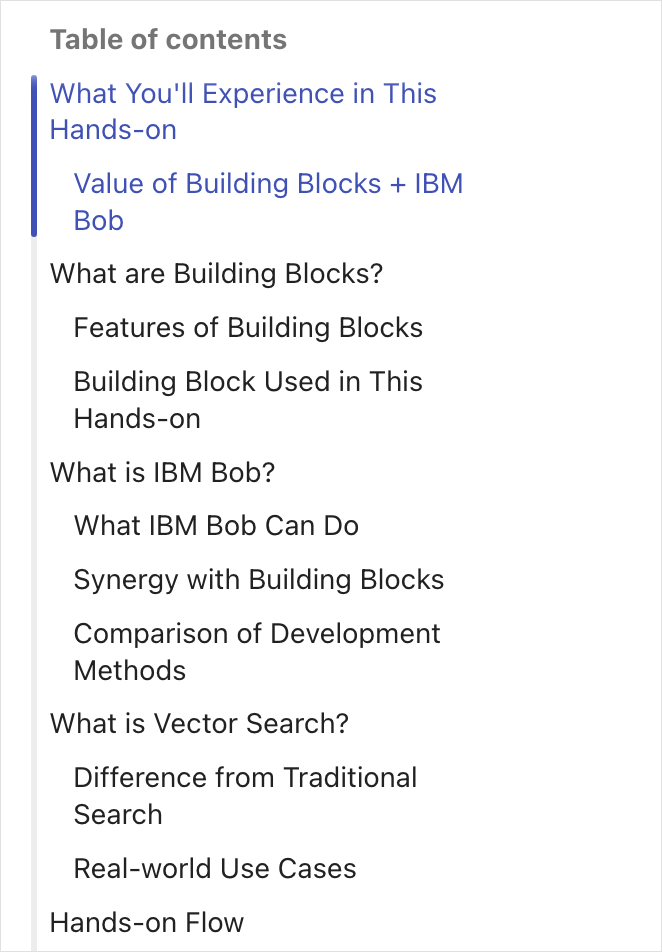
Table-of-contents reading indicator
A vertical rail on the right-hand TOC highlights every section currently on screen — at all heading levels — and tints those entries to match the bar, auto-scrolling to keep them in view. Headings nested inside an admonition are treated as aside content: they are kept out of the TOC, and the enclosing section stays highlighted while you read them.
Content tabs and home page
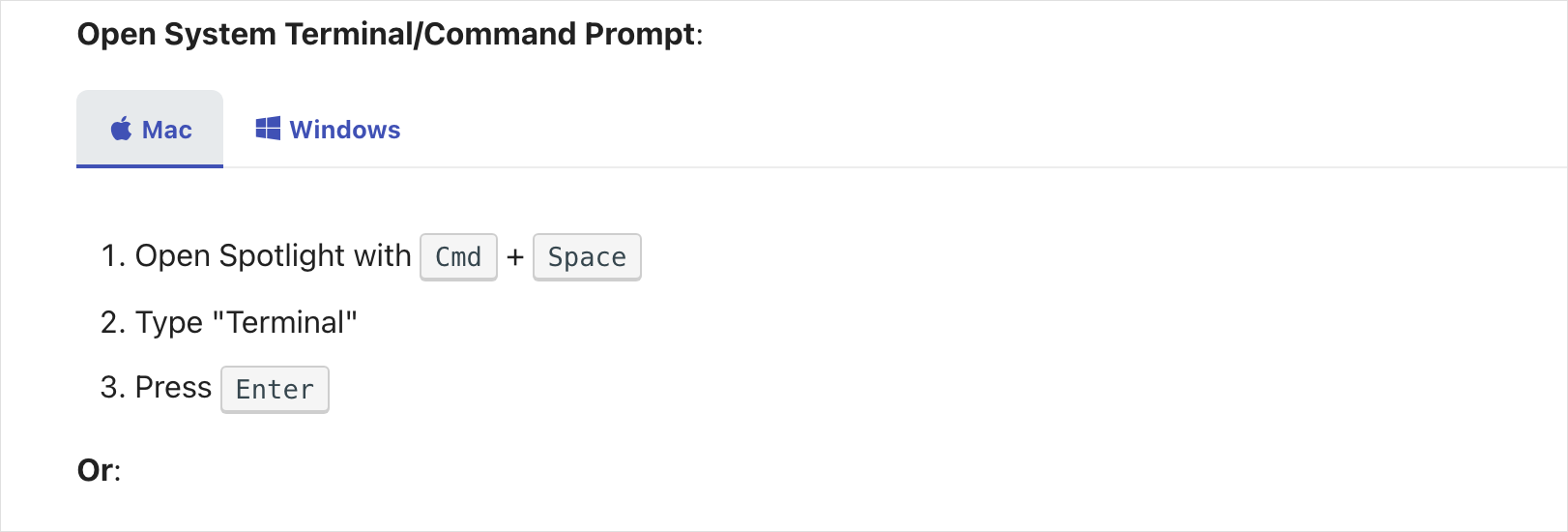
- Mac/Windows code tabs now mark the active tab with a background highlight instead of an underline that collided with the scrollbar; hovering an inactive tab slides in an underline aligned to the strip separator.
- Home page: the "Step-by-step learning path" entry was rendering outside its admonition box — fixed; the lone "Vector Search Builder mode" entry no longer carries a needless "1." (EN/JA).
- Part 2: shortened the re-insert confirmation note (EN/JA).
Fully offline docs site
No runtime external dependencies. Heading section icons are now embedded SVG masks (not an icon font), the Mermaid runtime for the Part 1 diagrams is vendored locally (10.9.6, MIT), and web fonts are disabled in favor of system fonts — the site renders fully on air-gapped or locked-down networks with no CDN fetches.
See it live: https://mukoubuchi.github.io/vector-search-hands-on/
Full Changelog: v1.4.0...v1.5.0