Repository navigation
Releases: mygeeky/myGeeKy
Release list
0.21.4: calls for contributors, a new Signals planet, and a Linux crash fixed

Find friends · collaborate · away from noise.
🙋 Calls for contributors
Invite people whose skills fit to help with one of your repos, from the computer or the phone.
- Post a call: pick one of your own public repos, the skills you need (filled in from its topics), a sentence or two, a level, the time it takes, and how long it stays open (30, 60 or 90 days). It goes into the beacon you already have, so there's no new repo and no new token.
- Nobody is targeted. Each user's own myGeeKy scores your call against their work, on their own device. Calls that fit show under "Projects calling for you", and 20% go to 🔭 new territory, as everywhere else.
- "I'm in" reaches you privately (sealed: only you can read it), with their name and the skills of theirs that matched. Their suggestions lean toward that area, the way a fork teaches the model.
- Your calls list who said they're in. Mark a call filled or close it; it also ends on its own.
📡 A new Signals planet
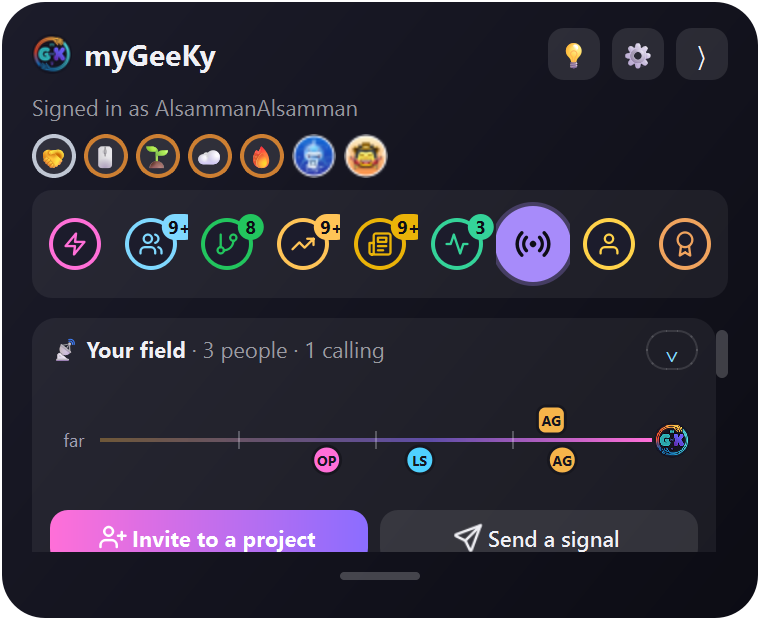
- Your field: a thin ruler with everyone on Signals and every call that fits you. Further right means closer to your work. Unfold it into a radar, and hover or tap a dot to see who or what it is.
- Invite to a project and Send a signal, right under it. The signal window lets you pick a person (best fit first, or search), a signal, and for ⭐ which of their repos, and shows what they'll see before you send.
- Then: For you, Projects calling for you, Your calls, People on Signals.
✨ An opening animation
The badge's arms spin in, then G, ee and K pop in, and m and y land last. It plays the first time the desktop app starts, and each time the phone app opens (tap to skip). The phone no longer opens on a plain white screen.
Fixed
- A crash on Linux. After hours of running, the panel could close by itself while a tab refreshed ("free(): invalid pointer"). The small "new" dot on new cards was a Python-made Qt object hooked onto its card, and freeing it could corrupt memory: Linux caught it, Windows didn't notice. It's now a plain label owned by the card, with a test that keeps it so. Thanks for the crash report (#3).
- Crash reports now say why. The last thing Qt or the system printed before a hard crash is kept, along with Qt's recent critical messages.
Get it
- Windows: download
MyGeeKySetup.exebelow. - Linux and macOS:
pipx upgrade mygeeky(orpip install -U mygeeky, oruv tool upgrade mygeeky). - Already installed: the panel offers the update itself.
- Phone: the Android app 1.5.0 (.apk)
0.21.3: a panel that never fades away, and a smooth Transparency slider
Find friends · collaborate · away from noise.
Fixed
- The Transparency slider no longer makes the panel lag. Dragging it sent a change for nearly every pixel the mouse moved, and each one made the system redraw the whole see-through window (about 600 redraws in a few seconds). It now redraws at most about 30 times a second, about 11 times fewer, while the % number still follows your mouse.
- The panel never fades away. The slider still goes from 0% to 100%, but 100% now means 40% see-through instead of invisible. A panel set more see-through than that comes back to 40% on its own.
- Transparency set with the keyboard or mouse wheel is kept. Only letting go of a drag used to save it.
- Posts you've seen are easier to read. In Activity (and the few seen cards kept at the end of other tabs) they now show at 80% instead of 55%: still quieter than new ones, but no longer faint.
Get it
- Windows: download
MyGeeKySetup.exebelow. - Anywhere:
pip install -U mygeeky(oruv tool upgrade mygeeky). - Already installed: the panel offers the update itself.
- Phone: no change; the Android app 1.4.0 from 0.21.2 is current.
0.21.2: a new look, and Signals on the phone
Find friends · collaborate · away from noise.
A new look
- A new icon: the name inside a glowing ring of two arms hugging. It's in the panel, the Windows installer, the Linux menu, the website, the README and the phone app (including Android's adaptive and themed icons).
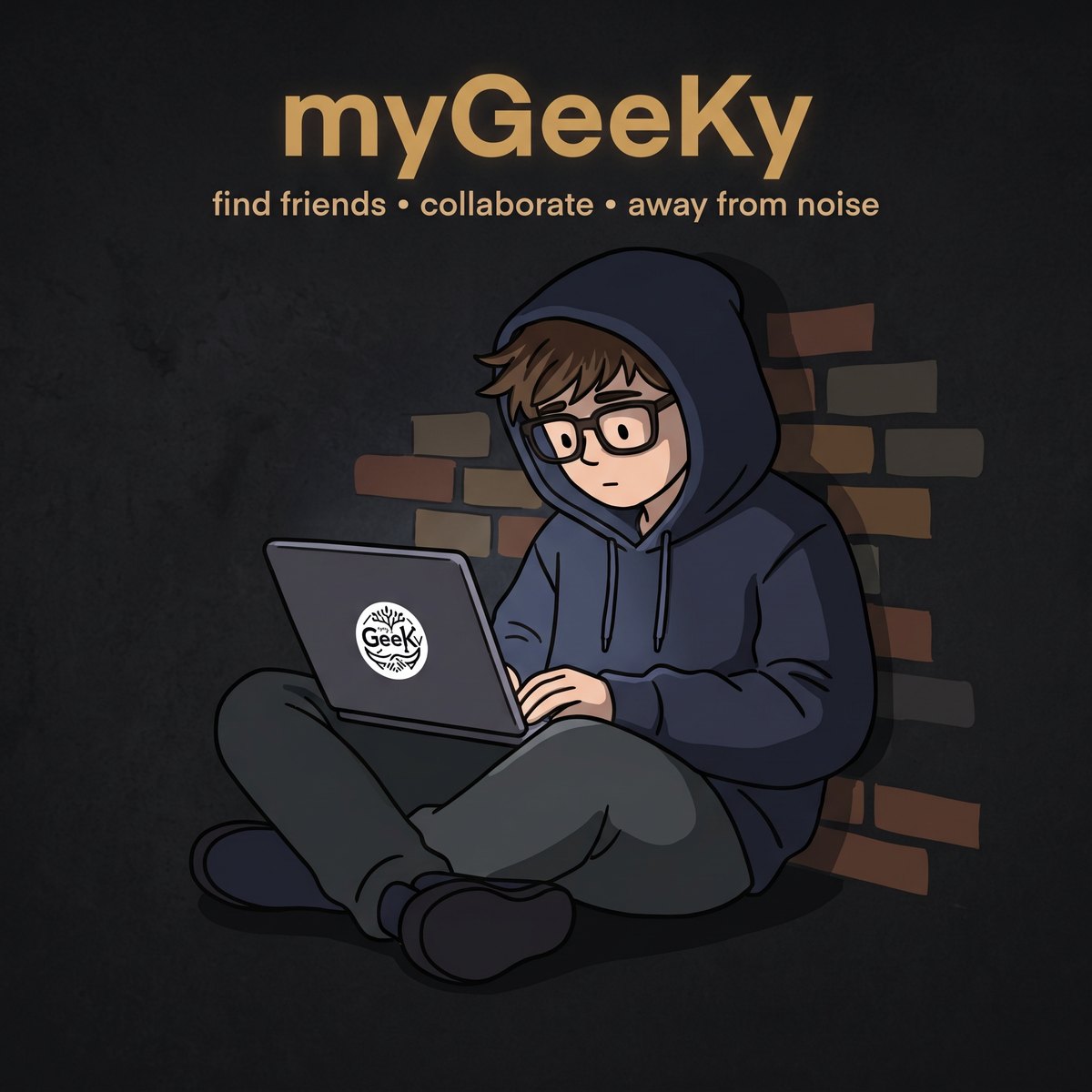
- A character: the geek in a hoodie, working quietly against a brick wall. Meet them in the README, the new "Why" section on mygeeky.org and the poster.
- The phrase "find friends, collaborate, away from noise" now leads the README, the website, the poster, the setup window, the phone's first screen, the command-line help and the PyPI description.
📡 Signals on the phone (app 1.4.0)
Read the signals people send you, and send your own (🙏 📚 ⭐ 👀 🤝), from the 📡 Signals planet on your phone.
- Its own key, created on the phone and never leaving it. The phone joins your beacon next to your computers, so signals sent to you from then on open on the phone too.
- Its own token (one per device). It keeps everything your computers put in the beacon, and refuses rather than push a computer's key out when the beacon already holds 4 devices.
- The same encryption and rules as the desktop, checked by a test that runs the phone's real code against the desktop's, both ways.
- Mute, block, taking a signal back and changing your status stay on the desktop for now.
Fixed
- The token warning goes away by itself. After you sign in again, an open panel kept showing "Token 1 expires…" until it was restarted. Now it checks again whenever you open it.
Get it
- Windows: download
MyGeeKySetup.exebelow. - Anywhere:
pip install -U mygeeky(oruv tool upgrade mygeeky). - Already installed: the panel offers the update itself.
- Phone: the Android app 1.4.0 (.apk).
myGeeKy 0.21.1: myGeeKy's housekeeping no longer counts as your activity

Find friends · collaborate · away from noise.
myGeeKy 0.21.1: myGeeKy's housekeeping no longer counts as your activity
On 0.4.4 or newer? Click Update in the panel. Windows: download MyGeeKySetup-0.21.1.exe below. Linux and macOS: run the install line again.
- No more green squares from myGeeKy.
- Sync and Signals used to sign their commits with your own email, so GitHub counted myGeeKy's background housekeeping as your activity, even on days you didn't work.
- Now they're signed myGeeKy housekeeping@mygeeky.invalid. GitHub counts a commit only when its email is linked to your account, and a
.invalidaddress never can be. - Your own work counts exactly as before.
- Squares already on your graph stay. To hide them you can untick Settings → Public profile → Include private contributions on my profile, but that hides your real private work too. Or simply let them age out.
Also in this release line, from 0.21.0: Sign in with GitHub now renews itself, and every tab keeps showing you something new. See 0.21.0.
myGeeKy 0.21.0: always something new, and sign-ins that keep working
myGeeKy 0.21.0: always something new, and sign-ins that keep working
On 0.4.4 or newer? Click Update in the panel. Windows: download MyGeeKySetup-0.21.0.exe below. Linux and macOS: run the install line again.
🔄 Sign in with GitHub keeps working
GitHub now gives new apps' sign-ins an 8-hour life. Until this release, a "Sign in with GitHub" quietly stopped working after 8 hours, on the computer and on the phone. myGeeKy now renews it by itself: sign in once and forget about it. It asks you to sign in again only if you haven't used myGeeKy for about 6 months.
Signed in with an earlier version? Sign in once more after updating: run mygeeky auth login, or click Sign in again in the panel. From then on it renews itself. Tokens you made yourself and pasted aren't affected.
✨ Always something new
- myGeeKy remembers what you've seen. Once a card has been on screen for a moment, it makes room for something you haven't seen. That happens when you open the panel or switch tabs, never while you're reading.
- People and repos can come back after a week. Market rows you've seen move down for a few days. News is read once. Activity just dims what you've seen.
- New cards carry a dot, each tab's planet shows how many new things wait there, and myGeeKy quietly looks for more when a tab runs low.
Sturdier
One tab failing can no longer stop the panel from opening. It becomes a crash report you can send instead.
Full list: CHANGELOG.md.
myGeeKy 0.20.0: first-class on macOS, and uv support
myGeeKy 0.20.0: first-class on macOS, and uv support
On 0.4.4 or newer? Click Update in the panel. Windows: download MyGeeKySetup-0.20.0.exe below. Linux and macOS: run the install line again.
🍎 A real Mac app
- myGeeKy.app in
~/Applications: find it in Launchpad and Spotlight, and keep it in the Dock. The menu bar says myGeeKy. - One line installs it:
curl -fsSL https://mygeeky.org/install.sh | sh. It works with Homebrew's Python, the python.org one, or macOS's own. - Open at login and refresh every Monday with native launchd agents instead of cron. A Monday that was missed while the Mac slept runs when it wakes.
- The panel stays at the edge when you switch apps or Spaces, and sits beside full-screen apps.
- Paste hints say ⌘V.
uv
uv tool install mygeeky --with PySide6-Essentialsworks. Without--with, the firstmygeeky guiinstalls Qt with uv, because a uv environment has no pip.- Update and Uninstall use uv for uv installs.
Fixed
- On macOS and Linux, "couldn't start a program" was reported as "a file wasn't found". It now names the program.
Checked on a real Mac
A new macOS workflow checks every change:
- the tests;
- the real panel on the Mac's screen;
- the one-line installer with Homebrew and with macOS's own Python;
- the login and weekly agents, an update, and an uninstall;
- uv, with and without Qt.
It caught a crash at start-up before release.
Full list: CHANGELOG.md.
myGeeKy 0.19.0: steadier, and you can report crashes
myGeeKy 0.19.0: steadier, and you can report crashes
On 0.4.4 or newer? Click Update in the panel. Windows: download MyGeeKySetup-0.19.0.exe below. Linux: run the install line again.
If something goes wrong, you can tell us
When myGeeKy hits an error, it saves a report on your computer and offers to send it. You see exactly what's in it: tokens, email addresses, your name and your folders are already removed. Report on GitHub opens a ready issue that you submit yourself. Nothing is ever sent automatically.
Fixed: problems that real computers run into
- Settings can't be lost to a crash or power cut. Saves now happen in one step. If a settings file is damaged anyway, myGeeKy restores it from the previous save and tells you.
- Quitting during a refresh no longer crashes on the way out.
- Sync can't hang forever on a slow or blocked network, and it never waits on a hidden password prompt.
- GitHub's limits: instead of waiting silently for up to an hour, myGeeKy says "GitHub limit reached, back at HH:MM".
- Work networks that inspect secure connections now work: myGeeKy uses the certificates your computer trusts. A Wi-Fi sign-in page is named as such.
- Starting myGeeKy again brings the running panel to the front instead of doing nothing.
- The weekly run (Windows) now happens when the computer is back on, if it was off at the time, and it runs on battery too. On Linux, folders with spaces work.
- Phone: sign-in can't spin forever, and a reinstall no longer stops the app from starting.
myGeeKy has its own home on GitHub
The project now lives in the mygeeky organization. Old links redirect, so nothing breaks. GitHub's sign-in page now shows myGeeKy by mygeeky.
How every release is checked: stability/PROTOCOL.md · this release's report.
myGeeKy 0.18.8: the 💡 can't freeze the panel
myGeeKy 0.18.8: the 💡 can't freeze the panel
On 0.4.4 or newer? Click Update in the panel. Windows: download MyGeeKySetup-0.18.8.exe below. Linux: run the install line again.
- Fixed: pressing 💡 (send an idea) could leave the panel looking frozen, when the idea window ended up hidden behind it. The idea window, and Connect your phone, no longer lock the panel, and pressing 💡 again brings the open window to the front.
- "Open on GitHub" now hands the link to your browser in the background, so a slow browser can't make the panel hang.
myGeeKy 0.18.7: clearer, safer sync setup
myGeeKy 0.18.7: clearer, safer sync setup
On 0.4.4 or newer? Click Update in the panel. Windows: download MyGeeKySetup-0.18.7.exe below. Linux: run the install line again.
- The setup steps up front: syncing your data between computers needs a private GitHub repo. The installer (and
mygeeky sync init) now shows how to create it before you start:- Open GitHub's new-repository page; the name and Private are already chosen.
- Keep it empty and create it.
- Come back and continue.
- Safer: a public repo is now always refused, so your CV text and history can never end up public, even without the GitHub CLI.
myGeeKy 0.18.6
myGeeKy 0.18.6
On 0.4.4 or newer? Click Update in the panel. Windows: download MyGeeKySetup-0.18.6.exe below. Linux: run the install line again.
- Maintenance release: the maker's own tools.