
2026.8.0: Native HA Video Phones, Multi-Room Calling And PBX Routing
Important
Read the Breaking Changes
before upgrading. This
release deliberately removes development-only aliases and may require
reconfiguring VoIP Stack and updating existing automations.
2026.8.0 is the release where VoIP Stack stops looking like one clever
intercom and starts behaving like a small, Home Assistant-native communications
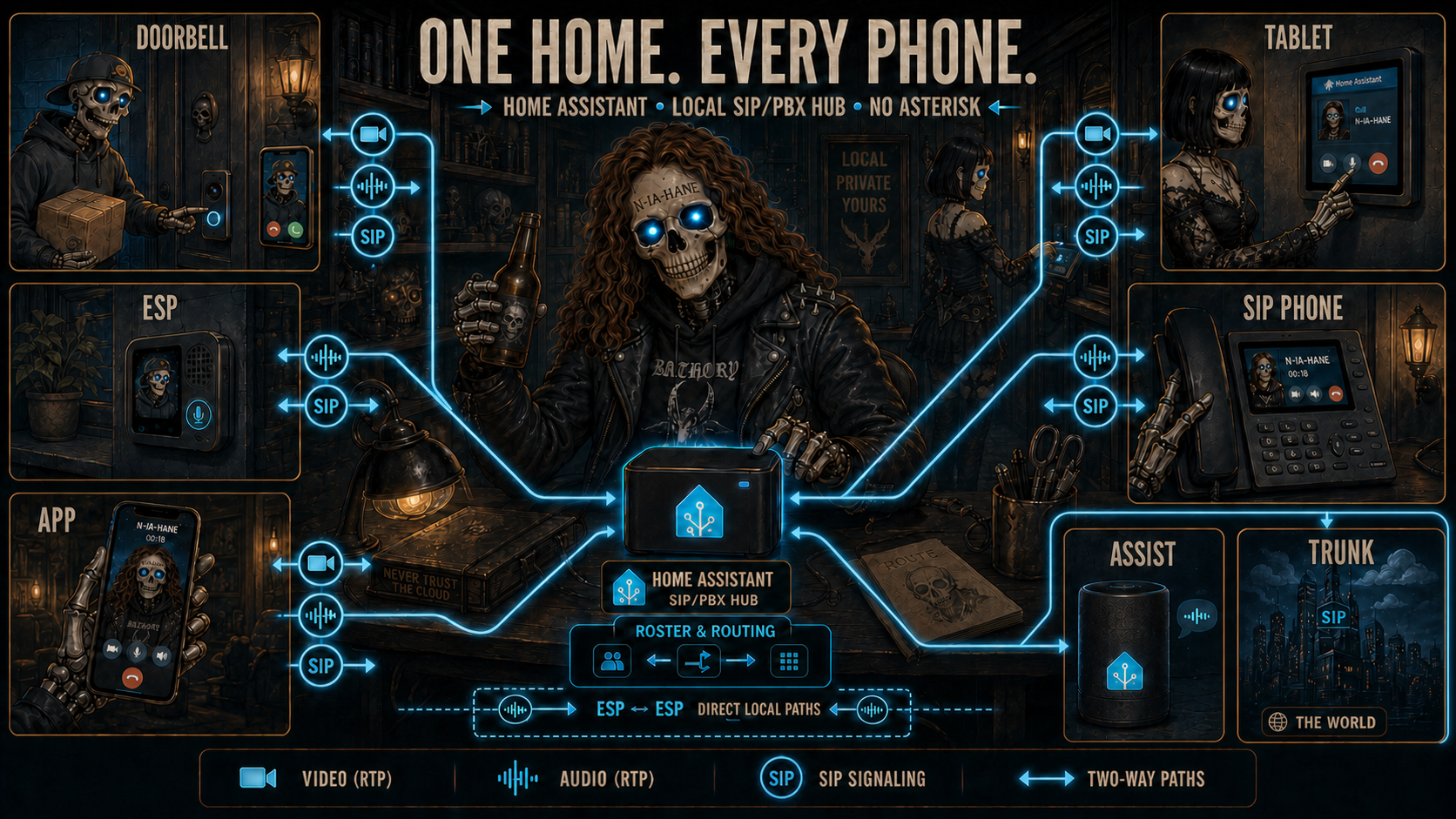
system. ESP devices, browser phones, wall tablets, standard SIP accounts,
Assist, ring groups, conference rooms and an optional provider trunk now share
one local roster and one standards-based SIP/SDP/RTP call model.
This note contains only the user-visible delta since stable 2026.7.1.
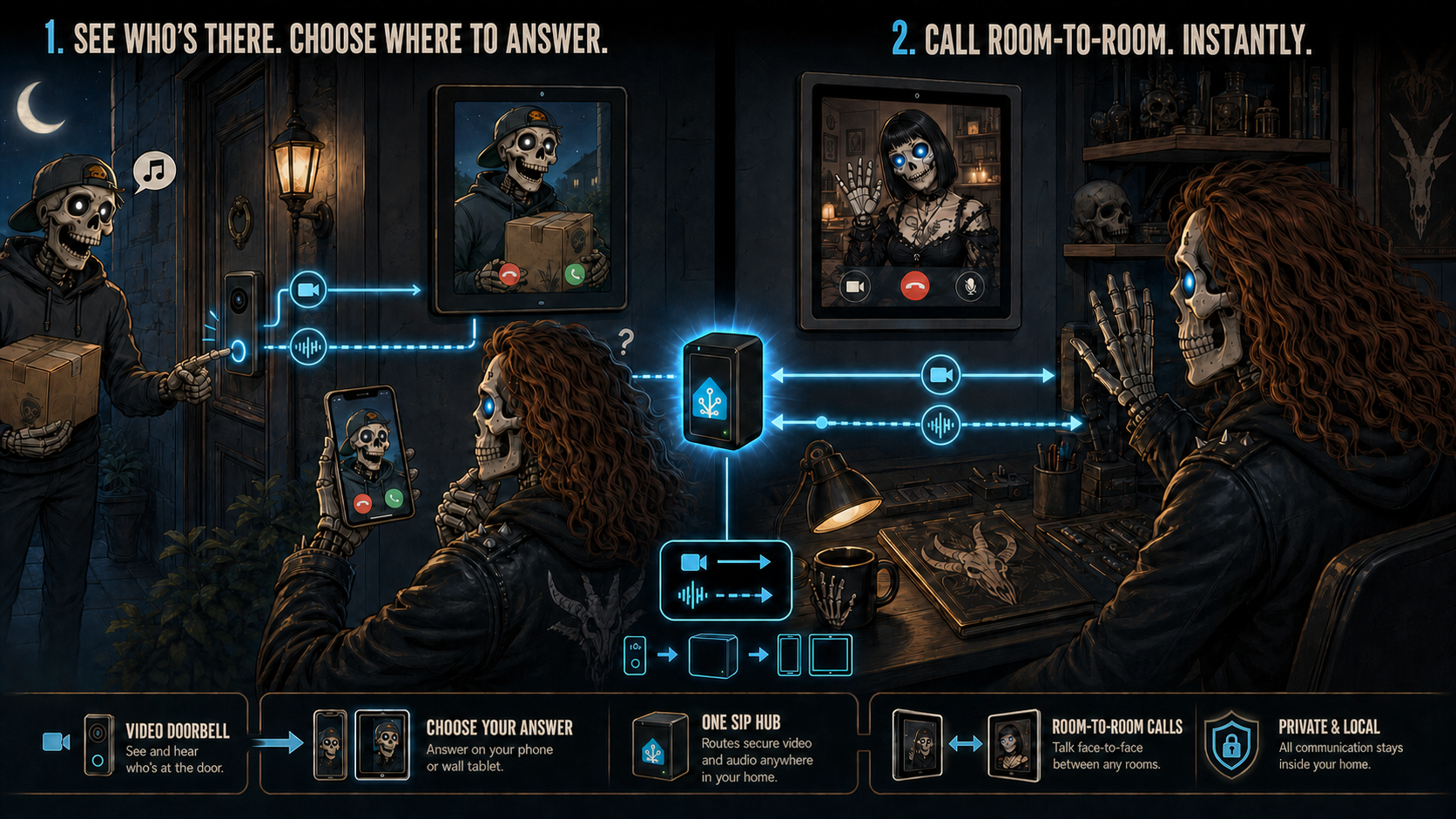
🏠 One Home Assistant, Every Phone
Home Assistant can now host multiple logical browser phones. Keep the migrated
default phone, then add Kitchen, Reception, Office or any other room from
Settings > Devices & services > VoIP Stack > Add phone. Bind one
ha_softphone card and one real browser/tablet session to each Device.
- Every HA phone has its own name, extension, DND, availability, groups, video
capability and call state. - Browser phones and registered SIP accounts are native integration Devices
with scoped state, connectivity, controls and call Event Entities. - ESP phones remain their existing ESPHome Devices. VoIP Stack discovers and
routes them without creating duplicates. - Logical phones share the same SIP listeners and dynamic RTP pool; they do not
reserve one server port set per room. - Two browser phones can call each other locally with independent audio and
video. External legs remain normal SIP/SDP/RTP. - One endpoint owns one call. A second caller receives
486 Busy Here, while
calls to other phones continue independently. - A logical phone may keep ringing while its kiosk browser is offline, allowing
missed-call, timeout and fallback automations to remain meaningful.
🎥 SIP Video Calling
SIP video is supported in web browsers, the Home Assistant Companion app,
standard SIP video door stations, SIP video phones and softphones, including
compatible routes through a PBX or trunk. ESPHome endpoints intentionally
remain audio-only.
- Direct receive supports H.264, VP8 and RTP/JPEG without decoding or
re-encoding video on the HA server. - Compatible H.264 and VP8 calls can send the browser camera when both the
integration-wide permission and that phone's persistent Send Camera
switch are on. Auto Answer and Send Camera are phone settings stored
by the integration, so clearing browser cache does not reset them; microphone
and camera permission remains local to the browser that owns the call media. - Optional bounded FFmpeg receive converts H.263, H.263-1998 or H.265 to VP8.
It is receive-only, single-slot and never records an intermediate file. - Incoming and outgoing calls support
sendrecv,sendonly,recvonlyand
inactivedirections. - Direct calls and video-capable trunk/PBX routes use the same media contract.
Authenticated retries preserve the complete audio/video offer. - A direct HA-browser dialog can accept compatible peer-initiated video
add/remove, hold/resume and RTP endpoint changes through re-INVITE or UPDATE. - RTP/AVP remains the compatible default. Negotiated AVPF adds compound RTCP
reports and bounded PLI/FIR key-frame recovery. - Camera denial, decoder failure, unsupported video or optional transcoder
failure does not tear down compatible audio. - The card keeps video inside its configured Lovelace geometry, preserves the
native aspect ratio and moves identity, duration and Hang Up into a compact
translucent bottom bar. - Detailed media counters appear only with backend debug and Extended
information enabled.
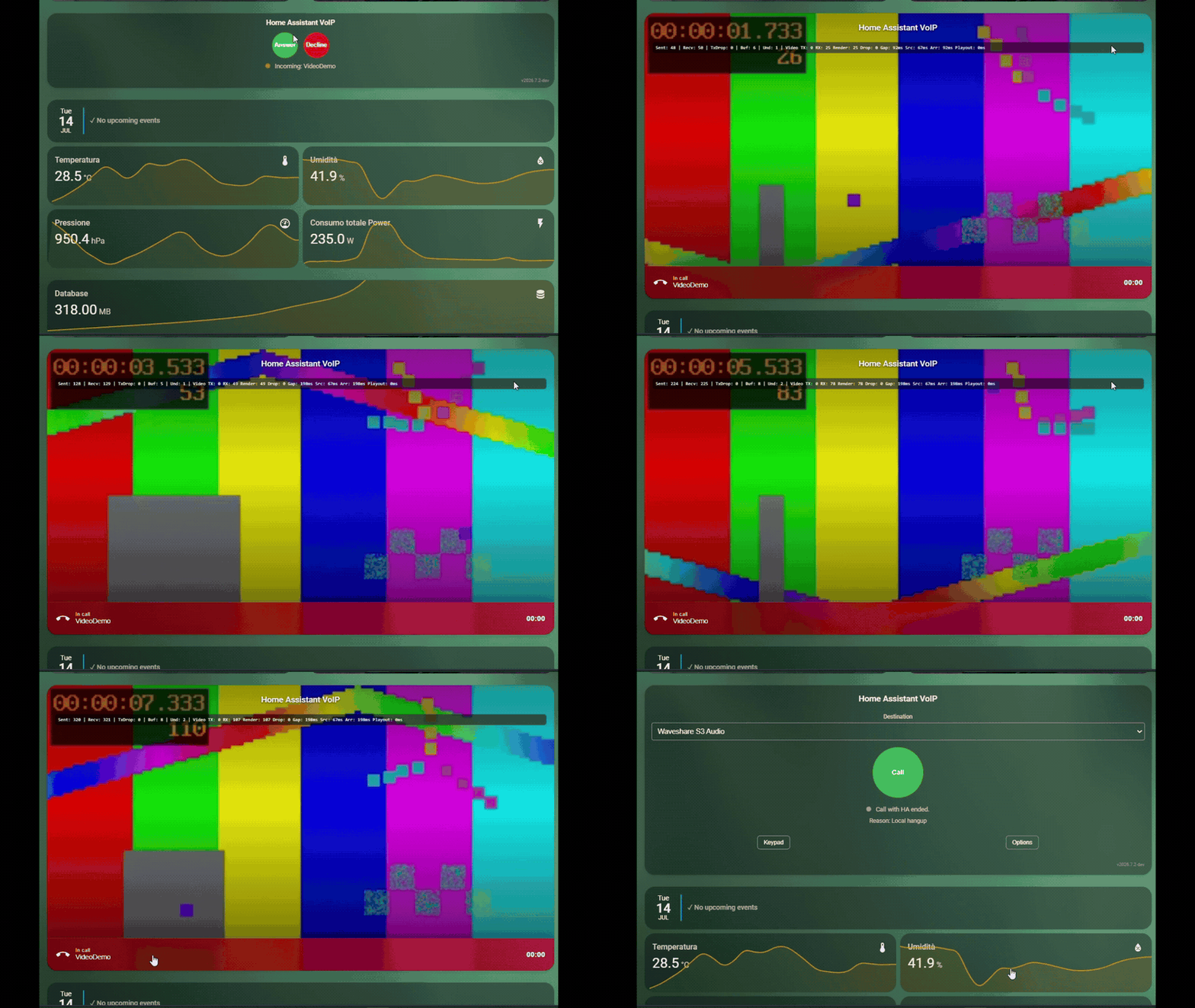
Video remains opt-in and requires HTTPS, a compatible browser and an RTP path
permitted by the local firewall. Read
SIP Video
for codec, network and privacy requirements.
🧭 Initial Preview: Automation-Native PBX Routing
Home Assistant automations can now influence an inbound call at explicit
decision points instead of replacing the normal dial plan.
Warning
This is a preliminary, disabled-by-default API. Event fields, decision
timing and service semantics may change in a future release while more real
PBX installations shape the final contract. The central phonebook, explicit
extensions and configured fallback destination remain the stable default.
- Direct inbound mode can expose a short
route_requesteddecision before the
configured target. - DTMF mode gives explicit extension digits priority and exposes automation
routing only when no digits were entered. ingressandorigindistinguish provider/PBX trunk calls from local
extension calls without relying on internal ownership fields.voip_stack.select_inbound_destinationselects the initial target.voip_stack.forwardmoves an already ringing or connected HA-owned call to
another phone, ESP, registered endpoint, group or Assist pipeline.- Forward failures can
resume, terminate or return busy; a replaced ringing
SIP leg receives a real CANCEL. - Per-phone state Sensor and call Event Entities support native HA triggers
such asringing for 30 seconds, without helper timers or Call-ID templates
for the ordinary single-call case. - Once Assist owns the call, compatible in-dialog audio updates remain live;
video re-offers are answered explicitly withm=video 0because the Assist
endpoint is audio-only, rather than interrupting TTS or stranding the dialog. - Revision and sequence guards remain available for concurrent or multi-stage
routing policies.
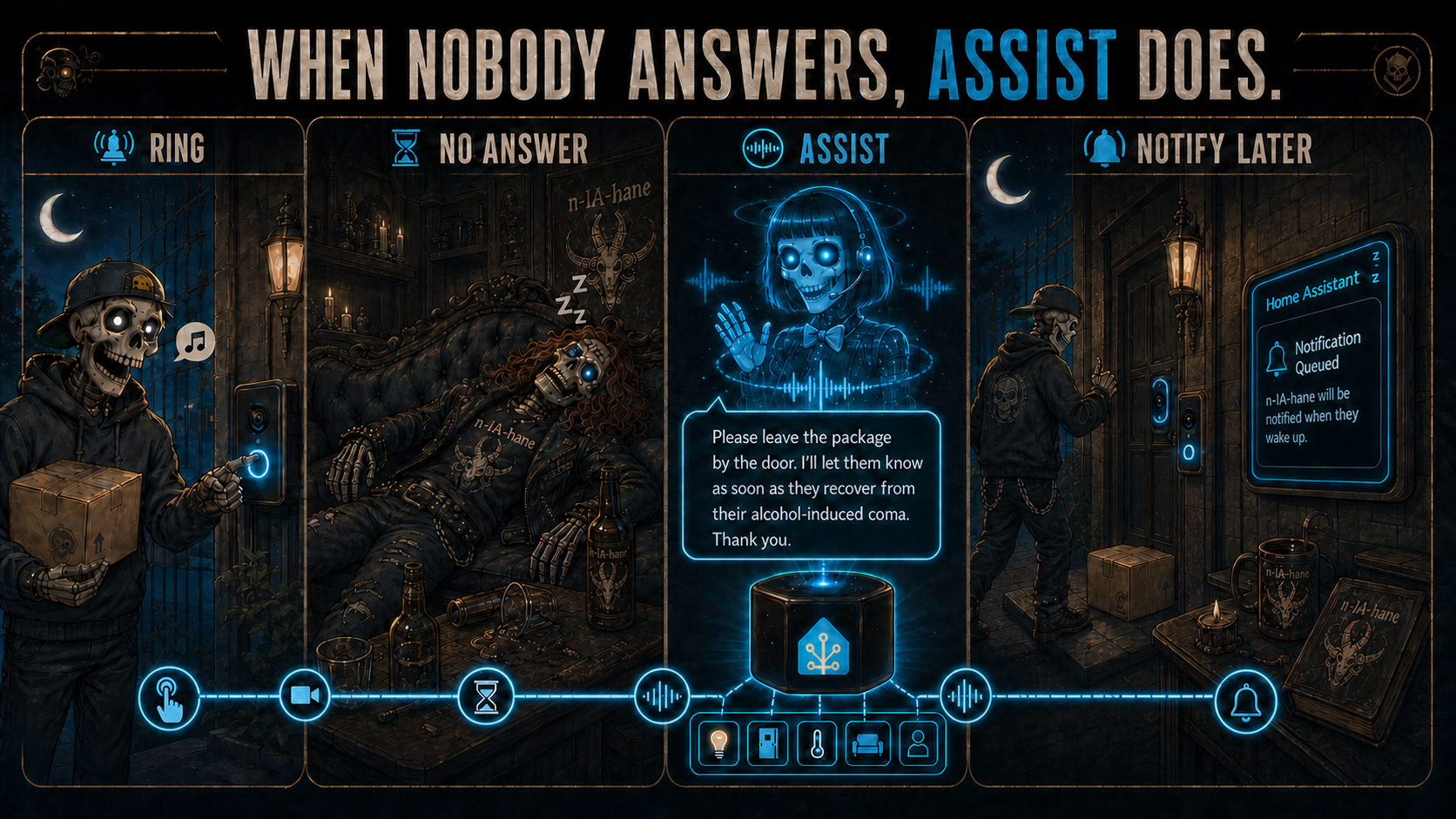
Yes: an unanswered door station can now be forwarded to Assist. What Assist
says is controlled by your pipeline prompt. Good judgement is still not
included.
Copyable native-UI automation examples are in
Automation Dial Plan.
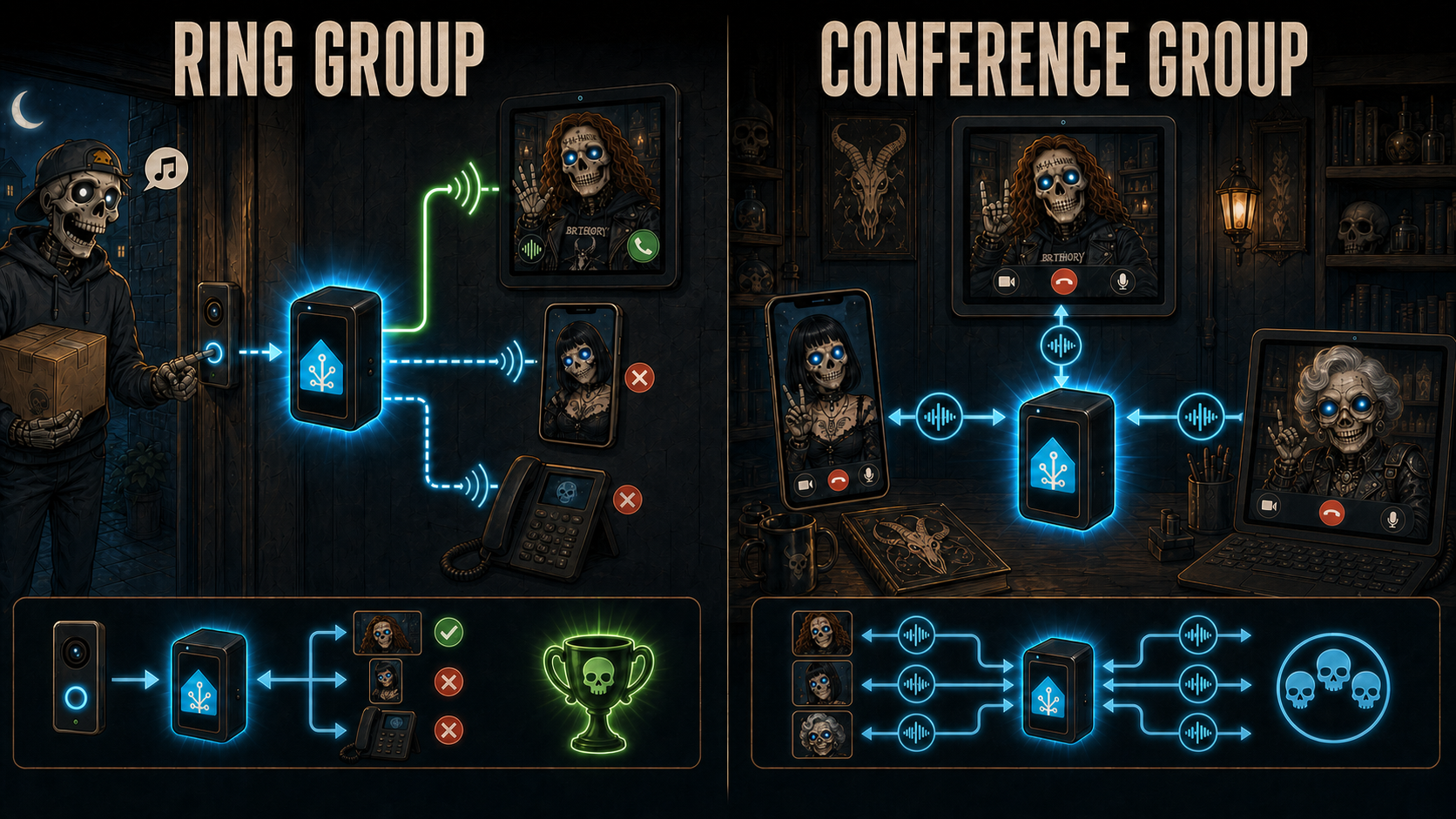
👥 Ring Groups And Conference Groups
Groups now re-enter the same canonical PBX dispatcher as every other target.
They are no longer special routing shortcuts with subtly different media or
ownership rules.
- A ring group calls all eligible members in parallel.
- The first answer wins; losing early dialogs receive CANCEL and a confirmed
losing dialog receives BYE. - The originating endpoint is excluded when it is also a group member.
- DND, disabled endpoints, busy state and endpoint capability are applied
before fan-out. - Browser phones, ESP endpoints and registered SIP accounts can share one
group without forcing audio-only members to negotiate video. - A conference group is a real HA-hosted focus: members join the same mixed
room, optional invitees ring, and the room closes when the last participant
leaves.
☎️ A More Predictable SIP/PBX Core
Most of this release is invisible when it works, which is precisely the point.
The former monolithic runtime has been decomposed around explicit call,
transaction, dialog, route and media ownership primitives.
- A logical call owns its generation, legs, tasks, media reservations and one
cancellation-safe cleanup barrier. - SIP dialogs follow Call-ID and tags, not the lifetime or source port of one
TCP connection. Established trunk calls survive a replacement flow. - Inbound answer is transactional: prepare resources, send the final response,
commit media or roll everything back. - Audio and video media updates commit atomically against the current call
generation. A late re-INVITE cannot leave the two directions on different
revisions. - State transitions are monotonic. Late provisional responses or stale browser
callbacks cannot resurrect a terminated card. - Hang Up remains available through calling, connecting and remote ringing.
SIP CANCEL,487 Request Terminated, ACK and crossed-200BYE handling now
share one lifecycle. - Remote Contact and Record-Route state are retained for correct in-dialog ACK,
BYE, INFO, UPDATE and re-INVITE routing through proxies. - Cleanup is idempotent and releases dialogs, tasks, media owners, relays, RTP
reservations and optional transcoder slots before the endpoint returns idle.
🔢 DTMF, Registered Phones And Trunks
- Initial trunk extension selection supports negotiated RFC 4733
telephone-eventand compatible SIP INFO digits. - Established HA-owned bridges publish one experimental
voip_stack.dtmf
occurrence per RFC 4733 or SIP INFO key for door/gate automations. - Direct ESP-to-ESP media remains outside HA and therefore does not generate
backend DTMF events. - Registered standard SIP accounts appear in the phonebook only while a live
registrar Contact exists. - Outbound trunk calls use the configured address-of-record identity while
keeping an independent digest-auth username. - Authenticated retries preserve Request-URI, Call-ID and SDP while incrementing
CSeq and using a fresh Via branch.
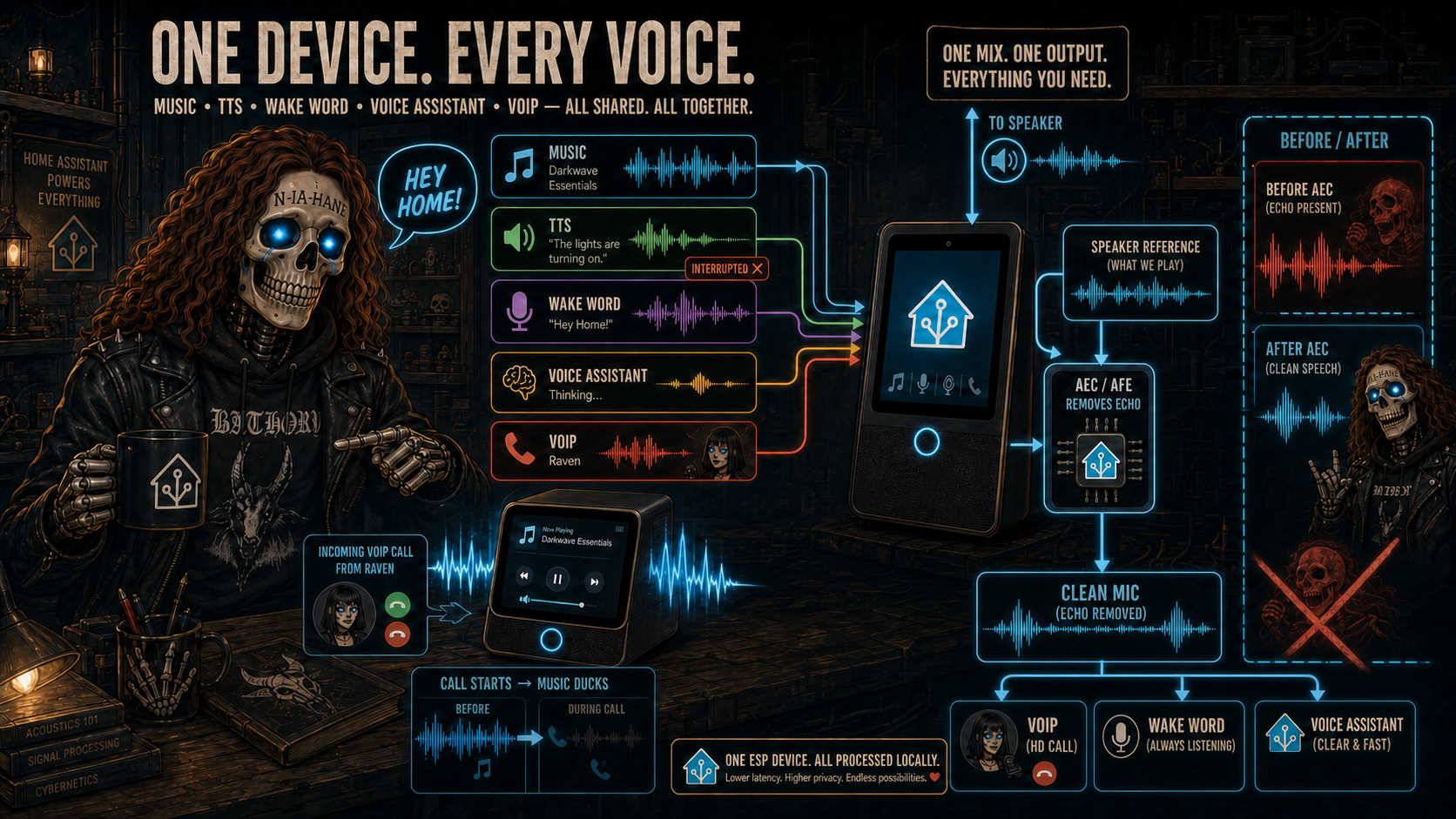
🎙️ One Audio Device, Every Voice Feature
Maintained full-device profiles keep music, TTS, wake word, Voice Assistant and
VoIP on one coordinated ESPHome audio system. Playback feeds one controlled
output and one phase-coherent AEC/AFE reference; Micro Wake Word, Voice
Assistant and VoIP TX consume the same cleaned post-AEC microphone.
ESPHome's primary platform rules are now explicit: the core no longer
auto-loads button, number, switch, text or text-sensor platforms. Maintained
YAMLs include the wanted native entities explicitly; minimal VoIP targets no
longer need empty platform blocks.
🖥️ Card, Diagnostics And Documentation
- Normal call actions now use one vocabulary:
destinationselects what to
call and the optionaldevice_idselects which phone acts. Development-only
destination aliases, selector aliases and the private start WebSocket path
were removed before stable release instead of becoming parallel APIs. - Browser-phone Devices expose native Extension, Ring groups, Conference
groups, Ring for conference calls and DND controls. Device entities, card
settings and actions all update the same persisted phone configuration. - Card commands use normal Home Assistant services and authoritative response
snapshots; the frontend does not invent call IDs or a parallel state machine. - Phone identity, presentation and browser audio/video negotiation now live in
focused models instead of one giant card file. - Repeated HA state changes no longer rebuild unchanged phonebook and
destination DOM during call setup. - Browser media handoff is scoped by phone, call and direction, so reloading one
dashboard cannot block or steal another phone's microphone/camera. - Navigating between dashboards or closing a completed call releases browser
media claims without leaving another phone disabled or showing a false
"media active in another tab" error. - Config-entry and per-device diagnostics can be downloaded through Home
Assistant with credentials, addresses and other private values redacted. - The Home Assistant card picker suggests the VoIP Stack card directly from a
browser-phone call-state entity and binds the resulting card to the correct
phone Device. - Logbook records one readable summary per PBX session instead of exposing a
stream of internal leg transitions. - Runtime snapshots expose sessions, legs, routes, SIP clients, relays, audio
and video WebSockets, owners, cleanup tasks and allocated RTP ports. - The README now uses a consistent illustrated visual language for system
topology, signaling transport, phonebook routing and canonical call paths;
the service, trunk, automation, video, testing and troubleshooting guides
describe the same behavior.
⚠️ Compatibility And Deliberate Limits
The 2026.7.0 SIP migration remains the breaking baseline. For 2026.8.0:
- custom ESP YAMLs that relied on
auto_entitiesmust declare the desired
nativeplatform: voip_stackentities or include the maintained package; - experimental automation routing is opt-in and may evolve;
- SIP video is supported in web browsers, the Home Assistant Companion app,
standard SIP video door stations, SIP video phones and softphones, including
compatible routes through a PBX or trunk. ESP and Assist endpoints remain
audio-only, conference video mixing is not implemented, and SIP-to-SIP video
bridges require an exact compatible codec/profile; - local SIP/RTP is plaintext. Use a trusted LAN/VLAN/VPN and do not expose ESP
listeners directly to the Internet; - there is no SRTP, SIP/TLS on ESP, ICE/STUN/TURN, recording or general-purpose
video transcoding PBX.
See the
Breaking Changes
and the individual feature guides before updating a custom deployment.
🧪 Qualification
The release passes 1102 tests plus 99 subtests, together with Ruff and
JavaScript parsing. Real calls cover browser phones, ESP endpoints, registered
SIP accounts, groups, conferences, trunks, audio, bidirectional video and
post-call cleanup.
📦 Installing Or Upgrading
- Back up the existing integration and configuration.
- Install or update VoIP Stack through HACS. Manual installations can download
voip_stack.zipfrom thev2026.8.0GitHub release. - Extract it into
config/custom_components/voip_stack/, replacing the
previous component directory only when installing manually. - Restart Home Assistant.
- Hard-refresh every dashboard and fully restart the Android Companion app so
the card version matches the backend. - Reopen VoIP Stack options to enable SIP video or automation
routing; both remain off by default.
Please report the exact call path, SIP transport, offer/answer SDP, endpoint
states and final cleanup snapshot when something misbehaves. “It broke” is
emotionally valid but slightly less useful to a SIP transaction.