NeonPocket Ultimate Companion RCC6 v2.1.0 RC1
Pre-release
NeonPocket Ultimate Companion RCC6 v2.1.0 RC1
Caution
Experimental RCC6-L62/SX1262 + 220×128 NV3001B firmware only. Do not flash RC32, RC52, or another RadioCore layout. The proven v1.2.0 RC2 and first Ultimate v2.0.0 RC1 remain available.
Ultimate ships as two separate application images. BLE and Wi-Fi never run together:
NeonPocketMC-RCC6-Ultimate-v2.1.0-rc.1-BLE-app.binNeonPocketMC-RCC6-Ultimate-v2.1.0-rc.1-Web-app.bin
What changed in 2.1
- Exact TFT message-delivery states: Queued, On Air, Transmitted, ACKed with round-trip time, No ACK, Unconfirmed, and Failed.
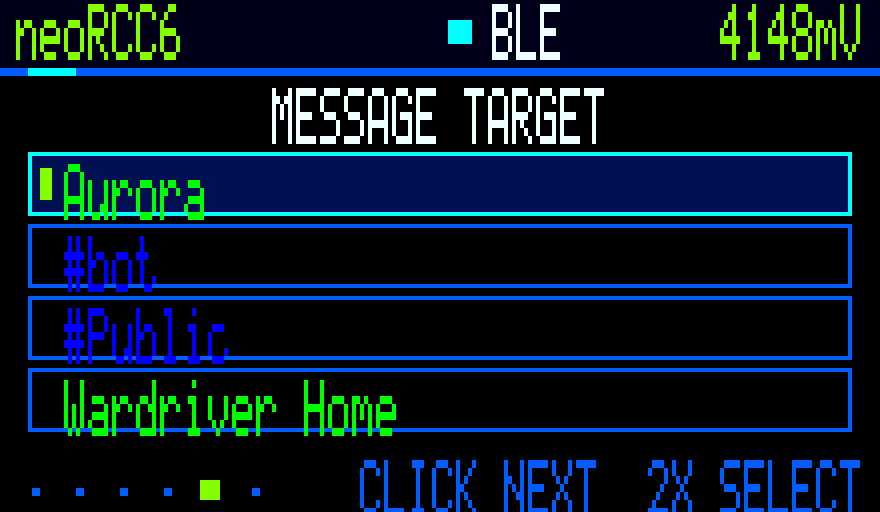
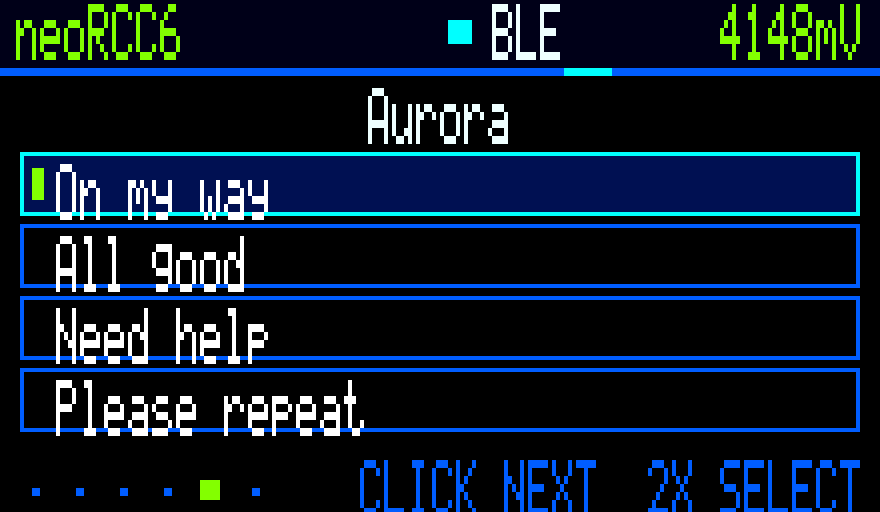
- A persistent composer with pinned recent targets, crash-safe drafts, editable quick phrases, template fields, and the one-switch keyboard.
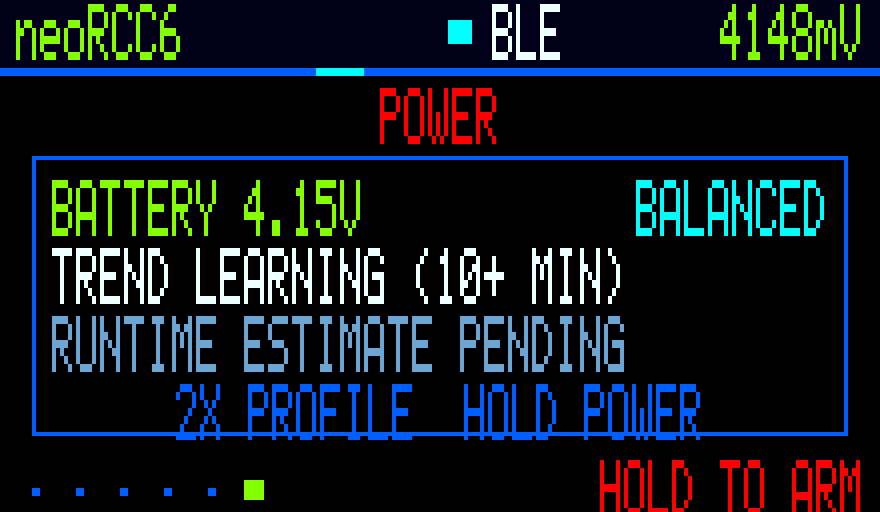
- Adaptive 66/100/125/150 ms rendering plus Balanced, Field, and Battery power profiles.
- Calibratable battery voltage, trend, and estimated runtime telemetry.
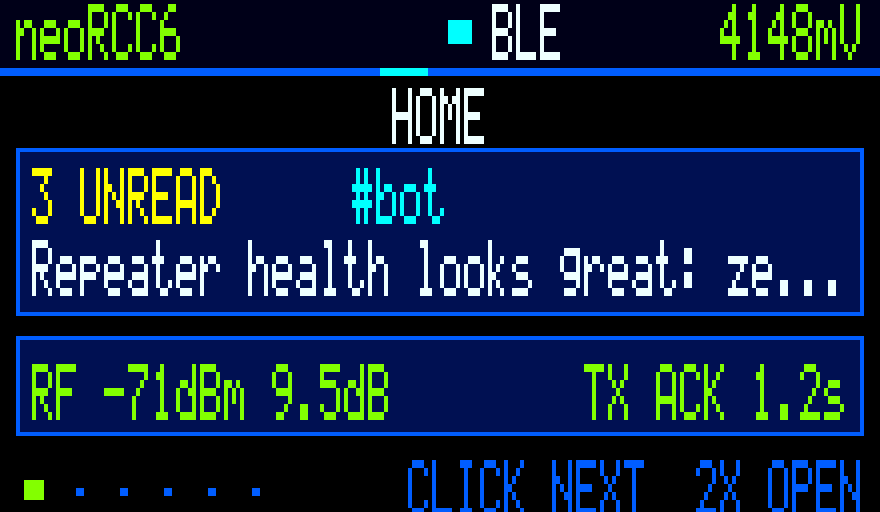
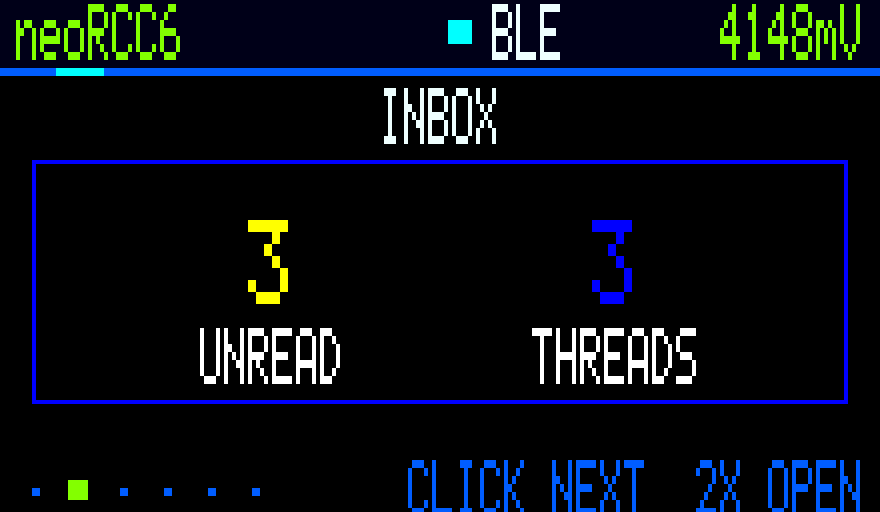
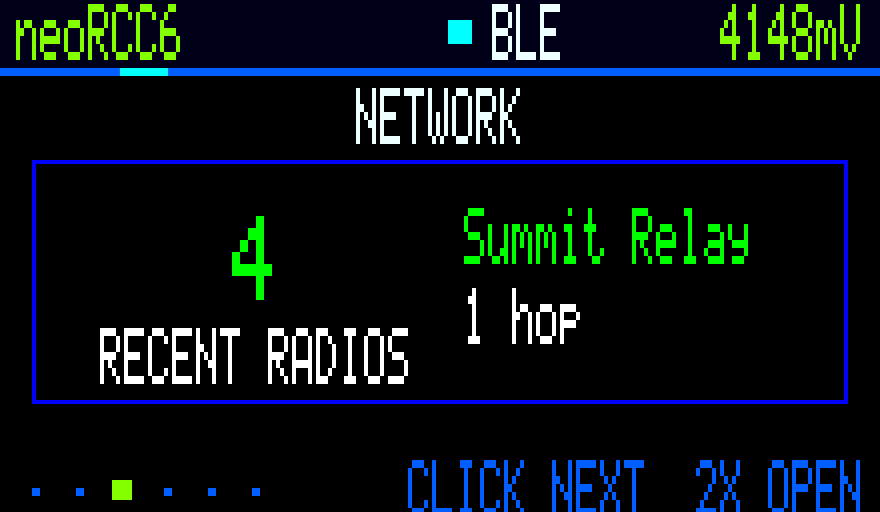
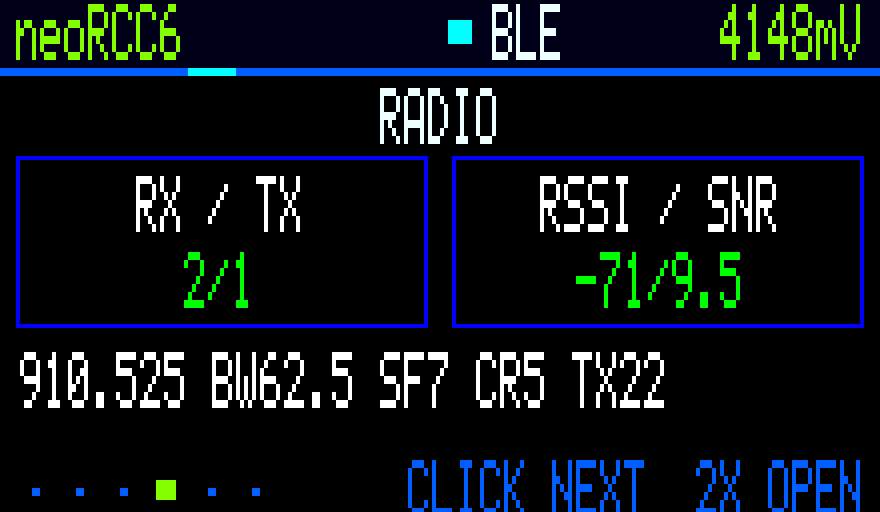
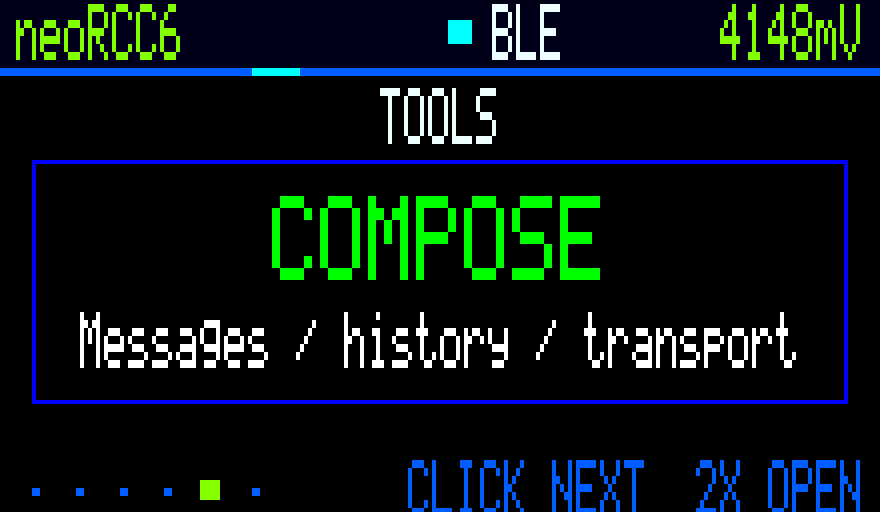
- Refreshed device-rendered Home, Inbox, Network, Radio, Tools, Power, target-picker, and quick-phrase captures.
- Correct MeshCore path decoding:
0x80is three-byte hash mode with zero hops, so the UI now shows0 hopsinstead of the encoded value128.
The Web image retains the Ultimate dashboard, charts, explicit browser-location transfer, authenticated history/settings/status APIs, and signed app-only .npu OTA.
Warning
TCP port 5000 is always enabled in Web mode. Any client on the trusted local network can access the full MeshCore companion/admin protocol. HTTP authentication does not protect raw TCP. Use Web mode only on a trusted private LAN.
On-device gallery
Every frame below was CRC checked while exported from the connected RCC6 framebuffer. These are device-rendered screens, not browser mockups.
| Home | Inbox |
|---|---|
 |
 |
| Network Explorer | Radio |
|---|---|
 |
 |
| Tools | Power |
|---|---|
 |
 |
| Composer targets | Quick phrases |
|---|---|
 |
 |
Install and recovery
Normal USB installation is application-only at 0x10000 and preserves the bootloader, partition table, NVS, and SPIFFS identity/settings:
python -m esptool --chip esp32c6 --port COM21 write-flash 0x10000 NeonPocketMC-RCC6-Ultimate-v2.1.0-rc.1-BLE-app.bin
Replace the port and filename for Web mode. Use a separately named recovery-preserves-settings.bin image at 0x0 only for bootloader/partition recovery. Never erase the whole chip. Verify SHA256SUMS.txt before flashing.
Web OTA accepts only NeonPocketMC-RCC6-Ultimate-Web-v2.1.0-rc.1.npu. The existing bootloader does not guarantee automatic rollback from a boot-breaking app, so retain USB access and the matching recovery image.
Release proof
- exact source/tag:
587bccc291734a28829bb64b9b439c66e849898c - MeshCore 1.17.1 base
- exact-main GitHub Actions: run 31550265198
- upstream tests, deterministic WebUI, stable BLE/Web regressions, Ultimate BLE/Web builds, image budgets, target markers, manifests, and signed NPU verification passed
- exact Web app SHA-256
278c2786ee3b36648d55a888e992614df9b4811129035c3ad16a7a59373a81e0was app-only flashed and flash-verified on the connected RCC6 - saved NVS, OTA metadata, and SPIFFS were restored and verified after framebuffer capture; the exact release Web image then booted and exposed authenticated HTTP plus TCP/5000
See the full Ultimate 2.1 guide for history, composer, battery profiles, APIs, USB CLI Rescue, location, OTA, and recovery details.