
The open source AI coding agent that runs in your terminal, desktop, or IDE.


In 2026, AI coding agents are everywhere. But most of them are proprietary, vendor-locked, and opinionated about which models you can use. OpenCode is different — it's the only agent that is:
- Fully open source (MIT License) — audit the code, contribute, fork it
- Model-agnostic — 75+ providers, bring any API key, use any model including local ones
- Editor-agnostic — terminal (TUI), desktop app, VS Code extension, or web UI
- Privacy-first — zero data retention, no training on your code, works in air-gapped environments
- Battle-tested — 185K+ GitHub stars, 900+ contributors, 7.5M+ monthly developers
Get Started with OpenCode Go — First Month $5
| Metric | Value |
|---|---|
| GitHub Stars | 185,000+ |
| Contributors | 900+ |
| Commits | 14,943+ |
| Monthly Active Devs | 7.5M+ |
| License | MIT |
| Language | TypeScript (71.7%) |
| Latest Version | v1.17.19 |
| First Released | December 2024 |
| Built by | Anomaly |
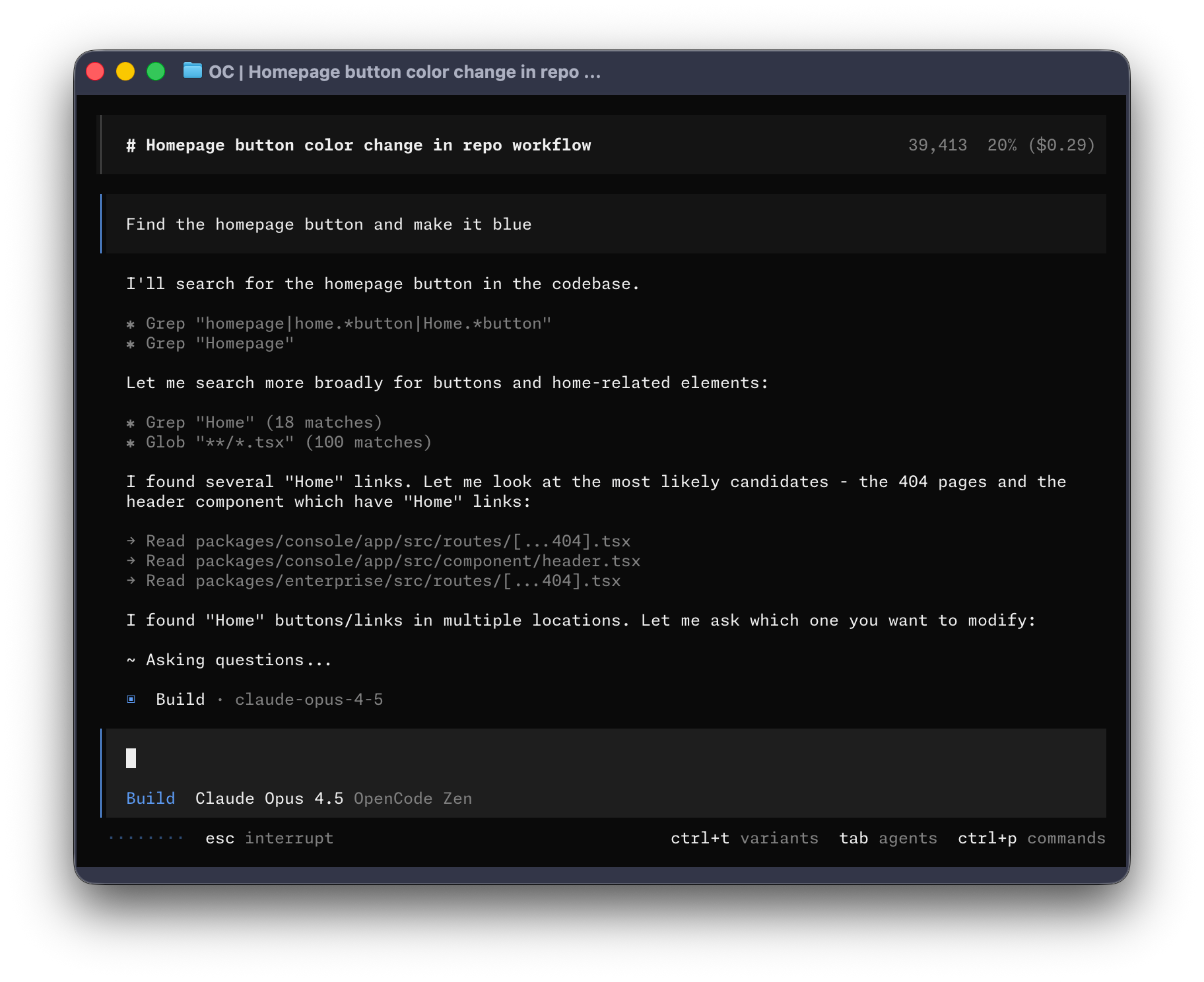
Unlike Cursor, Copilot, or Claude Code — OpenCode's entire codebase is public on GitHub under the MIT license. You can inspect every line, run it on your own infrastructure, and never worry about vendor lock-in.
Most agents tie you to one company's models. OpenCode connects to 75+ LLM providers — Anthropic, OpenAI, Google, DeepSeek, GitHub Copilot, Azure, Bedrock, Ollama (local), LM Studio, Groq, Cerebras, and more. Use Claude, GPT, Gemini, DeepSeek, or run models locally. You're in control.
OpenCode runs where you code. Use it as a Terminal UI (TUI) with full keyboard navigation, as a desktop application (macOS, Windows, Linux), or as a VS Code extension. No browser tabs, no context switching.
Run multiple agents in parallel on the same project. Built-in agents include:
- Build — full-access agent for development work
- Plan — read-only agent for analysis and code exploration
- General — subagent for complex searches and multi-step tasks
- Explore — fast, read-only agent for codebase exploration
- Scout — external docs and dependency research
OpenCode automatically loads Language Server Protocol (LSP) servers for your project. The LLM gets real-time type information, diagnostics, and symbol resolution — making suggestions far more accurate than agents that only see raw text.
OpenCode stores none of your code or context data. It operates entirely on your machine. Enterprise deployments support SSO, on-premise operation, and internal AI gateways. No data leaves your environment unless you configure it to.
Hit Tab to switch between Plan mode (read-only analysis, no file changes) and Build mode (full execution). This two-step workflow means you review what the agent intends to do before it touches your code.
Start Coding with OpenCode Go ↓
OpenCode Go is a low-cost subscription that gives you reliable access to the most capable open-source coding models — without worrying about API keys, rate limits, or per-token billing.
| Plan | Pricing | What You Get |
|---|---|---|
| Free | $0 | 200 requests/day via Big Pickle + selected free models |
| Go | $5 first month, then $10/month | Generous limits across 12+ verified models |
| Model | Requests |
|---|---|
| DeepSeek V4 Flash | 31,650 |
| MiMo-V2.5 | 30,100 |
| Qwen3.7 Plus | 4,300 |
| DeepSeek V4 Pro | 3,450 |
| MiMo-V2.5-Pro | 3,250 |
| MiniMax M3 | 3,200 |
| Kimi K2.7 Code | 1,150 |
| Qwen3.7 Max | 950 |
| GLM-5.2 | 880 |
| Big Pickle | 200 (free) |
Go works with any coding agent, not just OpenCode. Use it as a provider in your favorite tool.
When someone you invite subscribes to OpenCode Go, you each receive a $5 credit on your account. It's a natural way to spread the tool among your team or community.
Zen is a pay-as-you-go model catalog where every model is tested and benchmarked specifically for coding agent workloads. No guessing which provider configuration works best — the OpenCode team validates each model-provider combination.
- Add $20 starting balance (auto-top-up at $5)
- Pay per request with zero markups
- All models US-hosted with zero-retention policies
- Works with any agent
- Set monthly spend limits
OpenCode publishes real-time model usage analytics — the most transparent data in the industry:
- #1 Model: DeepSeek V4 Flash (11T tokens processed)
- 137K+ daily unique users on Go
- 96% cache hit ratio across all models
- Top regions: China (17%), United States (12%), Brazil (5%), Germany (4%), Japan (4%)
# One-liner
curl -fsSL https://opencode.ai/install | bash

# npm
npm install -g opencode-ai

# Bun
bun install -g opencode-ai

# Homebrew (macOS/Linux, recommended)
brew install anomalyco/tap/opencode

# Windows (Scoop)
scoop install opencode

# Windows (Chocolatey)
choco install opencode

# Arch Linux
sudo pacman -S opencode
paru -S opencode-bin  # Latest from AUR

# Docker
docker run -it --rm ghcr.io/anomalyco/opencode

# Desktop App (beta)
# Download from https://opencode.ai/download
brew install --cask opencode-desktop  # macOS
Then run opencode in any project directory and type /init to get started.
- Getting Started — Install, configure, and first session
- Features — Deep dive into every capability
- Models — How models work in OpenCode, Go, and Zen
- Agents — Build, Plan, General, Explore, Scout
- Providers — 75+ supported LLM providers
- Comparison — OpenCode vs Cursor, Copilot, Claude Code, and more
- FAQ — Common questions answered
# Start OpenCode in any project
opencode

# Initialize project context (creates AGENTS.md)
/init

# Ask about your codebase
How is authentication handled in @packages/functions/src/api/index.ts

# Switch to Plan mode (Tab key), describe a feature
When a user deletes a note, flag it as deleted in the DB.
Create a screen showing recently deleted notes with undelete/permanent delete.

# Review the plan, iterate with feedback
Use this design as reference [drag & drop image]

# Switch to Build mode (Tab key), execute
Sounds good! Go ahead and make the changes.

# Undo if needed
/undo

# Share your session
/share
Get Started with OpenCode Go — $5 First Month
- Discord: discord.gg/opencode
- X (Twitter): @opencode
- GitHub: anomalyco/opencode
- Official Site: opencode.ai
- Docs: opencode.ai/docs
- Live Data: opencode.ai/data
This repository is MIT licensed. OpenCode itself is also MIT licensed — built by Anomaly.
This guide is community-maintained. Not affiliated with or endorsed by Anomaly. For official resources, visit opencode.ai.