Releases: nateecho32-stack/mefi-studio
Release list
Mefi's Studio AI+ 0.4.3 — Media, Tree Controls & Agent Tools

Mefi's Studio AI+ 0.4.3 expands media playback, live tree controls, project-aware planning and per-agent tools.
Media and links
- Keep an Up next queue for copied links and YouTube results. Play items immediately, queue them next, or remove them; supported sources advance automatically when playback ends.
- Browse and play YouTube videos with the built-in explorer. Restore recent playback, volume, mute and tree placement after restarting Studio.
- Adjust tree and video transparency separately, and tune node and connection brightness independently. Optional outlines improve node contrast.
- Hover the media control to reach source settings. Zen keeps its canvas clear and offers a slow tree tour when you park at the right edge of Command view.
Shape the live tree
- Choose Steady, Music, Video or combined movement. Ring, wave and spiral layouts respond to the selected media, with controls for size, width, height, rotation, position and spacing.
- Tune music movement and video-region placement separately. Tree controls are shared by Appearance and Audio reactions.
Bring project context into planning
- Drop text and code files into Home, Vibe and Plans, or choose files to add their editable contents to a draft.
- Plans remember the selected plan and step per project. Vibe keeps a separate draft for each project.
- Planning reads fresh project excerpts, README and build context, and explicitly named files. Resumed interviews retain earlier answers.
Tools by agent role
- Configure web search, project reads and individual MCP tools per role in Agents setup.
- Shared research turns are available across Studio's AI surfaces. OpenCode and Claude workers can use MCP attachments within the role's selected tool allowlist.
Small refinements
- Copied-link detection and URL visibility have saved controls; hiding URLs also masks links in clipboard, recent and queue views.
- A machine-local style preference can retain Void themes and node styles across app updates without changing release defaults.
- Media controls stay usable over video, settings no longer interrupt playback, and completed tasks fade the video gently.
Already using a portable build? Check App updates for 0.4.3. Studio verifies the download checksum and preserves local data.
Mefi's Studio AI+ 0.4.2 - Vibe Mode & Remastered Node Styles
Mefi's Studio AI+ 0.4.2 brings a simpler way to manage AI-assisted work, remastered visuals for the live agent view, and improvements to planning and reliability.
New: Vibe mode
Talk through an idea or turn it into a task from one home screen. See what is building, what needs your attention, and what recently finished.
Answer agent questions, approve builds, retry blocked work, and start or resume agents directly from Vibe. Tasks, Plans, Settings, and other pages stay within Vibe's navigation; switch to Build whenever you want the full workspace.
Remastered node styles
All eight node styles have been reworked with distinct animation, clearer activity states, and matching connections and effects. Classic orbs, Soft glass, Minimal, Halo, and Crystal are included; Singularity, Prism, and Sigil belong to the optional Void collection.
Reduced-motion settings remain supported, and connections now meet each node's edge.
More dependable planning
- Archive and restore plans without deleting them.
- Keep saved answers when an AI reply fails, then continue without submitting them twice.
- Preserve approvals when renaming a plan or saving an unchanged specification.
- Handle malformed suggestions without discarding the entire batch.
Reliability and efficiency
- Test processes are no longer mistaken for hung processes after a brief pause.
- Agent decisions show clearer reasons for blocked work and avoid repeated offers.
- Builders receive focused task context instead of the entire task board.
- Rendering and background checks avoid unnecessary work when the workspace is unchanged.
Watch the showreel
Watch the 40-second Studio showreel. It introduces the visual style and illustrates a task moving through the workflow using sample data.
Download and update
Download Mefi-Studio-AI+-v0.4.2-win32-x64.zip from the release assets, extract the complete folder, and launch Mefi Studio AI+.exe. Node.js is not required for the portable build. The accompanying .sha256 file contains the ZIP's SHA-256 checksum.
Already using a portable release? Check App updates for 0.4.2. Studio verifies the download before installation and preserves your local data.
Studio stores project records and settings locally. Connected AI providers and coding tools may receive prompts and project context according to your configuration. Discord linking is optional.
Mefi Studio AI+ v0.4.0
Watch the work. Keep what worked. Steer from one place.
The Agent Brain
- Every task gets a pipeline you can watch. Open Agent brain (
J, under Live) to see a task laid out top down: your companion, the lead, the steps and the sub-agents working them. Sub-agents report back up the tree, and Replay today plays back the day's work. - A desk worker helps stuck workers. Workers that ask for help get an answer on the lead's model, and only what it cannot answer comes to you.
- The Playbook keeps what worked. Every verified or failed pipeline is filed as a recipe, and the next task of the same kind starts from the recipe that verifies most. Pin, rename, retire or delete recipes.
- A project map. Built from the project's git history and the files verified runs touched, it groups files that change together into systems. Home shows it beside the conversation: pick a system to see its tasks, ideas and plans, then Work on this region.
- Nested delegation, pipelines drafted by your heavy model, and the workers'
ask_desktool are off by default; switch them on under Agent brain › Seats.
Your companion
- It greets you with what happened while you were away and keeps one list of everything that needs you, with the actions right there and the count in the tray.
- Chat knows where you are. It uses the name you gave your companion and knows which screen you are on. Press
Escapefor the bubble menu: chat, requests, notifications, settings and quick actions.
A new look
- Glass over the live node tree. Home sits on the moving tree behind frosted panels, menus are frosted glass that open on a spring, and Settings has seven categories you can search.
- Agent setup in compact rows with provider icons, searchable model lists, and effort and fast controls per agent.
Media and more
- Links plays YouTube, Spotify, SoundCloud, Vimeo and plain audio or video links in a borderless floating window.
- Plans has a writing partner that explores your project's files as you type, and new tasks gather local code and chat context on their own.
- OpenRouter can run your companion, starting with its free router.
Faster and steadier
- Board and assistant updates reach the window once instead of once per panel: about 17 ms instead of 44 ms per board update in Command.
- Long runs no longer park the executor, Stop all stops everything even when settings cannot be saved, and switching projects cannot start a worker in the project you left.
- Verification checks no longer see Studio's API keys.
- Review shows only the work that needs you, and Drop closes a task you won't do without marking it done.
- YouTube links no longer stop with "Error 153", and brain maps drafted with AI arrive wired correctly.
Install
Download Mefi-Studio-AI+-v0.4.0-win32-x64.zip, extract the whole folder, and open Mefi Studio AI+.exe. The .sha256 file holds the zip's SHA-256.
Already on 0.3.3? App updates offers 0.4.0 within 20 minutes and verifies the download before installing. Your data stays where it is.
Full list of changes: CHANGELOG.md
Mefi Studio AI+ v0.3.3

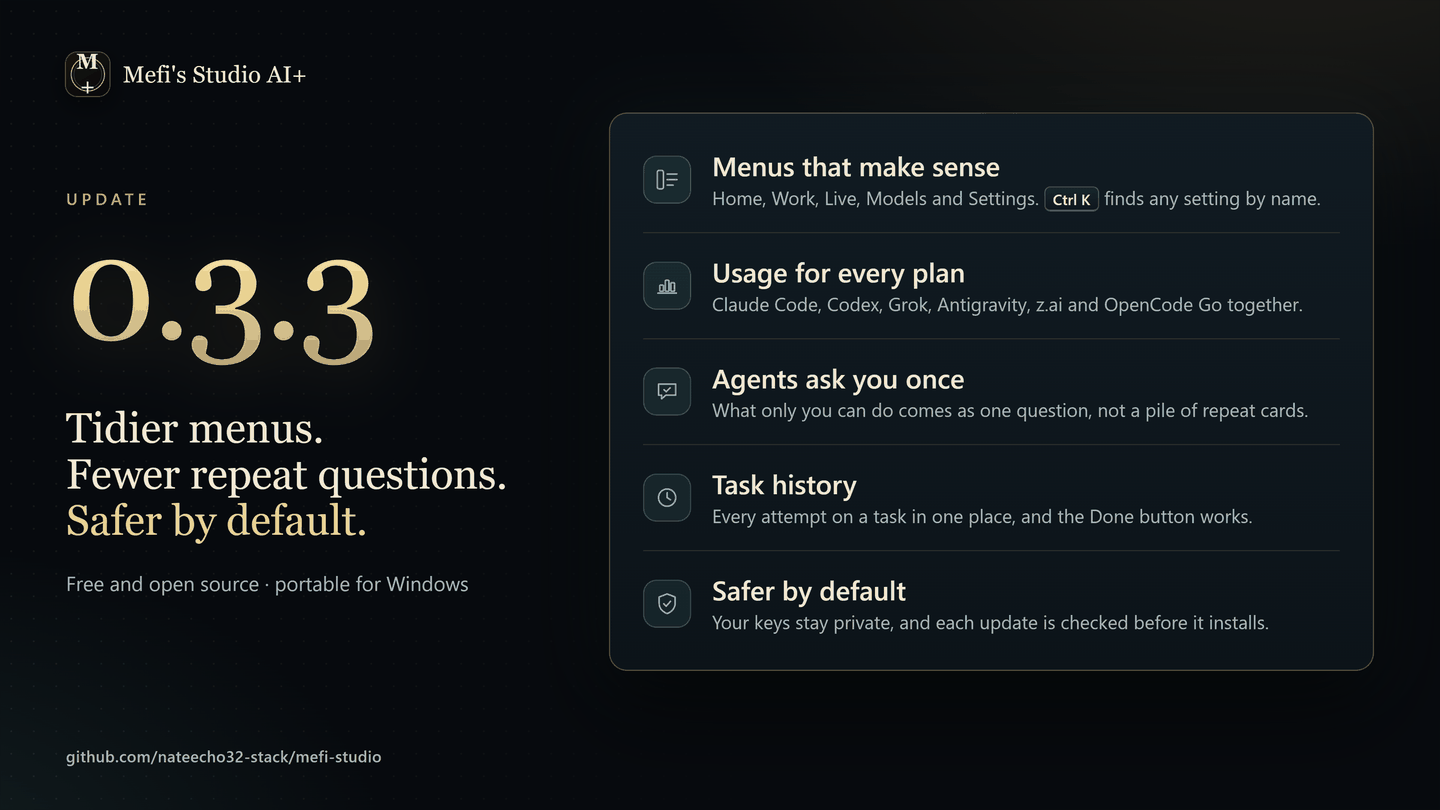
Tidier menus. Fewer repeat questions. Safer by default.
New
- Menus that make sense. The menu on the left is grouped into Home, Work, Live, Models and Settings, and
Ctrl Kfinds any setting by name. Settings has a search box and three groups: Connections, Personal and System. - Usage for every plan. The Usage popover shows Claude Code, Codex, Grok, Antigravity, z.ai and OpenCode Go side by side, each with its limits and reset times. z.ai's newer credit plans read again.
- Agents ask you once. Something only you can do, like moving a card on the board, reaches you as one question you can answer with I'll take care of it, instead of coming back as a new card each time.
- Task history. A task's detail shows every attempt, and sessions link back to the task they worked on. The Done button in the Command view now actually marks the task done.
- Brain maps show what they do. Each part shows its recent activity, and every setting says whether Studio uses it yet.
- Server Styler controls. If you keep the separate Discord Server Styler project next to Studio, Settings can start it and open its dashboard.
Safer by default
- The browser preview stays on your machine.
npm run start:weblistens only on your own computer and serves only the app's files, not your project data. - Settings changes no longer undo each other, and a damaged settings file is set aside instead of being wiped.
- Your keys stay private. Helper tools Studio starts, such as git and npm, no longer see its API keys.
- Updates are checked before they install, against the SHA-256 published with the release.
- Links open safely. Only web links open, in your browser, and the Studio window never navigates away from itself.
Install
Download Mefi-Studio-AI+-v0.3.3-win32-x64.zip, extract the whole folder, and open Mefi Studio AI+.exe. The .sha256 file holds the zip's SHA-256.
Already on 0.3.0? App updates offers 0.3.3 within 20 minutes and verifies the download before installing. Your data stays where it is.
Full list of changes: CHANGELOG.md
Mefi Studio AI+ v0.3.0
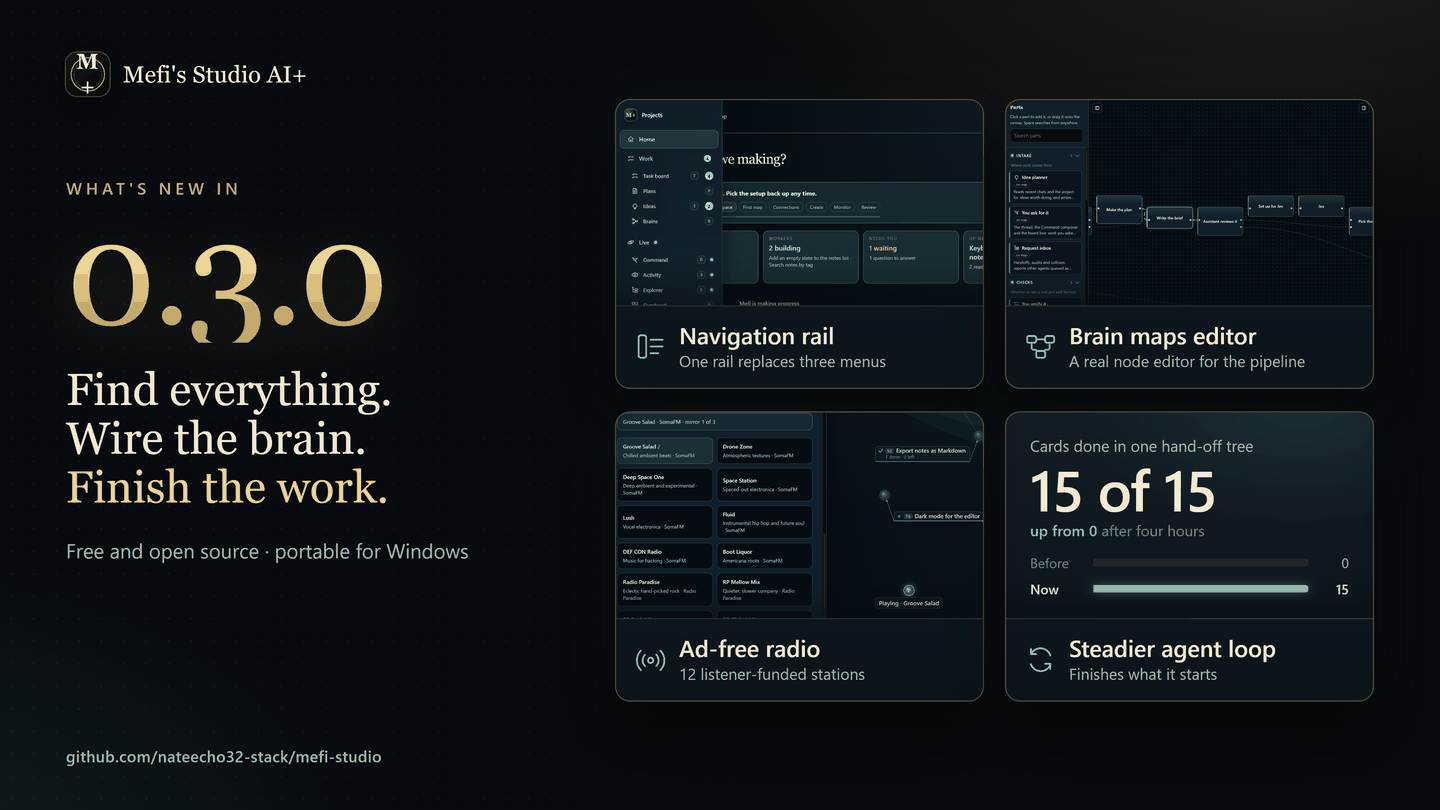
Find everything. Wire the brain. Finish the work.
New
- One navigation rail. Every destination in one place: Home, Work, Live, Models and Settings. Hover to open it, Keep open to pin it.
Ctrl K→ Switch navigation brings the old menus back. - Brain maps is a real node editor. Pan, zoom and a minimap, drag to connect parts, pick several at once, undo any edit, and let Tidy line it all up. New, Duplicate and Build with AI now work in the app.
- Ad-free radio in Style & sound: twelve listener-funded stations from SomaFM and Radio Paradise. If a stream drops, a backup takes over without stopping the music, and the node tree moves with it.
- Pick an AI per job. Planning and everyday answers can each use their own provider, and OpenCode Zen is now an option.
The agent loop is much more likely to finish what it starts
- Big jobs get finished. When agents pass work to each other, the whole chain now completes: all 15 steps in our test, where before none did.
- Slow tools get time to start. A coding tool that needs a few minutes to get going is no longer cut off: 9 of 9 test tasks done, up from 0.
- A failing AI service won't hold you up. After a few failures Studio moves to the next one right away, instead of waiting up to 2 minutes every time.
- Outages don't use up retries. While a service is down, tasks wait and try again later without losing an attempt.
- Your keys stay private. When Studio runs on a server, coding agents no longer get a copy of its API keys.
Test numbers come from runs of Studio's real agent code on a sped-up clock (tools/monitor_loop.mjs).
Install
Download Mefi-Studio-AI+-v0.3.0-win32-x64.zip, extract the whole folder, and open Mefi Studio AI+.exe. The .sha256 file holds the zip's SHA-256.
Already on 0.2.0? App updates offers 0.3.0 within 20 minutes and verifies the download before installing. Your data stays where it is.
Full list of changes: CHANGELOG.md
Mefi Studio AI+ v0.2.0
Portable Windows build of Mefi Studio AI+ v0.2.0.
Studio checks this release from its App updates block and installs it in place; user data (data/) never travels in the zip.