NCIRF User Manual
National Cancer Institute dosimetry system for Radiography and Fluoroscopy (NCIRF) is a computer software to estimate organ and effective doses for patients undergoing diagnostic radiography and fluoroscopy, and fluoroscopically guided interventional fluoroscopy procedures. The program is based on computational human phantoms combined with a streamlined GEANT4 Monte Carlo radiation transport package. Different from NCICT and NCINM, which are based on the pre-calculated dose conversion coefficients, NCIRF features direct Monte Carlo radiation transport with user input data.
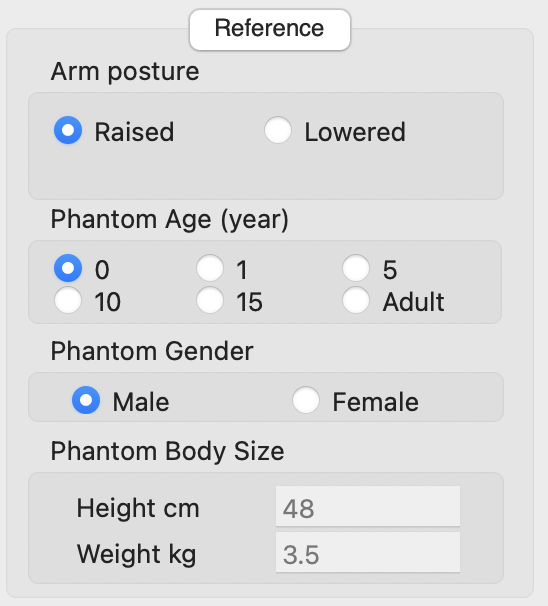
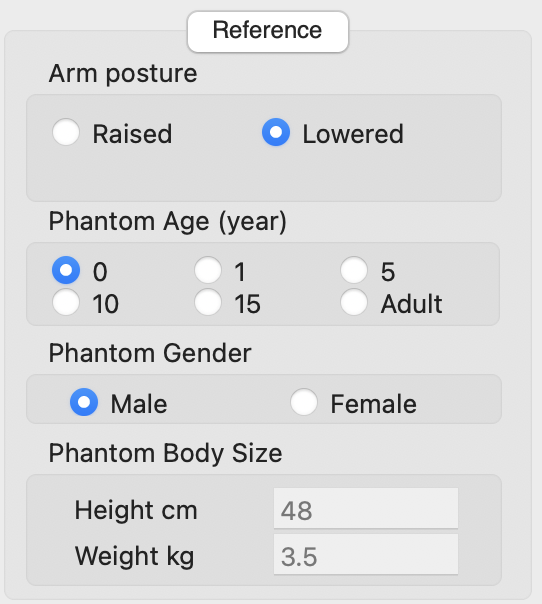
Two libraries of the computational human phantoms are implemented into NCIRF2.0: the reference size phantoms with the arms raised and lowered. You can select the arm posture between Raised and Lowered. Next, You can input the age and gender of the patient. You can select the patient’s age from five age groups: newborn, 1, 5, 10, 15 years, and adult (generally assumed to be over 20 years). When you have patients with in-between ages not matching the ICRP age group, you may want to (1) interpolate organ doses calculated from younger and older ages (e.g., interpolate doses of 1-year and 5-year phantoms when you have 3-year-old patient), or (2) choose age group closest to your patient (e.g., select 5 years when your patient is 4-year). When age and gender are selected, the reference height and weight corresponding to the reference individual defined by International Commission on Radiological Protection (ICRP) will be displayed (not editable).
Next, you need to select x-ray beam characteristics. A series of x-ray energy spectra, combinations of the peak tube potential and half-value layer, can be selected from the list. Other parameters such as source-to-isocenter distance (cm), field width at isocenter (cm), and field height at isocenter (cm) can be entered or adjusted using the up and down arrows right next to the text boxes. Changes in the size of the beam field will be automatically reflected on the phantom pictures. It is important to note that Source Isocenter Distance is not reflected on the phantom pictures due to the limitation of space. Lastly, Dose Area Product (Gy-cm2) needs to be entered, which will be used to convert Monte Carlo organ dose (absorbed dose per particle launched) to absolute doses.

You need to enter two angles, Positioner Primary Angle (PPA) and Positioner Secondary Angle (PSA), which are corresponding to azimuthal and polar angles, respectively, in a polar coordinate. The two angles can be entered directly into the text boxes or adjusted using the up and down arrows next to the text boxes. The changes in both angles will be reflected in the phantom pictures in the top, front, and lateral views. You can also select a predefined beam direction from the dropdown menu. The definition of PPA and PSA follows the National Electrical Manufacturers Association (NEMA) DICOM standard.

Top, left lateral, and frontal views of the phantom with the selected age and gender are displayed. The iso-center and the width and height of the x-ray beam at iso-centers entered in the previous step are visually displayed on the phantom. You can locate the iso-centers on the top, lateral, and frontal views using mouse. The red dot represents the x-ray source location and the red arrow shows the direction of x-ray beam.
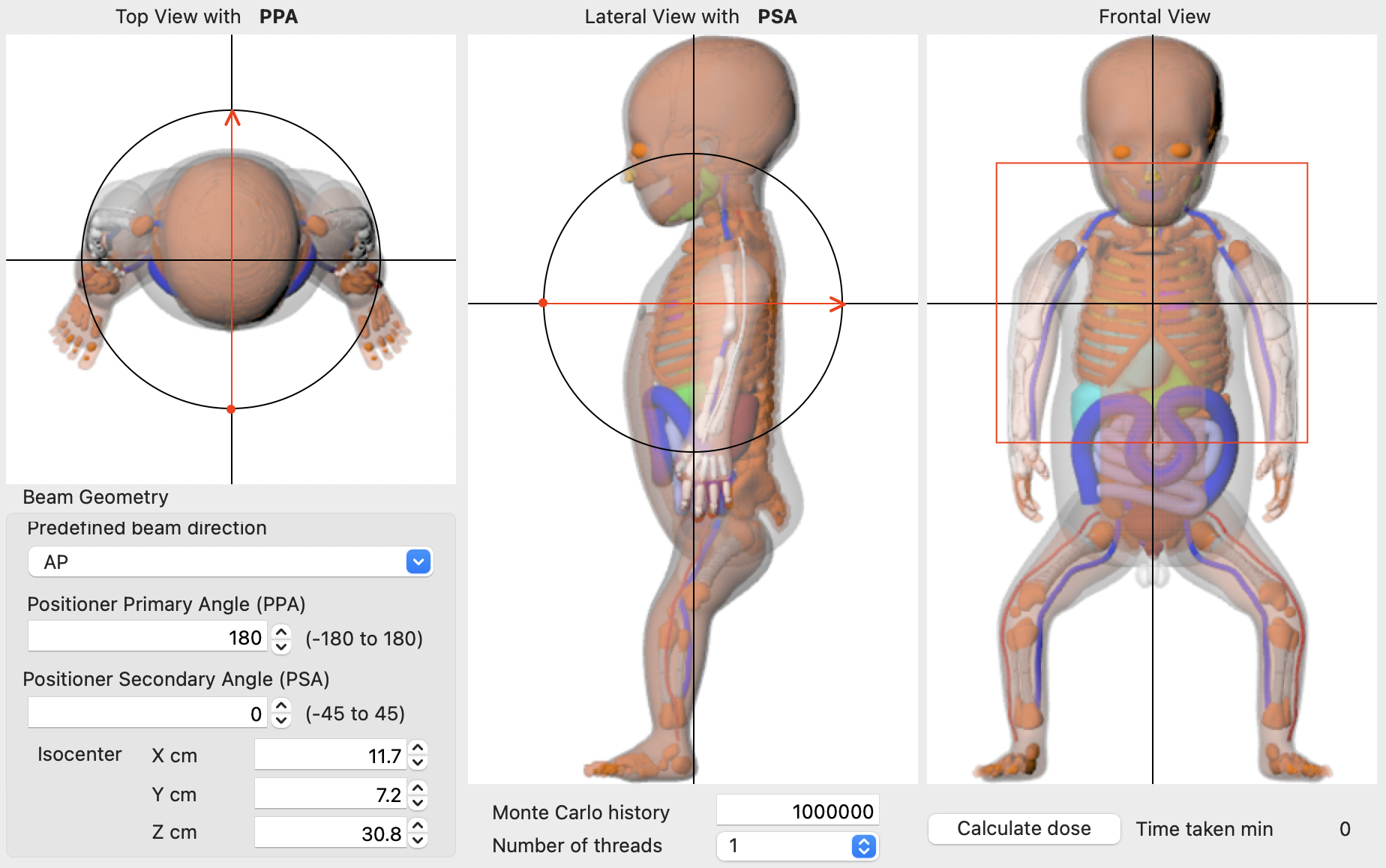
You need to specify the number of Monte Carlo history. You may want to adjust the history by checking the Monte Carlo statistical errors displayed next to the organ doses. From NCIRF version 2.0, multithreading can be used to increase the speed of calculations. You can specify the number of threads you would like to use for Monte Carlo simulations. The dropdown menu contains the number of threads from 1 to 18. The number of threads usually corresponds to the number of CPU cores in your computer. You may enter the number of threads beyond the number of CPU cores, but the performance may not be improved.
When all parameters are defined, Monte Carlo calculations will be performed in the background when you press the button, Calculate Organ Dose. The GEANT4 input file will be generated and Monte Carlo radiation transport will be conducted in the background.
Note: While Monte Carlo calculation is running, the user interface may look frozen but once Monte Carlo calculations are completed, the interface will come back to normal.

In test calculations using iMac Pro 2.3 GHz 18-Core Intel Xeon W, the number of threads correlates with the calculation time as below.

Whenever Monte Carlo calculations are completed, the organ dose table on the right pane of the user interface will be refreshed with organ absorbed doses (mGy) with Monte Carlo errors (%) next to the organ doses. When any input parameters are changed, the organ dose table will be erased for the next Monte Carlo runs. Effective dose (mSv) is calculated based on the tissue weighting factors defined by the ICRP Publication 103.

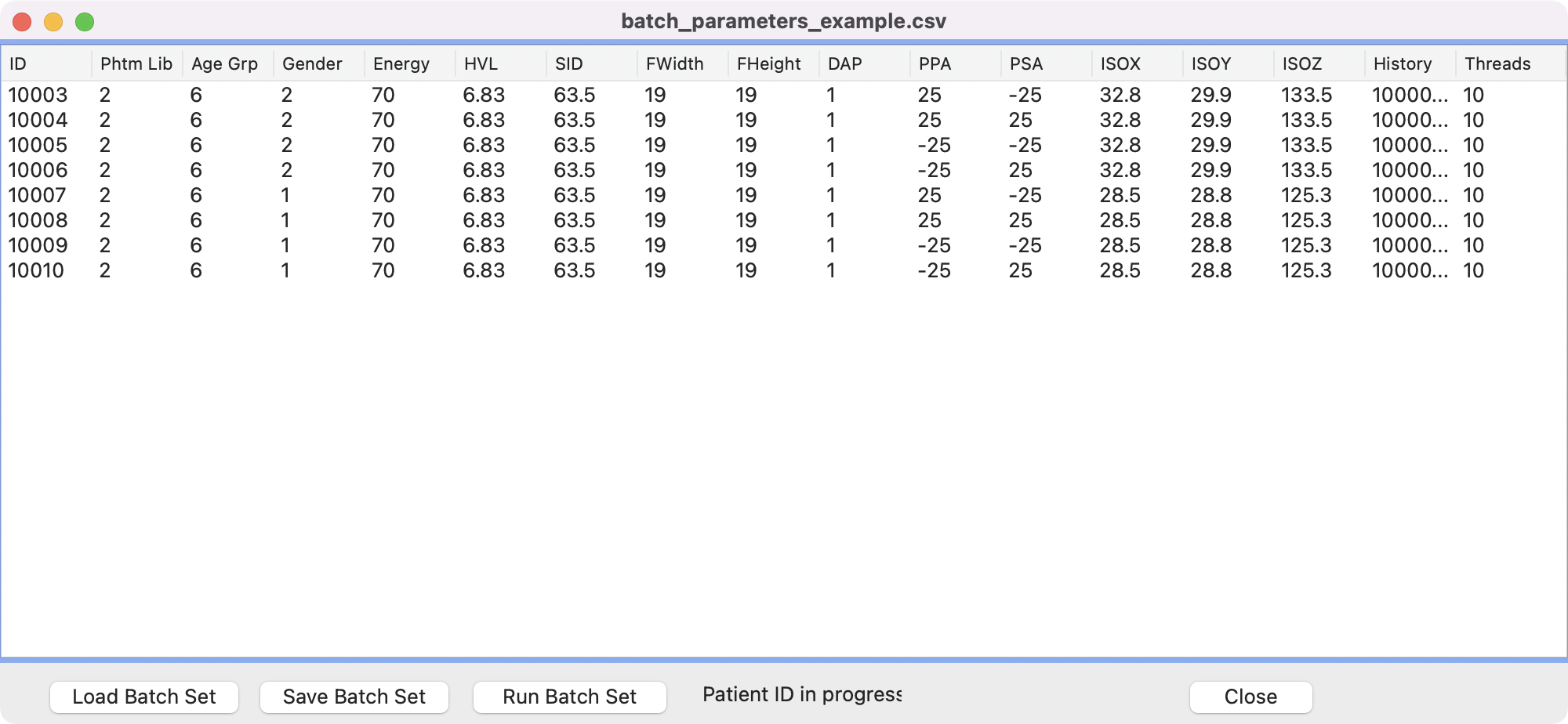
Batch Manager is available to run multiple input files. You can open Batch Manager by clicking the Open Batch Manager button or sending the input parameters directly to Batch Manager by clicking Setting to Batch button, which will open Batch Manager automatically. The parameters defined in the user interface will be transferred to Batch Manager as shown below. The list of parameters in Batch Manager can be saved using Save Batch Set button and Batch Manager can load an existing batch set file using Load Batch Set button. When you double click each patient row on Batch Manager, the input parameters will be reflected in the user interface. You can start Monte Carlo calculations using the Run Batch Set button and when the batch calculations are completed, a message Batch calculation is completed will pop up. Due to some technical difficulties, it is not possible to check the status of runs in the current version.
- Create MCNP6 input files from Batch Manager
- Extend the phantom library to include body size-dependent phantoms
- Pregnant phantoms with fetal phantoms
- Custom x-ray spectrum
- 20221214 Official release version 2.0.20220418
- 20220418
- Bug not reflecting custom angles fixed
- 20220317
- Running on Windows virtual machine on Parallels
- Error caused by the issues with the path to GEANT4 on non-English Windows fixed
- 20220307
- Two phantom libraries with the arms raised and lowered are available
- The initial phantom set to the newborn male phantom
- Error fixed when no file is selected in “Load Batch Set” on Batch Manager
- 20211217
- The Mac version with multithreading finally available!
- Skeletal dose problem discovered in NCIRF1.0 multithread version solved
- Multithread number can be specified with calculation time (min) displayed
- No need to install under Documents folder (required for NCIRF1.0)
- Arm-raised and arm-lowered phantoms available
-
20211206 Official release version 1.0.20211206
- Support multithreading for Windows version
- Bug reported: skeletal doses get zeros
- 20210926
- Initialize the dose table created from the previous calculation when parameters change
- Menus for User Manual and User Forum added under “Help” menu
- 20210901
- Batch manager
- Users can create a list of parameter sets (patient and technical parameters) by sending them from the GUI to Batch Manager.
- Users can save/load the list of parameter sets.
- Users can run the parameter sets in a batch mode
- 20210825
- Bug not running history greater than 1E7 fixed
- 20210620 Official release version 1.0.20210620
- 20210115
- NCIRF GEANT4 version completed
- Critical bugs fixed: half field size, beam angle transformation
- 20200810
- NCIRF MCNPX version completed
- Test for Xojo interface to MCNPX input files completed