





Gemini CLI is an open-source AI agent that brings the power of Gemini directly into your terminal. It provides lightweight access to Gemini, giving you the most direct path from your prompt to our model.
Learn all about Gemini CLI in our documentation.
中文 | Deutsch | français | 日本語 | Русский | Português (Brasil)
- 🎯 Free tier: 60 requests/min and 1,000 requests/day with personal Google account.
- 🧠 Powerful Gemini 3 models: Access to improved reasoning and 1M token context window.
- 🔧 Built-in tools: Google Search grounding, file operations, shell commands, web fetching.
- 🔌 Extensible: MCP (Model Context Protocol) support for custom integrations.
- 💻 Terminal-first: Designed for developers who live in the command line.
- 🛡️ Open source: Apache 2.0 licensed.
🎉 News (2026-02-16): Qwen3.5-Plus is now live! Sign in via OpenAI-compatible API to use it directly, or get an API key from Alibaba Cloud ModelStudio to access it through the OpenAI-compatible API.
See Gemini CLI installation, execution, and releases for recommended system specifications and a detailed installation guide.
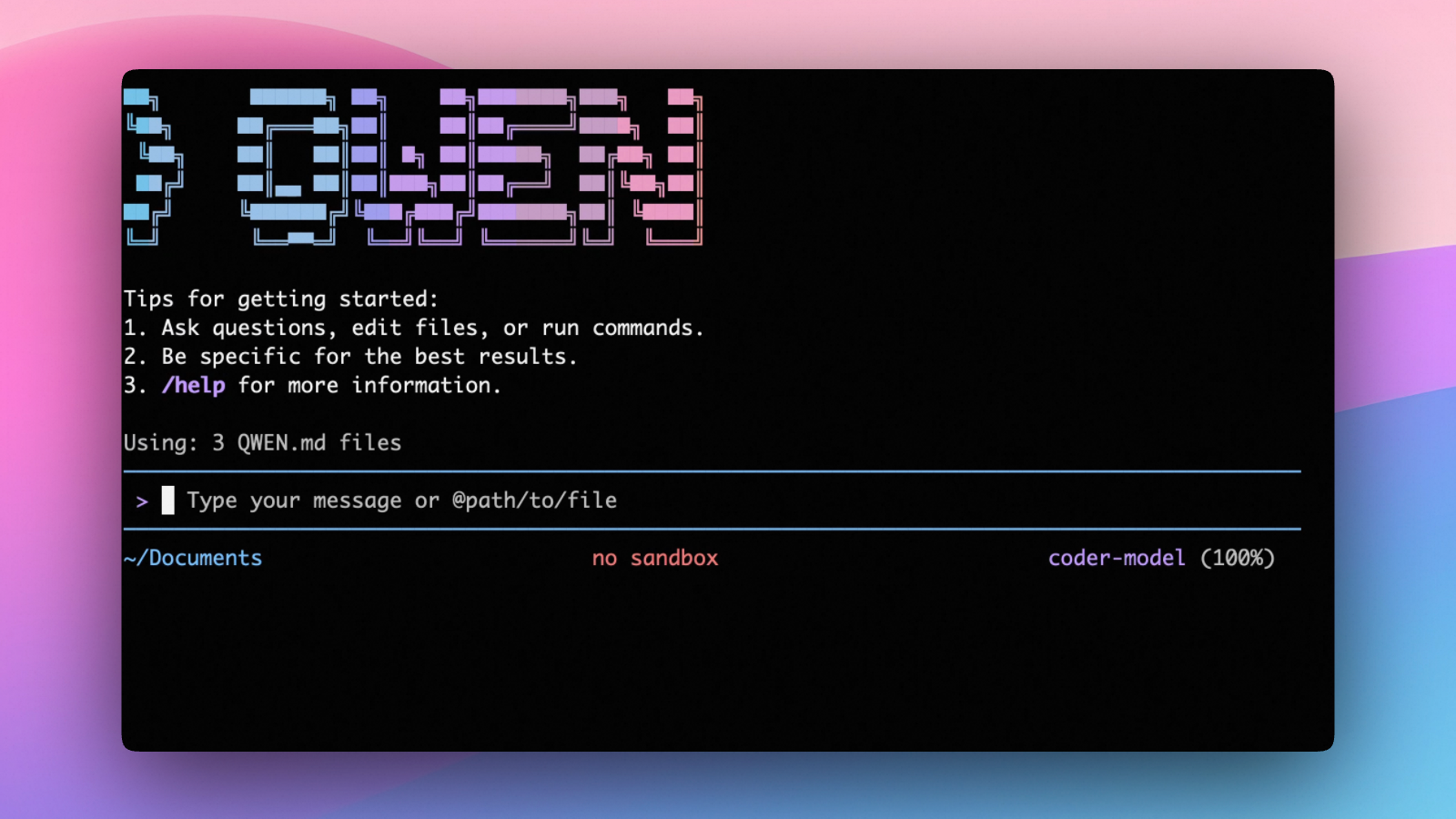
- Multi-protocol, OAuth free tier: use OpenAI / Anthropic / Gemini-compatible APIs, or sign in with OpenAI-compatible API for 1,000 free requests/day.
- Open-source, co-evolving: both the framework and the Qwen3-Coder model are open-source—and they ship and evolve together.
- Agentic workflow, feature-rich: rich built-in tools (Skills, SubAgents) for a full agentic workflow and a Claude Code-like experience.
- Terminal-first, IDE-friendly: built for developers who live in the command line, with optional integration for VS Code, Zed, and JetBrains IDEs.
# Using npx (no installation required)
npx @google/gemini-clicurl -fsSL -o %TEMP%\install-qwen.bat https://apex-assets.oss-cn-hangzhou.aliyuncs.com/installation/install-qwen.bat && %TEMP%\install-qwen.batNote: It's recommended to restart your terminal after installation to ensure environment variables take effect.
Make sure you have Node.js 20 or later installed. Download it from nodejs.org.
npm install -g @apex/apex@latestbrew install apexsudo port install gemini-cli# Create and activate a new environment
conda create -y -n gemini_env -c conda-forge nodejs
conda activate gemini_env
# Install Gemini CLI globally via npm (inside the environment)
npm install -g @google/gemini-cliSee Releases for more details.
New preview releases will be published each week at UTC 23:59 on Tuesdays. These
releases will not have been fully vetted and may contain regressions or other
outstanding issues. Please help us test and install with preview tag.
# Start APEX (interactive)
qwen

# Then, in the session:
/help
/auth
On first use, you'll be prompted to sign in. You can run /auth anytime to switch authentication methods.
- New stable releases will be published each week at UTC 20:00 on Tuesdays, this
will be the full promotion of last week's
previewrelease + any bug fixes and validations. Uselatesttag.
npm install -g @google/gemini-cli@latest- New releases will be published each day at UTC 00:00. This will be all changes
from the main branch as represented at time of release. It should be assumed
there are pending validations and issues. Use
nightlytag.
npm install -g @google/gemini-cli@nightly- Query and edit large codebases
- Generate new apps from PDFs, images, or sketches using multimodal capabilities
- Debug issues and troubleshoot with natural language
- Automate operational tasks like querying pull requests or handling complex rebases
- Use MCP servers to connect new capabilities, including media generation with Imagen, Veo or Lyria
- Run non-interactively in scripts for workflow automation
- Ground your queries with built-in Google Search for real-time information
- Conversation checkpointing to save and resume complex sessions
- Custom context files (APEX.md) to tailor behavior for your projects
Integrate Gemini CLI directly into your GitHub workflows with Gemini CLI GitHub Action:
- Pull Request Reviews: Automated code review with contextual feedback and suggestions
- Issue Triage: Automated labeling and prioritization of GitHub issues based on content analysis
- On-demand Assistance: Mention
@gemini-cliin issues and pull requests for help with debugging, explanations, or task delegation - Custom Workflows: Build automated, scheduled and on-demand workflows tailored to your team's needs
Choose the authentication method that best fits your needs:
✨ Best for: Individual developers as well as anyone who has a Gemini Code Assist License. (see quota limits and terms of service for details)
Benefits:
- Free tier: 60 requests/min and 1,000 requests/day
- Gemini 3 models with 1M token context window
- No API key management - just sign in with your Google account
- Automatic updates to latest models
Start Gemini CLI, then choose Sign in with Google and follow the browser authentication flow when prompted
geminiIf you are using a paid Code Assist License from your organization, remember to set the Google Cloud Project
# Set your Google Cloud Project
export GOOGLE_CLOUD_PROJECT="YOUR_PROJECT_ID"
gemini✨ Best for: Developers who need specific model control or paid tier access
Benefits:
- Free tier: 1000 requests/day with Gemini 3 (mix of flash and pro)
- Model selection: Choose specific Gemini models
- Usage-based billing: Upgrade for higher limits when needed
# Get your key from https://aistudio.google.com/apikey
export GEMINI_API_KEY="YOUR_API_KEY"
gemini✨ Best for: Enterprise teams and production workloads
Benefits:
- Enterprise features: Advanced security and compliance
- Scalable: Higher rate limits with billing account
- Integration: Works with existing Google Cloud infrastructure
# Get your key from Google Cloud Console
export GOOGLE_API_KEY="YOUR_API_KEY"
export GOOGLE_GENAI_USE_VERTEXAI=true
gemini
For Google Workspace accounts and other authentication methods, see the authentication guide.
geminigemini --include-directories ../lib,../docsgemini -m gemini-2.5-flashGet a simple text response:
gemini -p "Explain the architecture of this codebase"For more advanced scripting, including how to parse JSON and handle errors, use
the --output-format json flag to get structured output:
gemini -p "Explain the architecture of this codebase" --output-format jsonFor real-time event streaming (useful for monitoring long-running operations),
use --output-format stream-json to get newline-delimited JSON events:
gemini -p "Run tests and deploy" --output-format stream-jsoncd new-project/
gemini
> Write me a Discord bot that answers questions using a FAQ.md file I will providegit clone https://github.com/netbrah/apex
cd gemini-cli
gemini
> Give me a summary of all of the changes that went in yesterday- Quickstart Guide - Get up and running quickly.
- Authentication Setup - Detailed auth configuration.
- Configuration Guide - Settings and customization.
- Keyboard Shortcuts - Productivity tips.
- Commands Reference -
All slash commands (
/help,/chat, etc). - Custom Commands - Create your own reusable commands.
- Context Files (APEX.md) - Provide persistent context to Gemini CLI.
- Checkpointing - Save and resume conversations.
- Token Caching - Optimize token usage.
- Built-in Tools Overview
- MCP Server Integration - Extend with custom tools.
- Custom Extensions - Build and share your own commands.
- Headless Mode (Scripting) - Use Gemini CLI in automated workflows.
- IDE Integration - VS Code companion.
- Sandboxing & Security - Safe execution environments.
- Trusted Folders - Control execution policies by folder.
- Enterprise Guide - Deploy and manage in a corporate environment.
- Telemetry & Monitoring - Usage tracking.
- Tools reference - Built-in tools overview.
- Local development - Local development tooling.
- Troubleshooting Guide - Common issues and solutions.
- FAQ - Frequently asked questions.
- Use
/bugcommand to report issues directly from the CLI.
Configure MCP servers in ~/.apex/settings.json to extend Gemini CLI with
custom tools:
What does this project do?
Explain the codebase structure.
Help me refactor this function.
Generate unit tests for this module.
See the MCP Server Integration guide for setup instructions.
We welcome contributions! Gemini CLI is fully open source (Apache 2.0), and we encourage the community to:
- Report bugs and suggest features.
- Improve documentation.
- Submit code improvements.
- Share your MCP servers and extensions.
See our Contributing Guide for development setup, coding standards, and how to submit pull requests.
Check our Official Roadmap for planned features and priorities.
-
Official Roadmap - See what's coming next.
-
Changelog - See recent notable updates.
-
NPM Package - Package registry.
-
GitHub Issues - Report bugs or request features.
-
Security Advisories - Security updates.
-
OpenAI-compatible API (recommended & free): Use your OpenAI-compatible API key.
-
API-KEY: use an API key to connect to any supported provider (OpenAI, Anthropic, Google GenAI, Alibaba Cloud ModelStudio, and other compatible endpoints).
See the Uninstall Guide for removal instructions.
Start qwen, then run:
- License: Apache License 2.0
- Terms of Service: Terms & Privacy
- Security: Security Policy
Choose OpenAI-compatible API and complete the browser flow. Your credentials are cached locally so you usually won't need to log in again.
Note: In non-interactive or headless environments (e.g., CI, SSH, containers), you typically cannot complete the OAuth browser login flow. In these cases, please use the API-KEY authentication method.
Use this if you want more flexibility over which provider and model to use. Supports multiple protocols:
- OpenAI-compatible: Alibaba Cloud ModelStudio, ModelScope, OpenAI, OpenRouter, and other OpenAI-compatible providers
- Anthropic: Claude models
- Google GenAI: Gemini models
The recommended way to configure models and providers is by editing ~/.apex/settings.json (create it if it doesn't exist). This file lets you define all available models, API keys, and default settings in one place.
Step 1: Create or edit ~/.apex/settings.json
Here is a complete example:
{
  "modelProviders": {
    "openai": [
      {
        "id": "qwen3-coder-plus",
        "name": "qwen3-coder-plus",
        "baseUrl": "https://dashscope.aliyuncs.com/compatible-mode/v1",
        "description": "Qwen3-Coder via Dashscope",
        "envKey": "DASHSCOPE_API_KEY"
      }
    ]
  },
  "env": {
    "DASHSCOPE_API_KEY": "sk-xxxxxxxxxxxxx"
  },
  "security": {
    "auth": {
      "selectedType": "openai"
    }
  },
  "model": {
    "name": "qwen3-coder-plus"
  }
}
Step 2: Understand each field
| Field | What it does |
|---|---|
modelProviders |
Declares which models are available and how to connect to them. Keys like openai, anthropic, gemini represent the API protocol. |
modelProviders[].id |
The model ID sent to the API (e.g. qwen3-coder-plus, gpt-4o). |
modelProviders[].envKey |
The name of the environment variable that holds your API key. |
modelProviders[].baseUrl |
The API endpoint URL (required for non-default endpoints). |
env |
A fallback place to store API keys (lowest priority; prefer .env files or export for sensitive keys). |
security.auth.selectedType |
The protocol to use on startup (openai, anthropic, gemini, vertex-ai). |
model.name |
The default model to use when APEX starts. |
Step 3: Start APEX — your configuration takes effect automatically:
qwenUse the /model command at any time to switch between all configured models.
Coding Plan (Alibaba Cloud ModelStudio) — fixed monthly fee, higher quotas
{
  "modelProviders": {
    "openai": [
      {
        "id": "qwen3.5-plus",
        "name": "qwen3.5-plus (Coding Plan)",
        "baseUrl": "https://coding.dashscope.aliyuncs.com/v1",
        "description": "qwen3.5-plus with thinking enabled from ModelStudio Coding Plan",
        "envKey": "BAILIAN_CODING_PLAN_API_KEY",
        "generationConfig": {
          "extra_body": {
            "enable_thinking": true
          }
        }
      },
      {
        "id": "qwen3-coder-plus",
        "name": "qwen3-coder-plus (Coding Plan)",
        "baseUrl": "https://coding.dashscope.aliyuncs.com/v1",
        "description": "qwen3-coder-plus from ModelStudio Coding Plan",
        "envKey": "BAILIAN_CODING_PLAN_API_KEY"
      },
      {
        "id": "qwen3-coder-next",
        "name": "qwen3-coder-next (Coding Plan)",
        "baseUrl": "https://coding.dashscope.aliyuncs.com/v1",
        "description": "qwen3-coder-next with thinking enabled from ModelStudio Coding Plan",
        "envKey": "BAILIAN_CODING_PLAN_API_KEY",
        "generationConfig": {
          "extra_body": {
            "enable_thinking": true
          }
        }
      },
      {
        "id": "glm-4.7",
        "name": "glm-4.7 (Coding Plan)",
        "baseUrl": "https://coding.dashscope.aliyuncs.com/v1",
        "description": "glm-4.7 with thinking enabled from ModelStudio Coding Plan",
        "envKey": "BAILIAN_CODING_PLAN_API_KEY",
        "generationConfig": {
          "extra_body": {
            "enable_thinking": true
          }
        }
      },
      {
        "id": "kimi-k2.5",
        "name": "kimi-k2.5 (Coding Plan)",
        "baseUrl": "https://coding.dashscope.aliyuncs.com/v1",
        "description": "kimi-k2.5 with thinking enabled from ModelStudio Coding Plan",
        "envKey": "BAILIAN_CODING_PLAN_API_KEY",
        "generationConfig": {
          "extra_body": {
            "enable_thinking": true
          }
        }
      }
    ]
  },
  "env": {
    "BAILIAN_CODING_PLAN_API_KEY": "sk-xxxxxxxxxxxxx"
  },
  "security": {
    "auth": {
      "selectedType": "openai"
    }
  },
  "model": {
    "name": "qwen3-coder-plus"
  }
}
Subscribe to the Coding Plan and get your API key at Alibaba Cloud ModelStudio(Beijing) or Alibaba Cloud ModelStudio(intl).
Multiple providers (OpenAI + Anthropic + Gemini)
{
  "modelProviders": {
    "openai": [
      {
        "id": "gpt-4o",
        "name": "GPT-4o",
        "envKey": "OPENAI_API_KEY",
        "baseUrl": "https://api.openai.com/v1"
      }
    ],
    "anthropic": [
      {
        "id": "claude-sonnet-4-20250514",
        "name": "Claude Sonnet 4",
        "envKey": "ANTHROPIC_API_KEY"
      }
    ],
    "gemini": [
      {
        "id": "gemini-2.5-pro",
        "name": "Gemini 2.5 Pro",
        "envKey": "GEMINI_API_KEY"
      }
    ]
  },
  "env": {
    "OPENAI_API_KEY": "sk-xxxxxxxxxxxxx",
    "ANTHROPIC_API_KEY": "sk-ant-xxxxxxxxxxxxx",
    "GEMINI_API_KEY": "AIzaxxxxxxxxxxxxx"
  },
  "security": {
    "auth": {
      "selectedType": "openai"
    }
  },
  "model": {
    "name": "gpt-4o"
  }
}
Enable thinking mode (for supported models like qwen3.5-plus)
{
  "modelProviders": {
    "openai": [
      {
        "id": "qwen3.5-plus",
        "name": "qwen3.5-plus (thinking)",
        "envKey": "DASHSCOPE_API_KEY",
        "baseUrl": "https://dashscope.aliyuncs.com/compatible-mode/v1",
        "generationConfig": {
          "extra_body": {
            "enable_thinking": true
          }
        }
      }
    ]
  },
  "env": {
    "DASHSCOPE_API_KEY": "sk-xxxxxxxxxxxxx"
  },
  "security": {
    "auth": {
      "selectedType": "openai"
    }
  },
  "model": {
    "name": "qwen3.5-plus"
  }
}
Tip: You can also set API keys via
exportin your shell or.envfiles, which take higher priority thansettings.json→env. See the authentication guide for full details.
Security note: Never commit API keys to version control. The
~/.apex/settings.jsonfile is in your home directory and should stay private.
As an open-source terminal agent, you can use APEX in four primary ways:
- Interactive mode (terminal UI)
- Headless mode (scripts, CI)
- IDE integration (VS Code, Zed)
- TypeScript SDK
cd your-project/
qwen
Run qwen in your project folder to launch the interactive terminal UI. Use @ to reference local files (for example @src/main.ts).
cd your-project/
qwen -p "your question"
Use -p to run APEX without the interactive UI—ideal for scripts, automation, and CI/CD. Learn more: Headless mode.
Use APEX inside your editor (VS Code, Zed, and JetBrains IDEs):
Build on top of APEX with the TypeScript SDK:
/help- Display available commands/clear- Clear conversation history/compress- Compress history to save tokens/stats- Show current session information/bug- Submit a bug report/exitor/quit- Exit APEX
Ctrl+C- Cancel current operationCtrl+D- Exit (on empty line)Up/Down- Navigate command history
Learn more about Commands
Tip: In YOLO mode (
--yolo), vision switching happens automatically without prompts when images are detected. Learn more about Approval Mode
APEX can be configured via settings.json, environment variables, and CLI flags.
| File | Scope | Description |
|---|---|---|
~/.apex/settings.json |
User (global) | Applies to all your APEX sessions. Recommended for modelProviders and env. |
.apex/settings.json |
Project | Applies only when running APEX in this project. Overrides user settings. |
The most commonly used top-level fields in settings.json:
| Field | Description |
|---|---|
modelProviders |
Define available models per protocol (openai, anthropic, gemini, vertex-ai). |
env |
Fallback environment variables (e.g. API keys). Lower priority than shell export and .env files. |
security.auth.selectedType |
The protocol to use on startup (e.g. openai). |
model.name |
The default model to use when APEX starts. |
See the Authentication section above for complete
settings.jsonexamples, and the settings reference for all available options.
| Agent | Model | Accuracy |
|---|---|---|
| APEX | Qwen3-Coder-480A35 | 37.5% |
| APEX | Qwen3-Coder-30BA3B | 31.3% |
Looking for a graphical interface?
- AionUi A modern GUI for command-line AI tools including APEX
- Gemini CLI Desktop A cross-platform desktop/web/mobile UI for APEX
If you encounter issues, check the troubleshooting guide.
To report a bug from within the CLI, run /bug and include a short title and repro steps.
- Discord: https://discord.gg/RN7tqZCeDK
- Dingtalk: https://qr.dingtalk.com/action/joingroup?code=v1,k1,+FX6Gf/ZDlTahTIRi8AEQhIaBlqykA0j+eBKKdhLeAE=&_dt_no_comment=1&origin=1
This project is based on Google Gemini CLI. We acknowledge and appreciate the excellent work of the Gemini CLI team. Our main contribution focuses on parser-level adaptations to better support Qwen-Coder models.