No Show of Files in filled folder in iOS App #2234

Description

Steps to reproduce
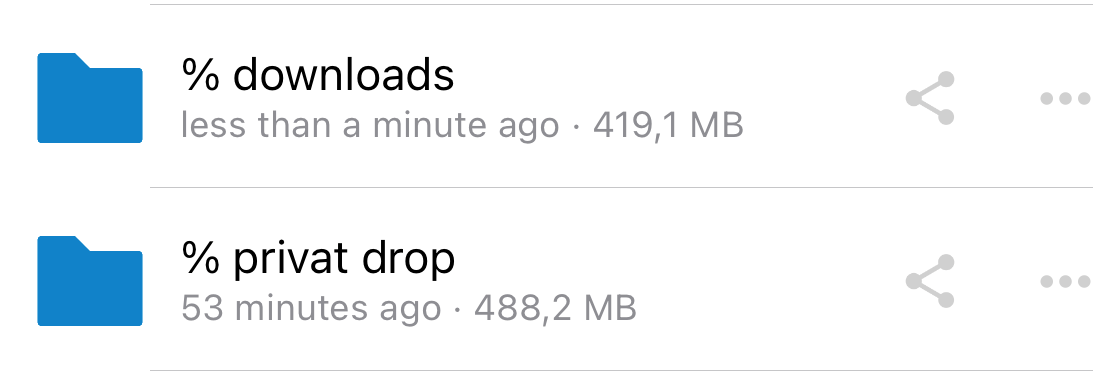
- Name a folder starting with "%" (anywhere: desktop etc.)
- put a file in it
- try to access folder on iPhone
Expected behaviour
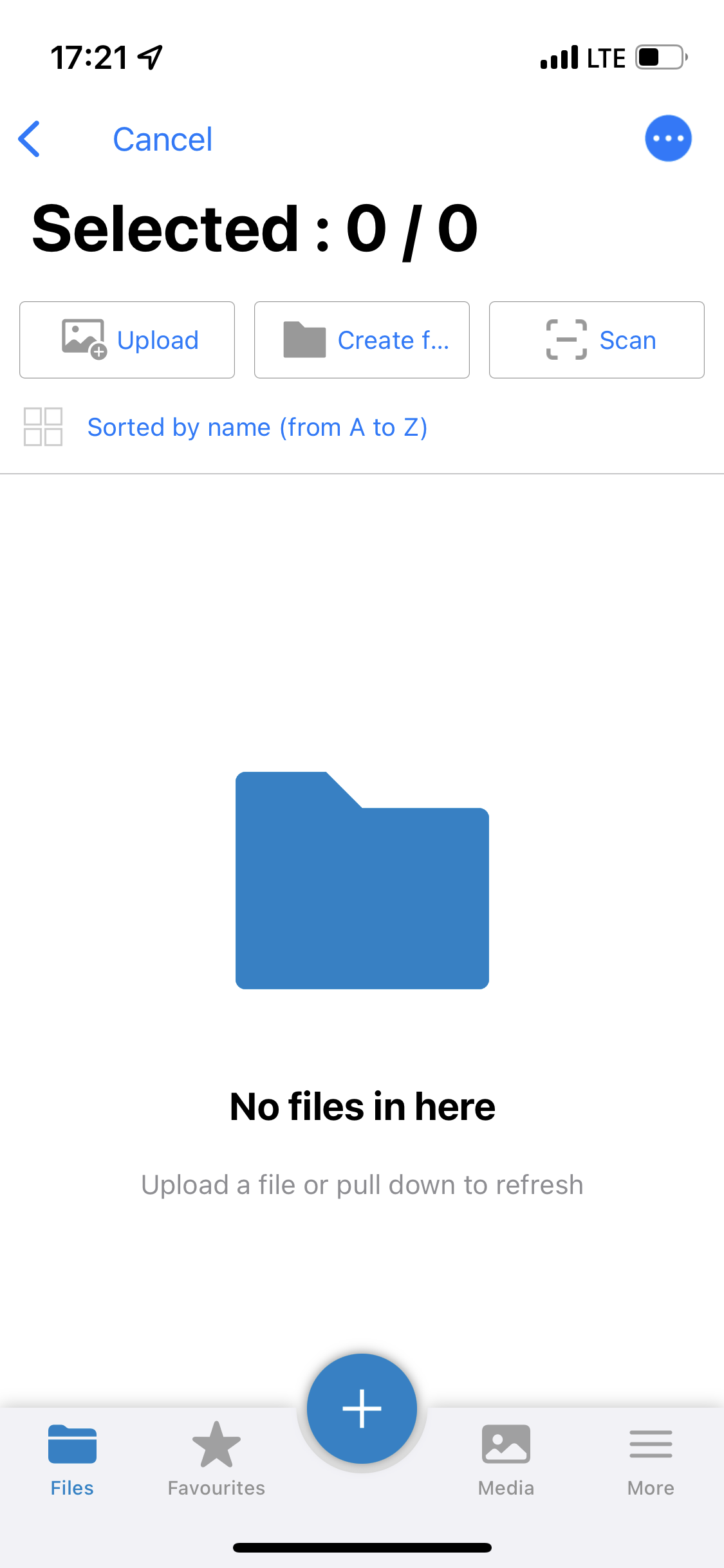
I should see the files when browsering my folders.
Actual behaviour
I can see that my folder contains a certain amount of kb, but when i open it I can see anything - the folder seems to be empty. Even when I added a file from my iphone, i can't see it. I see all files on windows client as well as in the cloud browser. This holds only for folders I used to name beginning with an %. Refreshing does not change it, renaming folders as well.
Screenshots
Environment data
iOS version: e.g. iOS 15.6.1
**Nextcloud iOS app version: 4.5.3.0 (Nextcloud server 24.0.1)
The Server is run by University of Potsdam. For any server information, contact ZKM there.