Logs
Musicott captures its application log output in memory and lets you read, filter, and export it from inside the app — no need to find a log file on your filesystem.
There are two ways to open the log viewer window:
- View menu → Show Application Logs (keyboard shortcut: Ctrl+Shift+L on Linux/Windows, Cmd+Shift+L on macOS)
- Click the amber status bar label — after any operation that produced warnings or errors (for example, an import where some files were skipped, or a metadata edit that hit a problem), the status label at the bottom of the window turns amber and shows something like "Import finished — 3 warning(s)". Clicking that label opens the log viewer directly so you can inspect what went wrong.
The viewer opens as a modeless window alongside the main window — you can keep both open at the same time and interact with either.
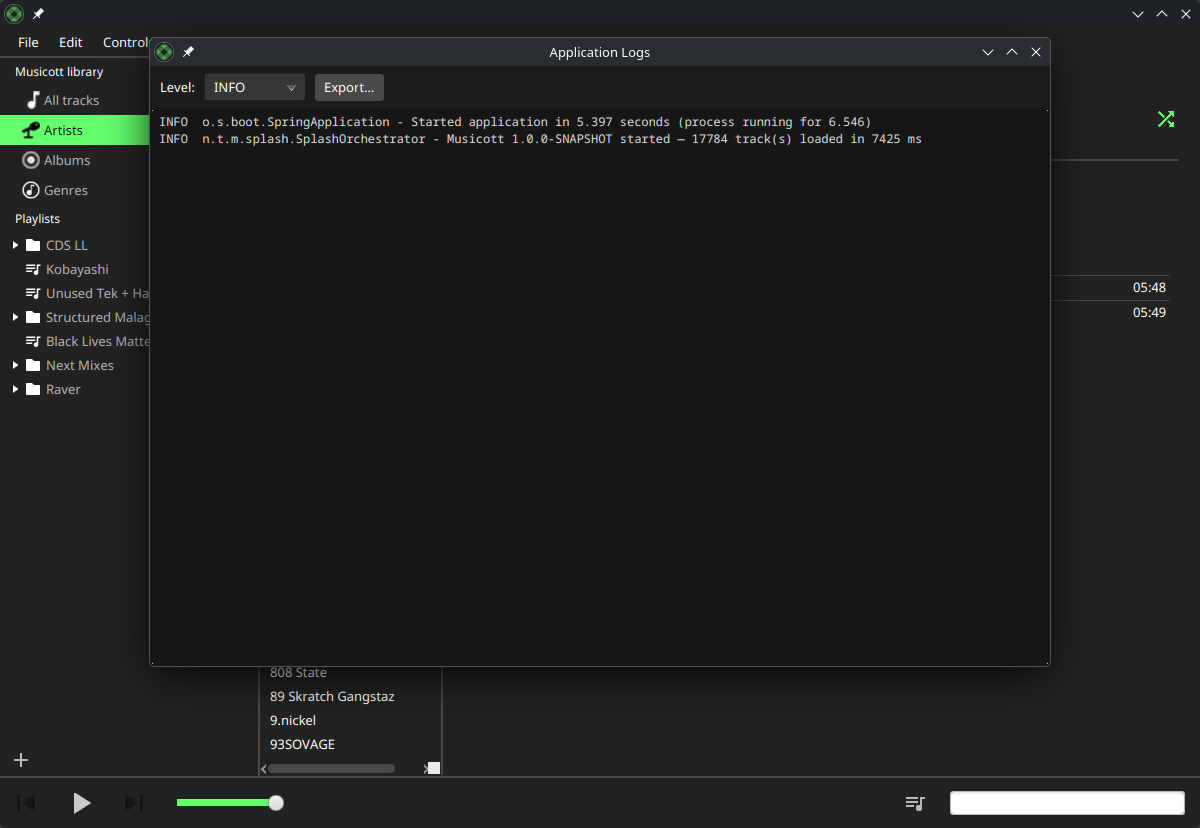
The log viewer shows a scrollable, read-only text area with the most recent log lines captured since the app started. Lines scroll to the bottom automatically as new records arrive while the window is open (live tail).
You can select any text and copy it with the standard keyboard shortcut (Ctrl+C / Cmd+C).
The level filter combo box in the top toolbar controls which lines are shown:
| Level | What you see |
|---|---|
| TRACE | Everything (very verbose — useful for diagnosing library-load issues) |
| DEBUG | Debug and above |
| INFO | Normal operation messages and above (default) |
| WARN | Warnings and errors only |
| ERROR | Errors only |
Changing the filter immediately refreshes the display. The selection is kept across opens — if you switch to WARN, re-opening the viewer later still shows WARN+.
Click the Export button to save the full current buffer to a .log file. A file-save dialog lets you choose the location and name (default: musicott.log). The export writes all buffered lines, not just those visible under the current filter, so you always get the complete picture.
The viewer captures application-level log output from Musicott itself: library loading, import/export operations, playback events, and any errors or warnings the app produces. The buffer holds up to 5 000 lines; older lines are dropped when the cap is reached.
Log records written before you opened the viewer (including startup and any errors that triggered the error dialog) are captured and shown when you first open the window.