Repository navigation
Releases: olgvroe/Vecta
Release list
Vecta 0.1.0 developer preview — build 79

Direct transfer. Local processing. A library you can return to.
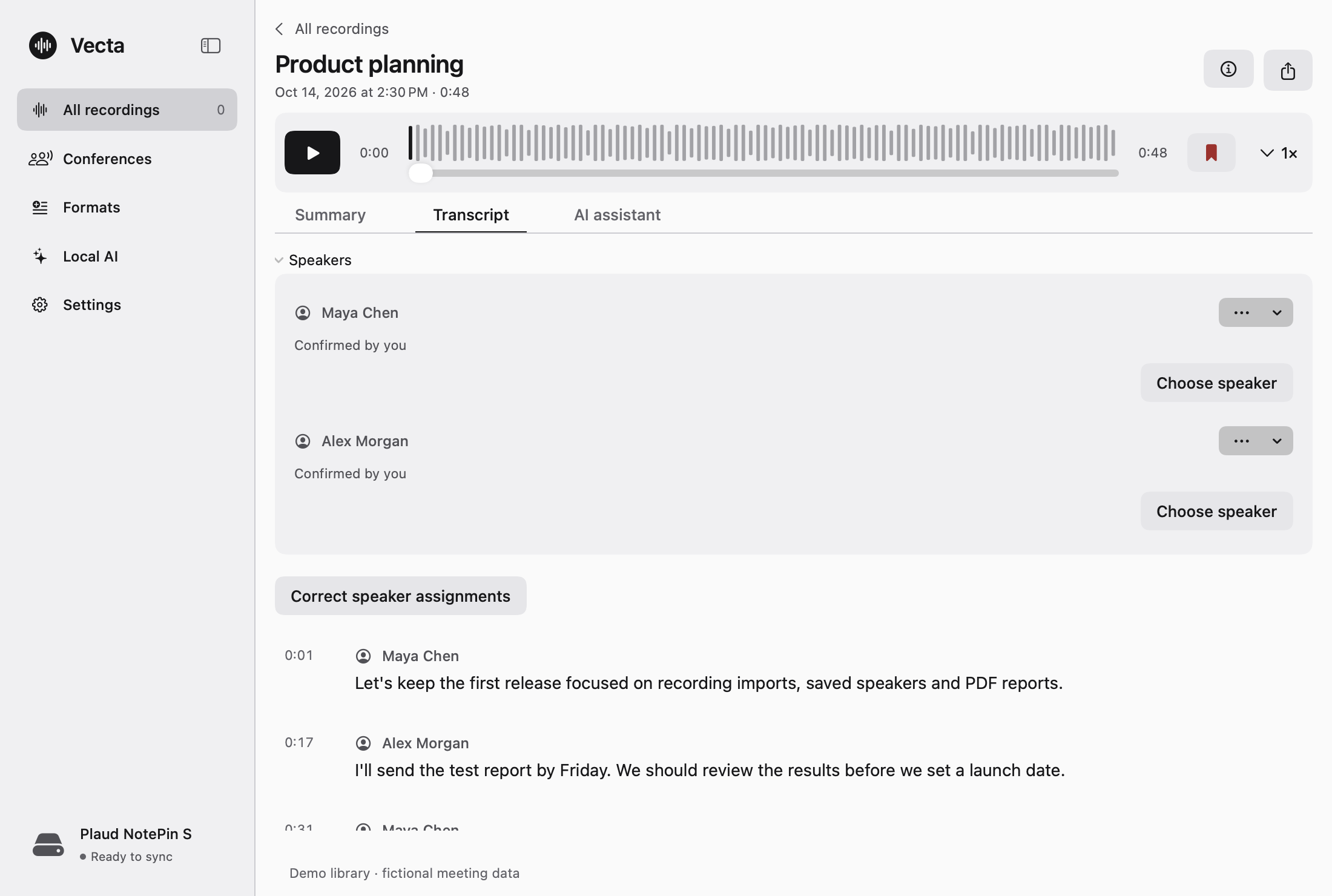
Vecta is a native app for Apple Silicon Macs that brings compatible PLAUD recordings into a local workflow: direct Bluetooth and local Wi-Fi Fast Transfer, on-device transcription and summaries, saved speaker profiles, a searchable recording library, visual reports, PDF exports and custom summary formats.
It implements its own recorder transfer path — no PLAUD SDK, relay website, or intermediary service moves your recording audio.
Why use it
- Independent direct PLAUD transfer. Audio goes from the selected recorder into Vecta’s local library over BLE and local Wi-Fi Fast Transfer.
- Local-only processing. Speech recognition, speaker separation, text and visual summaries, and assistant answers run on your Mac. Recording content is not sent to cloud inference, and there is no cloud-inference fallback.
- Speaker memory. Save local named voice profiles and reuse them across recordings.
- A searchable saved library. Keep recordings, transcripts and summary versions together. Search them or ask about one recording or across saved transcripts.
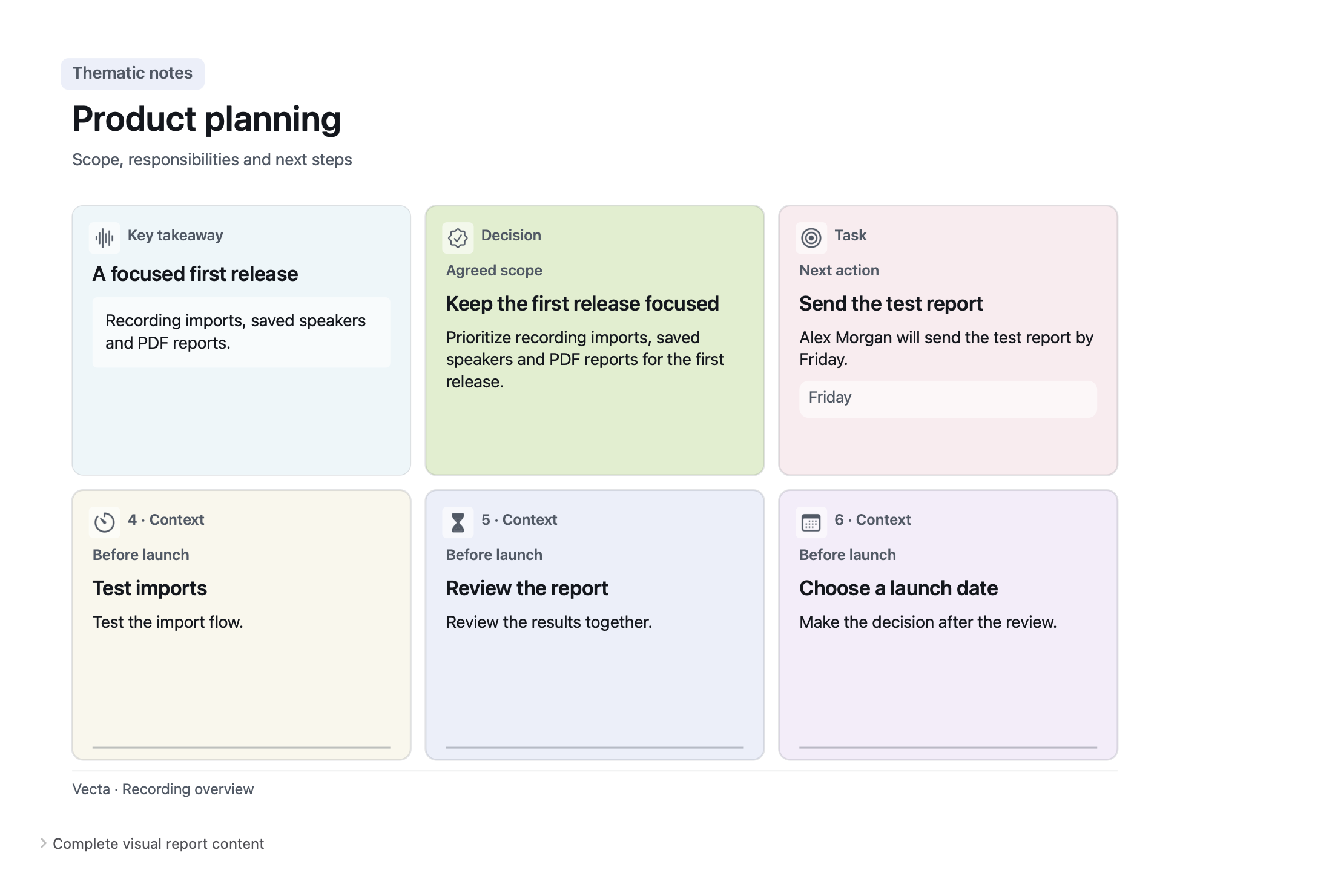
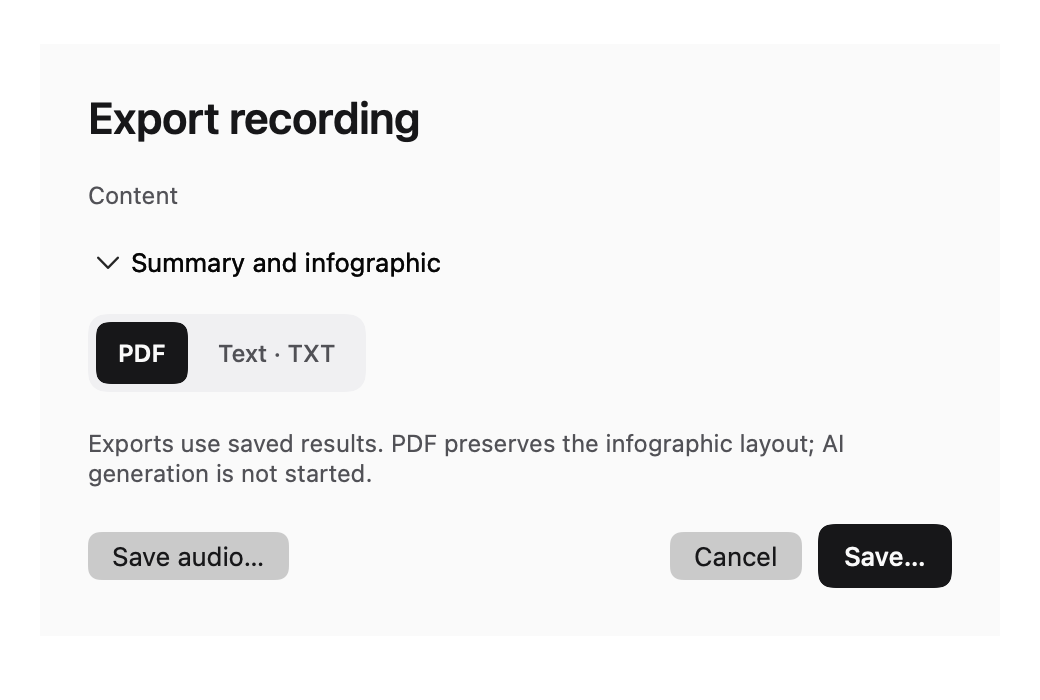
- Visual and PDF reports. Create visual summaries, then export transcripts, summaries, visual summaries or complete reports as PDF or TXT. Export uses saved results; it does not start another AI job.
- Your own formats. Create text-summary instructions for manual, automatic and Conference workflows.
What build 79 fixes
- A temporary real-time media-writer backpressure state drops that individual sample instead of ending a Mac recording. An append failure while the writer is ready remains fatal.
- An existing saved text summary can now create or retry its optional visual summary without regenerating the transcript or text result.
Requirements and setup
- Apple Silicon Mac, macOS 15 or later. Intel and iOS/iPadOS are not supported.
- At least 8 GB unified memory for Qwen 4B, or 16 GB for Qwen 9B. Available memory, disk space and recording length still matter.
- Models are not bundled; installing one is always an explicit in-app action.
- For a modern PLAUD recorder’s first authorization, use your own authorized PLAUD Partner credentials. Vecta includes no shared keys and provides no Partner access. Local audio import does not need device credentials.
Initial Partner provisioning sends authorization and device metadata to PLAUD endpoints; it does not upload recording audio, transcripts, summaries, voice embeddings or documents. Fast Transfer uses the recorder’s local Wi-Fi network and restores the previous network afterward.
Developer-preview installation
Build 79 is signed with Apple Development team X5L2952RH6. It is not Developer ID signed and not notarized. Verify the release origin and checksums before installing. If you choose to trust it, use macOS Privacy & Security → Open Anyway; do not disable Gatekeeper or bypass malware warnings.
Download the DMG together with its matching source archive, component licenses, LAME source/object/relink kit and SHA256SUMS.
DMG SHA-256:
f1fc9b1dea8114b356a89514812b7e0ac3237f8be34902843b68286f2bfeb70b
Build 79 passed fresh local source, native-runtime, transport, package, signature, DMG mount and temporary Applications-copy checks, plus matching GitHub hosted checks. This release does not claim clean-user quarantined-DMG acceptance, Developer ID signing, notarization, every PLAUD device/firmware, real-inference acceptance, or minimum-OS hardware acceptance.
See the README, installation guide, and verification report for full setup and boundaries.
Vecta 0.1.0 — local macOS developer preview (build 65)
Vecta 0.1.0 — developer preview (build 65)
A native Apple Silicon macOS app for keeping PLAUD recordings and processing them locally.
- Local transcription, saved speaker profiles, text summaries and visual summaries. No hosted inference or cloud fallback.
- Independent direct BLE and local Wi-Fi Fast Transfer. No PLAUD SDK, relay website or intermediary recording-transfer service.
- Automatic synchronization and local processing while Vecta is open. It does not keep running after you quit the app.
- PDF and TXT exports of saved results, with native visual-report layout.
- English and Russian interface.
- 8 GB unified memory minimum for Qwen 4B; 16 GB for Qwen 9B. Recording length, free memory and disk space still matter; this is not an 8 GB workload benchmark.
Setup and installation
Apple Silicon, macOS 15 or later. Model weights are not bundled; installation is an explicit action in the app. Internet is needed for initial authorized PLAUD Partner provisioning and model downloads, and may be needed for a later requested authorization refresh or another model installation. Normal configured transfer and processing can work without Internet.
Modern recorder onboarding requires your own authorized PLAUD Partner credentials; no shared keys or Partner access are included. Local audio import does not need device credentials. See the README and installation guide.
Ad-hoc signed, not Developer ID signed, and not notarized. A clean-user downloaded/quarantined-DMG first launch has not been tested. Verify the origin and SHA-256 before installation, back up an existing library, and use Apple's documented Privacy & Security → Open Anyway route only if you trust the app. Do not disable Gatekeeper or bypass a malware warning.
Verification and matching source
Built from commit 6bb777beaf9535fb769221e479328a421c6939d2.
Independent full CI also passed all three gates: source/security, model-free macOS regressions and the complete ARM64 Speech/MLX app package.
Clean hosted release preparation passed source/security, packaging, native executable regressions, 55 Speech configuration checks, 153 transport tests, 18 MLX tests, actual LAME relinking, production bundle verification and mounted-DMG/copy verification. No model weights were downloaded or real recordings processed by these checks. The downloaded release source archive was independently compared byte-for-byte with all 234 reviewed files, and the DMG was independently verified and mounted read-only without launching or installing it.
DMG SHA-256:
920befcfc88f180e42458b7254428227c5d56e86d69a670cf5207b5da88c7d8b
Download the DMG together with its matching source archive, component-license archive and LAME source/object/relink kit. SHA256SUMS covers the build's five primary files. artifact-verification.json records the packaging checks at build time; its published: false field describes the preparation stage, not the later release publication.
Screenshots and the sample PDF in the repository use fictional prepared meeting data, not owner recordings or model-quality benchmarks. Physical acceptance is limited to the documented owner NotePin S/Mac setup; every firmware/device, minimum-OS installation and long-recording quality are not claimed.
Report security concerns through GitHub Private Vulnerability Reporting. Do not submit private recordings, credentials or exploit details publicly.