
ROI Editor Plus — a maintained fork of obs-roi-ui by Dennis Sädtler, updated for OBS Studio 32.2+ and extended. All credit for the original plugin goes to him.
Requires OBS Studio 32.2 or newer, Windows 64-bit.
Install
- Installer: run
obs-roi-ui-1.3.0-windows-x64-Installer.exe— it finds your OBS folder automatically. - Manual: close OBS and extract
obs-roi-ui-1.3.0-windows-x64.zipinto your OBS install folder (usuallyC:\Program Files\obs-studio).
Upgrading from the original 1.1.1: install over it. Your regions live in the scene collection and carry over. If OBS still reports a load error for obs-roi-ui.dll, delete the stale copy in obs-plugins\64bit and install again.
Interactive editing
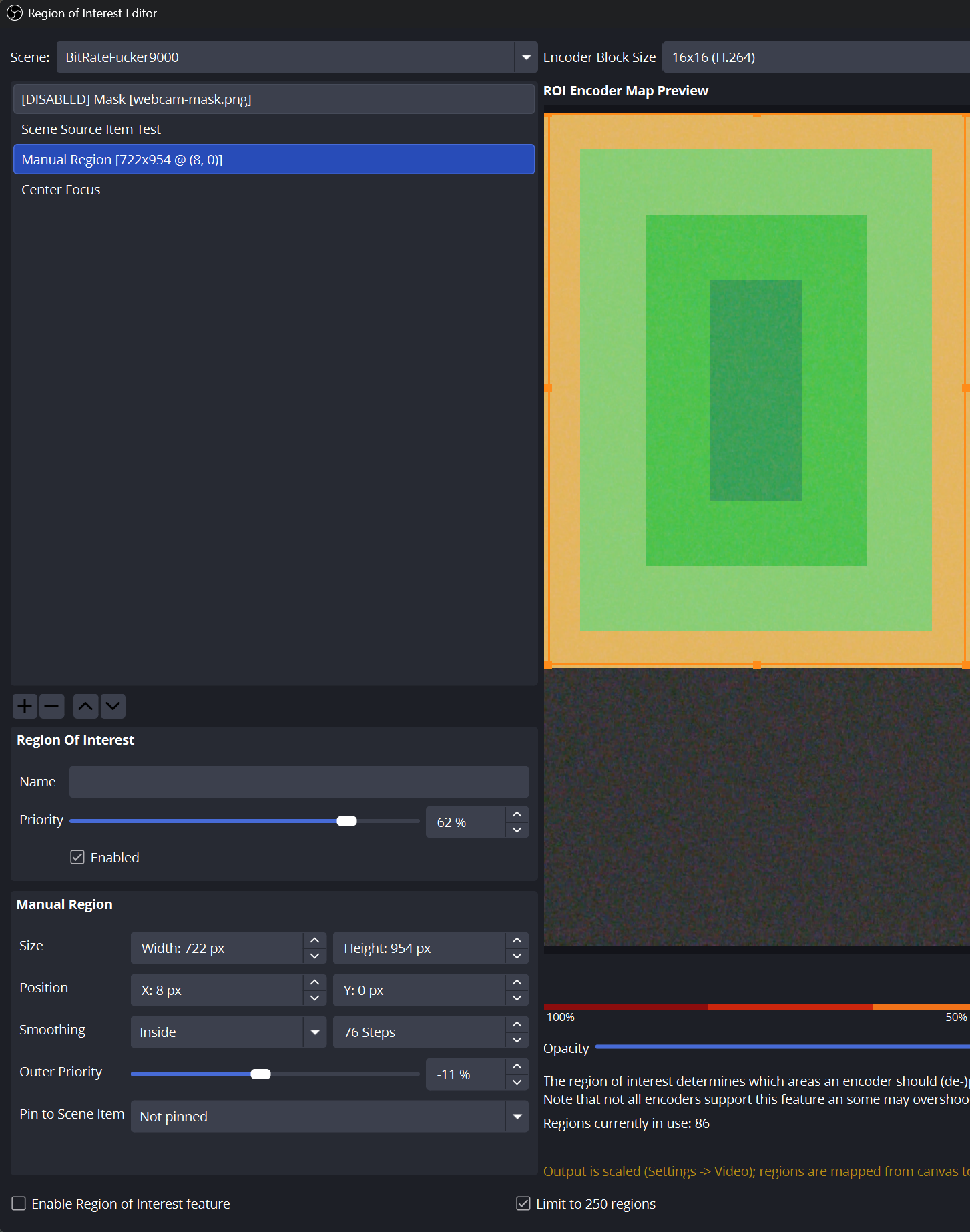
Draw regions straight onto the preview: drag on empty space to create, drag the body to move, grab any of the eight handles to resize. The spinboxes are still there for exact values, and they track your drags live.
Regions that follow your sources
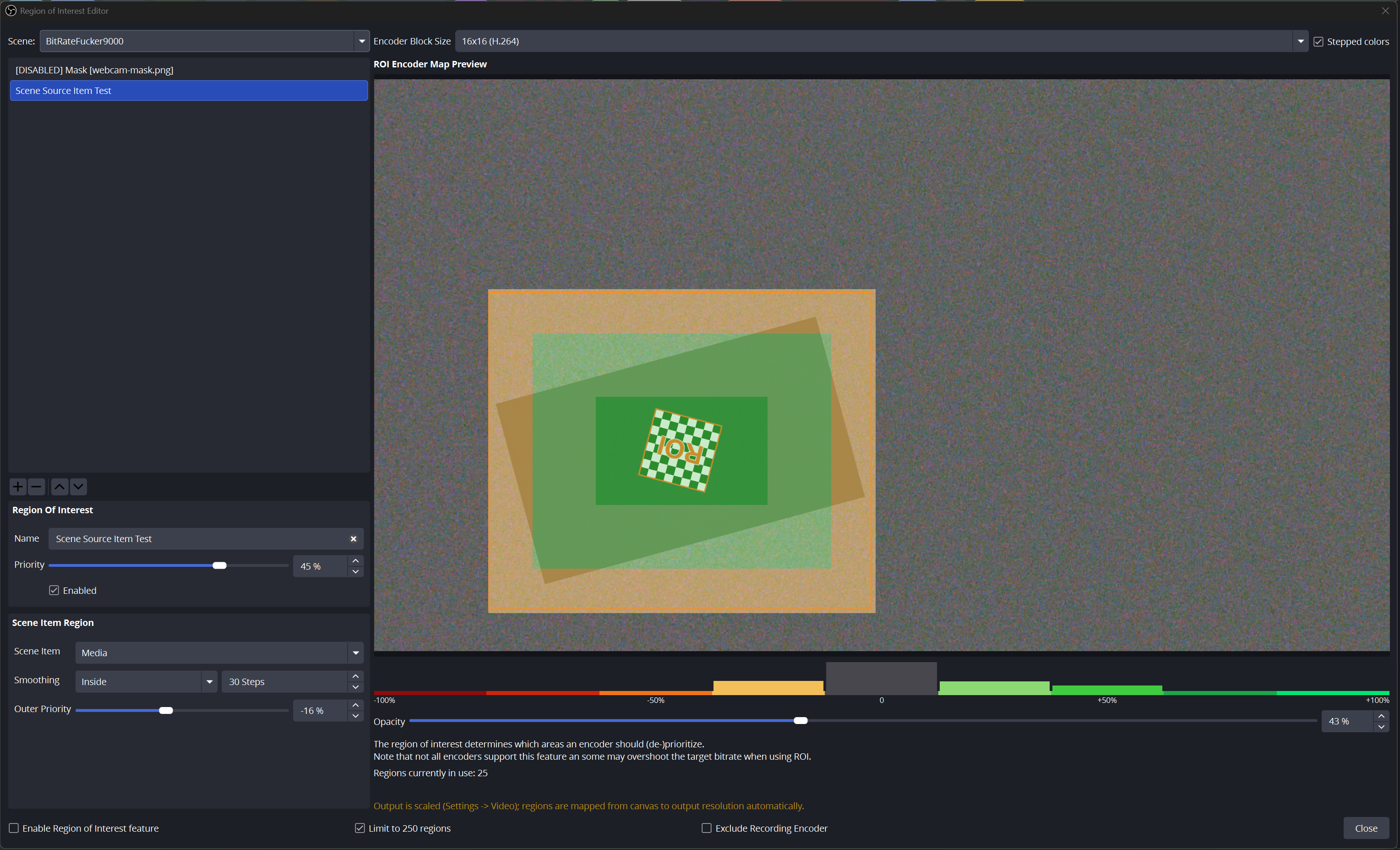
Scene item regions now track their source continuously mid-stream, including sources nested in groups, and switch off while the source is hidden. Manual regions can be pinned to a source with an offset, so a region can be larger or shifted relative to what it follows.
Image masks
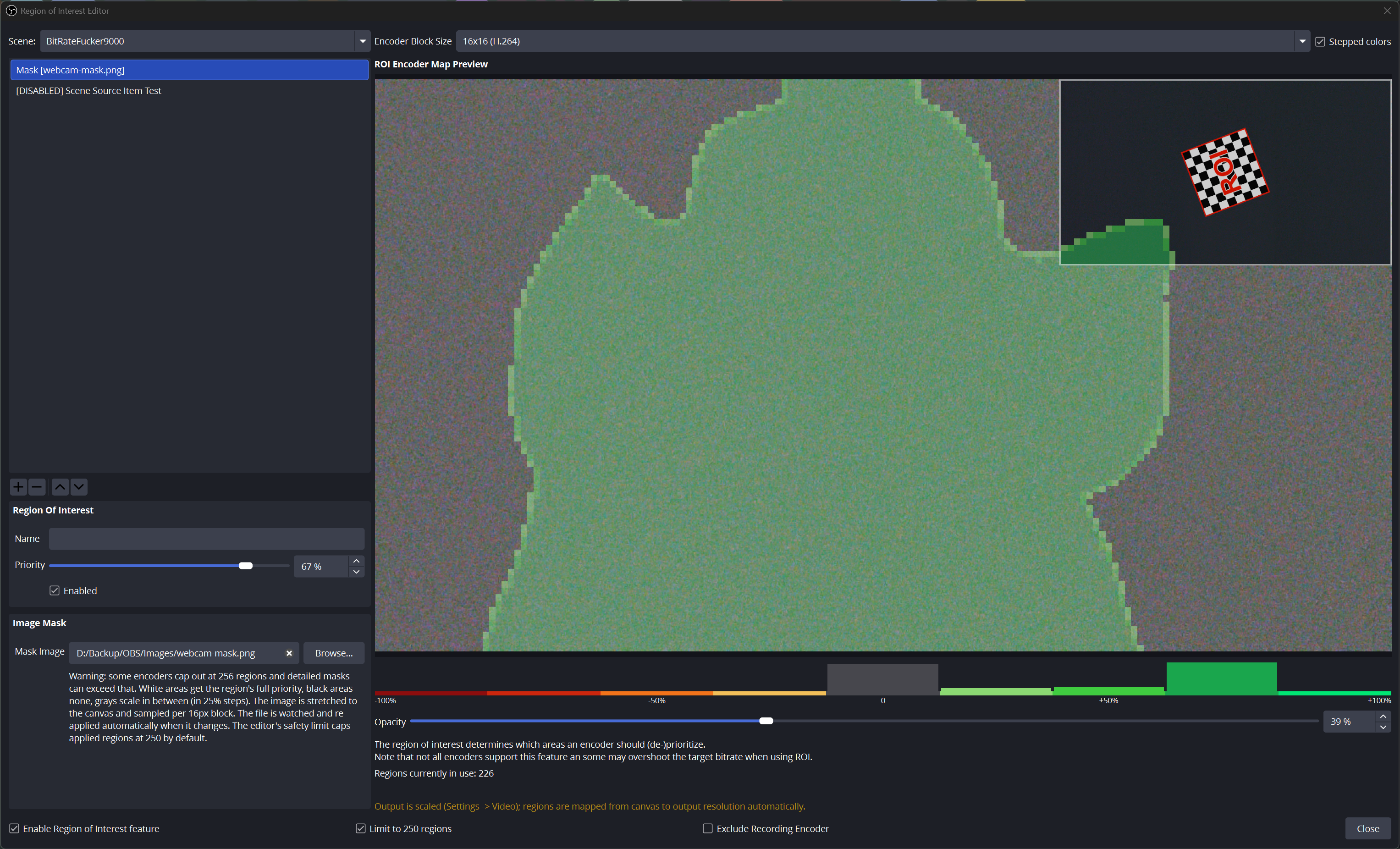
A new region type driven by a greyscale image: white gets full priority, black none, greys scale in 25% steps. The file is watched, so overwriting it swaps the mask within a second — useful for scripted or scene-driven setups.
Seeing what the encoder sees
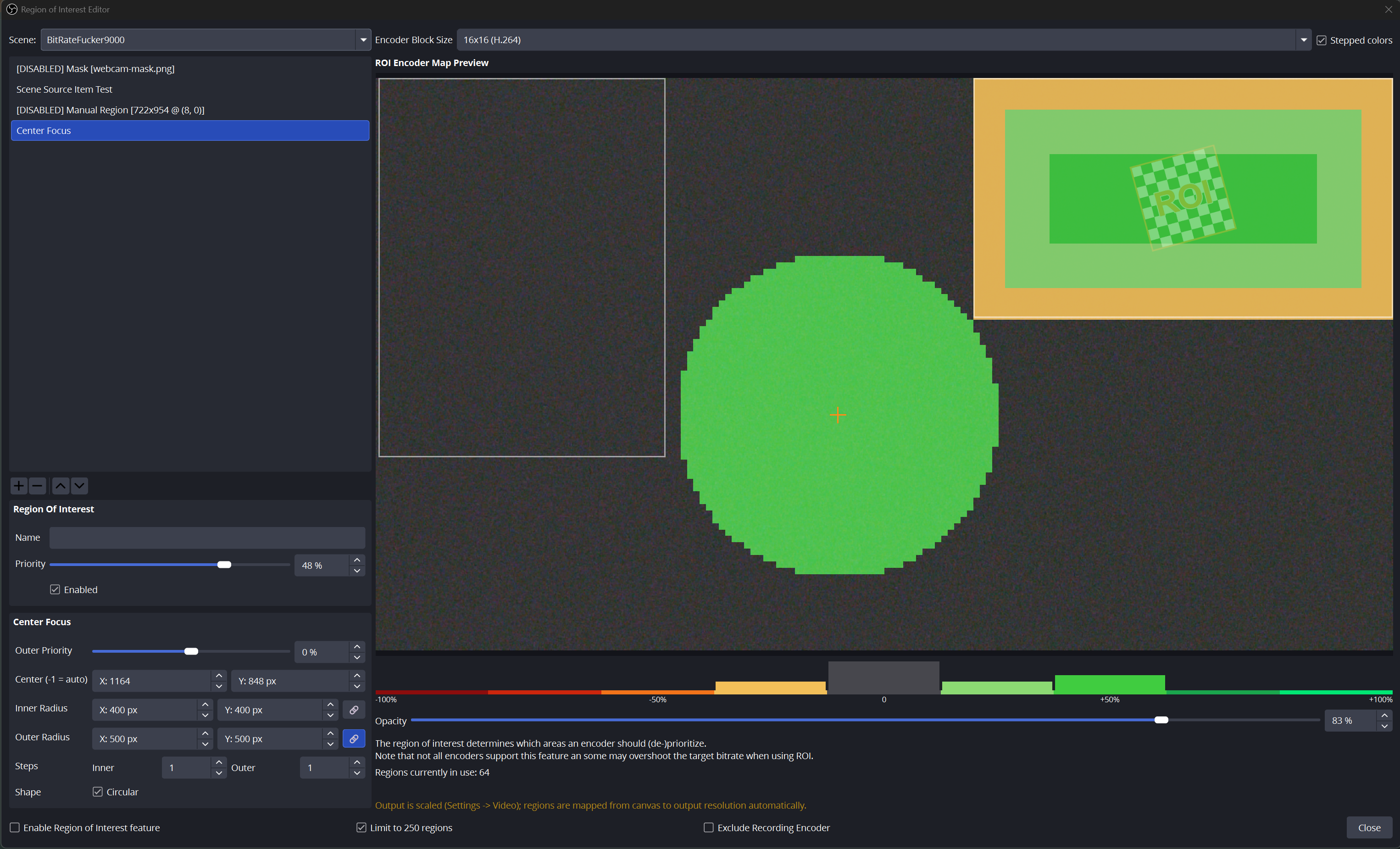
The priority heatmap now renders in discrete colour bands, with a histogram underneath showing exactly how many encoder blocks fall into each priority bucket (hover for counts). Output scaling is supported — regions map from canvas to output resolution automatically, replacing the old "not supported" error.
Automation
Per-region enable/disable hotkeys appear in OBS Settings → Hotkeys, and an obs-websocket vendor API (obs-roi-ui: get_regions, set_region_enabled, toggle_region, get_status, plus a region_enabled_changed event) lets Stream Deck plugins and scripts drive regions.
Also in this release
- Center Focus radii are independent X/Y values with a lock toggle, so regions can be stretched; circles become ellipses
- Better defaults: Manual regions start at 250×250 centred, Center Focus at a 300px radius
- Safety limit (on by default) applying at most 250 regions, since some encoders misbehave beyond 256
- Fixes carried over for the original plugin's crashes: missing receiver context on preview signal connections, and unclamped circular center-focus regions producing invalid rectangles
- Test assets in
assets/: 4K noise and spinner clips plus a sample mask, for verifying ROI actually does something
Reporting problems
Open an issue with your OBS log (Help → Log Files → Upload Current Log), the newest file from %APPDATA%\obs-studio\crashes if OBS crashed, what you did just before it happened, and which encoder you use.
Developed with substantial AI assistance (Anthropic's Claude); every change was human-directed, reviewed and tested in OBS. GPL v2, same as the original.