The End-to-end encryption option in ONLYOFFICE Desktop Editors allows users to protect documents with a strong password generated automatically each time they save the documents and stored in the private network based on Parity. Besides, it protects all the inputs while co-editing documents at both sides.
-
Reliable document encryption (AES-256);
-
Support for all key formats: DOCX, XLSX, PPTX, ODT, ODS, ODP, PDF;
-
Flexible access rights management: Full access, Review, Comment only, View only, etc.;
-
Encrypted real-time co-editing;
-
Ethereum private network with asymmetric encryption for reliable password storing and transferring.
The end-to-end encryption is available as a developer preview in ONLYOFFICE desktop applications - ONLYOFFICE Desktop Editors starting from version 5.2.7 for Windows, Linux, and Mac OS.
Before you start,
-
Deploy ONLYOFFICE Enterprise or Community Edition on your own server or create an ONLYOFFICE account in the cloud.
-
Install the latest version of ONLYOFFICE Desktop Editors
-
Connect the desktop application to the cloud and start working on documents.
-
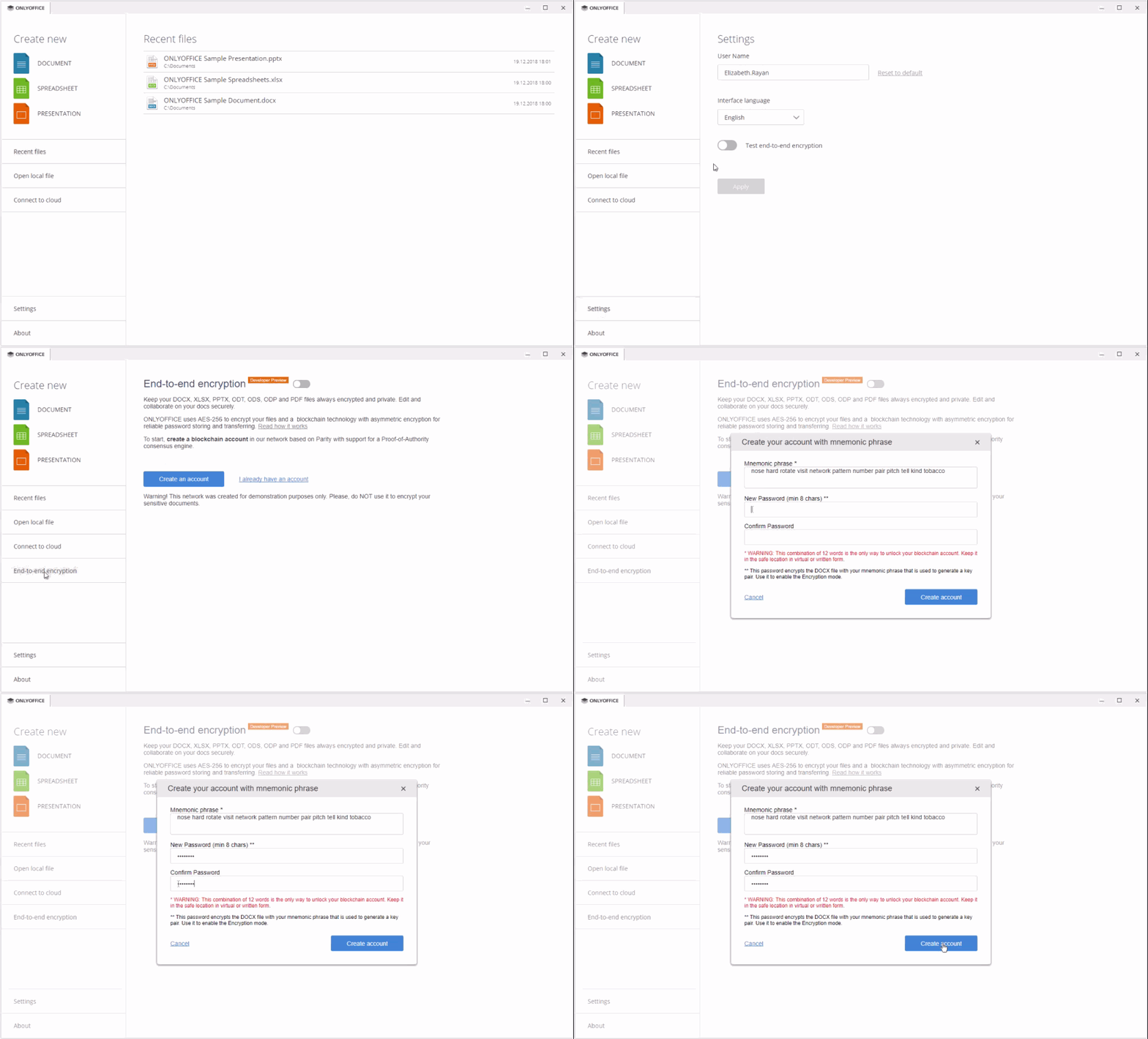
Launch ONLYOFFICE Desktop Editors, switch to the Settings tab and enable the Test end-to-end encryption option.
-
Switch to the End-to-end encryption tab and create a blockchain account in the ONLYOFFICE network using mnemonic phrase.
Now you can create and edit your local files and store them in the cloud privately.
-
Enable the end-to-end encryption.
-
Connect your desktop application to the ONLYOFFICE cloud.
-
Share your document and start co-editing it privately together with your team.
To learn how it works, visit this page.
Please report any issues at issue tracker