 GitHub Community
How do I customize my GitHub profile with a README? #169002

Replies: 1 comment

|
Hey @testhub123-sudo, The "secret" is creating a special repository that has the exact same name as your GitHub username. Here’s a step-by-step guide on how to set it up: Step 1: Create the Special Repository
Step 2: Edit Your README.md FileNow that you have the repository, you can edit the Here are some ideas to make it cool, just like the ones you've seen: About Me & SkillsStart with a brief introduction. You can use badges from Shields.io to show off the technologies you use. ### Hi there, I'm testhub123-sudo! 👋
I'm a passionate developer who loves building cool things.
**I work with:**


GitHub StatsThis is one of the most popular features. You can use the GitHub Readme Stats project by Anurag Hazra. Just copy and paste the Markdown, and replace <!-- Replace 'anuraghazra' with your GitHub username -->
[](https://github.com/anuraghazra/github-readme-stats)
[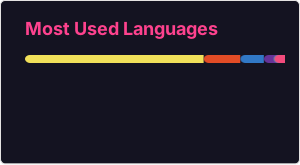](https://github.com/anuraghazra/github-readme-stats)GIFs and ImagesAdding a GIF is as simple as adding any image in Markdown. Step 3: Commit Your ChangesOnce you're done editing, scroll to the bottom of the page, add a commit message (like "Create initial profile README"), and click "Commit changes". Ideas & Inspiration
Hope this helps you create an awesome profile! Happy customizing! 🎉 |


Uh oh!
There was an error while loading. Please reload this page.
Select Topic Area
Question
Body
I've seen some GitHub profiles with cool READMEs showing their projects, stats, and even GIFs.
How can I create a custom profile README like that? Is there a specific repo name or format?
All reactions