A better desktop layout for fast app access.
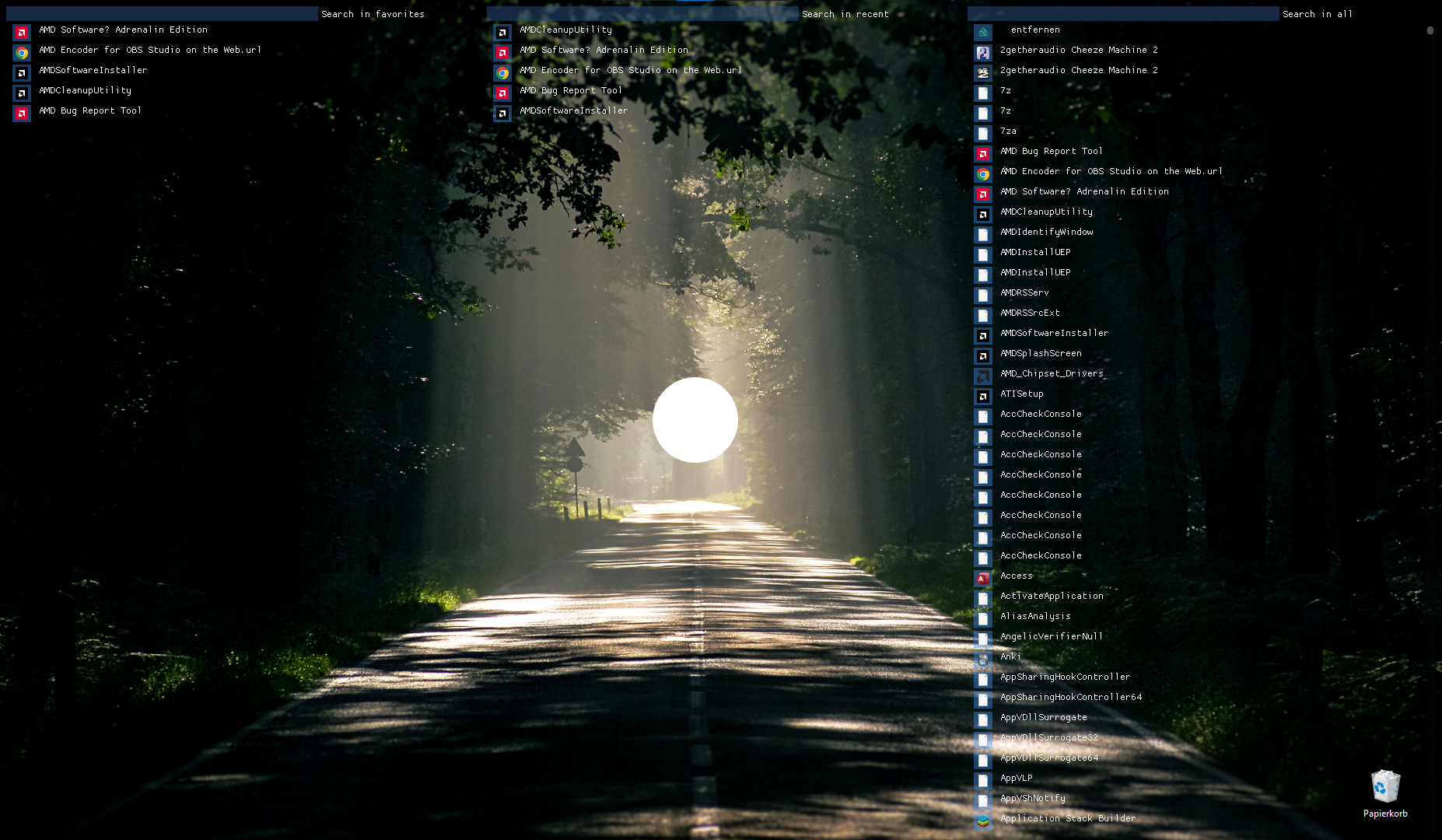 The screenshot above is from the 0.1 development build.
- Make sure you have Java 11 or higher installed.
- Download the BetterDesktop.jar and put it in a folder of your choice (except the desktop).
- Double click the .jar file.
Note that currently only Windows systems are supported. To uninstall just delete the jar, to remove all its data delete the whole folder (note that your original desktop is saved there).

- The "All" tab contains a scrollable list of all installed programs, sorted alphabetically.
- The "Recent" tab contains a list sorted by last opened program first.
- The "Favorites" tab contains a list sorted by most used program first.
- Left-clicking on a program icon should open it.
- Currently apps/programs are shown by their small icon and their name in a list, which works better than actual app icons like shown above.
- Right-clicking could be harder to implement, so let's skip that for now, but it should do something similar to the regular right-click, or just open its location in the file explorer.
- Add support for Linux (Mac, Ubuntu, ...).
- Add a listener to the original desktop folder to also move files added to it later, to the favorites tab.
- Decrease CPU and MEM usage by enhancing the all tab.
- Add a settings popup.
- If there are same program names add their parent path, until the names are not equal.
/User/Desktopand/Public/Desktopcontents will be moved into the BetterDesktop program directory and added to the favorites tab, thus clearing up the background./Program Filesand/Program Files (x86)and/Start Menu/Programson all drives will be scanned for .exe and .lnk files, and then added to the all tab.- Limits to 1 FPS when window not focused.
- Each tab could also have a search bar below its title to search for programs by their names.
- The titles can be smaller, as well as the gaps between the tabs, messed it up a bit there. The titles can also be removed entirely and replaced by the search fields tooltip, like "Search in favorites..." or "Search in all...".
- The sizes for the tabs should be calculated on init and based on the screen size ( - task bar).
- The "Recent" and "Favorites" tabs could additionally contain links to websites (their icons) that open that website in the browser when clicked.
- They could also contain files, that when clicked open them.
- If the above is implemented it would also make sense to add program/file names below their icons, to differentiate files of the same type.
- This won't be possible through Rainmeter, because it bumps up my CPU usage to 20% and has like 2fps when scrolling. I am using ImGUI with Java right now and get decent performance.